
Instagram वीडियो की लंबाई: पूरी 2026 गाइड
अगर आप पूछ रहे हैं कि एक Instagram वीडियो कितना लंबा हो सकता है, तो छोटा जवाब यह है कि यह पूरी तरह इस पर निर्भर करता है कि आप इसे कहां पोस्ट कर रहे हैं। Reels, Stories, Feed वीडियो, Live, और विज्ञापन, इन सभी की अपनी अलग लिमिट होती है, और अधिकतम लंबाई लगभग कभी भी वह लंबाई नहीं होती जो आपको असल में इस्तेमाल करनी चाहिए। यह गाइड आपको दोनों आंकड़े देता है: हर प्लेसमेंट की सख्त टेक्निकल लिमिट, और वह लंबाई जो 2026 में असल में अच्छा परफॉर्म करती है।
एक Instagram वीडियो कितना लंबा हो सकता है? (क्विक जवाब)
| प्लेसमेंट | अधिकतम लंबाई | इस्तेमाल करने के लिए सबसे अच्छी लंबाई |
|---|---|---|
| Reels | 3 मिनट (इन-ऐप कैमरा), अपलोड में 15 मिनट तक, 20 मिनट रोलआउट हो रहा है | 7 से 90 सेकंड |
| Stories | प्रति स्लाइड 60 सेकंड | प्रति स्लाइड 15 सेकंड से कम |
| Feed वीडियो | 60 मिनट (डेस्कटॉप), 15 मिनट (मोबाइल) | 30 सेकंड से 3 मिनट |
| Live | प्रति सेशन 4 घंटे | जितना सेशन को चाहिए |
| वीडियो विज्ञापन | प्लेसमेंट से मेल खाता है (Feed में 60 मिनट तक) | 6 से 15 सेकंड |
इस गाइड का बाकी हिस्सा हर एक को विस्तार से समझाता है, उस 3 मिनट वाले एल्गोरिदम कटऑफ को बताता है जिसे ज़्यादातर लोग मिस कर देते हैं, और आपको एक्सपोर्ट करने के लिए सटीक साइज़ और फॉर्मेट दिखाता है ताकि अपलोड के दौरान आपका वीडियो खराब न हो।
Reels पर एक Instagram वीडियो कितना लंबा हो सकता है?
जब ज़्यादातर क्रिएटर्स पूछते हैं कि Instagram पर आप कितना लंबा वीडियो पोस्ट कर सकते हैं, तो उनका मतलब आमतौर पर Reels प्लेसमेंट से होता है। 2026 में लिमिट इस प्रकार हैं:
- Reels कैमरे में रिकॉर्ड करें: 3 मिनट तक।
- पहले से एडिट किया हुआ वीडियो अपलोड करें: 15 मिनट तक, और यह फिर भी एक Reel के रूप में पोस्ट होता है।
- 20 मिनट की रिकॉर्डिंग: 2025 के आखिर में टेस्टिंग शुरू होने के बाद अब धीरे-धीरे चुनिंदा क्रिएटर और बिज़नेस अकाउंट के लिए रोलआउट हो रही है।
Instagram ने 2025 की शुरुआत में इन-ऐप Reels लिमिट को 90 सेकंड से बढ़ाकर 3 मिनट कर दिया। Instagram के हेड Adam Mosseri ने इस बदलाव को सीधे तौर पर बताया: 90 सेकंड उन कहानियों को बताने के लिए बहुत कम थे जो क्रिएटर्स बताना चाहते थे।
वह 3 मिनट वाला एल्गोरिदम कटऑफ जिसे ज़्यादातर लोग मिस कर देते हैं
यह वह हिस्सा है जो अधिकतम लिमिट से भी ज़्यादा मायने रखता है। Instagram उन लोगों को, जो आपको पहले से फॉलो नहीं करते, लगभग 3 मिनट से लंबे Reels सक्रिय रूप से रिकमेंड करना बंद कर देता है। 15 और 20 मिनट की सीमाएं स्टोरीटेलिंग और अपलोड के लिए मौजूद हैं, लेकिन अगर आपका लक्ष्य रीच और डिस्कवरी है, तो 3 मिनट से कम रहना आपको उस रिकमेंडेशन इंजन के लिए योग्य बनाए रखता है जो आपको नए दर्शकों के सामने लाता है।
Mosseri बार-बार कह चुके हैं कि Reels के लिए सबसे मज़बूत रैंकिंग सिग्नल वॉच टाइम और कम्प्लीशन रेट हैं, न कि सिर्फ लंबाई। एक 20 सेकंड की क्लिप जिसे लोग आखिर तक देखते हैं, वह एक 3 मिनट की क्लिप से बेहतर है जिसे लोग 0:08 पर ही छोड़ देते हैं। लंबाई एक टूल है, कोई लक्ष्य नहीं।
Instagram Stories कितनी लंबी हो सकती हैं?
एक सिंगल Story स्लाइड 60 सेकंड तक चलती है। अगर आप इससे लंबी क्लिप अपलोड करते हैं, तो Instagram उसे अपने आप लगभग 15-15 सेकंड के हिस्सों में बांट देता है ताकि वह कई स्लाइड में पोस्ट हो सके। Stories पर दर्शकों का छूटना तेज़ी से होता है: पहले 15 सेकंड के बाद कम्प्लीशन रेट तेज़ी से गिरती है, तो हर स्लाइड को एक क्विक विचार की तरह ट्रीट करें और उनके बीच एक विज़ुअल रीसेट इस्तेमाल करें।
अनाउंसमेंट, पोल, बिहाइंड-द-सीन्स क्लिप, लिंक स्टिकर, और सीधे कॉल टू एक्शन के लिए Stories का इस्तेमाल करें। ये उन लोगों के लिए सही हैं जो आपको पहले से फॉलो करते हैं, न कि कोल्ड डिस्कवरी के लिए।
Instagram पर एक Feed वीडियो कितना लंबा हो सकता है?
Feed वीडियो की सीमा किसी भी स्टैंडर्ड प्लेसमेंट में सबसे ज़्यादा है:
- डेस्कटॉप अपलोड: 60 मिनट तक।
- मोबाइल अपलोड: 15 मिनट तक।
जब से Instagram ने IGTV को मुख्य ऐप में मिला दिया है, इन-फीड वीडियो 15 सेकंड की क्लिप से लेकर पूरी लॉन्ग-फॉर्म अपलोड तक सब कुछ कवर करता है। 15 मिनट से कम का एक फीड वीडियो आमतौर पर एक Reel की तरह ट्रीट किया जाएगा और उसी तरह सामने लाया जाएगा, तो एक लंबे Reel और एक फीड वीडियो के बीच का प्रैक्टिकल फर्क लगभग खत्म हो चुका है। एवरग्रीन ट्यूटोरियल, लॉन्च, और एक्सप्लेनर के लिए, 30 सेकंड से 3 मिनट लोगों को देखते रहने और साथ ही रिकमेंडेशन के लिए योग्य बने रहने का सबसे सही स्पॉट है।
एक Instagram Live कितनी लंबी हो सकती है?
एक सिंगल Live ब्रॉडकास्ट 4 घंटे तक चल सकता है। Live रीयल-टाइम ऑडियो और वीडियो के लिए है: Q&A, वर्कशॉप, लॉन्च, और इवेंट्स। सेशन खत्म होने के बाद आप इसे सेव कर सकते हैं और सबसे दमदार पलों को ट्रिम करके Reels बना सकते हैं, जो आमतौर पर पूरी रिकॉर्डिंग से बेहतर परफॉर्म करते हैं।
एक Instagram वीडियो विज्ञापन कितना लंबा हो सकता है?
विज्ञापन की लंबाई उस प्लेसमेंट पर निर्भर करती है जिसमें वह चलता है। एक Feed विज्ञापन टेक्निकली 60 मिनट तक चल सकता है, ठीक ऑर्गेनिक फीड वीडियो की तरह, लेकिन जो लंबाई असल में कन्वर्ट करती है वह कहीं ज़्यादा छोटी है। Stories और Reels विज्ञापनों के लिए, 6 से 15 सेकंड स्टैंडर्ड टारगेट है; Feed और Reels प्लेसमेंट के लिए, 15 से 30 सेकंड। Meta के विज्ञापन स्पेसिफिकेशन प्लेसमेंट के हिसाब से अलग होते हैं और समय के साथ बदलते रहते हैं, तो कोई भी पेड कैंपेन लॉन्च करने से पहले हमेशा Ads Manager में मौजूदा ज़रूरतें चेक करें।
अधिकतम लंबाई बनाम सबसे अच्छी लंबाई
एक लंबी अनुमत अवधि का मतलब यह नहीं कि एक लंबा वीडियो बेहतर परफॉर्म करता है। Instagram एक फास्ट-स्क्रॉल माहौल है, तो पहले सेकंड में ही दर्शक को रुकने की वजह मिलनी चाहिए। यह निर्णय नियम इस्तेमाल करें:
- अगर वीडियो एक हुक, अनाउंसमेंट, या मीम है, तो इसे छोटा रखें।
- अगर वीडियो एक आइडिया सिखाता है, तो उसे साफ तौर पर समझाने के लिए जितना समय चाहिए उतना लें, फिर रुक जाएं।
- अगर वीडियो एक पॉडकास्ट या इंटरव्यू क्लिप है, तो सेटअप से नहीं, सबसे दमदार पल से शुरू करें।
- अगर वीडियो एक डेमो है, तो पहले नतीजा दिखाएं, फिर प्रोसेस।
खासतौर पर पॉडकास्ट और वेबिनार क्लिप के लिए, सबसे अच्छे जवाब से शुरू करें। एक बार दर्शकों की दिलचस्पी बन जाने पर, वे कॉन्टेक्स्ट खुद समझ लेंगे।
दुनियाभर में हज़ारों बिज़नेस EchoWave का इस्तेमाल करते हैं





Instagram वीडियो साइज़, आस्पेक्ट रेशियो, और फॉर्मेट स्पेसिफिकेशन
लंबाई सिर्फ आधा काम है। अगर आप गलत साइज़ या फॉर्मेट अपलोड करते हैं, तो Instagram आपके वीडियो को दोबारा कंप्रेस कर देता है और यह धुंधला या ब्लॉकी दिख सकता है। इन स्पेसिफिकेशन को मैच करें और आपका एक्सपोर्ट शार्प बना रहेगा।
प्लेसमेंट के हिसाब से आस्पेक्ट रेशियो और रेज़ोल्यूशन
| फॉर्मेट | आस्पेक्ट रेशियो | सुझाया गया रेज़ोल्यूशन |
|---|---|---|
| Reels और Stories | 9:16 | 1080 x 1920 |
| Feed पोर्ट्रेट (सुझाया गया) | 4:5 | 1080 x 1350 |
| Feed स्क्वेयर | 1:1 | 1080 x 1080 |
| Feed लैंडस्केप | 16:9 | 1920 x 1080 |
Reels और Stories के लिए, ज़रूरी टेक्स्ट और चेहरों को बीच के सेफ ज़ोन के अंदर रखें। प्रोफाइल नाम, कैप्शन, बटन, और ऑडियो कंट्रोल फ्रेम के ऊपर और नीचे बैठते हैं और वहां रखी गई किसी भी चीज़ को ढक देंगे। 4:5 पोर्ट्रेट रेशियो स्क्रॉल के दौरान बिना क्रॉप हुए सबसे ज़्यादा फीड स्पेस भरता है, यही वजह है कि यह फीड में स्क्वेयर या लैंडस्केप से बेहतर परफॉर्म करता है।
फाइल साइज़, फॉर्मेट, और बिटरेट
| स्पेसिफिकेशन | सुझाई गई वैल्यू |
|---|---|
| कंटेनर | MP4 (MOV भी स्वीकार्य) |
| वीडियो कोडेक | H.264 |
| ऑडियो कोडेक | AAC |
| फाइल साइज़, 10 मिनट से कम | 650 MB तक |
| फाइल साइज़, 10 मिनट या उससे ज़्यादा | 4 GB तक |
| बिटरेट | लगभग 3,500 से 10,000 kbps |
| फ्रेम रेट | 30 fps (24 से 60 fps सपोर्टेड) |
जब एक 1080p एक्सपोर्ट से काम चल जाए, तो एक ओवरसाइज़्ड 4K मास्टर अपलोड न करें। Instagram ज़्यादातर 1080p पर दिखाता है, तो एक क्लीन 1080p फाइल आपको सबसे छोटे साइज़ में सबसे शार्प नतीजा देती है। अगर आपकी फाइल बहुत बड़ी है, तो अपलोड करने से पहले वीडियो कंप्रेस करें ताकि प्लेटफॉर्म इसे कम आक्रामक तरीके से री-एनकोड करे।
लक्ष्य के हिसाब से सबसे अच्छी Instagram वीडियो लंबाई
| लक्ष्य | प्लेसमेंट | इस्तेमाल करने के लिए लंबाई |
|---|---|---|
| अधिकतम रीच और डिस्कवरी | Reels | 7 से 30 सेकंड |
| सेव और शेयर (हाउ-टू, टिप्स) | Reels | 60 से 90 सेकंड |
| एवरग्रीन ट्यूटोरियल या एक्सप्लेनर | Feed वीडियो | 1 से 3 मिनट |
| क्विक अपडेट या पोल | Stories | प्रति स्लाइड 15 सेकंड से कम |
| गहरी स्टोरीटेलिंग | Reels या Feed | 3 मिनट या उससे ज़्यादा (फॉलोअर्स) |
| पेड कन्वर्ज़न | Reels या Feed विज्ञापन | 6 से 15 सेकंड |
Instagram वीडियो एडिटिंग चेकलिस्ट
पोस्ट करने से पहले, इस लिस्ट से गुज़रें:
- Reels और Stories के लिए वर्टिकल वीडियो को 1080 x 1920 पर एक्सपोर्ट करें।
- पहले सेकंड में ही एक स्पष्ट हुक दिखाएं।
- बर्न-इन कैप्शन जोड़ें ताकि वीडियो म्यूट पर भी काम करे।
- ज़रूरी टेक्स्ट और चेहरों को सेंटर सेफ एरिया में रखें।
- मुख्य पल से पहले और बाद की डेड एयर ट्रिम करें।
- ऐसा थंबनेल इस्तेमाल करें जो बिना आवाज़ के भी समझ आए।
- अगर रीच मायने रखती है, तो Reels को 3 मिनट से कम रखें।
- हर प्लेसमेंट के हिसाब से साइज़ किए गए कई वर्ज़न एक्सपोर्ट करें।
- किसी भी पेड कैंपेन से पहले मौजूदा Meta विज्ञापन स्पेसिफिकेशन चेक करें।
सही लंबाई के लिए Instagram वीडियो कैसे एडिट करें
इन स्पेसिफिकेशन तक पहुंचने के लिए आपको डेस्कटॉप सॉफ्टवेयर की ज़रूरत नहीं है। EchoWave आपके ब्राउज़र में चलता है और एक Feed व Reels के लिए तैयार MP4 एक्सपोर्ट करता है:
- अपने वीडियो को एक टाइट, Reels-फ्रेंडली लंबाई में ट्रिम करें और डेड एयर काटें।
- सही प्लेसमेंट के लिए वीडियो को 9:16, 4:5, 1:1, या 16:9 में क्रॉप करें।
- वीडियो को 1080 x 1920 पर रीसाइज़ करें ताकि Instagram इसे दोबारा स्केल न करे।
- सबटाइटल जोड़ें ताकि क्लिप बिना आवाज़ के भी असर छोड़े।
- लंबी पॉडकास्ट, वेबिनार, या इंटरव्यू रिकॉर्डिंग से क्लिप काटें।
प्रैक्टिकल वर्कफ़्लो यह है कि एक दमदार 9:16 मास्टर एडिट करें, फिर उसी प्रोजेक्ट से हर प्लेसमेंट के लिए छोटे वर्ज़न एक्सपोर्ट करें।
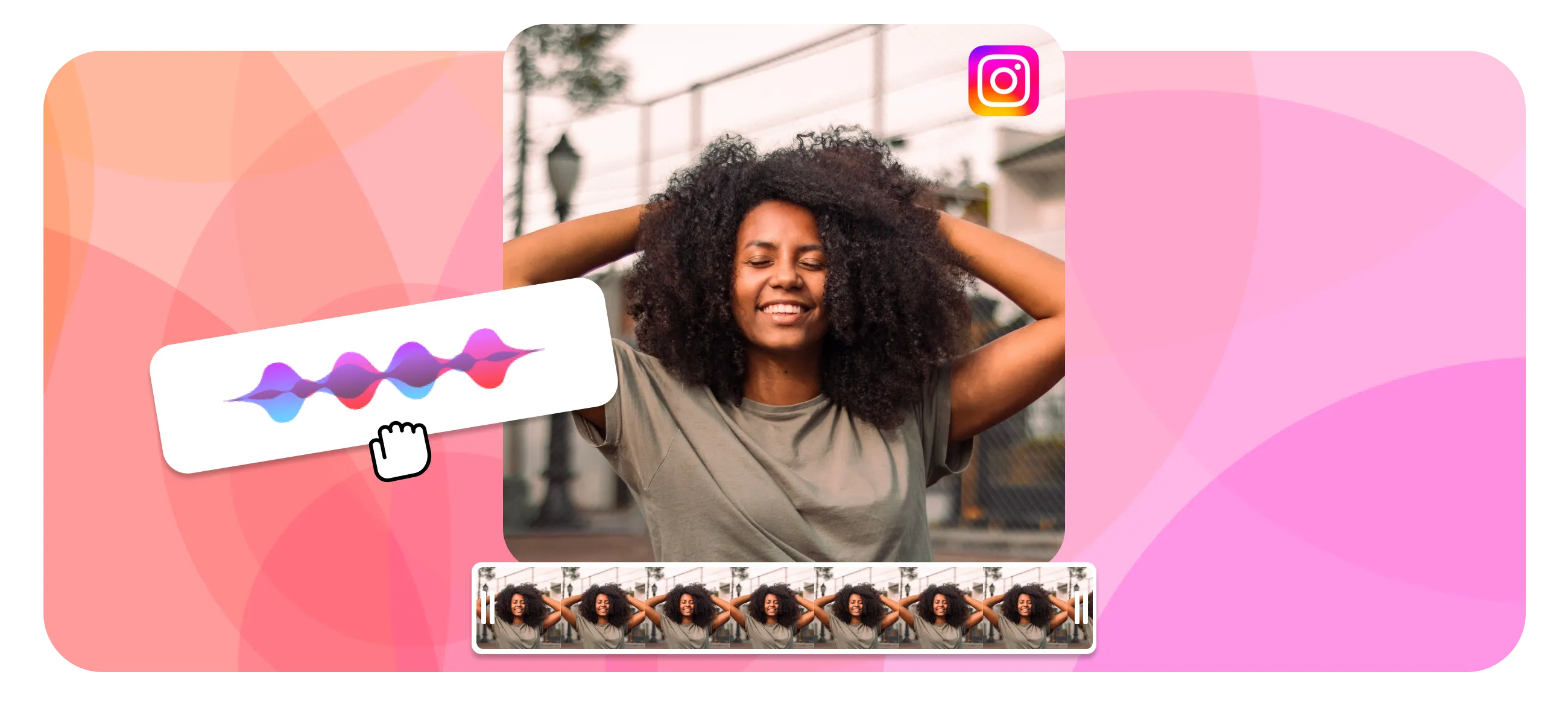
एक बार बनाएं, हर Instagram प्लेसमेंट के लिए ढालें
ज़्यादातर क्रिएटर्स को पहले एक दमदार 9:16 मास्टर एडिट करना चाहिए, फिर Reels, Stories, विज्ञापनों, और क्रॉस-पोस्टिंग के लिए छोटे वर्ज़न एक्सपोर्ट करने चाहिए। कैप्शन को सेफ ज़ोन के अंदर रखें ताकि बटन और प्रोफाइल UI मैसेज को न ढकें।
हमारे क्रिएटर समुदाय की राय
वह एक नियम जो हर लेंथ चार्ट पर भारी पड़ता है
स्रोत और आगे पढ़ने के लिए
- Instagram पर Reel साइज़ और आस्पेक्ट रेशियो — Instagram Help Center
- Instagram Reels — Instagram (Meta)
- Instagram Stories — Instagram (Meta)

EchoWave टीम के बारे में
EchoWave एक ब्राउज़र-आधारित वीडियो और ऑडियो एडिटर है, जिसे Lemon Vault LLC 2018 से बना रही है। जो लोग एडिटर बनाते हैं, वही ये गाइड लिखते हैं और प्रकाशित करने से पहले हर स्टेप को असली ऐप में टेस्ट करते हैं।
अक्सर पूछे जाने वाले सवाल
एक Instagram वीडियो कितना लंबा हो सकता है?
यह प्लेसमेंट पर निर्भर करता है। Reels इन-ऐप 3 मिनट तक रिकॉर्ड होते हैं और 15 मिनट तक की अपलोड स्वीकार करते हैं, Stories प्रति स्लाइड 60 सेकंड तक चलती हैं, Feed वीडियो डेस्कटॉप पर 60 मिनट और मोबाइल पर 15 मिनट तक जा सकते हैं, और Live 4 घंटे तक चल सकता है।
Instagram पर आप कितना लंबा वीडियो पोस्ट कर सकते हैं?
एक सिंगल अपलोड के लिए, डेस्कटॉप पर एक Feed वीडियो के रूप में 60 मिनट तक। एक Reel के रूप में आप 15 मिनट तक अपलोड कर सकते हैं, और ऐप में 3 मिनट तक रिकॉर्ड कर सकते हैं। रीच के लिए, Reels को 3 मिनट से कम रखें।
सबसे अच्छी रीच के लिए Instagram पर वीडियो कितना लंबा हो सकता है?
3 मिनट से कम रखें। Instagram उन लोगों को, जो फॉलोअर नहीं हैं, लगभग 3 मिनट से लंबे Reels सक्रिय रूप से रिकमेंड करना बंद कर देता है, तो डिस्कवरी के लिए 7 से 90 सेकंड की क्लिप सबसे मज़बूत रेंज है।
2026 में Instagram Reels कितनी लंबी हो सकती हैं?
Reels कैमरे में रिकॉर्ड किए जाने पर 3 मिनट तक, अगर आप पहले से एडिट की गई फाइल अपलोड करते हैं तो 15 मिनट तक, और चुनिंदा अकाउंट के लिए 20 मिनट की रिकॉर्डिंग का विकल्प रोलआउट हो रहा है। ज़्यादातर पोस्ट के लिए सबसे अच्छी परफॉर्म करने वाली लंबाई 7 से 90 सेकंड है।
Instagram Reels के लिए सबसे अच्छी लंबाई क्या है?
अधिकतम डिस्कवरी के लिए 7 से 30 सेकंड, और सेव व शेयर कमाने वाले एजुकेशनल कंटेंट के लिए 60 से 90 सेकंड। वॉच टाइम और कम्प्लीशन रेट, कुल लंबाई से ज़्यादा मायने रखते हैं।
एक Instagram Story कितनी लंबी हो सकती है?
हर Story स्लाइड 60 सेकंड तक चलती है। इससे लंबी अपलोड अपने आप कई स्लाइड में लगभग 15-15 सेकंड के हिस्सों में बंट जाती हैं। हर स्लाइड को 15 सेकंड से कम रखें क्योंकि उसके बाद कम्प्लीशन तेज़ी से गिरती है।
क्या मैं Instagram पर 60 मिनट का वीडियो पोस्ट कर सकता हूं?
हां, डेस्कटॉप से अपलोड किए गए एक Feed वीडियो के रूप में, जो 60 मिनट तक सपोर्ट करता है। मोबाइल पर लिमिट 15 मिनट है। ज़्यादातर अकाउंट के लिए, एक कहीं ज़्यादा छोटी क्लिप और साथ में एक लॉन्ग-फॉर्म वर्ज़न, एक लंबी अपलोड से बेहतर परफॉर्म करता है।
Instagram वीडियो के लिए अधिकतम फाइल साइज़ क्या है?
10 मिनट से कम के वीडियो के लिए 650 MB तक, और इससे लंबे वीडियो के लिए 4 GB तक। लिमिट के भीतर रहने और भारी री-कंप्रेशन से बचने के लिए 1080p पर H.264 वीडियो और AAC ऑडियो के साथ MP4 के रूप में एक्सपोर्ट करें।
Instagram वीडियो का आस्पेक्ट रेशियो क्या होना चाहिए?
Reels और Stories के लिए 9:16 (1080 x 1920), और Feed वीडियो के लिए 4:5 (1080 x 1350) क्योंकि पोर्ट्रेट सबसे ज़्यादा स्क्रीन भरता है। स्क्वेयर 1:1 और लैंडस्केप 16:9 सपोर्टेड हैं लेकिन फीड का कम हिस्सा इस्तेमाल करते हैं।
अपलोड करने के बाद मेरा Instagram वीडियो धुंधला क्यों दिखता है?
आमतौर पर फाइल का साइज़ गलत था या इसे भारी मात्रा में री-कंप्रेस किया गया। H.264 और AAC के साथ 1080 x 1920 पर एक MP4 एक्सपोर्ट करें, इसे फाइल साइज़ लिमिट के अंदर रखें, और एक ओवरसाइज़्ड 4K मास्टर अपलोड करने से बचें जिसे Instagram को दोबारा स्केल करना पड़े।
क्या Instagram ने Reels की लंबाई लिमिट बदली है?
हां। Instagram ने 2025 की शुरुआत में इन-ऐप Reels रिकॉर्डिंग लिमिट को 90 सेकंड से बढ़ाकर 3 मिनट कर दिया, और 2025 के आखिर में चुनिंदा क्रिएटर्स के साथ 20 मिनट की रिकॉर्डिंग का विकल्प टेस्ट करना शुरू किया। 15 मिनट की अपलोड लिमिट अभी भी एक Reel के रूप में पोस्ट होती है।
एक Instagram Live वीडियो कितनी देर चल सकता है?
प्रति सेशन 4 घंटे तक। खत्म होने के बाद आप ब्रॉडकास्ट को सेव कर सकते हैं और सबसे अच्छे पलों को ट्रिम करके Reels बना सकते हैं, जो आमतौर पर पूरी रिकॉर्डिंग से ज़्यादा लोगों तक पहुंचते हैं।
अपने वीडियो को परफेक्ट Instagram लंबाई में काटें फ्री, आपके ब्राउज़र में
मिनटों में एक मास्टर को ट्रिम, क्रॉप, और रीसाइज़ करके Reels, Stories, और Feed एक्सपोर्ट बनाएं।
वीडियो एडिटर खोलें















