
Resize Video Online, Change Aspect Ratio and Resolution Free
Resize any video to the exact size your platform needs, from 9:16 for TikTok and Reels to 1:1 and 16:9. Free, in your browser, no install.


Resize Video Online, Change Aspect Ratio and Resolution Free Features
EchoWave's video resizer is used by creators, marketers, and teams to repurpose video for every platform





One tool, every ratio
Resize video for any platform without re-shooting
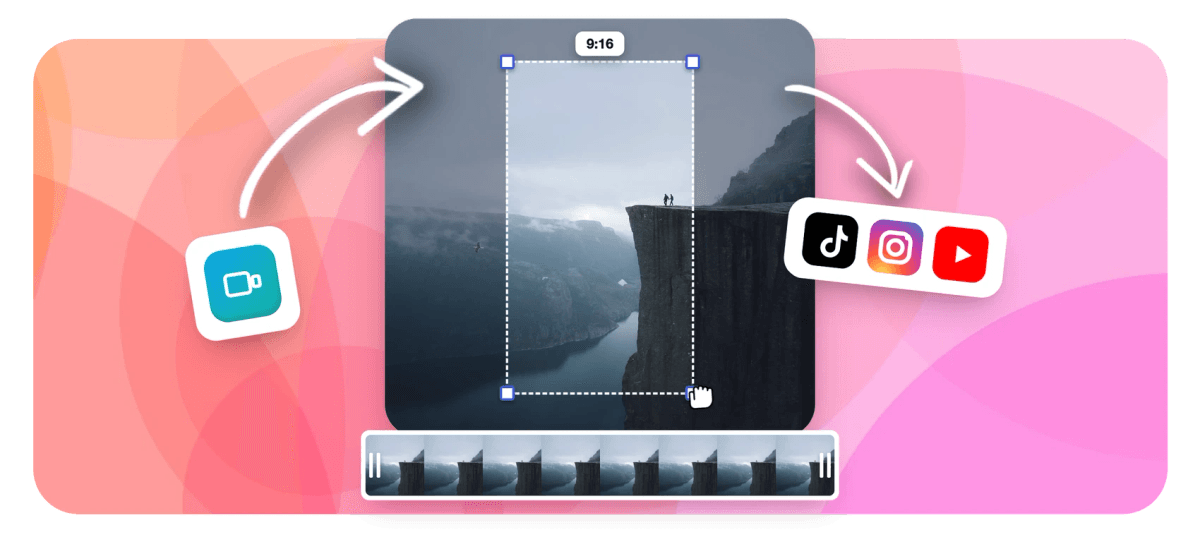
Repurposing video used to mean re-exporting from a desktop app. EchoWave runs entirely in your browser: pick a ratio preset, adjust the crop handles, and export up to 4K, all without installing anything. Because resize lives inside the full timeline editor, you can crop, add captions, overlay text, and trim in the same session. One upload, one export, every platform covered.
-
9 aspect ratio presets
9:16, 16:9, 1:1, 4:5, 2:3, 21:9, 4:3 and custom dimensions covered out of the box
-
4K H.264 export
Export resized video at full 4K resolution on paid plan; 1080p on free
-
Free plan available
No install, no credit card required to start; paid plan removes watermark and unlocks 4K
-
160+ caption presets
Resize and caption in one session with 160+ subtitle styles including TikTok karaoke word animation
The toolkit
Everything you need to resize and repurpose
A full set of controls to get your video into exactly the right shape for every platform.
-
Every Platform Ratio
Switch between 9:16 for TikTok and Reels, 16:9 for YouTube, 1:1 for Instagram feed, 4:5 for portrait, and more. Pick a preset or type exact pixel dimensions. Need to cut rather than rescale? See crop video.
-
Crop Without Stretching
Choose how the canvas fills: letterbox your original or crop to fill so nothing looks squeezed or distorted. Fine-tune position on the timeline. For precision edge removal, try crop video.
-
4K Export Quality
Resize to 480p, 720p, 1080p, or 4K H.264. Reducing aspect ratio never forces a quality downgrade; you choose the output resolution at export independently.
-
Multi-Track Editor Included
Resize is built into EchoWave's full timeline editor, so you can trim, add captions, drop in music, or overlay text in the same session without re-uploading. Open the video editor to explore everything.
-
AI Auto-Captions
Generate word-level captions automatically in 160+ styles including TikTok karaoke and MrBeast presets. Essential when you reformat vertical video for social. Learn more at auto subtitles.
-
Add Text and Logos
After resizing, stamp your brand logo, add animated text, or place emoji overlays exactly where you need them on the new canvas. Full controls in add text to video.
-
Speed and Trim Controls
Speed up, slow down, or trim clips before or after resizing without leaving the editor. One upload, one export. Quick cuts are even faster with the video trimmer.
-
GIF and WebM Output
Export resized video as MP4, GIF, or WebM. Handy for resizing a clip into a looping square GIF for Twitter or a transparent WebM for web use.
How it works
How to resize a video online
Four steps from upload to a perfectly sized export.
-
Upload Your Video
Drag and drop or click to upload your MP4, MOV, WebM, MKV, AVI, or other video file. No account required to start.
-
Choose Your Aspect Ratio
Select a social media preset (9:16, 1:1, 16:9, 4:5, 2:3, 21:9) or enter custom width and height in pixels. Drag the crop handles to reframe the shot.
-
Edit While You Resize
Optionally add captions, music, text overlays, speed changes, or trims directly in the timeline editor without a second upload.
-
Export and Download
Choose your output resolution (up to 4K) and click Export. Your resized video downloads as MP4 in seconds, ready to post.
Sized to post
The right shape for every feed
Pick a platform preset and EchoWave sets the canvas to match.
-
9:16 Vertical
- TikTok
- Reels
- Shorts
-
1:1 Square
- X
-
16:9 Widescreen
- YouTube
Ideas
What creators resize for
-
Repurpose YouTube Videos for TikTok
Convert 16:9 landscape recordings to 9:16 vertical without re-shooting. Crop to keep the speaker centered, then add captions in one pass.
-
Square Instagram Feed Posts
Reformat any widescreen clip to 1:1 for a clean Instagram grid. Add your logo or CTA text after resizing in the same session.
-
Instagram and Facebook Ads
Create 4:5 portrait ads from landscape footage. The fuller vertical frame out-performs 16:9 in mobile ad placements where tall creative fills the screen.
-
YouTube Shorts and Reels from Long-Form
Pull a highlight from a long video, trim it, and resize to 9:16 all in one browser tab. AI captions make every short instantly accessible.
-
LinkedIn and Twitter Video Posts
LinkedIn favors 1:1 or 16:9 depending on placement. Export the same resized clip at different ratios without re-uploading.
-
Podcast Clips and Audiograms
Resize a talking-head recording to square, then layer on a waveform visualizer and captions to create a shareable audiogram clip.
Resize your video now
Start free. Upload your clip, pick a ratio, and export in seconds.
What creators say after trying EchoWave

About the EchoWave team
EchoWave is a browser-based video and audio editor built by Lemon Vault LLC since 2018. The people who build the editor write these guides and test every step in the production app before publishing.
Resize video FAQ
What is the difference between resizing a video and cropping it?
Resizing changes the canvas dimensions or aspect ratio of the entire video frame, which may add letterbox bars or scale the image. Cropping cuts away part of the frame to change the visible area without scaling. EchoWave lets you do both: choose a new aspect ratio and then drag crop handles to reframe the subject precisely.
Will my video lose quality when I resize it?
Reducing a video to a smaller resolution removes pixels, but on the target platform the result looks sharp because it fills the correct space. Going from a 4K source to 1080p output actually sharpens perceived detail. EchoWave lets you choose the output resolution independently from the aspect ratio, so you stay in full control of quality.
What aspect ratio should I use for TikTok and Instagram Reels?
Both platforms recommend 9:16 vertical (1080 x 1920 px) for full-screen display. For Instagram feed posts use 1:1 square or 4:5 portrait. For YouTube use 16:9 widescreen (1920 x 1080 px). Select any of these as a one-click preset in EchoWave.
What is the difference between aspect ratio and video resolution?
Aspect ratio is the proportional relationship of width to height (e.g. 16:9), which determines the shape of the frame. Resolution is the number of pixels packed into that frame (e.g. 1080p = 1920x1080). You can have a 9:16 aspect ratio at 720p or at 4K; they are independent settings.
Can I resize a video on my phone without an app?
Yes. EchoWave runs in any modern mobile browser on iOS and Android. Open the site, upload your video, pick your ratio, and export without installing anything.
How do I resize a video without stretching or distorting it?
In EchoWave, after choosing a new aspect ratio you can choose to letterbox (fit the full video inside the new canvas with bars) or crop to fill (trim the edges so the frame fills completely). Neither option stretches the footage, so the result always looks correct.
Can I resize and add captions in the same session?
Yes. EchoWave's resize tool is built into the full timeline editor. After resizing, click the Captions tool to auto-generate word-level subtitles with AI, choose a style preset, and export everything together.
What video formats can I upload to resize?
EchoWave accepts MP4, MOV, WebM, MKV, AVI, and most other common video formats via the browser upload. Output is MP4 (H.264) by default, with GIF and WebM also available.
Is there a file size limit for the free resize tool?
The free plan supports standard file sizes for browser-based editing. For large or 4K source files, upgrading to a paid plan gives higher upload limits and 4K output resolution.
Ready to resize your video for free?
No credit card required. The free plan includes a small EchoWave watermark.
Get Started →























































