
Free Reel Maker: Create Scroll-Stopping Instagram Reels Online
Reels maker for vertical 9:16 videos that pop. Trim clips, add captions and trending music, then export ready for Instagram. Free, in your browser, no watermark.


Free Reel Maker: Create Scroll-Stopping Instagram Reels Online Features
EchoWave's reel maker is used by creators, social media managers, and brands around the world





Reels in your browser
Cut, caption, and post a 9:16 reel in minutes
Most reel tools make you install an app or start from a locked template. EchoWave is a full browser-based editor, so you bring your own footage, resize it to 9:16, add AI-generated captions and a voiceover, then export a clean MP4 ready for Instagram. Need just the subtitles? Jump straight to add subtitles to video. Need the complete editor? This is it.
-
Free to start
No credit card required. Export at 1080p on the free plan with a small watermark.
-
4K H.264 export
Paid plan includes 4K resolution MP4 output with no watermark.
-
160+ caption presets
Includes TikTok-style karaoke word-highlight, MrBeast bold pop-up, and subtitle translation into 50+ languages.
-
63 AI voices
Stream text-to-speech narration in 63 voices to add voiceover without recording.
The toolkit
Every tool you need to make a reel
Resize, caption, score, and style your footage without leaving the browser.
-
9:16 Vertical Resize
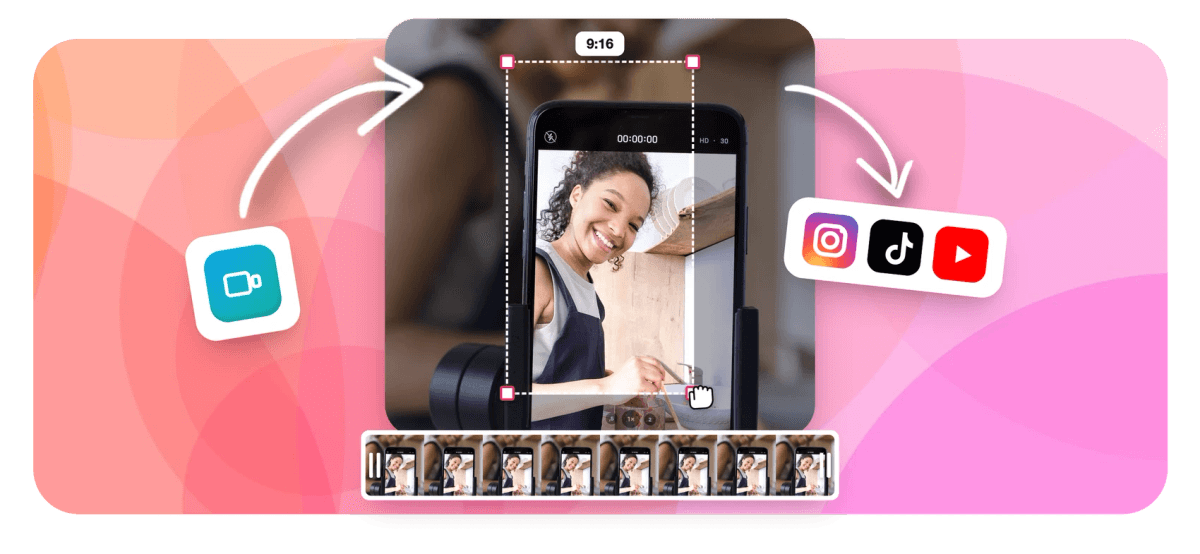
Instantly reframe any landscape or square video to the 9:16 aspect ratio Instagram Reels requires. Crop, reposition, or add blurred fill to fit the frame without cutting out the action. Full crop video controls included.
-
AI Auto-Captions with 160+ Presets
One click generates word-level synced subtitles using EchoWave's speech recognition engine. Choose from 160+ caption presets including TikTok-style karaoke word-highlight and MrBeast-style bold pop-up text. Also available as a standalone auto-subtitle generator.
-
Add Music or Voiceover
Upload any audio track and layer it over your reel with independent volume control. Record a live voiceover or generate one using 63 built-in AI text-to-speech voices for a polished narrated reel. Full controls at add audio to video.
-
Animated Text and Titles
Add styled text overlays, lower-thirds, and animated calls to action. Control font, size, color, and timing on the timeline so each word appears exactly when you want it. More options at add text to video.
-
Trim, Cut and Split
Trim dead air from the start and end, split clips mid-timeline, or cut out any section with a single click. EchoWave's magnetic timeline keeps everything in sync after every edit. Dedicated controls at video trimmer.
-
Speed Ramp and Loop
Slow down a dramatic moment or speed up a process video to fit within 60 seconds. Loop footage to fill a music track without re-uploading the same clip. Standalone tool at loop video.
-
Stickers, Emoji and Logo Overlay
Drop in emoji, branded watermarks, or sticker images on any layer. Position, resize, and keyframe-animate them so they pop in and out at the right moment.
-
Music Visualizer for Audio Reels
Turn a podcast clip, song, or audio recording into a reel with an animated waveform or FFT spectrum visualizer. Perfect for music drops, lyric videos, and audiograms. Try the standalone music visualizer.
How it works
How to make a reel online
Four steps from raw footage to a ready-to-post reel.
-
Upload Your Footage
Drag and drop your video clip or photo into EchoWave. Most formats are accepted including MP4, MOV, and WebM. The editor opens in your browser with no installation needed.
-
Resize to 9:16 and Edit
Select the 9:16 preset to get the correct Instagram Reels format. Trim your clip, add captions with one click, drop in a music track or voiceover, and layer text or emoji over the footage.
-
Generate AI Captions
Click Auto-Caption to run the speech recognition engine. EchoWave produces word-level synced subtitles you can style with any of 160+ presets, then edit individual words directly on the timeline.
-
Export and Share
Hit Export and choose your quality setting. Free accounts export at up to 1080p with a small watermark. Paid accounts get 4K output and no watermark. Your reel downloads as an MP4 ready to upload to Instagram.
Right size, first time
Pick your canvas and post
Select a preset and EchoWave sets the canvas to exactly the dimensions each platform expects.
-
9:16 Vertical
- Instagram Reels
- TikTok
- YouTube Shorts
-
1:1 Square
- Instagram Feed
- X
-
16:9 Widescreen
- YouTube
Who uses it
What people make with EchoWave
-
Creators Turning Long Videos into Reels
Cut a 10-minute YouTube video down to a punchy 60-second reel with EchoWave's trim and split tools, then auto-caption it so it works on mute.
-
Businesses Promoting Products
Build a branded product showcase reel using text overlays, logo watermarks, and speed-ramped footage, then export and repurpose across Instagram, TikTok, and more.
-
Musicians and Podcasters
Use the music visualizer or audiogram creator to turn an audio clip into a visually engaging reel without needing camera footage.
-
Social Media Managers
Process multiple client reels using EchoWave's template system with CSV bulk variables, so the same reel layout renders with different names, dates, or products automatically.
-
Educators and Coaches
Record a quick screen or camera clip, add AI voiceover, and burn in captions translated into another language to reach a wider audience.
-
Musicians Making Lyric Videos
Upload a song, add word-level animated captions synced to the beat, and export a lyric reel at 4K resolution for a professional-looking release post.
Start making your reel now
Upload your footage and create a polished 9:16 reel, free, in your browser.
How creators use EchoWave in real projects

About the EchoWave team
EchoWave is a browser-based video and audio editor built by Lemon Vault LLC since 2018. The people who build the editor write these guides and test every step in the production app before publishing.
Reel maker FAQ
What is a reel maker?
A reel maker is a browser or app-based tool that lets you edit short-form vertical videos designed for platforms like Instagram Reels. It typically provides 9:16 resizing, trimming, captions, music layering, and text overlays so you can produce a polished clip without professional editing software.
Can I make an Instagram Reel for free with EchoWave?
Yes. The free plan lets you upload footage, resize to 9:16, add captions and text, and export a 1080p MP4. A small watermark appears on free exports. Upgrading removes the watermark and enables 4K output.
How long can an Instagram Reel be?
Instagram currently allows Reels up to 3 minutes long, though the platform rolled this out gradually and some accounts may still see a 90-second cap. For maximum engagement, most creators target 15 to 60 seconds. EchoWave places no restriction on the clip length you can edit.
How do I add captions to my reel?
After uploading your footage in EchoWave, click the Auto-Caption button. The AI transcribes your speech and places word-level synced subtitle blocks on the timeline. You can then pick a style preset (including karaoke word-highlight and bold pop-up), edit any mis-transcribed words, and adjust timing by dragging caption blocks.
Can I add music to a reel without a copyright strike?
EchoWave does not include a built-in royalty-free music library, so you should upload tracks you own the rights to or source from a royalty-free library (such as YouTube Audio Library or Epidemic Sound) before importing into EchoWave. Once uploaded, you can trim the audio, set the start point, and mix it with your video audio.
Does EchoWave support the correct aspect ratio for Instagram Reels?
Yes. Instagram Reels require a 9:16 vertical aspect ratio (1080 x 1920 px at full HD). EchoWave has a 9:16 canvas preset you can apply in one click. If your original footage is landscape, the tool lets you crop, reposition, or add a blurred background fill to fit the frame.
Can I translate captions into other languages for global Reels?
Yes. EchoWave's AI subtitle system includes translation so you can take English captions and render them in 50+ languages, making it straightforward to publish the same reel across different regional audiences.
What formats can I export my reel in?
The main editor export is MP4 (H.264), which is what Instagram accepts for Reels. EchoWave's broader conversion tools also support WebM, MOV, and GIF output if you need those formats for other platforms.
Is EchoWave safe and private for my video files?
EchoWave is operated by Lemon Vault LLC. Your files are processed on secure cloud render servers and are not shared with third parties. You retain full ownership of any content you upload and edit.
Ready to make your next reel?
No credit card required. The free plan includes a small EchoWave watermark.
Get Started →























































