
Free Online GIF Maker: Video to GIF with Captions and Text
GIF maker that turns any video or photos into a smooth looping GIF. Trim the moment, set the size and download. Free, in your browser, no watermark.


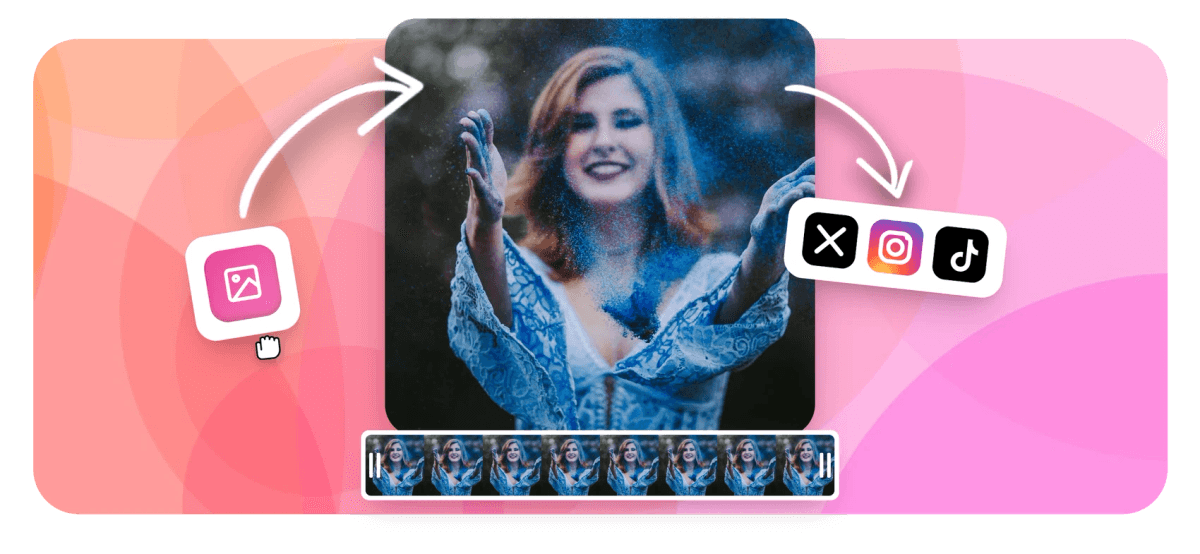
Free Online GIF Maker: Video to GIF with Captions and Text Features
EchoWave's GIF maker is used by creators, marketers, and teams around the world to turn video moments into shareable loops





Build GIFs, edit them too
A GIF maker with a full editing timeline
Most GIF tools are one-click converters. EchoWave gives you a full timeline editor so you can trim, caption, add text overlays, control speed, and apply waveform effects before exporting. Add AI auto-captions with 160+ animated styles, layer emoji and stickers, or add text overlays with custom fonts and keyframe motion. Everything runs in the cloud, so nothing stalls in your browser tab.
-
Free to start
No account required. Free plan exports with a small watermark; paid removes it and unlocks 4K.
-
MP4, MOV, WebM, MKV
All common video formats accepted as GIF source input.
-
160+ caption presets
More animated subtitle styles than any competing GIF maker, including MrBeast and TikTok karaoke styles.
-
4K render farm
Cloud processing via MyceliumNode ffmpeg. Fast exports with no file stuck in a browser tab.
The toolkit
Every tool you need to build the perfect GIF
From a single clip to a fully captioned animated loop, EchoWave covers the whole workflow in one place.
-
Video to GIF in One Click
Upload an MP4, MOV or WebM clip, trim it to the perfect moment on the timeline, and export directly as a looping GIF. For a quick no-edit conversion, see the MP4 to GIF converter. No command line, no installs.
-
Add Captions and Subtitles
Drop AI auto-captions onto your GIF or type your own text with 160+ preset styles including word-level karaoke and MrBeast-style animated captions. Style and position them with the subtitle editor.
-
Text, Emoji and Stickers
Layer titles, callouts, emoji and sticker overlays anywhere on the frame. Pick fonts, colors, sizes and animate them with keyframe motion. Full text overlay controls built in.
-
Trim and Split to the Frame
Use the magnetic timeline to cut precisely to the frame you want. Split a longer clip into sections and export only the segment that matters. Works alongside the dedicated video trimmer.
-
Speed Up or Slow Down
Change GIF playback speed from 0.25x to 4x. Create hypnotic slow-motion loops or snappy reaction clips without any quality loss.
-
Waveform and Audiogram GIF
Visualize music or audio as an animated waveform, FFT spectrum bar or Siri-style wave and export the result as a GIF for social posts. Pair with the audio waveform generator for full control.
-
Crop, Resize and Rotate
Set any aspect ratio for your GIF: square for Instagram, wide for Twitter, portrait for TikTok or Stories. Crop, rotate and flip in the same editor using the crop video tool.
-
Export GIF or Keep as Video
Download as an animated GIF for messaging apps and email, or switch to MP4 for social feeds that play video natively. Both options in one tool.
How it works
How to make a GIF online
Four steps from raw clip to shareable animated loop.
-
Upload Your Video or Images
Drag and drop an MP4, MOV, WebM or a sequence of images into EchoWave. Your file is processed securely in the cloud and stays private.
-
Edit on the Timeline
Trim the clip to the moment you want (2 to 30 seconds works best for GIFs). Add text, captions, emoji, stickers, or a waveform overlay. Adjust speed if needed.
-
Set the Frame and Size
Choose your aspect ratio: 1:1 for Instagram, 16:9 for Twitter and Reddit, 9:16 for Stories. Crop and resize without leaving the editor.
-
Export and Download as GIF
Click Export, select GIF as the output format, and download your looping animation. Share directly to messaging apps, email, Slack or social media.
Sized to post
The right shape for every platform
Pick an aspect ratio preset and EchoWave reframes your GIF to fit the feed.
-
9:16 Vertical
- TikTok
- Reels
- Stories
-
1:1 Square
- X
- Slack
-
16:9 Widescreen
- Discord
Ideas
What people make with EchoWave GIFs
-
Reaction GIFs and Memes
Clip the perfect moment from a video, add a bold caption or meme text, and export as a GIF to drop into Discord, Slack or group chats.
-
Social Media Content
Make looping GIFs sized for Twitter, Reddit threads, or Instagram. Resize to any platform ratio and add branded text overlays.
-
Product and App Demos
Show a feature walkthrough or UI interaction as a short looping GIF for documentation, landing pages or onboarding emails.
-
Audiogram and Music Waveform GIFs
Turn a podcast clip or music snippet into an animated waveform GIF. Perfect for sharing audio content on platforms that display visuals.
-
Birthday and Celebration GIFs
Combine photos or a short video with animated text and emoji to make a personalized celebration GIF to send to friends and family.
-
Tutorial and Educational Snippets
Convert a screen recording or instructional video into a short captioned GIF that explains a concept at a glance, no play button required.
Make your GIF now
Start free. Upload a clip and export a looping GIF in minutes.
How creators use EchoWave in real projects

About the EchoWave team
EchoWave is a browser-based video and audio editor built by Lemon Vault LLC since 2018. The people who build the editor write these guides and test every step in the production app before publishing.
GIF Maker FAQ
How do I make a GIF from a video online?
Upload your video to EchoWave, trim the clip to the section you want on the timeline, optionally add text or captions, then click Export and choose GIF as the output format. The file downloads ready to share.
Can I make a GIF for free without a watermark?
EchoWave's free plan adds a small watermark to exports. Upgrading to a paid plan removes the watermark and unlocks 4K resolution. Many comparable tools (Kapwing, Flixier) also watermark free exports.
What is the best length for a GIF?
Two to six seconds is the sweet spot for most uses: short enough to loop smoothly and load fast, long enough to convey the moment. EchoWave supports GIF exports up to around 30 seconds, though longer GIFs can result in large file sizes.
How do I add text or captions to a GIF?
After uploading your clip in EchoWave, use the Text tool to add a custom title or callout, or use Auto Captions to generate speech-to-text subtitles automatically. You can style captions with 160+ animated presets before exporting as GIF.
Can I make a GIF from images instead of a video?
Yes. Upload a sequence of JPG or PNG images to EchoWave, arrange them on the timeline, set the display duration for each frame, and export as an animated GIF. This works well for slideshows and stop-motion style animations.
What video formats can I upload to make a GIF?
EchoWave accepts MP4, MOV, WebM, MKV and most other common video formats. You can also paste a URL from a supported source.
How is this GIF maker different from the EchoWave convert pages?
The convert pages (such as MP4 to GIF or WebM to GIF) are pure format converters with minimal editing. This GIF maker page gives you a full timeline editor: trim, caption, add text overlays, adjust speed, resize, and apply waveform effects before exporting as GIF.
Can I make an audiogram or waveform GIF?
Yes. EchoWave includes a music visualizer and waveform generator. Upload an audio or video file, pick a waveform style (bar, FFT spectrum, Siri wave), add text, and export the result as a GIF. This is ideal for sharing podcast clips or music previews.
How do I make a meme GIF?
Upload your video clip, trim to the funny moment, add a bold text overlay using the Text tool (choose a large font and contrasting color), then export as GIF. You can also add emoji and sticker overlays to complete the meme.
Ready to build your next GIF?
No credit card required. The free plan includes a small EchoWave watermark.
Get Started →























































