
Word Art Maker
Fill any words with your own photos: pick a style, type your text, and get a living collage you can restyle, animate, and export as video. Free, in your browser.


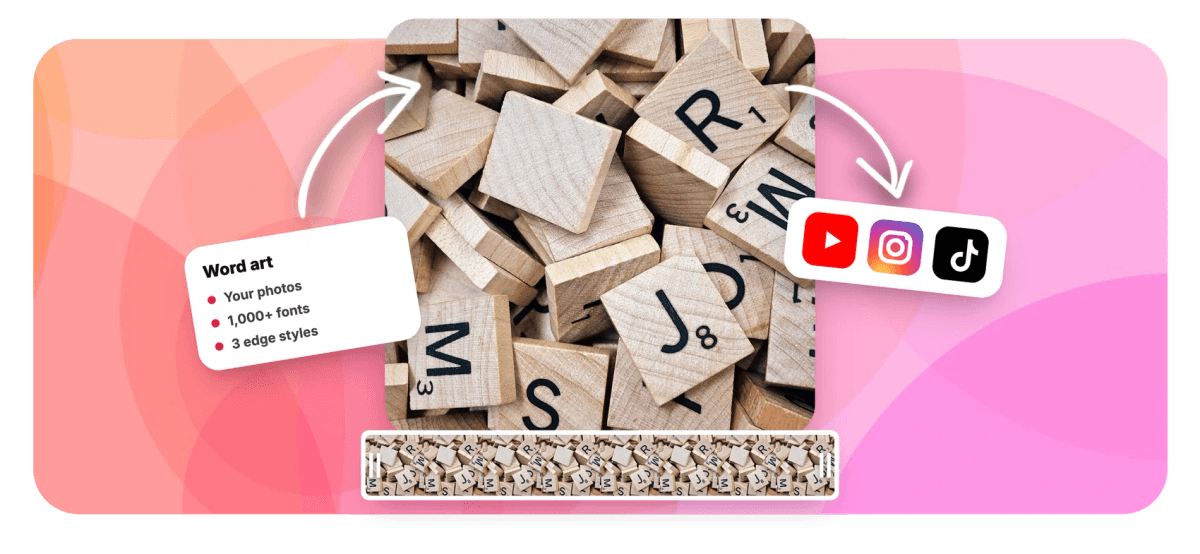
Word Art Maker Features
EchoWave's design tools are used by creators, marketers, and event teams worldwide.





Modern word art
Word art that is actually made of your pictures
A word art maker turns plain text into a graphic worth looking at. EchoWave goes further than bubble letters and rainbow gradients: it fills your words with dozens of small copies of your own photos, arranged like a collage that traces every letterform. Mix up to eight images in one design, set the words in any of 1,000+ fonts or your brand's own typeface, and choose whether the photos are trimmed cleanly at the letter edge, fade out softly, or spill past it. The result lands in a free online video editor as a live, editable layer, change the words, swap the photos, or restyle the font any time, then animate it and export. If you want words built from photos of someone's name, start with the name art maker instead.
-
8
photos mixed into a single word design
-
1,000+
fonts, including your brand kit's own
-
3
edge styles: clean, soft, or overflow
-
5
stacked lines for multi-word lockups
What you get
Everything a modern word art generator should do
Type the words, drop in pictures, and shape the collage until it reads exactly how you want.
-
Your Photos As The Fill
Instead of flat color, every letter is packed with small copies of your own pictures: upload them, drag them in, or pick from the media already in your project.
-
Up To Eight Images
Mix up to eight photos in one design and the maker scatters them through the letters for you. One tap shuffles the whole arrangement into a fresh layout.
-
Any Font You Like
Set your words in quick built-in styles or search the full Google Fonts library, use Brand Kit fonts on paid plans, and switch between regular, bold, and black weights.
-
Clean, Soft, Or Overflow Edges
Choose how photos meet the letter outline: trimmed crisp for a sharp mosaic, faded gently for a soft glow, or left whole so images spill past the letters like a real collage.
-
Density And Size Controls
Slide the fill density up for a packed mosaic or down for an airy scatter, set the smallest and largest photo sizes, and add playful rotation for an organic, hand-made look.
-
Still Editable After You Add It
The finished art stays live on the canvas. Click it any time to change the words, swap photos, switch fonts, or pick a new style: no starting over, and every change is undoable.
-
Built For Video
The collage has a transparent background, so it sits straight over your footage. Animate it in and out, keyframe its motion, and time it to the exact seconds you need.
-
Free, In Your Browser
No download and no design skills needed. Make word art free with a small watermark at up to 720p, or upgrade to remove the watermark and export at higher resolutions.
How it works
How to make word art with your photos
From blank canvas to a photo-filled headline in about a minute.
-
Pick A Style
Open the editor's Elements panel and choose a Text art style tile: Balanced, Packed, Bold, or Wild, to start with a look that already works.
-
Type Your Words
Write the words you want, up to five stacked lines. Pick a quick type style or search 1,000+ fonts, then set the weight from regular to black.
-
Add Your Photos
Upload up to eight pictures or pull them from your project's media. The maker fills the letters instantly, and Shuffle rearranges the collage until it feels right.
-
Animate And Export
Add the art to your canvas, animate it in, and export your video. Click the layer any time to keep editing the words, photos, and style.
Who uses it
Who makes word art with EchoWave
-
YouTubers and streamers
Open videos with a channel name built from the episode's best frames, stills, and fan art.
-
Travel creators
Spell the destination with the trip's own photos for recaps, reels, and end cards.
-
Marketers and brands
Set a campaign word in brand fonts and fill it with product shots for launches and promos.
-
Event and party hosts
Turn a birthday name, a wedding hashtag, or a graduation year into photo art for the big screen.
-
Sports teams and clubs
Pack the team name with season highlights for hype videos and tournament intros.
-
Teachers and students
Make class projects and yearbook-style montages where the topic word is built from the photos themselves.
Turn your words into photo art
Pick a style, type your words, drop in up to eight photos, and get a living collage you can animate and export. Free in your browser, no sign-up.
What people are saying about EchoWave

About the EchoWave team
EchoWave is a browser-based video and audio editor built by Lemon Vault LLC since 2018. The people who build the editor write these guides and test every step in the production app before publishing.
Word Art Maker FAQ
How do I make word art online for free?
Open EchoWave's editor, go to the Elements panel, and pick a Text art style, Balanced, Packed, Bold, or Wild. Type your words, add one or more photos, and the maker instantly fills the letters with small copies of your pictures. Tune the font, the fill density, and the edge style until it reads the way you want, then add it to your canvas. It runs in your browser, needs no design skills, and is free to use, video exports are free with a small watermark at up to 720p, and paid plans remove the watermark and unlock higher resolutions.
Can I fill words with my own pictures?
Yes, that is the whole point. Upload photos from your device, drag and drop them in, or pick images already in your project's media library. You can mix up to eight different pictures in one design, and the maker scatters them through the letterforms, biasing toward smaller copies at the edges so the words stay crisp and readable. A Shuffle button rearranges the collage with one click, and you can add or remove photos at any time, even after the art is on your canvas.
Which fonts can I use for word art?
All of them, effectively. Start with four quick styles, Bold, Modern, Impact, and Serif, or open the font picker and search the full Google Fonts library of more than a thousand families, from chunky display faces to elegant scripts. Paid plans can also use custom Brand Kit fonts, so the word art matches your brand exactly. Heavier weights work best because they give the photos more room; there are one-tap Regular, Bold, and Black weight options for exactly that reason.
What are the clean, soft, and overflow edge styles?
Edges control how your photos meet the letter outline. Clean trims every photo crisply at the edge of the letterform, which reads like a sharp mosaic. Soft fades photos out gently at the boundary for a dreamier look. Overflow keeps each photo whole, so images spill slightly past the letters, nothing gets cropped, and the words look like they were assembled by hand from real prints. Overflow is the one to pick when you want every photo to stay recognizable.
Can I edit the word art after adding it to my video?
Yes. Unlike most word art generators that hand you a flat image, EchoWave keeps the whole recipe attached to the layer. Click the art on your canvas and a Text art panel opens where you can rewrite the words, swap or add photos, change the font and weight, switch edge styles, adjust density and sizes, or shuffle the arrangement. Every change re-renders the collage in place, position, timing, and animations are preserved, and each edit is a single undo step.
Can I animate word art?
Yes. The art is a normal layer in EchoWave's video editor, so everything the editor can do applies: entrance and exit animations, keyframed movement and scale, opacity fades, and precise timing on the timeline. Because the collage has a transparent background, it composites cleanly over footage, photos, or a solid color. If motion is the main event for you, see the dedicated animated word art page for ideas and techniques.
Is this like the old Microsoft WordArt?
It scratches the same itch, turning plain text into something decorative, but the approach is modern. Instead of warped rainbow letters, EchoWave builds your words out of your own photographs, with real typography from Google Fonts, control over density and edges, and a video editor underneath. You get something personal enough for a wedding or a tribute and polished enough for a brand campaign, rather than a 1990s clip-art effect.
What is the difference between word art and a word cloud?
A word cloud takes many different words and sizes them by frequency, useful for visualizing survey answers or a document. Word art takes one word or phrase you choose and makes it beautiful. EchoWave's maker is word art: you write the exact words, and it fills those letterforms with your photos. If you want a message people actually read, a name, a brand, a headline, word art is the right tool; a word cloud is a chart.
Ready to make your word art?
Fill your words with your photos, restyle them any time, and export as video. Free in your browser.
Get Started →























































