
Boomerang Maker
Turn any clip into a boomerang video with our free online maker. It plays forward, then in reverse, on a smooth loop. No signup, nothing to install. Part of EchoWave's full video editor.


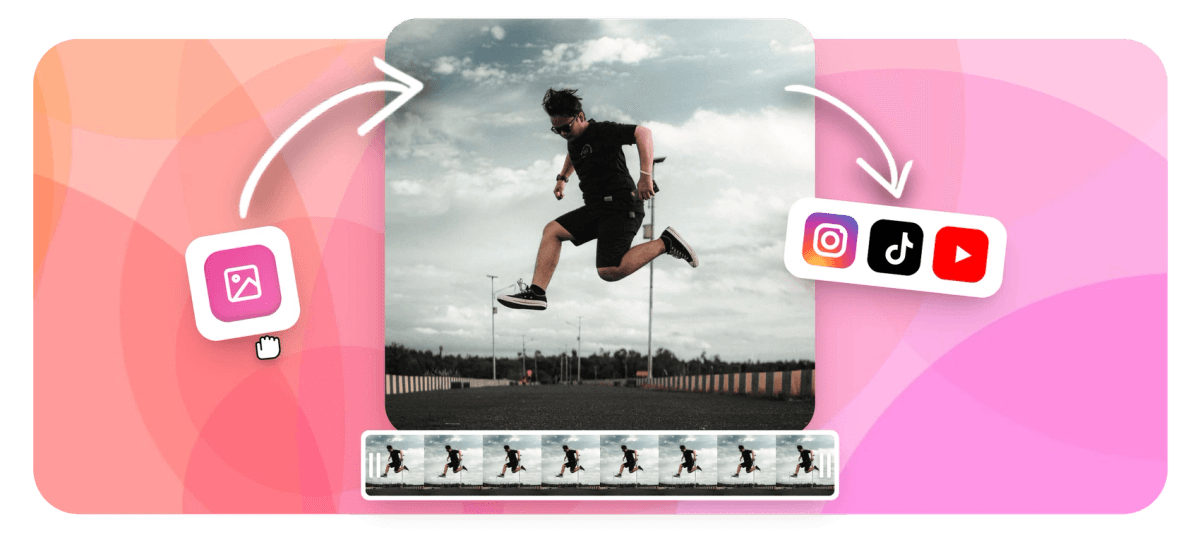
Boomerang Maker Features
To make a boomerang from an existing video, upload your clip to EchoWave's free boomerang maker, duplicate it, reverse the copy and join it after the original so the action plays forward then backward, set the speed, then loop and download as an MP4 or GIF. It runs in your browser with no signup and no app to install.
Echowave is used by thousands of businesses around the world





How to make a boomerang video
Turn an existing video into a boomerang online in three steps:
-
1. Upload your video
Drop the clip you want to boomerang onto the timeline, straight from your camera roll, phone or computer. Nothing installs and your file stays in your browser.

-
2. Reverse and loop it
Duplicate the clip, reverse the copy and place it after the original so it plays forward then backward. Nudge the speed up for that snappy boomerang feel and set it to loop.
-
3. Download your boomerang
Preview the bounce, then export and download the boomerang as an MP4 or an infinitely looping GIF, ready to share anywhere.
What creators say after trying EchoWave
What is a boomerang video?
A boomerang video is a short clip that plays forward, then immediately runs backward, bouncing between the two on a loop. The motion never fully restarts. It ping-pongs back and forth, which gives it the playful, slightly hypnotic effect made famous by Instagram's Boomerang feature in 2015.
The difference between a boomerang and a plain loop is the reverse. A looped video plays start to finish and then jumps back to the beginning, so the action only ever moves in one direction, and you usually see a hard cut at the join. A boomerang plays the clip forward and then in reverse, so a wave becomes a wave and unwave, and a jump becomes a jump, land and jump again. That forward then back bounce is what makes a boomerang instantly recognisable, and it hides the seam completely.
With EchoWave you can build a boomerang from any clip you already have, with no need to shoot a fresh recording in a camera app, then download it as a clean MP4 or a looping GIF. The whole process happens in your browser, so your footage never leaves your device.
How to turn an existing video into a boomerang
Instagram's built-in Boomerang only works while you are recording, so it cannot turn a clip already saved in your camera roll into a boomerang. On an iPhone you can only bounce a Live Photo through the Photos app, not an ordinary video. EchoWave has no such limit. Here is exactly how the forward then reverse effect comes together:
- Trim to the moment. Boomerangs work best on one to three seconds of action, such as a wave, a cheers or a spin. Use the trimmer to cut your clip down to the part you want to bounce.
- Duplicate the clip. Make a second copy of that trimmed segment on the timeline.
- Reverse the copy. Flip the duplicate so it plays backward, then drop it directly after the original. Now the timeline runs forward, then back to the start frame.
- Speed it up. Real boomerangs feel fast and snappy. Push the playback speed higher, usually 1.5x to 2x, so the bounce reads as a boomerang rather than slow motion.
- Loop and export. Set the clip to repeat so the bounce continues, preview it, then download.
Because the last frame of the forward pass and the first frame of the reverse pass are the same frame, the join has no visible jump where the direction changes. The bounce reads as one continuous motion.
Boomerang speed, loops and options
A good boomerang is mostly about the settings. EchoWave gives you control over every part of the bounce:
- Speed. The single biggest factor. Most boomerangs play at 1.5x to 2x so the motion is quick and energetic. Slow it down for a calmer, more cinematic bounce instead.
- Loop count. Choose how many times the forward and back motion repeats. A couple of bounces suit a feed post, while a continuous infinite loop works for a GIF or a background visual.
- Clip length. Shorter source clips make tighter, punchier boomerangs. One to three seconds is the sweet spot, the same window Instagram's own tool captures.
- Trim points. Line up the start and end frames on a similar pose so the bounce flows naturally and does not snap at the join.
Want more than a plain bounce? You can layer on text, music or overlays before you export. It is a full editor, not a single-purpose converter, so the boomerang can be the start of a finished post rather than the end of it.
Supported formats: MP4, MOV, GIF and more
EchoWave's boomerang maker accepts every common video file and exports the format you need:
| Format | Use it for |
|---|---|
| MP4 (H.264) | The standard for Instagram, TikTok, Stories and the web. Export your boomerang as MP4 for the widest compatibility. |
| MOV | QuickTime clips straight from iPhone and Mac cameras, including HEVC footage. |
| GIF | An auto-playing, infinitely looping boomerang that bounces everywhere it is embedded, which suits chats, emails and product demos. |
| WebM, AVI, WMV | WebM for the web, plus older Windows footage and screen recordings. |
Upload your file, build the bounce, then download a boomerang MP4 or GIF. There is no separate format conversion step and no extra software to fetch. For sharing on the web, MP4 keeps the file small and supports sound. For messaging apps and embeds, a GIF loops on its own without a play button, though it is silent and larger at the same resolution. Keep GIF source clips short so the file stays manageable.
Make a boomerang on iPhone, Android and desktop
Because EchoWave runs entirely in your browser, there is nothing to install and no app to download. The boomerang maker works the same on every device:
- iPhone: boomerang a video straight from your camera roll in mobile Safari, then save the looping MP4 back to your phone for Stories or Reels.
- Android: upload, reverse, loop and download in Chrome on any Android phone or tablet.
- Desktop: open the tool in Chrome, Safari, Firefox or Edge on Windows, Mac or Linux, where the larger timeline gives you the finest control.
No signup is needed on any platform, so you can turn a clip into a boomerang on your phone in under a minute and share it right away. EchoWave re-encodes your boomerang at a high bitrate, so it stays close to the original quality with no obvious compression hit.
What to use a boomerang for
The forward and back bounce earns more attention than a single play, which is why boomerangs are everywhere on social feeds:
- Instagram and TikTok: cheers, hair flips, confetti and product reveals all pop as a quick boomerang in Stories and Reels. Keep these vertical at 9:16 (1080 by 1920) so they fill the screen.
- Product shots: bounce a spinning product or an opening box to show it off without a long clip. A 1:1 square (1080 by 1080) suits feed posts and shop listings.
- Reactions and GIFs: export a looping boomerang GIF for replies, chats and Slack threads that play forever on their own.
- Events and weddings: a champagne clink or a sparkler wave makes a fun, instantly shareable moment.
If your source footage is the wrong shape for the platform, crop or resize it before you export. Whatever you are making, EchoWave's free boomerang maker sets it up in the browser and downloads the result in minutes, with no editing experience required.
Privacy, watermark and pricing
The boomerang maker is free, and your video is processed in your browser, so the file is not sent to a server to be turned into a boomerang. EchoWave's full editor is free to use, and free exports carry a small EchoWave watermark that you can remove anytime on a paid plan. EchoWave's dedicated quick tools, such as crop, trim and compress, export with no watermark. There is no account required to start and no credit card to try it.

About the EchoWave team
EchoWave is a browser-based video and audio editor built by Lemon Vault LLC since 2018. The people who build the editor write these guides and test every step in the production app before publishing.
Frequently Asked Questions
What is a boomerang video?
A boomerang video is a short clip that plays forward and then immediately backward, bouncing between the two on a loop for a fun, eye-catching effect. Instagram popularised the format in 2015.
How do I make a boomerang from an existing video?
Upload the clip to EchoWave, duplicate it, reverse the copy and place it after the original so it plays forward then back, then loop the result and download it as an MP4 or GIF.
Is the boomerang maker free?
Yes. EchoWave's boomerang maker is free to use with no signup and no payment required to make and download a boomerang.
Is there a watermark on the boomerang?
Exports from the full editor include a small EchoWave watermark on the free plan, which you can remove anytime by upgrading. EchoWave's dedicated quick tools, such as crop, trim and compress, export with no watermark.
Can I make a boomerang on my phone?
Yes. The maker runs in any mobile browser, so you can boomerang a clip from your camera roll on iPhone in Safari or on Android in Chrome, then save it back to your phone.
How is a boomerang different from a loop?
A loop replays the clip in the same direction each time, while a boomerang plays it forward then in reverse so the motion bounces back and forth and hides the join.
Why can't Instagram turn my existing video into a boomerang?
Instagram's Boomerang only records new bounces and cannot convert a saved video. On an iPhone you can only bounce a Live Photo. Use EchoWave to boomerang any existing clip, then upload it to Instagram.
What speed should a boomerang play at?
Most boomerangs feel best at around 1.5x to 2x so the motion is quick and snappy, but you can set any speed in EchoWave to suit the clip.
Can I save my boomerang as a GIF?
Yes. Export your boomerang as an infinitely looping GIF, or as an MP4 for social platforms and the web. Keep GIF clips short so the file stays small.
How long should a boomerang video be?
One to three seconds of source footage works best, the same window Instagram's tool captures. After the forward and reverse passes are joined and looped, the finished bounce typically runs around four to six seconds.
Can I add music or text to my boomerang?
Yes. Because this is a full editor, you can layer on music, text or overlays before you export the boomerang.
Will making a boomerang reduce the quality?
No. EchoWave re-encodes at a high bitrate, so your boomerang stays close to the quality of the original clip with no obvious compression.
Make a boomerang in your browser, free We have a free plan!
No credit card required.
Make A Boomerang























































