
Testimonial Video Maker: Turn Customer Praise Into Proof
Take a customer's clip or send them a recorder link, trim to the strongest lines, caption for silent autoplay, add a name strap and your logo, then export for site and socials. Free to start.


Testimonial Video Maker: Turn Customer Praise Into Proof Features
EchoWave's testimonial video tools are used by SaaS founders, marketing teams and course creators worldwide





Praise into proof
A testimonial converts when it looks intentional
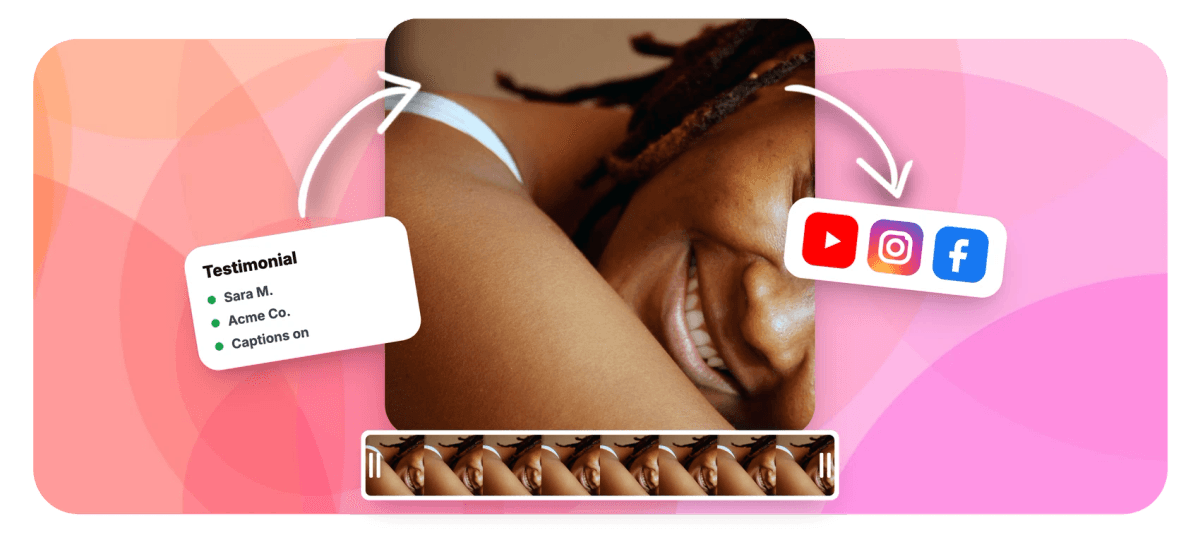
A testimonial video maker is not a script generator: it is the polish that makes a real customer's words look deliberate instead of dashed off. Start with genuine footage, either a clip the customer sends you or one they film themselves on the webcam recorder you link them to. Then trim to the strongest twenty to forty seconds, caption it so it lands in a muted autoplay feed, and add a lower-third name and company strap so viewers trust who is talking. EchoWave never fabricates testimonials or actors: every face on screen is a person who actually said the words. Brand it, then export square and vertical for socials and 16:9 for your site.
-
170+ presets
Caption styles for silent autoplay feeds, all editable before you burn them in
-
16:9 to 9:16
Canvas presets export the same quote square, vertical and widescreen without a rebuild
-
60 minutes
Per take on the linked webcam recorder, so customers are never rushed to finish
-
Up to 8K
Free exports are 720p with a small watermark; paid plans unlock 1080p, 4K and 8K
What you get
Everything that turns a raw clip into a testimonial
Real footage in, polished proof out: collect, trim, caption, name strap, cleanup and brand, all in the browser.
-
Two Ways to Collect
Upload a clip a customer sent you, or send them a link to the webcam recorder and let them film themselves in the browser. Either take lands in the same editor, ready to polish.
-
Trim to the Strongest Lines
Most testimonials bury the good line in the middle. Set in and out points, ripple-delete the throat-clearing, and cut the take down to the twenty to forty seconds that actually sell.
-
Captions for Muted Autoplay
Auto-transcribe the clip with word-level timing, then choose from 170+ presets so the quote reads with the sound off. Every word stays editable, so you can fix a name or product term before export.
-
Name and Company Strap
Add a lower-third name strap with the customer's name, title and company on a branded pill. Viewers trust a quote more when they can see exactly who stands behind it.
-
Tidy the Nervous Take
Customers are not presenters. Transcript-driven filler-word cleanup flags every um and uh so you accept or reject each cut, and the captions stay glued to the words that remain.
-
Blur the Room, Add Your Brand
Filmed in a messy kitchen? Background blur tidies the shot on device. Then pin your logo and color the strap to your kit, so every clip looks like one team made it.
How it works
How to make a testimonial video
From a customer's raw clip to a branded, captioned testimonial in four steps.
-
Record or Upload the Testimonial
Send the customer a recorder link to film themselves in the browser, or upload the clip they sent you. Either way it opens on the timeline, ready to edit.
-
Trim to the Strongest Lines
Watch it once and find the sentence that actually sells. Set in and out points around it, ripple-delete the rest, and land on a tight twenty to forty seconds.
-
Caption and Add a Name Strap
Auto-transcribe for word-level captions so it plays in a silent feed, then drop a lower-third strap with the customer's name, title and company on a branded pill.
-
Brand and Export Per Placement
Add your logo, blur a distracting background if needed, then export 1:1 or 9:16 for socials and 16:9 for your site. One project, every size.
Who uses it
Where a filmed testimonial earns its keep
-
SaaS Founders
Turn a happy user's call praise into a captioned clip for the pricing page and a launch-week social post.
-
Course Creators
Collect student results on webcam, trim to the win, and stack them into proof that sells the next cohort.
-
Agencies
Film client praise once, brand it to their kit, and hand back square, vertical and widescreen cuts in a day.
-
E-commerce Brands
Upload customer unboxing clips, add a name strap and logo, and run them as review ads that autoplay muted.
-
Recruiters and HR
Capture employee-story testimonials for the careers page, showing the faces of real staff, never hired actors.
-
Coaches and Consultants
Send clients a recorder link, then polish their results into short proof for the landing page and DMs.
Let a customer make the pitch
Trim, caption, strap and brand a real testimonial, then export it for every placement. Free to start in the browser.
What people are saying about EchoWave

About the EchoWave team
EchoWave is a browser-based video and audio editor built by Lemon Vault LLC since 2018. The people who build the editor write these guides and test every step in the production app before publishing.
Testimonial video maker FAQ
How do I make a testimonial video?
Start with real footage: either a clip the customer sends you, or a take they film themselves on the webcam recorder link you share. Drop it into EchoWave's editor and trim to the strongest twenty to forty seconds. Auto-transcribe for captions so it works in a muted feed, add a lower-third strap with the person's name and company, then blur a busy background and pin your logo. Export square and vertical for social and 16:9 for your website. Every step runs in the browser, and you can start free.
How do I get customers to record a testimonial?
Make it a two-minute favor, not a production. Send them a direct link to the webcam recorder; it opens in their browser with a mirror preview and a countdown, no install or account. Give them three prompts to answer, for example what problem they had, what changed, and who they would recommend it to, and paste those into the built-in teleprompter so they keep eye contact. Ask for one clean take of thirty to sixty seconds. If they would rather use their phone, they can simply record and email you the file to upload.
How long should a testimonial video be?
Shorter than you think. The clip that gets watched to the end and shared is usually twenty to forty seconds: one specific problem, one concrete result, one line of recommendation. Anything past sixty seconds and viewers drop before the payoff. Collect a longer take so the customer can find their words, then trim hard to the single strongest stretch. If you have several great moments, cut them into separate short clips rather than one long one, and use the best as the hero on your page.
How do I caption a testimonial for silent autoplay?
Most testimonials play muted first, on a feed or embedded on a page, so burned-in captions are not optional. Auto-transcribe the clip for word-level timing, then pick from 170+ caption presets and position them clear of the name strap and platform UI. Because the transcript is editable, you can correct a product name, a company or a mis-heard word before you burn it in. Keep the style simple and high-contrast; the goal is that someone reads the quote in three seconds without ever turning the sound on.
How do I add a name and company strap to a testimonial?
A viewer trusts a quote more when they can see exactly who said it. Use the lower-thirds maker to add a strap with the customer's name on top and their title and company underneath, sitting on a branded pill you color to match your kit. Slide it in as they start their first strong line, hold it long enough to read twice, and let it leave before the cut. Save the styled strap as your own project so every future testimonial uses the identical look.
How do I clean up a nervous or rambling take?
Customers are not presenters, and that is fine, you fix it in the edit. Transcript-driven filler-word cleanup scans the take for every um, uh and false start and lets you accept or reject each cut, with the captions staying glued to the words that remain. Trim long pauses on the timeline, and if the room is distracting, blur the background so attention stays on their face. The result sounds like a confident customer, without you re-recording them or faking a word they did not say.
What size should a testimonial video be for my website versus social?
Different placements want different shapes, and one project exports them all. For your site, render 16:9 landscape for a hero or product page, or 1:1 square for a review section that sits inside text. For social, export 9:16 vertical for Reels, TikTok and Stories, and 1:1 or 4:5 for the feed. Switch the canvas ratio without rebuilding, reposition the strap and captions for each frame, and export each version. If you are producing many at once, the marketing video maker covers branded batches.
Is the testimonial video maker free?
Yes, you can collect, trim, caption, add a name strap and brand a testimonial free in the browser, with no install. Free exports carry a small EchoWave watermark and are capped at 720p, which is fine for a first proof or an internal review. Paid plans remove the watermark and raise the ceiling: 1080p on Basic, 4K with 50 or 60fps on Pro, and 8K on Business. One honest limit worth repeating: EchoWave polishes real recorded people. It does not generate fake testimonials, scripts or AI avatars.
Let the customer do the selling.
Trim, caption, strap and brand real testimonials, then export them for your site and every feed. Free to start.
Get Started →























































