
Free Online Video Maker
Video maker for social posts, ads and stories from clips and photos. Add music, captions and effects, then export in HD. Free, in your browser, no watermark.


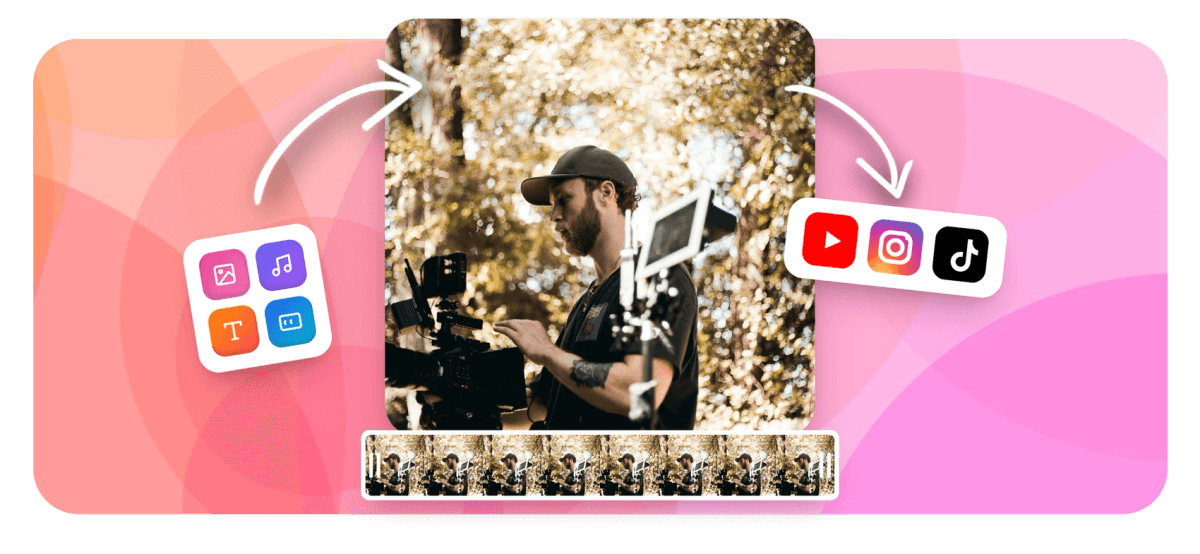
Free Online Video Maker Features
EchoWave's video maker is used by creators, marketers, podcasters, and businesses around the world





Create in your browser
Everything you need to make a great video, free
From a quick social clip to a full music visualizer, EchoWave gives you a real multi-track timeline, AI captions, text-to-speech, and chroma key, all running in your browser with nothing to install. Already have footage to polish? Our video editor is built for trimming and refining existing clips. This maker is your starting point when you are building something new from scratch.
-
4K H.264
Maximum export resolution on paid plan
-
160+
AI caption style presets including karaoke and TikTok styles
-
63 voices
AI text-to-speech voices with streaming generation
-
Free
Core video making tools free with no download required
The toolkit
A full creative suite, from timeline to export
Every tool you need to go from raw media to a finished, shareable video.
-
Multi-Track Timeline
Arrange video clips, photos, audio tracks, and overlays on a magnetic multi-track timeline. Trim, split, merge, and reorder media in any order with frame-level precision. Dig deeper with our dedicated video editor.
-
AI Auto-Captions
Generate accurate subtitles from speech in seconds with 160+ style presets including TikTok-style karaoke word-highlighting. Translate captions to another language with one click. See more in the auto subtitle generator.
-
Text-to-Speech and AI Voices
Add a professional voiceover without a microphone. Choose from 63 AI voices, stream the audio live in the editor, or clone a custom voice for consistent brand narration. Explore the full AI voiceover tool.
-
Music Visualizer and Audiograms
Turn any audio file into a visual video with FFT spectrum, waveform bars, or lyric-video animations. Ideal for podcast clips, music releases, and social audio content. Try the standalone music visualizer.
-
Add Text, Logos, and Overlays
Drop in animated text layers, your own logo, watermark, emoji, stickers, or a progress bar. Keyframe any property over time for custom motion graphics without coding. More options in the add text to video tool.
-
Resize for Every Platform
Switch aspect ratios instantly for Instagram Reels (9:16), YouTube (16:9), Twitter square (1:1), and more. The canvas auto-sizes to your first media drop. Use the crop video tool for fine-grained framing.
-
Templates with Bulk Fill
Start from a placeholder-based template and swap in your footage, text, and brand colors in seconds. Power users can fill hundreds of videos at once with a CSV upload or REST API. See also the photo video maker.
-
Screen and Camera Recorder
Record your screen, webcam, or microphone directly in the browser and drop the recording onto the timeline immediately. No third-party capture software needed.
How it works
How to make a video online
Four steps from blank timeline to finished, shareable video.
-
Upload or Record Your Media
Drag in video clips, photos, audio files, or record directly from your screen or camera. EchoWave accepts the most common formats and places everything in your asset panel instantly.
-
Arrange, Edit, and Enhance
Trim, split, reorder, and layer clips on the multi-track timeline. Add AI captions, a voiceover, text overlays, music, transitions, and effects. Adjust speed, crop, or resize as needed.
-
Preview at Full Quality
Hit play to preview your finished video with all effects, captions, and audio in sync before committing to an export. Scrub the timeline to check any frame.
-
Export and Share
Export as MP4 up to 4K resolution. The free plan includes a small watermark; upgrading removes it and raises the resolution cap. Download the file and post it to any platform.
Sized to post
The right shape for every platform
Pick a preset and EchoWave reframes your video to fit before you export.
-
9:16 Vertical
- TikTok
- Reels
- Shorts
-
1:1 Square
- X
-
16:9 Widescreen
- YouTube
- X
Who uses it
What people make with EchoWave
-
Social Media Creators
Turn raw footage into polished TikTok, Reels, or YouTube Shorts with on-brand captions, music, and the right aspect ratio. AI auto-captions cut production time from hours to minutes.
-
Podcasters and Audio Creators
Convert podcast episodes or music tracks into shareable audiogram or music-visualizer videos for Instagram, Twitter, and YouTube with animated waveforms and FFT spectrum visuals.
-
Small Business and Marketers
Create promotional videos, product demos, and branded content from photos and clips. Add your logo, a voiceover, and animated text without hiring a video production team.
-
Educators and Trainers
Record your screen or camera, add AI-generated captions for accessibility, and export training videos ready for any LMS or YouTube channel.
-
Musicians and Artists
Build lyric videos, music visualizers, and album-release clips with synced FFT spectrum animations and karaoke-style word highlighting. No design skills required.
-
Event and Memory Videos
Combine photos and short clips into a birthday, wedding, or graduation video with music and animated text titles. Start from a template or build from scratch in the timeline.
Start making your video now
Upload your first clip or photo and build from there. Free to start, no install needed.
How creators use EchoWave in real projects

About the EchoWave team
EchoWave is a browser-based video and audio editor built by Lemon Vault LLC since 2018. The people who build the editor write these guides and test every step in the production app before publishing.
Video maker FAQ
What is a video maker?
A video maker is a browser-based tool that lets you combine photos, video clips, audio, text, and effects into a finished video without installing software. EchoWave's video maker runs entirely in your browser and exports directly to MP4.
Is EchoWave's video maker really free?
Yes. You can create, edit, and export videos for free. The free plan adds a small watermark to exports. Upgrading to a paid plan removes the watermark and unlocks 4K resolution exports.
Can I make a video from photos and music?
Yes. Upload your photos and an audio file, arrange them on the timeline, set the duration of each photo, and export. You can also add animated text titles, transitions between photos, and AI-generated captions over the top.
How do I add captions or subtitles automatically?
Open the Captions tool, click Generate, and EchoWave transcribes your audio using AI. You get editable captions with over 160 style presets including karaoke word-by-word highlighting. You can also translate captions to another language from the same panel.
What video formats does EchoWave support?
EchoWave accepts common upload formats including MP4, MOV, WebM, and standard image formats like JPG and PNG. It exports finished videos as MP4 (H.264). GIF and WebM output are also available through the convert tools.
Can I record my screen or camera directly in the tool?
Yes. The built-in recorder lets you capture your screen, webcam feed, or microphone audio without leaving the browser. The recording drops straight onto your timeline for immediate editing.
What is the difference between the video maker and the video editor?
The video editor is focused on modifying existing footage (trimming, cutting, cropping, merging). The video maker is a creation-first hub for starting from scratch: combining photos, clips, templates, voiceovers, music visualizers, and AI captions into a new video.
Can I make a music visualizer or audiogram video?
Yes. EchoWave includes a dedicated music visualizer and audiogram creator that animates your audio as FFT spectrum bars, waveform lines, or lyric-video overlays, all synced frame-accurately to the audio waveform.
Do I need to create an account to use the video maker?
You can open the editor and start working immediately. Saving your project and exporting requires a free account. EchoWave is operated by Lemon Vault LLC and your files are processed securely on dedicated render servers.
Ready to make your next video?
No credit card required. The free plan includes a small EchoWave watermark.
Get Started →























































