
Wedding Video Maker: Turn Photos and Clips Into a Keepsake
Pool everyone's wedding photos and phone clips, set them moving with gentle pans and soft dissolves, add your names, date and song, then export a film worth keeping. Free to start.


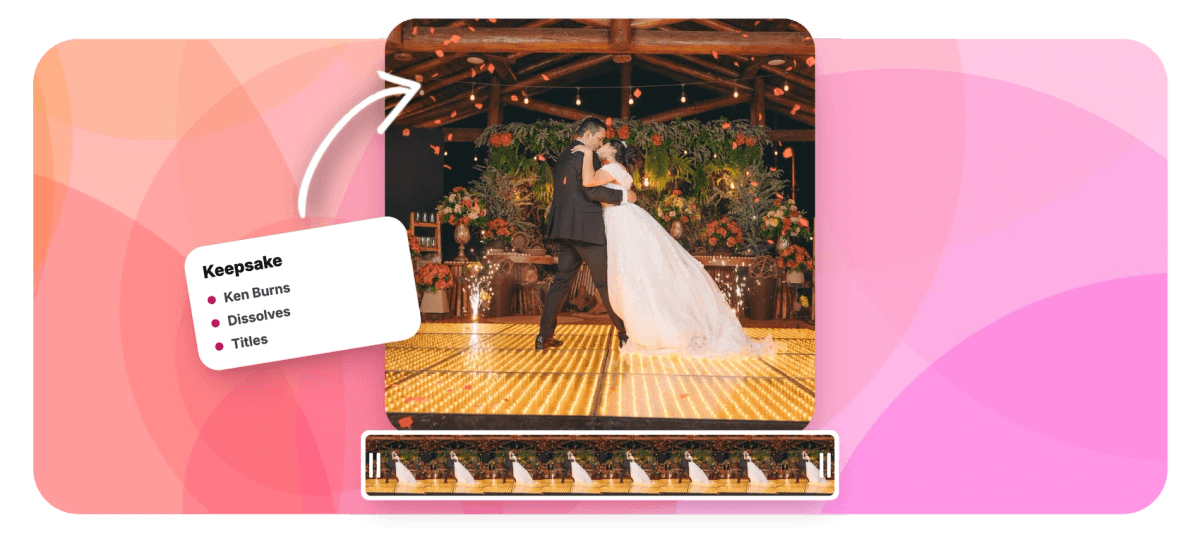
Wedding Video Maker: Turn Photos and Clips Into a Keepsake Features
EchoWave's wedding video tools are used by couples, wedding parties and photographers worldwide





Everyone filmed something
Every guest was a camera. Cut it into one film.
EchoWave is a wedding video maker built on a real timeline, which matters because a wedding produces two kinds of footage: hundreds of stills and a pile of shaky phone clips, and they belong in the same film. Drop both onto one timeline, then give each photo a slow Ken Burns move so it drifts like a camera instead of sitting there. Carry cuts with soft crossfades or a dip to white, the two transitions that read as ceremony rather than PowerPoint. Open on your names and the date, close with rolling credits for the wedding party, and lay your song underneath with gentle fades. Free to start, in your browser.
-
56
Transitions to choose from, though a wedding mostly needs the eight dissolves and dip to white
-
4 ratios
16:9 for the reception screen, 9:16 for Stories, plus 1:1 and 4:5 canvas presets
-
4K
Paid exports reach 4K, with 50 or 60fps on Pro; free exports are 720p with a small watermark
-
Free
Build, preview and fine-tune the whole film in your browser before paying anything
What you get
The wedding cut, from first photo to final credit
Six jobs every wedding edit has, each with a real control in the browser.
-
Photos and Clips, One Timeline
Guests hand you a shared album: hundreds of photos and vertical phone clips. Drag them all onto one multi-track timeline, reorder freely, and build chapters, getting ready, ceremony, reception, so the whole day stays in order.
-
Ken Burns Motion for Stills
One click gives a photo a slow push in or a gentle drift sideways, or keyframe the move yourself: start wide on the venue, land on the couple. Stills stop feeling like a pause in the film.
-
Dissolves and Dip to White
Eight dissolve transitions with adjustable duration and easing, including the dip to white that wedding films lean on. The preview engine matches the render engine, so the blend you audition is exactly the blend you get.
-
Titles, Names and Rolling Credits
Open on your names and the date in a typeface that suits the invitations, add chapter titles, and end with rolling credits that thank the wedding party, both families and everyone who sent clips.
-
Your Song, With Fades
Upload the track that played at the first dance, trim it to length, and set fade in and fade out so the music breathes with the picture. Add audio to video covers every option.
-
Export for Screen or Story
Render a 16:9 MP4 for the reception projector, then resize the same project to 9:16 for Stories. Free exports carry a small watermark at 720p; paid plans remove it and reach 4K.
How it works
How to make a wedding video
Four steps from a shared album to a finished film.
-
Upload Photos and Clips
Collect everyone's photos and phone clips, drag them into the EchoWave editor, and pick your canvas: 16:9 for a screen at the reception, 9:16 for a phone-first cut.
-
Arrange the Story, Add Motion
Order the day on the timeline, apply a slow Ken Burns pan or zoom to each still, and place soft dissolves or a dip to white at the cuts that need weight.
-
Add Titles and Music
Type your names and the date as an opening title, add rolling credits at the end, then lay your song under the whole edit and fade it in and out.
-
Export in HD
Preview the film start to finish, fix any slide that lingers, and export an MP4. Free exports are 720p with a small watermark; paid plans unlock clean HD and 4K.
Who uses it
From save-the-date to golden anniversary
-
Save-the-Date Senders
Engagement photos, one song, your names and a date. A 30-second vertical clip that beats a postcard.
-
Video Invitations
Venue shots, the schedule and an RSVP line, dressed in the wedding typeface and sent to the group chat.
-
Morning-After Recap Makers
Newlyweds cut the guests' clips into a highlight while the professional film is months away, and post it before the honeymoon.
-
Maids of Honor and Best Men
A surprise montage of the couple's photos for the reception screen, timed to the song their table will sing along to.
-
Anniversary Editors
Scanned prints from the original album, a slow zoom on each, and the first-dance song underneath, ten or fifty years later.
-
Wedding Photographers
Deliver a same-week teaser reel from selects while the full film is in the edit, watermark-free on a paid plan.
Start the wedding film now
Upload the shared album, lay your song underneath, and export a film the two of you will keep.
How creators use EchoWave in real projects

About the EchoWave team
EchoWave is a browser-based video and audio editor built by Lemon Vault LLC since 2018. The people who build the editor write these guides and test every step in the production app before publishing.
Wedding video maker FAQ
How do I make a wedding video from photos?
Upload the photos to the EchoWave editor and drag them onto the timeline in story order: getting ready, ceremony, reception. Give each still three to five seconds and add a slow Ken Burns pan or zoom so the images move like footage. Place soft dissolves between them, put your names and the date up front, then lay a meaningful song underneath with a fade in and a fade out. Preview, tighten anything that drags, and export an MP4. The whole edit runs in your browser and is free to build and preview.
Can I mix photos and video clips in the same wedding video?
Yes, and the best wedding edits do. Photos and video sit on the same timeline as ordinary clips, so a still of the rings can dissolve into real footage of the vows, then back to a portrait. Trim each clip, mute the ones with wind-blown audio, and let the music carry the sound. A slow Ken Burns still drifts at roughly the pace of a calm handheld shot, so cuts between photos and footage feel continuous instead of like a slideshow interrupted by video.
Which transitions look elegant in a wedding video?
Restraint reads as elegance. Use soft cross dissolves for most cuts, a dip to white for the biggest moments, the kiss, the entrance, and plain hard cuts inside fast reception montages. Keep dissolves around a second, slower in sentimental sections. Skip wipes, spins and zoom transitions; they read as fun, not formal. The same logic applies to motion: slow, steady Ken Burns moves feel cinematic, while fast zooms feel like ads. EchoWave ships 56 transitions, but a tasteful wedding edit usually uses about three of them.
How do I add our names, the date and credits?
Use text elements for the opening title: your names, the date, maybe the venue, with full control of font, size and color so it can match your invitations. Chapter titles like The Ceremony or The Party help longer edits breathe. For the ending, add a rolling credits element and thank the wedding party, both families and everyone who contributed clips; the credits maker page shows how the roll works. Time titles to sit on quieter shots so they never fight the image behind them.
What music can I use in a wedding video?
Legally, use music you own the rights to or have licensed; a wedding video is not exempt from copyright. In practice it depends where the video goes. A file played at the reception or shared privately with family rarely meets an enforcement system, while Instagram, TikTok and YouTube scan public uploads and may mute or limit videos that use commercial tracks. For public posts, licensed or royalty-free music is the safer route. EchoWave lets you upload any audio file you have, trim it and fade it; the rights are your call.
Can I make a vertical version for Instagram or TikTok?
Yes. The canvas has presets for 9:16 as well as 16:9, 1:1 and 4:5, and you can resize an existing project rather than starting over. After switching, walk the timeline and re-center: keep faces in the middle of the frame, enlarge stills so they fill the tall canvas, and check that titles still clear the edges. Many couples export twice from one project, a 16:9 film for the family and a 9:16 cut for Stories and Reels.
How long should a wedding video be?
Match the length to the job. A save-the-date or invitation lands best at 30 to 60 seconds. A highlight or recap holds attention at three to five minutes, roughly one song, which is also a natural structure: let the track dictate the pacing and end when it ends. Anniversary retrospectives can run longer because the audience is invested. If you are unsure, cut the version you think is right, then remove the three slides you hesitate on. Shorter always plays better in the room.
Is the wedding video maker free? Is there a watermark?
You can build, preview and fine-tune the entire wedding video for free in the browser, with nothing to install. Free exports carry a small EchoWave watermark and are capped at 720p, which is fine for a draft you circulate for feedback. Paid plans remove the watermark and raise the ceiling: 1080p on Basic, 4K with 50 or 60fps on Pro, and beyond on the top tier. For a film that plays on a projector or a TV at the reception, a clean 1080p or 4K export is worth it.
Ready to relive the big day?
Photos, clips, music and your names, edited free in your browser.
Make the wedding video























































