
Video Editor for Mac: Full Editing Power, Nothing to Install
Cut on a multi-track timeline, auto-caption in 50+ languages and add AI effects, right in Safari or Chrome, while EchoWave's cloud servers render the export your Mac would rather not. Free to start.


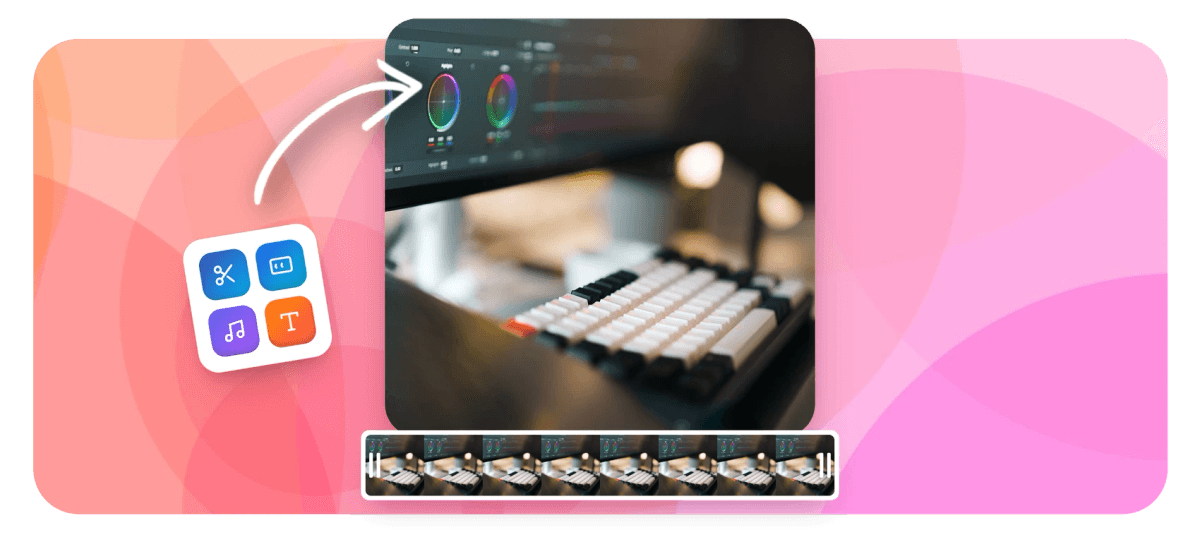
Video Editor for Mac: Full Editing Power, Nothing to Install Features
EchoWave's Mac-friendly editing tools are used by creators, marketers and podcasters worldwide





Any Mac will do
Skip the install, keep every feature
EchoWave is a video editor for Mac that never touches your Applications folder: the full multi-track editor loads in Safari or Chrome, on a new M-series machine or an aging Intel Air. Cut on a real timeline with keyframes and 56 transitions, generate auto captions in 50+ languages, blur backgrounds and faces with on-device AI, and record your screen or camera without leaving the tab. The heavy part, rendering, runs on EchoWave's cloud servers, so there are no scratch disks, no roaring fans and no gigabytes claimed by an installer. Keep iMovie or Final Cut for what they do best; for social clips, captions and quick turnarounds, this is the shorter path. Free to start.
-
0 GB
Of disk space used by the editor: it loads in Safari or Chrome like any web page
-
56
Transitions across dissolve, wipe, slide, zoom and stylized families, previewing exactly as they render
-
50+
Languages auto-transcribed with word-level timing, styled with 170+ caption presets
-
8K
Top export ceiling on the Business plan, rendered on cloud servers, not your Mac
What you get
The full toolkit, none of the disk space
Everything below runs in the tab and renders in the cloud.
-
A Timeline That Works Like a Desktop App
Magnetic snapping, ripple delete, clip grouping, keyframes and detachable audio across video, audio, text and image tracks. This is the same online video editor EchoWave runs everywhere, not a stripped-down Mac web port.
-
Captions With 170+ Styles and 45 Animations
Transcribe any clip with word-level timing in 50+ languages, then style the result with 170+ caption presets and 45 word animations, karaoke fills included. Translation into 80+ languages keeps one edit working everywhere.
-
Background, Face and Green Screen Tools
Remove or blur your background with on-device AI, key out a real green screen with the chroma keyer, or blur every face in the shot with steady tracking. It all previews live before the cloud render.
-
Screen and Camera Capture With a Teleprompter
Capture your screen, camera or both with a floating teleprompter, up to 60 minutes per take. The built-in screen recorder drops screen and camera onto the timeline as separate layers, ready to cut.
-
56 Transitions That Export as Previewed
Dissolves, wipes, slides, zooms and stylized moves with adjustable duration, direction, intensity and six easings. The preview engine is the render engine, so what you scrub on your Mac is exactly what the server exports.
-
Exports That Never Touch Your CPU
Exports render on EchoWave's servers, not your processor, so fans stay quiet and no scratch files eat your SSD. Free renders reach 720p with a small watermark; paid plans unlock 1080p, 4K and 8K.
How it works
How to edit videos on a Mac
Four steps between raw footage and a finished file.
-
Open EchoWave in Safari or Chrome
Go to echowave.io in Safari or Chrome on any Mac and start a new project. There is no App Store download, no installer and no admin password: the page that loads is the entire editor.
-
Add Footage From Finder or the Recorder
Drag clips in from Finder, paste a direct media link, or capture your screen and camera with the built-in recorder. Files upload to your cloud library and land in the project's media panel.
-
Cut, Caption and Grade
Arrange clips on the multi-track timeline, then add transitions, music and auto captions. Apply background blur, face blur, chroma key or color adjustments, and watch every change preview live in the tab.
-
Export From the Cloud and Download
Click Export and EchoWave's cloud servers render the file while your Mac stays cool and free for other work. Download the finished MP4, up to 720p free with a small watermark, up to 8K on paid plans.
Who uses it
From M-series studios to hand-me-down Airs
-
Social Media Managers
Vertical cuts, captions and brand colors for every platform, turned around the same afternoon the footage arrives.
-
Podcasters
Full episodes become caption-heavy clips and audiograms in the same tab, no second app or export round-trips.
-
Founders and Marketers
Product demos recorded, trimmed and captioned in one browser tab, then rendered in the cloud before the day ends.
-
Owners of Aging MacBooks
An Intel Air from years back edits the same project a new M-series machine does, because servers handle the render.
-
Teams on Managed Macs
No admin rights and no software tickets: the editor is a URL, which is exactly what locked-down work machines allow.
-
Photographers and Designers
Occasional client reels and walkthrough videos without buying, learning or updating a full desktop editing suite.
Give your Mac the easy job
Edit in the tab, render in the cloud, download the finished file.
What creators say after trying EchoWave

About the EchoWave team
EchoWave is a browser-based video and audio editor built by Lemon Vault LLC since 2018. The people who build the editor write these guides and test every step in the production app before publishing.
Mac video editor FAQ
How do I edit videos on a Mac?
Skip the App Store entirely: go to echowave.io in Safari or Chrome and open a new project. Upload footage from Finder or capture it with the built-in screen and camera recorder, then cut on the multi-track timeline, add transitions and music, and generate auto captions with word-level timing. Click Export when you are happy and EchoWave's cloud servers render the file; you download a finished MP4. Because nothing installs, the same workflow runs on a locked-down office Mac, a family iMac or a brand-new MacBook Pro.
Is there a Mac app to download, or does it all run in the browser?
No app. EchoWave runs entirely in the browser, so there is no App Store download, no .dmg to drag into Applications and no multi-gigabyte install to wait for. That also means no update prompts, no admin password on a work-managed Mac and nothing to uninstall later. Open the site, sign in and your projects are there. If you also edit on a PC or a Chromebook, the same editor and the same projects follow you, because everything lives in your browser and your EchoWave library.
Does it work on an older Intel MacBook or a Mac with low storage?
Yes, and this is where browser editing pays off. Your Mac only runs the interface and preview, while the demanding part, rendering the export, happens on EchoWave's cloud servers. An Intel MacBook Air from years back exports the same 4K file a new M-series machine would on a paid plan; it just previews long timelines a little less smoothly. Storage barely matters either: there are no scratch disks or render caches, since uploads live in your cloud library. If source files are huge, shrink them first with the video compressor.
Should I edit in Safari or Chrome on my Mac?
Both work, so use whichever you already live in. EchoWave targets modern browsers, and current Safari and Chrome on macOS both run the full editor, including live previews for effects and transitions. Keep the browser updated: the on-device AI tools for background removal and face blur use recent browser tech such as WebGPU and WebAssembly, with automatic fallbacks when a browser lacks them, and current versions run them fastest. If something looks off in one browser, trying the other is a reasonable first step, no reinstall required.
Do I still need iMovie or Final Cut Pro if I use EchoWave?
Keep them if they fit your work; EchoWave is not trying to replace a desktop suite so much as skip it for a specific kind of job. iMovie ships free with macOS and is a fine home for personal movie projects, and Final Cut Pro is Apple's professional desktop editor. EchoWave's lane is fast, social-first work: auto captions with 170+ styles, vertical formats, background and face tools, and cloud rendering, all reachable from any Mac with nothing installed. Plenty of people cut long-form in a desktop app and turn the clips, captions and promos around in EchoWave.
Is EchoWave free on a Mac, and can I export in 4K?
The free plan includes the full editor: multi-track timeline, captions, effects, the recorder and cloud rendering, with exports up to 720p that carry a small EchoWave watermark. Paid plans remove the watermark and raise the ceiling: Basic exports 1080p, Pro unlocks 4K at 50 or 60fps, and Business goes to 8K at 120fps. So yes, 4K is there when you need it, on the Pro tier and above, rendered on EchoWave's servers rather than your Mac's processor. Edit and preview a whole project free before deciding whether it deserves an upgrade.
Where are my video files stored when I edit in the browser?
Uploads go to your EchoWave media library in the cloud, which is what makes the rest of the workflow possible: projects autosave as you edit, rendering happens on the servers, and you can close the MacBook and reopen the same edit on another machine later. Your originals stay untouched on your Mac, since EchoWave works from the uploaded copies. Finished exports download back to your Mac as MP4 files, and subtitles can come along separately as SRT, VTT, JSON or plain text files when you need them.
Are there keyboard shortcuts, and can I remap them?
Yes. The editor ships with keyboard shortcuts for timeline editing, and they are rebindable: if your muscle memory comes from a desktop editor, remap the keys to match it, or start from one of the included shortcut presets. Shortcuts pair with the timeline's other speed features, magnetic snapping, multi-select, ripple delete and copy-paste for clips, transforms and text styles, so a long edit rarely sends you hunting through menus. Everything works the same in Safari and Chrome.
Heavy editing light footprint
The whole editor in Safari or Chrome, with rendering on EchoWave's servers. Free to start.
Get Started →























































