
Interview Transcription: Every Quote Timed to the Word
Upload the interview as video or audio, get a word-timed transcript, click any cue to hear the tape behind it, fix names and export TXT or SRT. Free to start.


Interview Transcription: Every Quote Timed to the Word Features
EchoWave's transcription tools are used by journalists, researchers and hiring teams worldwide





Quotes you can defend
The exact words, at the exact second
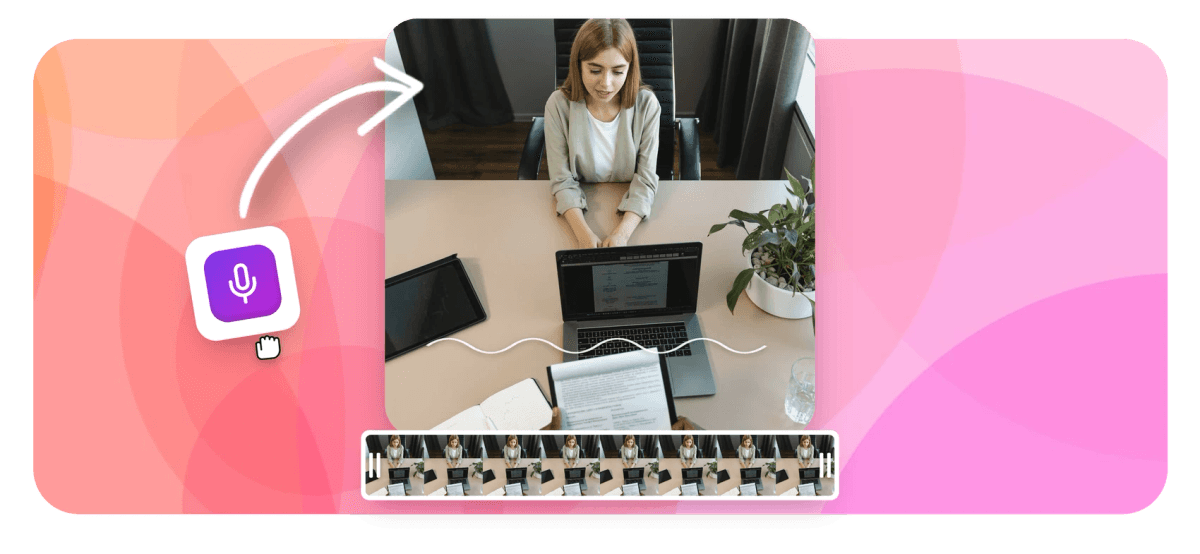
EchoWave's interview transcription gives every word its own timestamp, so a quote is never just text, it is text plus the second it was said. Upload the interview as video or audio, let the AI transcribe it, then work through the result cue by cue: every row carries a play button that replays just that stretch of tape, so names, organizations and technical terms get corrected against the source, not from memory. Export TXT for the piece or the coding sheet, or SRT when the interview publishes as captioned video. The same engine powers video to text and audio to text, and the browser voice recorder captures the interview in the first place.
-
±0.1s
Timing nudge steps when a cue boundary clips a quote
-
50+ languages
Auto-detected source language with manual override
-
TXT + SRT
Plus VTT and JSON, all from one corrected transcript
-
60 min
Per recorded take in the built-in browser recorder
What you get
Built for getting quotes right
Transcription is the start; verification is the point.
-
Word-Level Timestamps
The engine times every single word, not just each paragraph, so you can cite the moment a claim was made, jump straight to it, and pull the exact runtime for a quote or a clip.
-
Per-Cue Quote Verification
Every transcript row has its own play button. Before a quote goes in the piece, click the cue, hear the tape and confirm the words match, without scrubbing through an hour of audio to find the spot.
-
Fix Names Against the Tape
Edit any cue's text while that cue plays, nudge boundaries in 0.1s steps or snap an edge to the playhead. When the tape needs tightening, remove filler words from the same transcript before clips go out.
-
Honest Speaker Attribution
EchoWave does not label speakers automatically, and says so upfront. Add names or initials to each cue during the verification pass, so attribution stays an editorial decision instead of a model's guess you would have to re-check anyway.
-
Accents and 50+ Languages
Transcription covers 50+ languages, with the source language detected automatically and a manual override when the engine picks wrong. Heavier accents just mean a closer verification pass, and the per-cue player makes that quick.
-
TXT for Print, SRT for Video
Download plain text for drafting, quoting and qualitative coding, or take SRT, VTT and JSON when the interview publishes as video with captions. One correction pass feeds every format.
How it works
How to transcribe an interview
From recording to defensible quotes in four steps.
-
Upload the Interview
Drag the recording into the EchoWave editor, video or audio. Camera files, call recordings and phone voice memos all work.
-
Auto-Transcribe
Run auto-transcribe in the captions panel. The engine detects the spoken language, or you set it, and returns a transcript timed to the word.
-
Verify Cue by Cue
Press play on each cue to hear the tape behind it. Correct names, organizations and terminology, and add speaker names as you verify.
-
Export TXT or SRT
Download TXT for the article or the analysis, or SRT if the interview publishes as captioned video. VTT and JSON export too.
Who uses it
Anyone whose work rests on what was said
-
Journalists
File faster with quotes checked against the tape, each carrying the timestamp that backs it up if a source pushes back.
-
Academic and UX Researchers
Study sessions become TXT ready for coding and analysis, with timestamps preserved for the excerpts that make the paper.
-
Podcasters
Guest interviews turn into show notes, pull quotes and SRT files that feed captioned promo clips.
-
Hiring Teams
Candidate interviews become searchable text, so panels compare answers side by side and quote responses precisely in debriefs.
-
Documentary Makers
Hours of interview tape become a searchable log, with the exact second of every usable line ready for the edit.
-
Oral Historians and Authors
Long conversations survive as accurate text, names and places corrected while the recording and the memory are still fresh.
Get the interview on the record
Word-timed transcription, per-cue playback and TXT or SRT export. Free to start.
How creators use EchoWave in real projects

About the EchoWave team
EchoWave is a browser-based video and audio editor built by Lemon Vault LLC since 2018. The people who build the editor write these guides and test every step in the production app before publishing.
Interview transcription FAQ
How do I transcribe an interview?
Upload the recording to the EchoWave editor, video or audio, and run auto-transcribe in the captions panel. The AI returns the interview as timed cues, every word carrying its own timestamp. Work through the cues, pressing play on each to confirm wording and fix names, then export TXT for writing and analysis or SRT for captioned video. The pass is far faster than retyping the tape, and unlike manual transcription it leaves you timing data for every quote.
How do I verify a quote against the audio?
Every cue row in the transcript editor has a play button that replays exactly that stretch of the recording. When a quote is headed for publication, click its cue, listen and confirm the words on screen match the words on tape. Because each word is timestamped, you can also note the runtime for your editor or your notes. If a cue clips the start of a sentence, nudge its boundary in 0.1 second steps or set the edge to the playhead so playback covers the full quote.
Does the transcript identify who is speaking?
No. EchoWave does not run automatic speaker diarization, and it is better to know that upfront than to trust guessed labels. Attribution happens while you edit: as you verify each cue, prefix it with the speaker's name or initials. In a one-on-one interview this goes quickly, since question and answer alternate, and the result is attribution you decided on deliberately rather than a model's inference you would still have to audit before publishing a quote.
Will it handle strong accents and technical terms?
Clear speech transcribes well across most accents; the places any engine slips are proper nouns and specialist vocabulary, sources' names, organizations, medical or technical terms. Two controls help. If the detected language is wrong, override it before transcribing. Afterwards, edit cues in place while they play, so corrections are made against the audio instead of from memory. For jargon-heavy interviews, budget one verification pass; it is still much quicker than transcribing by hand.
Can I use the transcript for qualitative research analysis?
Yes, the TXT export is built for exactly that. Download the corrected transcript as plain text and load it into your coding or analysis workflow, qualitative analysis software, spreadsheets or a plain document. If your method needs timing, the JSON export carries per-word timestamps and SRT keeps cue-level times, so any excerpt can be traced back to its position in the recording. Fix names and terminology before exporting; a clean transcript at the source saves every downstream step.
Can I publish interview clips with captions afterwards?
Yes. The transcript you verified doubles as the caption track. Export SRT for platforms that accept subtitle files, or stay in EchoWave and burn styled captions straight into the video. For social promotion, the podcast clip maker turns the strongest answers into short captioned clips using the same word-level timing, so the words hit the screen exactly when they were said.
Is my interview recording kept private?
Interviews upload to your account's private library and stay there. Nothing is published, listed or shared unless you export the files and send them yourself; the transcript lives inside your project until then. That separation matters for embargoed reporting, participant research under consent agreements and candidate interviews. And if a participant needs anonymizing in a published cut, the editor's face blur can obscure every detected face before export.
Is interview transcription free?
Starting is free: upload the interview, run transcription, verify cues and download the transcript. Costs show up on video export: rendering on the free plan adds a small watermark and caps resolution at 720p, while paid plans remove the watermark and raise the ceiling to 1080p, 4K and beyond. If your deliverable is text, the article, the coding sheet, the quote file, the free tier covers the workflow; if you are publishing captioned interview video, plan for a paid tier.
On the record in minutes
Upload the interview, verify every cue and export TXT or SRT.
Get Started →























































