
Blur Video Online: Hide Any Part of a Video in Seconds
Drag a blur box over exactly what needs hiding, a license plate, a screen, a logo, and export. Blur, pixelate or blackout, with feathered edges and optional timing. Free, no download.


Blur Video Online: Hide Any Part of a Video in Seconds Features
EchoWave's tools are used by creators, journalists and businesses worldwide





Region blur
Blur exactly what you choose, nothing else
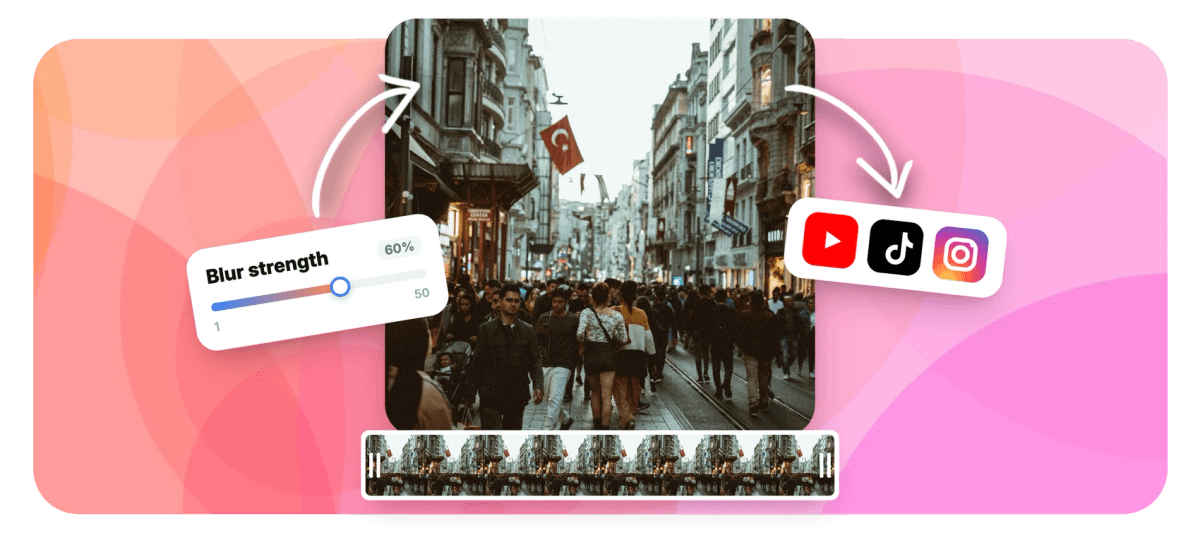
Some things in a frame should not ship: phone numbers on a screen recording, a license plate, a bystander's laptop, an unreleased logo. EchoWave puts a draggable, resizable blur region on your video, live-previewed in the browser, with three hiding styles and edge feathering so the patch blends in instead of screaming for attention. You can even limit the blur to a time range so it appears only while the sensitive detail is on screen. Need every face hidden automatically instead? That is the face blur tool. Want the whole background out of focus? Use background blur.
-
3 styles
Blur, pixelate mosaic or solid blackout
-
1 to 50
Strength range with a live preview as you drag
-
Feathered edges
1 to 60px edge softness so the region blends in
-
Timed blur
Apply to the whole clip or only a start-to-end range
What you get
A precise censor tool with a live preview
Position it like a crop box, style it like an effect, and see the result before you render.
-
Drag-and-Resize Region
The blur area is a real on-video overlay: drag it anywhere, resize it from the corners, and it stays anchored to that spot in the frame. The preview shows the effect exactly where it will render.
-
Blur, Pixelate or Blackout
Soft Gaussian blur for a subtle hide, a pixel mosaic for the classic censored look, or a solid black box when nothing may show through. Strength runs from 1 to 50 for the blur and pixel styles.
-
Feathered Edges
Turn on feathering and set a 1 to 60 pixel falloff so the blur melts into the surrounding image instead of ending in a hard rectangle. Small detail, big difference in how professional the result looks.
-
Blur Only Part of the Timeline
Set optional start and end times and the region only renders during that window, perfect when the sensitive detail appears mid-clip and leaves again.
-
Instant In-Browser Preview
The effect is approximated live over your video as you position and tune it, so there is no upload-render-check-repeat loop just to see where the box lands.
-
Chain With Other Tools
The blur tool is part of EchoWave's free tool suite: run the result straight into trim, crop or the full video editor without re-uploading.
How it works
How to blur part of a video
Four steps from upload to a clean export.
-
Upload Your Video
Drag and drop the clip into the blur tool. It appears in the player with the blur region ready to position.
-
Position the Region
Drag the box over the area to hide and resize it from the corners until it covers exactly what it should, no more.
-
Choose Style and Timing
Pick blur, pixelate or blackout, set the strength and feathering, and optionally limit the effect to a start and end time.
-
Export and Download
EchoWave renders the video with the region baked in at source quality. Download it or continue editing.
Who uses it
For everything that should not be in the shot
-
Screen Recordings
Hide emails, tokens, customer data and notification popups in product demos and tutorials before they go public.
-
Dashcam and Street Footage
Pixelate license plates and house numbers before posting driving clips or neighborhood videos.
-
Brand and Legal Cover
Black out unreleased products, third-party logos and trademarks you do not have clearance to show.
-
Journalism
Obscure documents, identifying tattoos or location markers while keeping the surrounding footage intact and credible.
-
Gaming and Streams
Censor chat overlays, usernames and donation alerts from VODs before clipping highlights for socials.
-
Everyday Posts
Blur a friend who did not consent, a visible address or a messy corner before a clip goes on the feed.
Blur part of your video now
Free, in your browser. Drag the region, pick a style, export.
What people are saying about EchoWave

About the EchoWave team
EchoWave is a browser-based video and audio editor built by Lemon Vault LLC since 2018. The people who build the editor write these guides and test every step in the production app before publishing.
Blur video FAQ
How do I blur part of a video for free?
Upload the clip to EchoWave's blur tool, drag the blur region over the area you want hidden, choose blur, pixelate or blackout, and export. The tool is free to use online with no download; the live preview shows the effect before you render.
Can I blur a specific area instead of the whole video?
Yes, that is exactly what this tool does. The blur is a rectangular region you drag and resize over the frame, so only the area inside it is affected. The rest of the video stays untouched and sharp.
Can I make the blur appear only during part of the video?
Yes. Set an optional start and end time and the region renders only inside that window. If a phone number is visible from 0:12 to 0:19, the blur exists for exactly those seconds and the rest of the clip is clean.
What is the difference between blur, pixelate and blackout?
Blur applies a soft Gaussian smudge that de-emphasizes detail; pixelate renders a chunky mosaic, the classic censored look that clearly signals something was hidden; blackout draws a solid box that guarantees nothing shows through. Blur and pixelate have a 1 to 50 strength range; blackout is absolute and ignores strength.
Will the blurred area have ugly hard edges?
Not if you enable feathering. The feather control softens the boundary over a 1 to 60 pixel falloff so the region blends into the surrounding image. For most footage a modest feather makes the edit close to invisible.
Is the blur permanent in the exported file?
Yes. The effect is rendered into the video's pixels on export, so viewers cannot remove it. For sensitive information prefer pixelate at a coarse size or blackout; extremely light blur on very high-resolution footage retains more residual detail than a strong setting.
Can it blur a moving subject automatically?
The region itself is anchored to a fixed position in the frame, which suits screens, plates and signage. For people, use EchoWave's face blur tool instead: it detects every face automatically and tracks them as they move, with the same blur, pixelate and blackout styles.
What video formats can I upload?
Common formats including MP4, MOV and WebM are accepted. The exported file is a standard MP4 unless you change the advanced codec settings, so it plays and uploads anywhere.
Ready to hide what should not ship?
Drag, style, export. Free online region blur with a live preview.
Get Started →























































