
Pixelate a Video: The Classic Mosaic Censor, Done Right
Pixelate a region you position yourself, or let AI pixelate every face automatically. Adjustable block size, clean edges, timing control. Free, in your browser.


Pixelate a Video: The Classic Mosaic Censor, Done Right Features
EchoWave's privacy tools are used by creators, journalists and businesses worldwide





Mosaic censor
Two ways to pixelate: pick a spot, or catch every face
Pixelation is the censor style everyone recognizes: chunky mosaic blocks that clearly say something was hidden here on purpose. EchoWave gives you both ways to apply it. The region tool pins a pixelated rectangle over anything, a license plate, a screen, a document, with adjustable block size and an optional time window. The face tool detects every face on-device and keeps the mosaic locked on as people move. Prefer a softer look? Both tools also do Gaussian blur and solid blackout.
-
1 to 100
Pixel block size on faces, 1 to 50 on regions
-
Auto faces
AI finds and tracks every face for mosaic censoring
-
Timed censor
Pixelate the whole clip or just a time range
-
On-device AI
Face detection runs in your browser, not on a server
What you get
Everything the mosaic needs to actually protect
Pixelation only works when the blocks are big enough and the mask never slips. Both are covered.
-
Adjustable Block Size
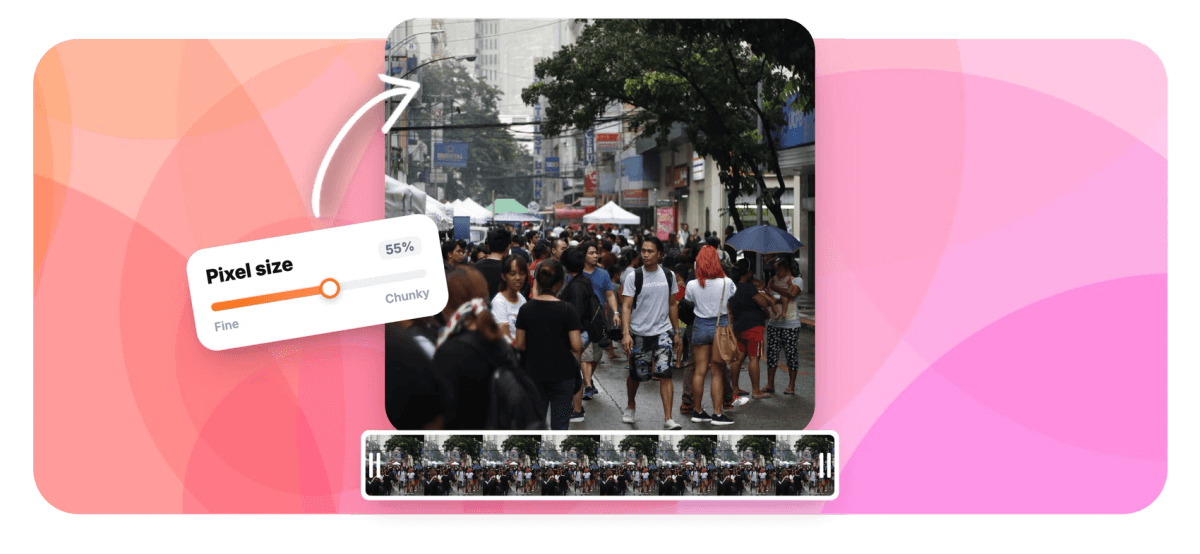
Small blocks suggest discretion, large blocks guarantee it. The pixel size slider covers the full range, and the live preview shows exactly how much detail survives at each setting.
-
Drag-and-Resize Region
Position the mosaic rectangle anywhere on the frame, resize it from the corners and optionally feather the boundary so the censor sits naturally in the shot.
-
Automatic Face Pixelation
The face anonymizer detects every face on-device and tracks each one between frames with a two-pass pipeline, so the mosaic follows people as they walk, turn and gesture.
-
Time-Limited Censoring
Set start and end times and the region pixelates only while the sensitive detail is on screen, leaving the rest of the video untouched.
-
Baked Into the Export
The mosaic is rendered into the video's pixels on the server at full quality. Viewers cannot toggle it off, and coarse blocks leave nothing usable to recover.
-
Blur and Blackout Too
Pixelate is one of three censor styles in both tools, next to Gaussian blur and solid blackout, so the same workflow covers every masking convention.
How it works
How to pixelate part of a video
Four steps to a clean mosaic censor.
-
Upload Your Video
Drag your clip into EchoWave. Use the region tool for objects and text, or the editor's face anonymizer for people.
-
Choose Pixelate
Select the pixelate style and set the block size. For regions, drag the rectangle over the target; for faces, detection is automatic.
-
Set the Timing
Apply the mosaic to the whole clip, or restrict a region to the exact seconds the sensitive detail is visible.
-
Export
The pixelation renders into the final file at source quality. Download it or keep editing in the timeline.
Who uses it
When the censor should be seen
-
News and Documentary
The mosaic is the visual language of protected identity: sources, minors and bystanders stay anonymous on camera.
-
Street and Dashcam Footage
Pixelate plates, house numbers and passers-by before a clip leaves your camera roll.
-
Screen Content
Mosaic out emails, keys and customer data in tutorials while keeping the UI around them readable.
-
Gaming and Streams
Censor usernames, chat spam and personal info from VODs before the highlight reel goes up.
-
Workplace and Legal
De-identify training footage and incident recordings in the style compliance teams expect.
-
Comedy Edits
Sometimes the mosaic IS the joke. Pixelate the sandwich, the cat, the reveal.
Pixelate your video now
Region or faces, adjustable blocks, baked-in export. Free to start.
How creators use EchoWave in real projects

About the EchoWave team
EchoWave is a browser-based video and audio editor built by Lemon Vault LLC since 2018. The people who build the editor write these guides and test every step in the production app before publishing.
Pixelate video FAQ
How do I pixelate part of a video?
Upload your video to EchoWave's blur tool, choose the pixelate style, drag the rectangle over the area to censor and set the block size. You can feather the edges and limit the effect to a time range, then export. The mosaic is rendered into the file, not overlaid in a player.
Can I pixelate a face that moves around the shot?
Yes, with the face anonymizer in the editor. It detects every face on-device and tracks them between frames, so the mosaic stays locked on while people move. Choose pixelate as the style, set the block size and coverage, and export.
What block size actually protects identity?
For faces, the mosaic should reduce the face to roughly a dozen blocks or fewer; at that density facial features are unrecoverable. The preview makes this easy to judge: if you can still recognize the person in the preview, increase the pixel size. For text like plates and documents, choose blocks larger than the stroke width of the characters.
Is pixelation safer than blur?
At strong settings both are irreversible, but coarse pixelation degrades information faster than light blur and is the more conservative choice for sensitive material. Blackout is the absolute option. All three styles are available in the same tools, so you can match the level of protection to the risk.
Can I pixelate only during part of the video?
Yes. The region tool takes optional start and end times, so the mosaic exists only while the sensitive detail is on screen. Outside that window the video plays untouched.
Will the pixelation show in every player and platform?
Yes. The effect is baked into the exported video's pixels on EchoWave's servers, so it looks identical on TikTok, YouTube, in chat apps and in court. There is nothing for a viewer to disable.
Can I pixelate the whole video?
The tools are built for targeted censoring: a positioned region or detected faces. If you want an entire clip obscured, size the region to cover the full frame. For a soft full-frame treatment, a strong blur usually reads better than full-frame mosaic.
Is the pixelate tool free?
Yes. The region-based tool is free to use online. The face anonymizer runs in the editor, where free exports carry a small watermark and paid plans export clean up to 4K and beyond.
























































