
How to Post a Podcast on Instagram (2026)
Instagram has no audio only post, so to share a podcast on Instagram you turn it into a video and upload that. This guide covers every working method, free and in your browser. Make a podcast clip for Instagram with EchoWave's audio to video tool.


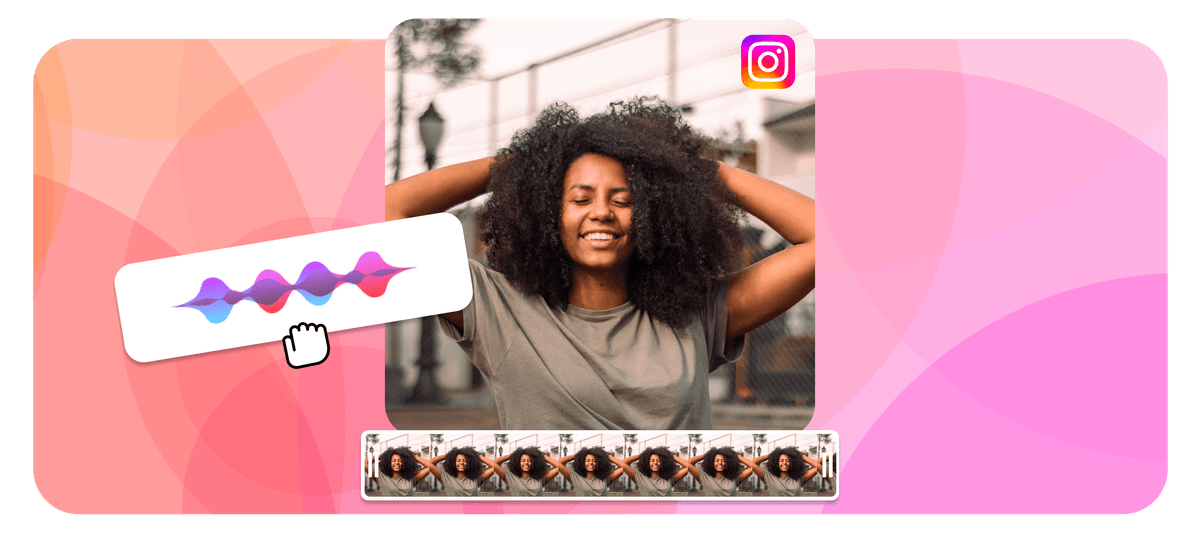
How to Post a Podcast on Instagram (2026) Features
Can you post a podcast on Instagram? Not as a raw audio file. Instagram is a visual platform with no audio only post type, so you cannot upload an MP3 the way you upload a photo. The fix every podcaster uses is to turn a clip of the episode into a short video, an audiogram with a moving waveform and your cover art, then post that video as a Reel, a feed post, or a Story. You can build the clip free in your browser with EchoWave's podcast to video tool, no app to install.
How to post a podcast on Instagram (quick answer):
- Pick a 30 to 60 second clip with one self contained quote or insight.
- Turn it into a vertical video with a waveform, cover art, and captions in EchoWave.
- Download the MP4 and post it as a Reel, feed post, or Story, then drop the full episode link in your bio.





Can you share a podcast on Instagram directly?
No, not the full episode and not the audio file. Instagram supports photos, carousels, videos, Reels, and Stories. There is no button to upload an MP3 or WAV, and there is no native podcast player inside the app. So every reliable way to share a podcast on Instagram falls into one of two groups: turn a clip into a video that plays in the feed, or share a link that points listeners to where the full episode lives. The highest reach option by far is the video, because it autoplays as people scroll and the Instagram algorithm pushes short video harder than anything else right now.
The single most useful asset is the audiogram: a short video that shows a waveform or animated visual moving in time with your audio, with captions burned in so the point lands even when the sound is off. Audiograms are the format built for exactly this job, and they are what the rest of this guide shows you how to make and post.
How to make a podcast clip for Instagram
This is the method most podcasters want, because a video plays right in the feed and reaches the most people. EchoWave turns a slice of your episode into a vertical audiogram in three steps, free and in your browser.
-
1. Pick your best 30 to 60 seconds
Pull one clear, self contained quote or insight from your latest episode, something that makes sense with zero context. Upload the audio to EchoWave (MP3, WAV, M4A, AAC, and more all work) and trim to that clip.

-
2. Add a waveform, cover art, and captions
-
3. Export and post to Instagram
Download the MP4 and post it as a Reel, a feed post, or a Story. Make several clips from one episode to test what resonates, and put the full episode link in your bio.
What creators say after trying EchoWave
Why the video method wins
Best size and length for podcast clips on Instagram
Match the format to where the clip will live. These are the specs that fill the most screen and keep the most attention in 2026.
| Placement | Aspect ratio | Resolution | Max length | Best length |
|---|---|---|---|---|
| Reel | 9:16 vertical | 1080 x 1920 | 3 minutes | 15 to 30 seconds |
| Feed post (video) | 4:5 or 1:1 | 1080 x 1350 or 1080 x 1080 | 60 minutes | 30 to 60 seconds |
| Story | 9:16 vertical | 1080 x 1920 | 60 seconds per slide | 15 to 60 seconds |
Export as MP4 with H.264 video and AAC audio, which is what Instagram recommends and what EchoWave produces by default. Lead with a strong hook in the first three seconds, because that is where most viewers decide whether to keep watching.
Method 2: Post a podcast Reel
Reels get the most reach on Instagram, so a short clip from your strongest moment belongs here. Make a 9:16 audiogram in EchoWave, export the MP4, then in the Instagram app tap the plus icon, choose Reel, upload your video, add a caption with a keyword or two, and publish. Public Reels can be reused by other accounts as a sound, which spreads a memorable clip further. Reels now run up to 3 minutes, but 15 to 30 seconds performs best for podcast teasers.
Method 3: Post a podcast clip to your feed
A feed post is permanent, so it is the right home for a flagship quote or an episode launch. A 4:5 vertical or 1:1 square audiogram fills the feed well. Post it like any video, write a caption that teases the full episode, and add a clear call to action to the link in your bio. You can also build a carousel that mixes a pull quote graphic, a few key takeaways, and the audiogram on the last slide.
Method 4: Share a podcast to your Story with the link sticker
Stories are perfect for launch day. Create a Story, add your audiogram or a still cover image, tap the sticker icon, choose the Link sticker, and paste your episode URL from Spotify, Apple Podcasts, or your host. The link sticker is now available to every account, so you no longer need 10,000 followers or the old swipe up feature. Stories disappear after 24 hours, so save the best ones as a Highlight called Episodes so new visitors can still find them.
Method 5: Share straight from your podcast app
Spotify and Apple Podcasts can hand a clip or link to Instagram directly. In Spotify, open the episode, tap the share icon, and choose Instagram Stories to drop a preview card into a Story. In Apple Podcasts, open the episode, tap the share icon, copy the link, then add it to a Story with the link sticker. This is the fastest share, though a plain link card gets less reach than a video, so pair it with an audiogram.
Method 6: Put your episode link in your bio
Your bio is the one place on Instagram where a tappable link always works. Point it at the episode rather than your homepage, and update it every time you release a new episode so listeners reach the latest one in one tap. Use a short link service or a simple link in bio page if you want to list several platforms. In every post, tell people to head to the link in your bio, because Instagram strips clickable links out of captions.
Method 7: Tag guests and run a coordinated push
A guest with their own following is your best growth lever. When an episode features a guest, make a pull quote graphic and a clip, tag the guest in the post and the caption, and prepare ready to share assets (an image, a quote, and a caption) so they can post it to their own audience on launch day. A small, coordinated push across both accounts on the same day reaches far more people than either of you posting alone.
Get your podcast clip ready in EchoWave
The one asset that powers Reels, feed posts, and Stories is the audiogram, and EchoWave makes it free in your browser. Upload your episode, trim to the clip you want, add a waveform over your cover art, set the canvas to 9:16 or 1:1, and turn on auto captions so it works on mute. Export a clean MP4 and you have a clip ready for every placement above. Tools that help: the podcast to video tool, the audio waveform video generator, add image to MP3 for cover art, and add subtitles for captions.
Use hashtags and a consistent look
Hashtags still help the right people find your clips. Create one hashtag for your show and use it on every post so all your content collects in one place, then add a few niche tags tied to the topic rather than broad ones like #podcast. Three to five intentional hashtags per post is the sweet spot in 2026. Keep a consistent visual style across your audiograms and graphics so your feed reads as one brand, and post on a steady schedule built around your release day.
Methods compared
| Method | Plays in the feed? | Reach | Best for | Where the link goes |
|---|---|---|---|---|
| Reel (audiogram) | Yes, autoplays | Highest | Discovery and new listeners | Bio or caption prompt |
| Feed post or carousel | Yes | High | Launches and flagship quotes | Bio |
| Story with link sticker | Yes, for 24 hours | Medium | Launch day and direct taps | Link sticker, any account |
| Share from Spotify or Apple | As a preview card | Lower | Quick launch announcement | Built into the card |
| Link in bio | No | Steady | Sending people to the full episode | The bio itself |
Troubleshooting
My clip has no sound on Instagram. Check it was not muted before export and that it has an AAC audio track. Re-exporting as MP4 with H.264 and AAC from EchoWave fixes most silent clips.
The link sticker is missing. It is available to all accounts now, so update the Instagram app. Stories only, captions never carry a clickable link.
My MP3 will not upload. It never will directly, because Instagram has no audio post. Convert a clip to a video first and the upload works.
The video looks cropped or zoomed. Match the canvas to the placement: 9:16 for Reels and Stories, 4:5 or 1:1 for the feed. Re-export at the right ratio and re-upload.
Sources & further reading
- Reel size & aspect ratios on Instagram, Instagram Help Center
- About link sticker on Instagram Stories, Instagram Help Center

About the EchoWave team
EchoWave is a browser-based video and audio editor built by Lemon Vault LLC since 2018. The people who build the editor write these guides and test every step in the production app before publishing.
Frequently Asked Questions
How do I post a podcast on Instagram?
Instagram has no audio only post, so you turn a clip of your episode into a short video and upload that. Make a 30 to 60 second audiogram with a waveform, cover art, and captions in EchoWave, export the MP4, then post it as a Reel, feed post, or Story and put the full episode link in your bio.
Can you upload a full podcast episode to Instagram?
No. Instagram has no native podcast player and no audio upload, and even Reels cap at 3 minutes. Post a short clip as a video to hook listeners, then link the full episode in your bio or a Story link sticker.
What is an audiogram and why use one?
An audiogram is a short video that shows a moving waveform or animated visual in time with your audio, usually over your cover art with burned in captions. It turns sound into something Instagram can show in the feed and it works on mute, which is how most people scroll.
How do I share a podcast to my Instagram Story?
Create a Story, add your audiogram or cover image, tap the sticker icon, choose the Link sticker, and paste your episode URL. The link sticker now works for every account, so you no longer need 10,000 followers.
How long can a podcast clip be on Instagram?
Reels run up to 3 minutes, feed videos up to 60 minutes, and each Story slide up to 60 seconds. For podcast teasers, 15 to 30 seconds for a Reel and 30 to 60 seconds for a feed audiogram perform best.
What size should a podcast clip be for Instagram?
Use 9:16 vertical (1080 x 1920) for Reels and Stories, and 4:5 vertical or 1:1 square (1080 x 1350 or 1080 x 1080) for the feed. Export as MP4 with H.264 video and AAC audio.
How do I share my podcast from Spotify or Apple Podcasts?
In Spotify, open the episode, tap share, and choose Instagram Stories to add a preview card. In Apple Podcasts, open the episode, tap share, copy the link, then add it to a Story with the Link sticker. Pair the link with an audiogram for more reach.
Where do I put my podcast link on Instagram?
Captions cannot hold a clickable link, so put the episode link in your bio and in a Story link sticker. Point the bio link at the latest episode and update it with each release, then tell people to tap the link in your bio.
How many hashtags should I use for podcast posts?
Three to five intentional hashtags per post works best. Create one branded hashtag for your show and use it every time, then add a few niche tags tied to the episode topic rather than broad ones.
Do I need an app to make a podcast clip?
No. EchoWave runs in your browser, so you can upload your audio, add a waveform and captions, set the aspect ratio, and export a Reel or feed ready MP4 without installing anything.
Why does my Instagram podcast video have no sound?
Usually the file was muted before upload or exported without an AAC audio track. Re-export the clip as MP4 with H.264 video and AAC audio in EchoWave, then upload it again.
Reel, feed post, or Story, which should I use?
Use a Reel for reach and new listeners, a feed post or carousel for launches and flagship quotes that should stay permanent, and a Story link sticker for launch day taps to the full episode. Most shows use all three from one episode.
Ready to post your podcast on Instagram? Free, in your browser
Turn an episode clip into a Reel ready audiogram with a waveform, cover art, and captions in minutes.
Make a Podcast Clip →























































