
Product Video Maker: Turn Products Into Promo Videos
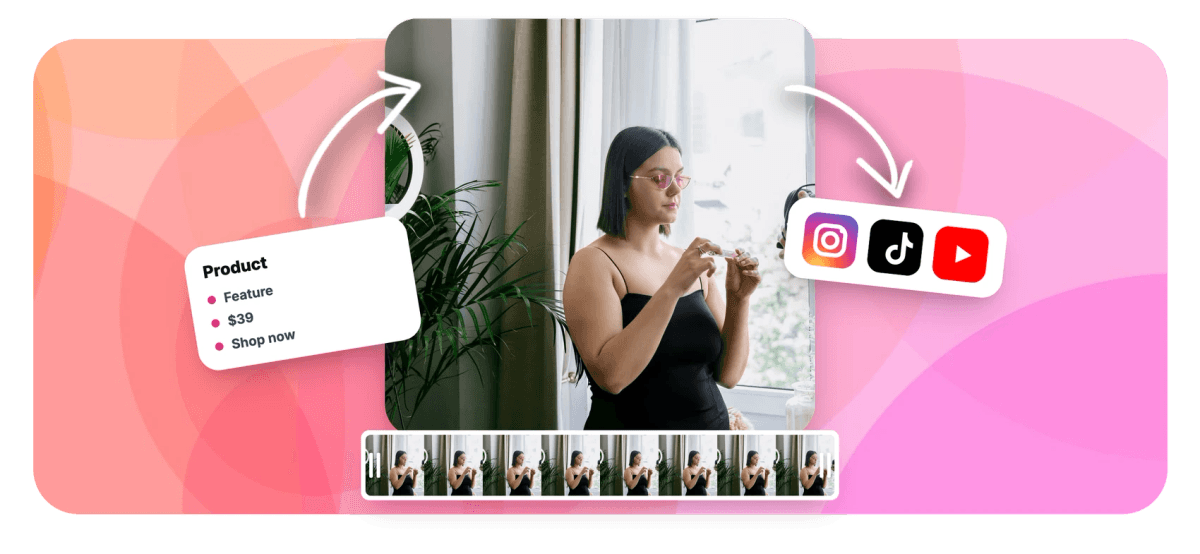
Drop product clips and photos on the timeline, add feature callouts, price and CTA text, your brand colors, logo and music, then export sized for every store and feed. Free in your browser.


Product Video Maker: Turn Products Into Promo Videos Features
EchoWave's product video tools are used by ecommerce sellers, DTC brands and agencies worldwide





Products in motion
The product that moves is the product that sells
A product video maker earns its place the moment a listing or ad goes live: shoppers linger on motion, and the raw material, your product clips and photos, is already on your phone and in your product folder. EchoWave assembles it in the browser. Photos get Ken Burns pan and zoom moves, close-up details get punch-in zooms, and text callouts carry the feature, the price and the CTA. Add your brand colors, logo and a music bed, then export the same project at 1:1 and 4:5 for the feed, 9:16 for Reels and TikTok, and 16:9 for your site. EchoWave assembles your real footage and photos; it does not generate product scenes with AI.
-
1:1 / 4:5 / 9:16 / 16:9
Aspect presets for feed posts, Reels, TikTok and your site or YouTube
-
1 CSV row
Equals one finished product video when you bulk generate from a template
-
56 transitions
Dissolves, wipes, slides and zooms to cut between products and shots
-
~30 easings
Curves behind every Ken Burns pan and punch-in zoom you set
What you get
Clips and photos in, product promo out
Every piece of a product video, built from assets you already have.
-
Clips and Photos on One Timeline
Drop product clips and photos onto the same multi-track timeline, then trim, split and reorder them into a promo. Filmstrips and waveforms show every shot, so cutting the dead seconds out of a demo takes one pass.
-
Ken Burns Motion on Product Stills
Product photos do not have to sit still. One-click Ken Burns presets pan across the packaging and push in on the texture, so a flat lay reads like footage without a second of extra shooting.
-
Punch-In Zooms on the Details
Call attention to the stitching, the finish or the label with a punch-in zoom: two scale keyframes and an easing curve drive the frame into the detail that closes the sale, then ease back out wide.
-
Feature, Price and CTA Callouts
Put the selling points on screen. Add text overlays for each feature, the price and a clear call to action, then copy the text style across them so every callout in the video matches.
-
Your Brand Colors and Logo
Match the callout colors to your brand palette and pin your logo to a corner as an image layer that stays put through every cut, so the video looks like your store, not a template.
-
Music Under the Promo
Lay a music track on its own audio row beneath the visuals and balance the volume so it lifts the energy without burying a voiceover. Bring a track you have the rights to use.
-
One Edit, Every Store and Feed
Switch the canvas between 1:1 and 4:5 for feed posts, 9:16 for Reels and TikTok, and 16:9 for your site and YouTube. One project resizes to cover every placement a product runs in.
-
One Template, Every SKU
Save a finished product video as a template with placeholder text and swappable media, then generate from a CSV: one row per SKU, one rendered video per row, across the whole catalog.
How it works
How to make a product video
Four steps from a folder of product shots to a store-ready promo.
-
Add Product Clips and Photos
Drag your product clips and photos into the EchoWave editor and arrange them on the timeline in the order a shopper should see them, hero shot first, details and packaging after.
-
Add Callouts and Branding
Add text overlays for each feature, the price and a call to action, match the colors to your brand palette, and pin your logo to a corner so it holds through the whole promo.
-
Add Motion and Music
Give each photo a Ken Burns pan or zoom, punch in on the details worth showing, drop transitions between shots, and lay a music track underneath to set the pace.
-
Export for Each Placement
Export at 1:1 or 4:5 for feed posts, then switch the canvas to 9:16 for Reels and TikTok and 16:9 for your site and export those versions too.
Who uses it
From a single listing to the whole catalog
-
DTC Brands
Turn studio and lifestyle shots of a new drop into launch videos for paid social and the product page.
-
Etsy and Handmade Sellers
Show the texture, the stitching and the scale of a handmade item with close-up zooms a static photo cannot.
-
Amazon and Shopify Stores
Add a listing video to every product page so shoppers see the item move before they add to cart.
-
Dropshippers
Cut supplier clips into a punchy ad with callouts and a price, ready to test across TikTok and Reels.
-
Marketing Agencies
Build one on-brand template per client, then bulk generate a video for every SKU in the catalog from a CSV.
-
Social Media Managers
Keep a store's feed full of product promos sized for posts, Stories and Reels without booking a shoot each week.
Give your next product a video
Clips and photos in, a store-ready promo out. Free to start in your browser.
What people are saying about EchoWave

About the EchoWave team
EchoWave is a browser-based video and audio editor built by Lemon Vault LLC since 2018. The people who build the editor write these guides and test every step in the production app before publishing.
Product video maker FAQ
How do I make a product video?
Upload your product clips and photos to the EchoWave editor and arrange them on the timeline in the order a shopper should see them, the hero shot first, then details and packaging. Give the photos Ken Burns pan and zoom motion, punch in on the details worth showing, and add text overlays for the feature, the price and a call to action. Add your logo, lay a music track underneath, and export as MP4. The whole edit runs in your browser, and a first product video takes minutes rather than an afternoon.
Can I make a product video from photos only, with no video clips?
Yes, and plenty of the best product videos are photos only. Give each product photo a Ken Burns move, a slow pan across the packaging or a push into the texture, so a set of flat lays reads like footage. Add crossfade transitions between shots so the sequence flows instead of cutting hard, drop text callouts for the feature and price over each image, and lay a music track underneath. It is the same technique a slideshow uses, aimed at selling a single product rather than telling a story.
How do I put feature and price overlays on a product video?
Add a text layer for each point you want on screen: one for the headline feature, one for the price, one for the call to action. EchoWave text supports full styling with fonts, size, color, bold and italic, plus style presets, and you can copy a text style from one overlay and paste it onto the rest so every callout matches. Time each overlay to appear over the shot it describes, keep it in a corner or lower third so it never covers the product, and leave it on screen long enough to read twice. See adding text to video for the full styling options.
What size should a product video be for each store and social feed?
Use 1:1 square or 4:5 portrait for feed posts on Instagram and Facebook, 9:16 vertical for Reels, TikTok, Stories and YouTube Shorts, and 16:9 widescreen for your product page, website and YouTube. In EchoWave you switch the canvas between these aspect presets and resize the project, so one edit becomes a version for every placement instead of separate projects. Vertical deserves a second look: recompose so the product and the price overlay stay inside the taller frame, since a layout that works in 16:9 often crops badly at 9:16.
How can I make one product video per SKU across a whole catalog?
Build one product video the way you want it, save it as a template with placeholder text and replaceable media, then use bulk video generation to render the rest from a spreadsheet. Each CSV row is one SKU, its name, price, feature and photo, and each row renders one finished video in your branding. There is also a documented HTTP rendering API, so a store or agency can wire product video creation into the catalog workflow and generate a clip the moment a product is added. It turns a catalog of hundreds into a batch you queue once.
Can I clean up the background on my product shots?
Yes. If a product was shot against a messy backdrop, run the clip or photo through the background remover to cut the product out and drop it onto a clean white, black, solid color or transparent background. The analysis runs on your device, and you can soften the edges so the cutout does not look pasted on. It is the fastest way to make a set of shots taken in different places look like one consistent studio catalog. Note that this isolates the product you actually filmed; it does not generate a new product or scene with AI.
Can I add background music to a product video, and what about rights?
Yes. Drop a music file onto its own audio track under the visuals and balance the volume so it supports the promo without competing with a voiceover. Choose something that matches the pace of the edit, upbeat for a launch, calm for a premium product. Make sure you have the rights to any track you use, since Instagram, TikTok and YouTube all flag unlicensed music, which can mute your audio or pull an ad. Commercial-use libraries and licensed tracks are the safe route for anything running as a paid product ad.
Is this product video maker free?
Yes, you can build and export product videos free in the browser with nothing to install. Free exports carry a small watermark and are capped at 720p, which is fine for previewing an edit or sharing with a teammate. Paid plans remove the watermark and unlock 1080p and 4K, which is what you want on a product page and paid ads. Templates and bulk CSV generation work from your own saved projects on an account, so a store can start free and scale to per-SKU video when catalog volume justifies it.
Ready to sell the product?
Turn product clips and photos into a store-ready promo, free in your browser.
Get Started →























































