
Free YouTube Shorts Maker Online
YouTube Shorts maker for vertical 9:16 videos that get watched. Trim, add captions and music, resize and export ready to upload. Free, in your browser, no watermark.


Free YouTube Shorts Maker Online Features
EchoWave's Shorts maker is used by creators, podcasters, educators, and social media teams worldwide





Shorts in your browser
Full creative control for every vertical video
Most Shorts tools pick the clip for you. EchoWave gives you a proper multi-track timeline so you control every cut, caption, and overlay. Resize any footage to 1080x1920 in one click, then layer on AI auto-captions, animated text, and a voiceover without leaving your browser. Export a properly formatted 9:16 MP4 in seconds, ready to drop straight into YouTube Studio.
-
1080 x 1920 px
Native 9:16 Shorts canvas, matching YouTube's recommended resolution
-
160+ caption presets
Including TikTok bold, MrBeast karaoke, subtitle translate and more
-
63 AI voices
Streaming text-to-speech with voice cloning for narration
-
Free to start
No install, no credit card. Paid plan removes watermark and unlocks 4K
The toolkit
Everything a Short needs, nothing it does not
Eight tools, one timeline. Build your Short from scratch or repurpose existing footage in minutes.
-
Resize to 9:16 in One Click
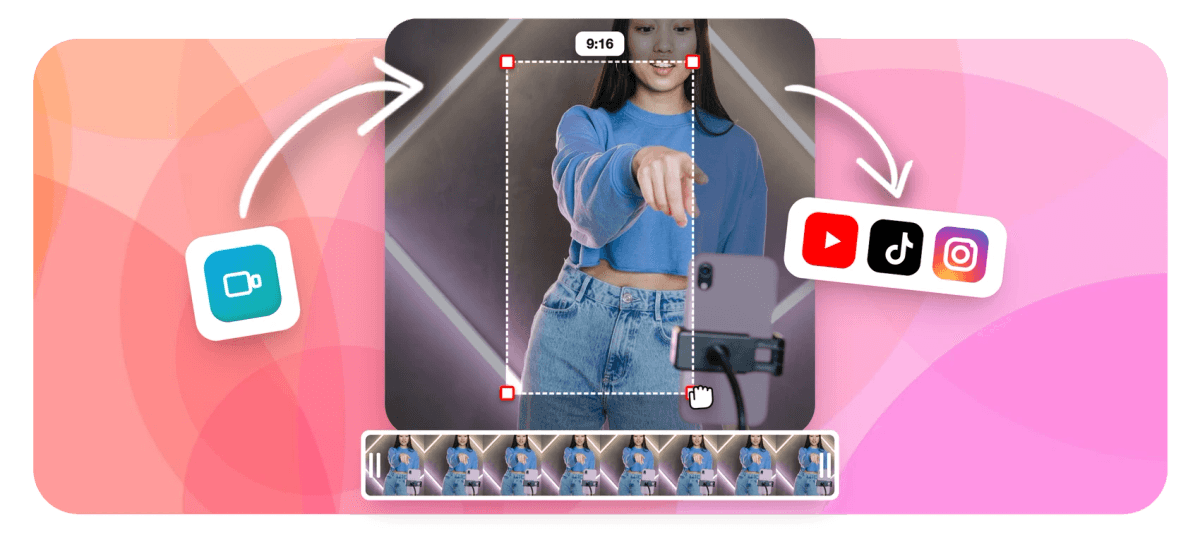
Instantly reformat any landscape or square video to the 1080x1920 vertical canvas YouTube Shorts requires. Drag to reframe your subject and fill the frame perfectly. Need to crop or reframe first? That tool is one tab away.
-
AI Auto-Captions with 160+ Presets
Transcribe your Short automatically and choose from over 160 caption styles including word-level karaoke animation, TikTok bold pop, and MrBeast-style highlight presets. Captions are fully editable. For dedicated captioning work, see add subtitles.
-
Trim and Cut with Precision
Split your timeline, cut dead air, and extract the exact highlight you need. The magnetic timeline snaps clips cleanly so your Short flows from the first frame. Use video trimmer for quick single-clip cuts.
-
Add Text, Stickers and Emoji
Layer bold titles, countdown timers, emoji, branded logos, and animated stickers over your Short. Keyframe any element to animate it on-screen at just the right moment. See add text to video for more.
-
Voiceover and Text-to-Speech
Record a voiceover directly in the browser or generate narration from 63 AI voices with streaming text-to-speech. Pick a voice that fits your content in seconds. Full details at add voiceover to video.
-
Music, Audio and Waveform Overlays
Drop in your own audio track, adjust volume per clip, and optionally add an animated audio waveform or FFT spectrum visualizer as a visual element in your Short. See add audio to video for details.
-
Speed Ramp and Loop
Speed up or slow down any segment to create dramatic effect, or loop a clip to fill your Short's runtime. Keyframe-based speed changes keep transitions smooth. Loop video is also available as a standalone tool.
-
Export at 1080p, No Watermark on Paid
Export as a 1080x1920 MP4 ready for YouTube upload. Free plan adds a small EchoWave badge; paid plan removes it entirely and unlocks 4K output for maximum quality.
How it works
How to make a YouTube Short online
Four steps from raw footage to uploaded Short.
-
Upload Your Video or Footage
Open the EchoWave editor and upload any video file from your device. MP4, MOV, WebM, and most common formats are supported. Your footage appears on the multi-track timeline instantly.
-
Resize to 9:16 and Edit Your Short
Switch the canvas to 1080x1920 (YouTube Shorts format) with one click. Trim your clip to the best moment, add AI auto-captions, drop in text overlays, stickers, music, or a voiceover, and adjust speed or add transitions.
-
Preview and Fine-Tune Captions
Play back your Short in the preview window. Edit any caption timing or wording directly in the transcript view, choose a caption preset, and make sure no key visual falls outside the safe zone.
-
Export and Upload to YouTube
Hit Export and download your 1080p MP4 in seconds. The file is correctly formatted for YouTube Shorts upload: vertical 9:16, H.264, AAC audio. Upload directly from your device to YouTube Studio.
Sized for Shorts
The right canvas for every platform
Start in the Shorts format or switch in one click to post the same video elsewhere.
-
9:16 YouTube Shorts
- YouTube Shorts
- TikTok
- Reels
-
1:1 Square
- X
-
16:9 Widescreen
- YouTube
- X
Who uses it
Six ways creators use EchoWave for Shorts
-
Content Creators Repurposing Long Videos
Pull your best 60-second moment from a long YouTube video, tutorial, or vlog, resize it to 9:16, and publish it as a Short to grow your channel with minimal extra effort.
-
Music Artists and Lyric Video Makers
Create vertical lyric shorts with animated waveforms, word-sync captions, and album artwork overlays that drop fans straight into the hook of your latest track.
-
Educators and Course Creators
Clip a key insight from a lecture or webinar, add auto-captions so it is accessible without sound, and publish it as a Short to drive traffic back to your full content.
-
Brands and Social Media Managers
Produce branded vertical promos with logo overlays, color-matched text, and AI voiceover narration. Use the CSV bulk-template system to produce multiple Shorts from a single shoot.
-
Podcasters Promoting Episodes
Turn the most quotable 60 seconds of your episode into an audiogram Short with animated waveforms and large-print caption presets that perform well in silent autoplay feeds.
-
Multilingual Creators
Generate auto-captions in the original language, translate subtitles to reach global audiences, and publish the same Short in multiple languages without re-editing the video itself.
Make your first Short now
Start free. Upload your footage and have a 9:16 Short ready in minutes.
What creators say after trying EchoWave

About the EchoWave team
EchoWave is a browser-based video and audio editor built by Lemon Vault LLC since 2018. The people who build the editor write these guides and test every step in the production app before publishing.
YouTube Shorts Maker FAQ
What is the correct size and format for YouTube Shorts?
YouTube Shorts should be 1080x1920 pixels at a 9:16 vertical aspect ratio. The recommended format is MP4 with H.264 video and AAC audio. Shorts can be up to 3 minutes long, though 15 to 60 seconds typically performs best in the algorithm. EchoWave exports exactly this format by default.
Can I make a YouTube Short from an existing long video?
Yes. Upload your full video to EchoWave, switch the canvas to 9:16, then use the trim and split tools to isolate the best 60-second moment. Reframe the crop to keep your subject centred in the vertical frame, add captions, and export. The whole process takes a few minutes.
Do I need to add captions to YouTube Shorts?
Captions are not required, but they significantly increase watch time because many viewers watch Shorts with sound off. EchoWave's AI auto-captioning transcribes your audio and generates synced captions automatically. You can pick from 160+ styles including animated word-level highlights.
Is EchoWave's YouTube Shorts maker free?
Yes. You can create, edit, and export YouTube Shorts for free. The free plan adds a small EchoWave watermark to exports. Upgrading to a paid plan removes the watermark and unlocks 4K resolution exports. No software installation is needed.
How long can a YouTube Short be?
As of October 2024, YouTube extended the maximum Short length to 3 minutes (180 seconds). EchoWave's timeline handles this length without any restrictions. For best algorithmic performance, most creators target 30 to 90 seconds.
Can I add music to my YouTube Short in EchoWave?
Yes. You can upload your own audio track or royalty-free music file and add it to the Short's timeline. Adjust the volume per clip, trim the audio to fit, and optionally add an animated waveform or spectrum visualizer as a visual overlay. EchoWave does not include a built-in royalty-free music library, so bring your own files.
Can I translate captions for my YouTube Short into other languages?
Yes. After auto-captioning your Short, EchoWave's subtitle translation feature lets you translate the captions into other languages. This lets you publish the same Short for multiple language audiences without re-recording or re-editing.
What is the safe zone for text in YouTube Shorts?
YouTube overlays its UI (subscribe button, title, likes) over the bottom 20% and top 10% of the Shorts frame. Keep titles, captions, and key graphics within the centre of the frame, roughly between 10% and 75% from the top. EchoWave's 9:16 canvas shows the full frame so you can manually place text in the safe area.
What file types can I upload to make a YouTube Short?
EchoWave accepts MP4, MOV, WebM, AVI, MKV, and most other common video formats. You can also combine multiple clips on the timeline to build a Short from several different source files.
Ready to create your next YouTube Short?
No credit card required. The free plan includes a small EchoWave watermark.
Get Started →























































