
Slow Motion Video Maker: Free, No Watermark
Turn any clip into smooth slow motion right in your browser. Drag the speed slider below 1x, preview the result live, then export with no signup, no watermark, and no quality loss. Built into the EchoWave video editor.


Slow Motion Video Maker: Free, No Watermark Features
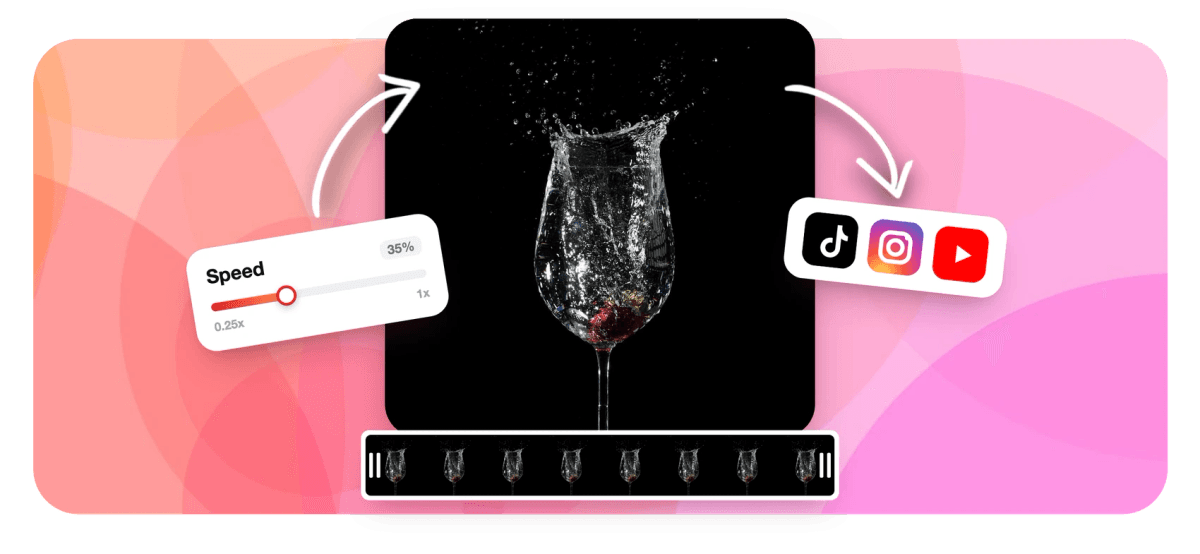
To make a video slow motion, upload your clip to EchoWave, open the speed control and drag the slider below 1x (try 0.5x for half speed or 0.25x for dramatic slow mo), preview the slowed result, then export. It runs in your browser with no signup, no watermark, and no quality loss, and it slows down MP4, MOV, WebM and more in seconds.
Trusted by thousands of creators worldwide





How to make a video slow motion
EchoWave's slow motion video maker turns a normal clip into smooth slow mo in three quick steps, all in your browser:
-
1. Upload Your Video
Drag in your clip to get started. EchoWave's slow motion video maker works with almost every video file type, so whatever footage you have, we can slow it down.

-
2. Slow Down the Speed
Open the speed control and drag the slider below 1x. Pick 0.5x for half-speed, 0.25x for dramatic slow motion, or type an exact value. The live preview shows the slow-mo result instantly.
-
3. Download Slow Motion Video
Your slow motion video is ready. Export and download it in full quality, with no watermark, then share it on TikTok, Instagram, YouTube, or anywhere else.

What creators say after trying EchoWave
Slow down a video to any speed
With EchoWave's slow motion video maker you control exactly how slow your footage plays. Drag the speed slider below 1x or type a precise multiplier. There are no fixed presets to box you in, so you can fine-tune the effect frame by frame instead of choosing from a short list of buttons.
| Speed | Result | Best for |
|---|---|---|
| 0.75x | Gentle slow down | Subtle emphasis, voiceovers, tutorials |
| 0.5x | Half speed | Classic slow motion for action and reactions |
| 0.25x | Dramatic slow mo | Sports replays, hero shots, product reveals |
| 0.1x | Extreme slow motion | Highlighting a single split-second moment |
The live preview updates as you drag, so you can dial in the exact slow-motion feel before you export. A practical tip: slowing a clip to 0.5x doubles its running time (a 10-second clip becomes 20 seconds), and 0.25x quadruples it, so keep an eye on the timeline if you have a platform length limit to hit. Want the opposite effect later? The same control speeds clips up too. It doubles as a full speed up video tool, so you can slow one section down and keep the rest at normal pace.
What you can do with slow motion video
Slowing footage down is one of the oldest tricks in editing, and it still works because it changes how a moment reads. A clip that flew past at normal speed suddenly has weight, drama, and detail. These are the jobs creators reach for slow motion to do:
- Sports and action: break down a goal, a trick, or a stunt so viewers catch every frame of the movement.
- Reactions and reveals: stretch out a surprised face, a product unboxing, or a before-and-after for more impact.
- Cinematic B-roll: turn ordinary shots of water, hair, or motion into dreamy, high-end footage.
- Tutorials and how-tos: slow a fast hand movement or technique down so it is easy to follow.
- Social hooks: a slow-mo opening shot holds attention in the first second on TikTok, Reels, and Shorts.
Because EchoWave is free and runs in your browser, you can test a few different speeds before you commit. A useful starting point: 0.5x reads as deliberate and smooth, while 0.25x and below feels stylised and dramatic. If your source was shot at 60fps or higher, slow motion looks noticeably smoother than footage filmed at 24 or 30fps, because there are more real frames to spread across the slower playback.
Make a video slow motion without losing quality
Many apps re-compress your footage when they change its speed, which softens detail and can leave the slowed clip looking choppy. EchoWave's slow motion video maker keeps your export crisp: you slow the playback down, and the output preserves your source resolution and bitrate, up to 4K. There is no watermark stamped across the frame and no forced downscale to 720p the way some free tools sneak in.
One honest note on how slow motion actually works. The tool stretches the frames you already have over a longer timeline, rather than inventing brand-new in-between frames with AI interpolation. That means the export is sharp and true to your footage, and the smoothest results come from clips that were filmed at a high frame rate to begin with. If a very slow setting starts to look a little stuttery, the cause is usually the source frame rate, not the export.
Because everything happens in your browser, there is nothing to install and no account to create, and your video is not uploaded to a third-party server for processing. Make a video slow motion, download the result, and the quality you uploaded is the quality you keep. For long clips you can pair it with the video compressor afterwards if you need a smaller file to upload somewhere.
Slow down MP4, MOV and any format
Whatever your camera, phone, or screen recorder produced, EchoWave can slow it down. Use it as an MP4 slow motion maker for the most common web format, or slow down MOV files straight from an iPhone or Mac. It also handles WebM, MKV, AVI, M4V and more.
- MP4 (H.264/H.265): the universal format for web and social media
- MOV: iPhone, iPad, and QuickTime recordings
- WebM: lightweight clips for the web
- MKV, AVI, M4V: older containers and downloads
Upload your file, slow it down, and export. Keep the output as MP4 with H.264 for the widest compatibility across TikTok, Instagram, and YouTube, or convert on the way out if a specific platform needs a different container. If your browser cannot preview an unusual codec, the upload and the slow-motion render still go through, because the heavy processing runs server-side rather than relying on what your browser can decode.
How to slow down a video on iPhone, Android, and desktop
You do not need a separate app to make a slow motion video on your phone. EchoWave runs entirely in the browser, so the same tool works on iPhone, Android, Mac, and Windows.
On iPhone, open EchoWave in Safari or Chrome, upload a clip from your camera roll, drag the speed slider below 1x, and export the slowed video back to your device. No App Store download is required. The steps are identical on Android, and on a laptop you just drag the file in from your desktop.
It is worth knowing what Apple's built-in tools can and cannot do, so you reach for the right one. The native Camera app only produces true slow motion if you record in the dedicated Slo-mo mode in the first place. To slow down a clip that was filmed at normal speed, iOS 18 and later added a Playback Speed control inside the Photos editor (Edit, then the speed button, with quarter and half speed options), and iMovie can do it on older versions. The catch is that those built-in options give you a few fixed speeds and stay locked to your device. EchoWave lets you set any custom speed on any clip, regardless of how it was filmed, and hand you back a finished file you can post anywhere. You can also slow down a clip you already trimmed with the video trimmer or looped with the loop video tool, all without leaving your browser.

About the EchoWave team
EchoWave is a browser-based video and audio editor built by Lemon Vault LLC since 2018. The people who build the editor write these guides and test every step in the production app before publishing.
Frequently Asked Questions
How do I make a video slow motion for free?
Upload your clip to EchoWave's slow motion video maker, open the speed control, drag the slider below 1x, then export. It is free with no signup and no watermark.
Can you turn a regular video into slow motion?
Yes. Any normal clip can be slowed down. Upload it, set the speed below 1x (for example 0.5x or 0.25x), and the footage plays back in slow motion. You do not need to have filmed in a slow-mo camera mode first.
What is the best free slow motion video editor?
EchoWave is a strong free option because it runs in any browser, exports with no watermark, lets you pick any custom speed instead of a few presets, and keeps your full resolution. Canva, Kapwing, and CapCut are popular alternatives, though some add limits or watermarks on free plans.
How slow can I make a video?
You can drag the speed slider all the way down or type a custom value: 0.5x for half speed, 0.25x for dramatic slow motion, or lower still to stretch out a single split-second moment.
How do I slow down a video on iPhone?
Open EchoWave in mobile Safari or Chrome, upload a clip from your camera roll, drag the speed slider below 1x, and export the slowed video back to your phone. No app install is needed, and it works on clips filmed at normal speed, not only Slo-mo recordings.
Is CapCut slow motion free?
CapCut offers free speed controls, and you can export without a watermark if you choose the right settings, but it requires a download and an account. EchoWave does the same slow motion job in the browser with no install and no signup.
Does slowing down a video reduce quality?
No. EchoWave preserves your source resolution and bitrate when it changes speed, so your slow motion export stays as sharp as the original, up to 4K, with no watermark. Footage filmed at a high frame rate slows down most smoothly.
Can I slow down only part of a video?
Yes. Trim the clip to the section you want, slow that part down, and keep the rest at normal speed for a slow-motion highlight inside an otherwise normal video.
What video formats can I slow down?
MP4, MOV, WebM, MKV, AVI, M4V and more. EchoWave handles all the common containers, and you can keep the output as MP4 for the widest compatibility.
Is there a watermark or signup?
No watermark and no account required. You can make a slow motion video online completely free and download the finished file straight away.
Can I speed a video back up too?
Yes. The same speed control works above 1x, so you can speed clips up as well as slow them down. Slow motion is just any speed below 1x. See the speed up video tool for the opposite effect.
How do I slow down a YouTube video to save it?
Export or save the clip first (you need the rights to the footage), then upload it to EchoWave to slow it down and re-download the slow motion version.
Ready to make a slow motion video? We have a free plan!
No credit card required.
Make Slow Motion Video →























































