
Real Estate Video Maker: Turn Listings Into Tours
Combine listing photos and phone walkthrough clips into a polished property video: Ken Burns motion, price and feature overlays, your branding and music. Free to start in your browser, no download.


Real Estate Video Maker: Turn Listings Into Tours Features
EchoWave's real estate video tools are used by listing agents, brokerages and property managers worldwide





Listings in motion
The first showing happens on a phone
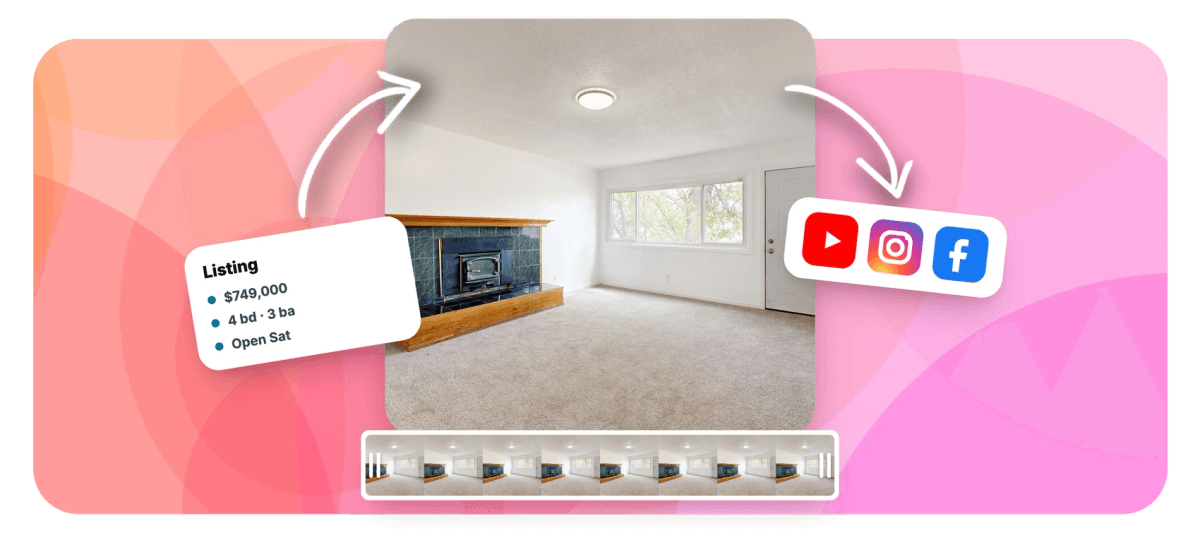
A real estate video maker earns its keep the day a listing goes live: posts with video pull more inquiries than photo-only galleries, and the raw material is already sitting in your MLS folder and on your phone. EchoWave assembles it in the browser. Listing photos get Ken Burns pan and zoom moves, walkthrough clips get trimmed and brightened when the interiors came out dark, and text overlays carry the price, beds, baths and square footage. Add your logo and a music bed, then export the same project at 16:9 for the listing page, 9:16 for Reels and 1:1 for the feed. Producing for a whole agency? Generate from a CSV, one template, every listing.
-
1 CSV row
Equals one finished listing video when you bulk generate from a template
-
56 transitions
Dissolves, wipes, slides and zooms to move between rooms and photos
-
Gamma 0.1-3.0
Plus brightness, contrast and temperature to rescue dark interior footage
-
16:9 / 9:16 / 1:1
Aspect presets for your site, YouTube, Reels and square feed posts
What you get
Photos in, property tour out
Every piece a listing video needs, built from assets you already have.
-
Ken Burns Photo Sequences
Give every photo in the MLS set a camera move: pan across the kitchen, push in on the backyard view. One-click Ken Burns presets turn a static gallery into footage, no keyframing required.
-
Walkthrough Clip Cleanup
Phone walkthroughs arrive with shaky starts and dead seconds in hallways. Split and trim clips on the timeline, keep the smooth passes, and speed up the walk between rooms so the tour never drags.
-
Rescue Dark Interiors
North-facing bedrooms and basement shots do not have to look like caves. Raise brightness, contrast, gamma and temperature per clip, or run footage through the brighten video tool before you edit.
-
Price and Detail Overlays
Put the price, beds, baths and square footage on screen where buyers look first. Add text overlays with full styling, then copy the text style across overlays so every listing detail matches.
-
Your Brand on Every Frame
Add your headshot or brokerage logo as an image layer and keep it on screen for the whole tour, so the lead knows exactly who to call before the video ends.
-
Music Under the Tour
Lay a music track on its own audio row beneath the visuals and balance its volume so it warms the tour without drowning out a narrated walkthrough.
-
One Edit, Every Platform
Switch the canvas between 16:9 for your website and YouTube, 9:16 for Reels and Shorts, and 1:1 for feed posts. One project resizes to cover every channel a listing runs on.
-
One Template, Every Listing
Save a finished listing video as a template with placeholder text and replaceable media, then bulk generate from CSV: one spreadsheet row per property, one rendered video per row.
How it works
How to make a real estate video
Four steps from an MLS folder to a finished property tour.
-
Upload Photos and Clips
Drag your listing photos and phone walkthrough clips into the EchoWave editor and order them the way a buyer would tour the home, exterior first.
-
Add Motion and Info Overlays
Apply Ken Burns pan and zoom to each photo, trim and brighten the walkthrough clips, and add text overlays for the price, beds, baths and square footage.
-
Brand the Video
Add your logo or headshot as an image layer, match the overlay text to your brand colors, and lay a background music track under the tour.
-
Export for Each Platform
Export at 16:9 for your website and YouTube, then switch the canvas to 9:16 for Reels and 1:1 for feed posts and export those versions too.
Who uses it
From single listings to whole portfolios
-
Listing Agents
Turn the MLS photo set into a branded tour the day the listing goes live, before the first open house.
-
Brokerages and Teams
One office template keeps every agent's video on brand, and CSV bulk generation covers a whole week of new listings.
-
Property Managers
Units turn over constantly, so a quick photo video with rent, beds and availability fills vacancies faster than a static ad.
-
Vacation Rental Hosts
Show the deck, the view and the five-minute walk to the beach so the listing sells the stay, not just the rooms.
-
New-Home Builders
Model home photos and site walkthroughs become a tour buyers watch before the community is even finished.
-
Commercial Brokers
Office and retail spaces get square footage, rate and term on screen while the camera pans the floor plate.
Give the next listing a video
Photos and phone clips in, branded property tour out. Free to start in your browser.
How creators use EchoWave in real projects

About the EchoWave team
EchoWave is a browser-based video and audio editor built by Lemon Vault LLC since 2018. The people who build the editor write these guides and test every step in the production app before publishing.
Real estate video maker FAQ
How do I make a real estate video from listing photos?
Upload the listing photos to the EchoWave editor and arrange them on the timeline in the order a buyer would tour the home, exterior first, kitchen and living areas early. Add Ken Burns pan and zoom motion so each still reads like a camera move, then place text overlays for the price, beds, baths and square footage. Add your logo, lay a music track underneath, and export as MP4. The whole edit runs in your browser, and a first listing video takes minutes rather than an afternoon.
Should I shoot a walkthrough or make a photo slideshow for my listing?
Use both. Professional listing photos are your sharpest asset, so let them carry most of the video with pan and zoom motion, the way a slideshow maker would. A phone walkthrough adds what photos cannot: the flow between rooms, ceiling height, the view from the kitchen window. A strong pattern is photos for each room punctuated by short walkthrough clips for transitions, hallway into living room, patio door out to the yard. Photos and video sit on the same timeline in EchoWave, so mixing them is the default, not a workaround.
How do I fix dark interior footage in a listing video?
Phone cameras expose for the windows, which leaves interiors underlit and murky. Select the clip in the editor and raise brightness, adjust contrast and push gamma toward the midtones until the room reads the way it does in person; warming the temperature slightly counters the blue cast dim rooms pick up. If a whole clip needs the same lift, run it through the brighten video tool first, then edit. Fix exposure before you judge a clip unusable, most dark walkthrough footage is recoverable.
How do I put the price, beds, baths and square footage on a listing video?
Add a text layer for each detail, or one overlay that carries them all, and time it to appear over the opening exterior shot, then again near the end beside your contact details. EchoWave text supports full styling with fonts, size and color, plus style presets, and you can copy a text style from one overlay and paste it onto the rest so price, beds and baths all match. Keep overlays in a corner or lower third so they never cover the room, and leave them on screen long enough to read twice.
How can an agency make videos for every listing without editing each one?
Build one listing video the way you want it, save it as a template with placeholder text and replaceable media, then use bulk video generation to render the rest from a spreadsheet. Each CSV row is one property, address, price, beds, baths, photos, and each row renders one finished video in your branding. There is also a documented HTTP rendering API, so a brokerage can wire video creation into its listing workflow and produce a video the moment a property goes live.
What size should a real estate video be for Instagram, YouTube and my website?
Use 16:9 widescreen for your website, the listing page and YouTube, 9:16 vertical for Instagram Reels, Stories, TikTok and YouTube Shorts, and 1:1 or 4:5 for feed posts. In EchoWave you switch the canvas between these aspect presets and resize the project, so one edit becomes a version for every channel instead of three separate projects. Vertical deserves extra care: recompose so the price overlay and the best part of each room stay inside the taller frame.
Can I add background music to a property video?
Yes. Drop a music file onto its own audio track under the visuals and balance the volume so it supports the tour without competing with any narration. Choose something calm and mid-tempo; the music is there to make the home feel warm, not to showcase the song. Make sure you have rights to any track you use, since Instagram and YouTube flag unlicensed music, which is the last thing a live listing needs. If a walkthrough clip has distracting sound, mute the clip and let the music carry it.
Is this real estate video maker free?
Yes, you can build and export listing videos free in the browser with nothing to install. Free exports carry a small watermark and are capped at 720p, which is fine for previewing an edit or sharing with the seller. Paid plans remove the watermark and unlock 1080p and 4K exports, which is what you want on a public listing page and brokerage channels. Templates and bulk CSV generation work from your own saved projects on an account, so an agency can start free and scale when listing volume justifies it.
Every listing deserves a video
Turn photos and walkthrough clips into a branded property tour, free in your browser.
Get Started →























































