
Add SRT to Video
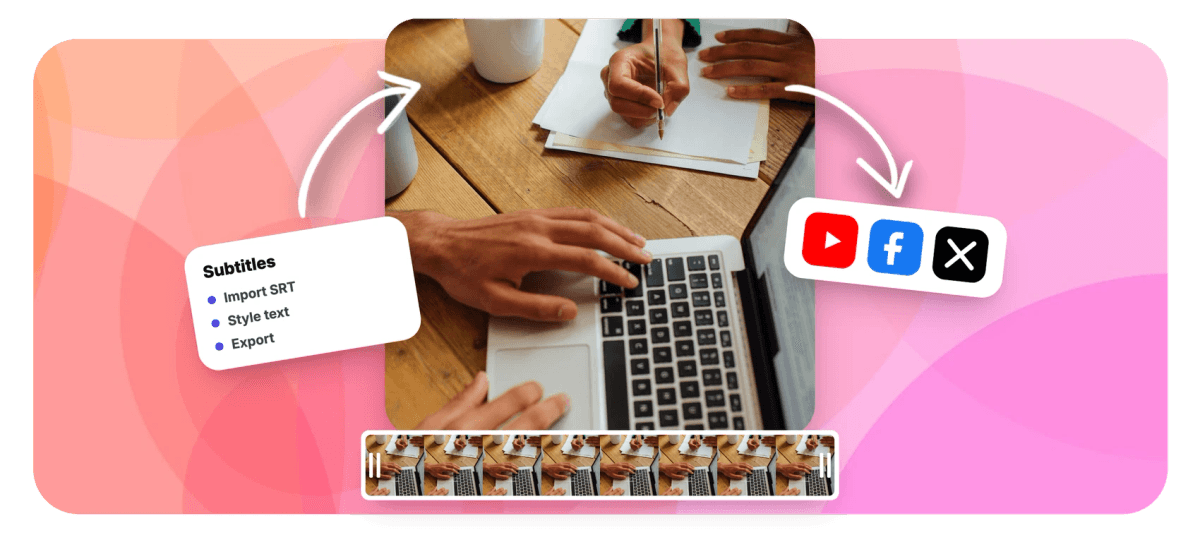
Add SRT to video files in any common format without installing software. Upload an MP4, MOV, WebM or AVI, drop in your SRT file, and every cue lands on the timeline as an editable subtitle segment. Fix a line of text, nudge timing if the file runs early or late, pick one of 176 caption styles, then burn the subtitles into the video so they play everywhere, including Instagram and TikTok.


Add SRT to Video Features
EchoWave's subtitle tools are used by video editors, course creators, and social media teams around the world.





SRT import
Your SRT file, on a real timeline
Most tools that add SRT to video treat the file as a black box. EchoWave turns every cue into a segment you can retime, restyle, and rewrite. It handles more than one container, so if MP4 is all you need, the focused add SRT to MP4 page covers that. Writing captions from scratch instead? Start with add subtitles or the full subtitle editor.
-
176
caption style presets
-
86
subtitle translation languages
-
4
subtitle export formats
-
4K
export resolution on Pro
What you get
Everything an SRT file needs before it ships
Import, inspect, style, and burn in subtitles from a single browser tab.
-
Add SRT to video in four formats
Upload MP4, MOV, WebM or AVI and import your SRT in one click. Each cue appears as its own segment on the timeline with the original text and timestamps intact, so you can see exactly where every line sits against the audio.
-
Fix out-of-sync cues
SRT files made for a different cut of the video drift out of step with the speech, and files with a fixed offset start wrong and stay wrong. In EchoWave you nudge individual cue timing in the subtitle editor and watch the preview update instantly, so you can confirm sync before exporting instead of discovering the problem after a render.
-
Style cues with 176 presets
Imported subtitles don't have to look like default white text on a black bar. Apply any of 176 named caption presets, including word-by-word karaoke styles with active-word fill, then adjust font, size, color and position. Custom fonts uploaded to your brand kit appear in the style picker too.
-
Rewrite cues without leaving the timeline
Click any cue to fix a typo, split a long line in two, or reword an awkward translation. The subtitle editor also supports per-word color and emphasis, so you can highlight the words that matter most in each line.
-
Translate into 86 languages
Once the SRT is imported, translate the cues into any of 86 languages, or run bilingual subtitles that show two languages at once. One approved master file can serve every market you publish in.
-
Burn in for platforms that ignore SRT
Instagram and most social feeds don't accept sidecar subtitle files, and player support elsewhere is inconsistent. Burning the text into the pixels means your captions show up on every device and platform. The hardcode subtitles page explains the trade-offs in detail.
-
Export the subtitle file too
Alongside the finished video, export your corrected cues as SRT, VTT, TXT or JSON. That matters when a platform wants a VTT file instead of SRT, or when you need a plain transcript for show notes.
-
No SRT yet? Generate one
If you don't have a subtitle file, AI auto-captions transcribe the audio with word-level timestamps in dozens of languages. Edit the result like any imported file, then export it as an SRT you can reuse elsewhere.
How it works
How to add an SRT file to a video
Four steps in the browser, no software to install.
-
Upload your video
Open the EchoWave editor and drop in your MP4, MOV, WebM or AVI. The canvas sizes itself to the footage automatically, and nothing about your device limits the output quality because rendering happens in the cloud.
-
Import the SRT file
Open the subtitle panel and import your SRT. Every cue lands on the timeline with its original text and timestamps, laid out against the audio so timing problems are visible at a glance.
-
Style and sync
Pick one of 176 caption presets, then play the video back. If a cue runs early or late, adjust its timing in the subtitle editor until the words match the speech, and fix any typos while you're there.
-
Burn in and export
Export renders the subtitles permanently into the video on EchoWave's cloud render farm. Download the finished MP4, and grab the edited SRT, VTT, TXT or JSON alongside it if a platform needs the file.
Who uses this
Where an imported SRT earns its keep
-
Client-supplied caption files
Agencies often receive an approved SRT from a transcription vendor and a video from someone else entirely. Import both, apply the client's brand font and colors from the brand kit, and deliver a burned-in master without retyping a word.
-
Localized versions of one video
Import the original SRT, translate into any of 86 languages, and render one version per market. Bilingual subtitles cover regions where audiences read two languages.
-
Social clips from long recordings
Podcast and webinar clips need visible captions because feeds autoplay muted, and most viewers never turn the sound on. Burn the SRT in so the text plays on Instagram, TikTok and LinkedIn with zero extra upload steps.
-
Course and training videos
Caption support varies wildly between learning platforms. A burned-in version plays identically in every player, and you can export a clean SRT for the platforms that do accept files.
-
Festival and screener submissions
Festivals commonly require open captions or English subtitles rendered into the picture. Import the subtitler's SRT, check timing against the final cut, and export a compliant screener.
-
Accessibility compliance
Teams meeting WCAG or internal accessibility standards can proof every cue against the audio, correct errors on the timeline, and keep SRT, VTT and TXT copies of the corrected file.
Compare
How EchoWave compares
| Feature | EchoWave | Kapwing | VEED | VLC |
|---|---|---|---|---|
| Import SRT files | Yes | Yes | Yes | Yes |
| Burn subtitles into the video | Yes | Yes | Yes | yes (convert menu) |
| Runs in the browser | Yes | Yes | Yes | No |
| Styled caption presets | yes (176) | Yes | Yes | No |
| Edit cue text and timing on a timeline | Yes | Yes | Yes | No |
| AI auto-captions | Yes | Yes | Yes | No |
| Subtitle translation | yes (86 languages) | Yes | Yes | No |
| Subtitle file export | yes (SRT, VTT, TXT, JSON) | Yes | Yes | No |
| Import VTT files | No | Yes | Yes | Yes |
| Play soft SRT without re-encoding | No | No | No | Yes |
| Free video downloads | yes (720p, watermark badge) | yes (watermarked) | yes (watermarked) | Yes |
| Stock music library | No | Yes | Yes | No |
Based on each tool's public pages as of July 2026. Features and plan limits change, so check current pricing pages before you decide.
Put your SRT file to work
Upload a video, import the SRT, and see every cue on the timeline in about a minute. Export free in HD with a small removable EchoWave watermark badge, or go paid to remove the badge and render at 1080p up to 4K.
What people are saying about EchoWave

About the EchoWave team
EchoWave is a browser-based video and audio editor built by Lemon Vault LLC since 2018. The people who build the editor write these guides and test every step in the production app before publishing.
Add SRT to Video FAQ
How do I add an SRT file to a video permanently?
Import the SRT into an editor that supports burned-in subtitles, style the cues, and export. EchoWave renders the text into the video frames during export, so the captions become part of the picture and cannot be switched off by the viewer. Keep a copy of the original SRT, because burned-in text can't be edited afterwards.
Does Instagram support SRT files?
No. Instagram Reels and feed posts don't accept sidecar subtitle files, so the only way to show your own captions is to burn them into the video before uploading. Import your SRT into EchoWave, style it with one of the 176 presets, and export a single MP4 with the text baked in. The same file then works on every other platform too.
Can I upload an SRT file to TikTok?
TikTok's desktop uploader accepts caption files within size and line limits, but you get no control over placement or styling, and support varies by region. Most creators burn captions in instead, which guarantees the same look on every device and also works on Instagram and YouTube Shorts.
How do I fix an SRT file that is out of sync?
First work out which problem you have. If every cue is off by the same amount, shift the cue timing by that offset and you're done. If the error grows as the video plays, the SRT was made for a different cut, so cues need retiming in sections. EchoWave shows each cue on the timeline against the audio, which makes both cases easy to spot and fix by nudging timing in the subtitle editor.
What video formats can I add an SRT file to?
EchoWave imports MP4, MOV, WebM and AVI, which covers most footage from phones, cameras, screen recorders and download folders. Whatever you upload, the finished video downloads as MP4 on every plan including free, with WebM available from Basic and MOV and GIF from Pro. If your source is in a rarer container, convert it to MP4 first and then import the SRT.
Is it free to add SRT to video online?
Yes. Uploading a video, importing the SRT, editing cues and exporting the result are all free in EchoWave. Free exports are HD (up to 720p) MP4 with a small removable EchoWave watermark badge and a short branded end card. Paid plans remove the badge and end card and add 1080p, with 1440p and 4K on Pro and 8K on Business.
Can I edit the subtitles after importing the SRT?
Yes. Every cue is editable: rewrite the text, split long lines, adjust timing, recolor individual words, or restyle everything with a preset. That makes the import useful even when the SRT itself is the deliverable, because you can proof it against the actual footage. When you're done, export the corrected file as SRT, VTT, TXT or JSON.
What is the difference between soft subtitles and burned-in subtitles?
Soft subtitles live in a separate file or stream and can be toggled on and off, but they only work where the player supports them. Burned-in subtitles are rendered into the video frames, so they display everywhere and can't be removed. Social feeds generally need burned-in text, while desktop players like VLC handle soft SRT files fine.
Can I convert my SRT to VTT with this tool?
Yes. Import the SRT, then export the cues as VTT, TXT or JSON. The conversion runs one way, since EchoWave imports SRT but not VTT. It's handy when a hosting platform or HTML5 player requires WebVTT.
Related Pages
Ready to caption your next video?
Import your SRT, style it free in the browser, and export in HD with a small removable watermark badge. Paid plans remove the badge and render up to 4K.
Get Started →























































