
Bilingual Subtitles: Two Languages, One Perfectly Timed Track
Auto-transcribe your video, translate the captions and show both languages together in one clean caption box. Made for language learning and international audiences. Free to start.


Bilingual Subtitles: Two Languages, One Perfectly Timed Track Features
EchoWave's subtitle tools are used by language teachers, learners and global creators worldwide





Dual-language captions
The caption format language learners actually want
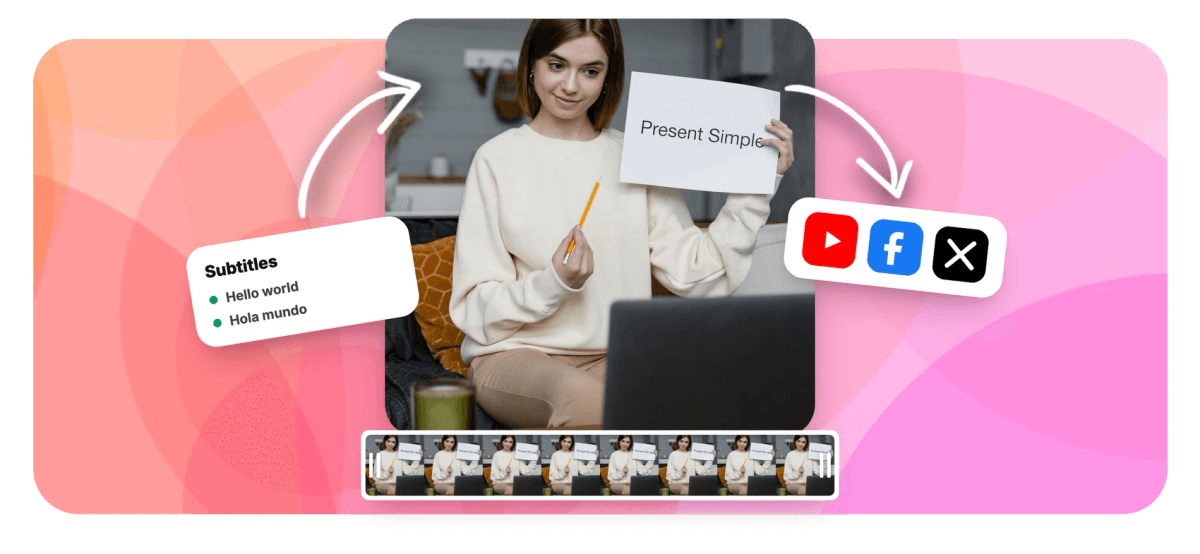
Anyone studying a language knows the format: the original line on top, the translation right underneath, both timed to the speech. EchoWave builds it natively. Transcribe the video, pick a target language from the 80+ language catalog, and the translated line renders together with the original in one fused caption box, timed as a unit, styled as a unit, moved as a unit. Both lines survive into exports, including the plain-text transcript. Style the pair with any of the caption presets and export burned-in video or subtitle files.
-
2 languages
Original and translation rendered together per cue
-
80+ targets
Translation catalog with flags and native names
-
One box
Both lines share timing, styling and position
-
RTL-ready
Right-to-left scripts render correctly, karaoke included
What you get
Dual subtitles as a first-class feature
Not two overlapping tracks fighting for the bottom third: one designed pairing.
-
Original Plus Translation
Add a translated line to the caption track and every cue renders both languages together: same timing, same entrance, one clean box that never drifts apart.
-
Auto-Transcribed Source
The original line comes from AI transcription with word-level timing, editable per cue, so the source text is right before the translation is made.
-
Context-Aware Translation
Translation runs through a large language model at sentence level, so idioms and phrasing survive, and you can edit any translated line by hand afterwards.
-
Script-Aware Rendering
Thai, Japanese, Chinese and other scripts wrap at real word boundaries, and right-to-left languages like Arabic render correctly, including in karaoke styles.
-
Styled Like Any Caption
The bilingual pair takes any preset: fonts, colors, pills and animations apply to the fused box, so dual subtitles look designed rather than bolted on.
-
Exports Keep Both Lines
Burn the pair into the video, or download the transcript with translation lines included as plain text for study sheets and notes.
How it works
How to add bilingual subtitles to a video
Four steps to a dual-language caption track.
-
Upload Your Video
Drag the video into the EchoWave editor. Any language the transcriber supports works as the source.
-
Auto-Generate Captions
Transcribe the speech into a timed caption track and correct any words in the transcript editor.
-
Add the Translation Line
Pick the target language and choose the dual-language option, so the translation joins the original instead of replacing it.
-
Style and Export
Apply a caption style, position the box and export the video with both languages burned in.
Who uses it
Two languages beat one for these audiences
-
Language Teachers
Lesson clips where students hear the target language and see both, the classic comprehensible-input format.
-
Language Learners
Turn any native-content clip into study material with the translation always in view.
-
Immigrant and Diaspora Media
Serve first and second generation viewers in the same video without picking a side.
-
International Events
Conference and ceremony recordings where the room's language and the audience's language differ.
-
Global Brands
Regional campaigns that keep the original voice while adding the local market's text.
-
K-Content and Fandom
Music and drama clips subtitled the way fans already share them: romanization-friendly, two lines, perfectly synced.
Make bilingual subtitles now
Transcribe, translate and show both languages in one designed caption box.
What people are saying about EchoWave

About the EchoWave team
EchoWave is a browser-based video and audio editor built by Lemon Vault LLC since 2018. The people who build the editor write these guides and test every step in the production app before publishing.
Bilingual subtitles FAQ
How do I show subtitles in two languages at once?
Upload the video to EchoWave, auto-generate the caption track, then translate it with the dual-language option enabled. Instead of replacing the original text, the translation is added as a second line inside the same caption box, sharing its timing and styling. Export the video with both burned in.
Which language pairs are supported?
The source is whatever the speech recognition detects, across more than fifty languages, and the translation target comes from a catalog of over eighty. Any combination works, including pairs that mix scripts and directions, like English with Arabic or Japanese with Spanish.
Will the two lines stay in sync?
Always, by construction: the translation is attached to the original cue rather than living on a separate track, so both lines appear and disappear together and move together if you retime the cue. There is no second track to drift.
Can I edit the translated text?
Yes. Machine translation is the starting point; every translated line is editable, which matters for teaching materials where a specific rendering is the whole point.
Do right-to-left languages work?
Yes. Arabic and other right-to-left scripts render with correct direction and word order, including in word-level karaoke styles, and Thai, Chinese and Japanese wrap at proper word boundaries rather than mid-word.
Can I style the bilingual captions?
Yes, the fused box takes the same styling system as any caption: fonts, sizes, colors, background pills, positioning and animated presets. A common pattern is a slightly smaller, dimmer translation line under a bold original, which the per-line rendering supports.
Can I export the two languages as text?
Yes. The plain-text transcript export includes the translated lines alongside the originals, which makes ready-made study sheets. Burned-in video export always shows both lines exactly as previewed.
Is the bilingual subtitle maker free?
You can transcribe, translate and preview dual captions for free. Free video exports include a small watermark and are capped at 720p; paid plans export clean and up to 4K and beyond.
Ready to speak both languages?
Dual-language captions in one designed box. Free to start.
Get Started →























































