
Instagram Caption Generator: Reels and Stories Captions Built to Be Read on Mute
Transcribe your Reel and caption it in Instagram-ready styles: word pops, karaoke fills and highlight pills, placed clear of Instagram's UI. 170+ presets, burned in or exported as SRT. Free to start.


Instagram Caption Generator: Reels and Stories Captions Built to Be Read on Mute Features
EchoWave's Instagram caption tools are used by Reels creators, Stories marketers and small brands worldwide





Instagram-native captions
Instagram's captions inform. These captions stop the scroll.
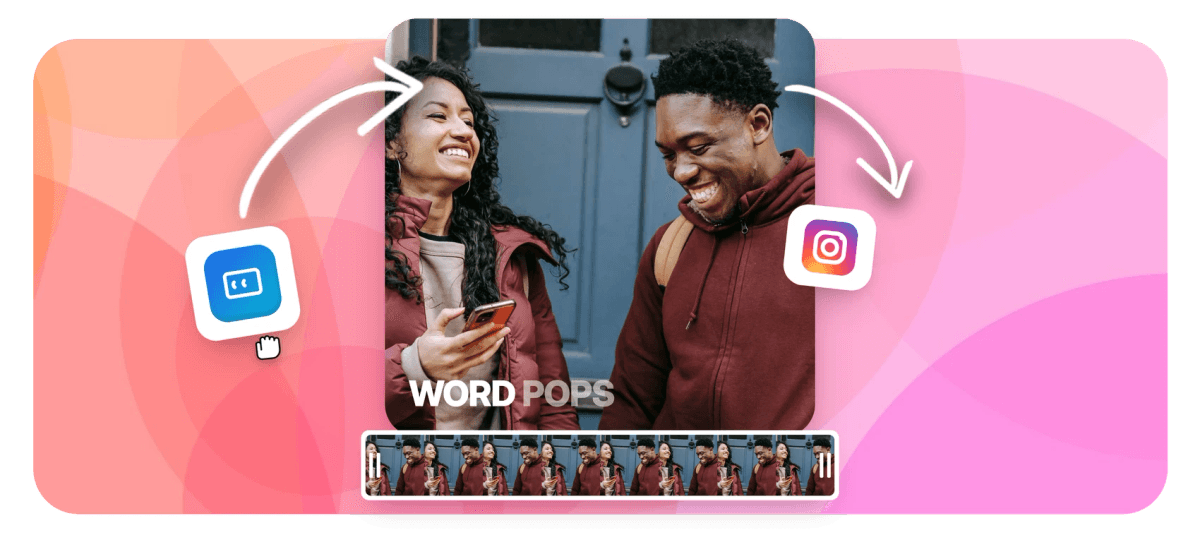
EchoWave's Instagram caption generator transcribes your Reel and styles it in the punchy looks that get read on mute, not the plain sticker Instagram's built-in auto-captions drop on top. Word-level timing drives one-word pops and karaoke fills, keyword highlighting and auto-emoji add the hand-edited feel, and words per cue runs 1 to 5 for the tight single-word rhythm Reels reward. Every cue lands in the safe zone, above the caption and like buttons and clear of the right-hand action rail, with Stories placement that dodges the progress bars up top and the message bar below. It runs on the same engine as our caption generator, inside the Reels maker, and exports burned in so the style survives the upload.
-
170+ styles
Reels-ready presets: karaoke fills, word pops, highlight pills
-
45 animations
Per-word motion: 20 reveals, 10 karaoke fills, staggers, loops
-
1-5 words
Per cue, down to the single-word pop that Reels reward
-
50+ languages
Auto-transcription, with translation into 80+ languages
What you get
The full Instagram caption kit
Transcription, styling, safe-zone placement and export, tuned for Instagram.
-
Auto Captions, Timed Per Word
Drop in your Reel and the speech-recognition engine transcribes it with word-level timing in 50+ languages. That per-word precision is what lets pop and karaoke styles hit exactly on the syllable you say them.
-
170+ Reels-Ready Presets
Apply a finished look in one click: karaoke color fills, bold outlined text, highlight pills on the active word, clean minimal lines. Every preset stays editable after you apply it, so swap the font, colors and position freely.
-
Placed in Instagram's Safe Zone
Vertical presets sit captions above the caption, like and audio strip and clear of the right action rail, with Stories placement that dodges the top progress bars and the message bar. Widescreen source? Resize it for Instagram first.
-
The One-Word Pop, Built In
Set words per cue anywhere from 1 to 5. At 1, each word takes the frame alone, the punchy Reels rhythm; at 3 to 5 you get a calmer subtitle read that still animates word by word.
-
45 Word Animations
Choose how each word arrives: 20 reveal styles, 10 karaoke behaviors with progressive fills, staggered cascades, loops and simple fades, plus dimming for words already spoken. The animated captions page breaks down every family.
-
Keyword Highlights and Auto-Emoji
Smart captions recolor your key words in an accent shade and drop fitting emoji onto the track automatically. Both are optional, and everything they add stays editable, so the result reads intentional, not auto-generated.
-
Fix Any Word, Keep the Timing
Review is quick: each cue is a row with its own play button. Fix a word, nudge timing in 0.1-second steps, snap a cue edge to the playhead, or add per-word emphasis where your delivery peaks.
-
Burned In, Plus SRT Export
Burn captions into the frame so the styling is guaranteed for every viewer, no matter their app version or settings. Prefer toggleable subtitles? Export a clean SRT or VTT file to upload alongside the video instead.
How it works
How to generate Instagram captions
Four steps from raw Reel to caption-ready upload.
-
Upload Your Reel
Drag your clip into the EchoWave editor and pick the 9:16 canvas, or let it size itself from your footage, so caption placement matches what Instagram will show.
-
Auto-Generate the Captions
Open the captions tool and hit auto-generate. The engine listens once and writes every cue with word-level timing onto its own caption track; language is auto-detected with a manual override.
-
Pick a Style and Words Per Cue
Apply a karaoke or word-pop preset, set words per cue (1 for the single-word look), and switch on keyword highlights or auto-emoji if the Reel calls for them.
-
Export 9:16 With Captions Burned In
Render the MP4 with captions baked into the frame, sized 9:16 for Reels and Stories. Post it, or download an SRT to add captions on upload instead.
Who uses it
Built for Reels and Stories
-
Reels Creators
Face-to-camera and B-roll Reels live on retention; word pops keep muted scrollers reading long enough to reach your hook.
-
Stories Posters
Stories play fast and often silent; captions placed clear of the progress bars and message bar keep every tap-through readable.
-
Interview and Podcast Clippers
Cut the strongest minute, caption it word by word, and the quote carries the clip even when the sound is off.
-
Shops and Small Brands
Keyword highlighting puts the price, the offer and the benefit in an accent color that muted browsers cannot scroll past.
-
Coaches and How-To Accounts
Step-by-step tips land harder when each key term pops the instant you say it; build the whole edit in the Instagram video editor.
-
Cross-Platform Posters
Burn captions once, then reuse the same file on TikTok and Shorts; for TikTok-specific UI zones, use the TikTok caption generator.
Caption your next Reel
Auto-transcription, 170+ Reels-ready styles, safe-zone placement clear of Instagram's UI. Free to start.
What people are saying about EchoWave

About the EchoWave team
EchoWave is a browser-based video and audio editor built by Lemon Vault LLC since 2018. The people who build the editor write these guides and test every step in the production app before publishing.
Instagram captions FAQ
How do I add captions to an Instagram Reel?
Upload the Reel to EchoWave's Instagram caption generator and click auto-generate. The engine transcribes your speech with word-level timing, then you pick a Reels-ready preset, karaoke fill, word pop or clean subtitle, and set how many words show per cue. Drag the caption block into the safe zone, above Instagram's caption and like UI and clear of the right rail. Export the 9:16 MP4 with captions burned in and post it like any other Reel. A typical clip takes a few minutes end to end.
Is this the same as the caption field on an Instagram post?
No, and the naming trips people up. On Instagram, the post caption is the text description you type under a Reel or photo, the part with your hashtags and copy. This tool creates on-video captions, also called subtitles: the words that appear inside the video frame, timed to your speech, so people watching on mute can follow along. You edit and style those on-screen captions here, then export the video. Your written post caption is still added separately in the Instagram app when you upload.
How do I get the word-by-word caption style?
Set words per cue to 1. Each word then appears on its own, timed to the moment you say it, which is the punchy look all over Reels. Pair it with a pop or reveal animation and a bold outlined font and it stays readable even at a glance. If single words feel too fast for your pacing, bump it to 2 or 3 words per cue: you keep the word-level animation with a slightly calmer rhythm that suits explainer and talking-head content.
Where should captions go so Instagram's UI does not cover them?
Keep captions in the vertical safe zone. On Reels, that means above the bottom-left block where Instagram shows your username, post caption and audio, and clear of the right-hand rail with the like, comment, share and save buttons. Centered text a little below the middle of the frame is the reliable spot. For Stories, also stay under the top progress bars and above the message bar. EchoWave's vertical presets start inside that zone, and you can drag the block to fine-tune before exporting.
Can the captions include emojis?
Yes. The smart captions option adds fitting emoji onto the caption track automatically, alongside keyword highlighting that recolors the important words. Both are optional, and everything they add stays editable, so you can delete an emoji that misses the tone or move it to a different word. Used with restraint, a few emoji give auto-generated captions the hand-styled feel Reels viewers expect, without tipping into clutter that hurts readability on a small phone screen.
How accurate is the transcription, and can I edit it?
Accuracy tracks your audio quality: clear speech with little background noise transcribes very well. Every word stays editable regardless. The transcript editor lays out each cue as a row with its own play button, so you can audit quickly, fix a word, nudge cue timing in 0.1-second steps, or snap a cue edge to the playhead. Corrections keep their word-level timing, so pop and karaoke animations stay in sync after you edit. You can also add per-word emphasis where your delivery peaks.
Can I caption Reels in other languages?
Yes. Transcription covers 50+ languages with automatic detection and a manual override, so you can caption in the language you filmed. To reach a wider audience, translation supports 80+ languages with editable output, and a bilingual mode can show the translated line in the same caption box with shared timing. Right-to-left scripts such as Arabic render correctly, including in karaoke styles, and Thai and CJK text wraps without breaking clusters. For a translation-first flow, start from the caption generator.
Is the Instagram caption generator free?
You can upload, transcribe, style and export for free with no credit card. Free exports carry a small EchoWave watermark and cap at 720p, which is fine for testing a caption style before you commit. Paid plans remove the watermark and export at 1080p on Basic or up to 4K with 50 or 60fps on Pro, which is what you want for a Reel you are actually posting to your audience.
Your next Reel deserves better captions
Auto captions in Reels-native styles, placed clear of Instagram's UI and burned in. Free to start.
Get Started →























































