
The Loom Alternative With a Full Editor Behind the Stop Button
Record your screen, camera and voice in the browser, free, with no install. When you press stop, the take lands in a real editor: trim, captions, blur and branding in the same tab.


The Loom Alternative With a Full Editor Behind the Stop Button Features
EchoWave's recording tools are used by sales engineers, course creators and async teams worldwide





Switching from Loom
Capture is table stakes. The editor is the upgrade.
If you are hunting for a Loom alternative because you keep hitting recording caps, or because every real edit means exporting to another app, this is the fix. EchoWave's screen recorder captures your screen, a window or a tab with a camera bubble and mic or system audio, free, in the browser, for takes up to 60 minutes. The difference shows after you stop: the take opens in a full video editor where screen and camera arrive as separate layers, so you can move the bubble, trim the fumbles, add captions, blur sensitive data and drop in music without re-recording. Raw recording downloads are free with no watermark.
-
60 min
Per take, with pause and resume that does not count against the limit
-
$0
To record and download raw takes, with no watermark and no per-video cap
-
50+
Languages for auto-transcribed captions once the take lands in the editor
-
Up to 4K
Paid editor exports; free editor exports are 720p with a small watermark
What you get
Everything after the stop button
Recording well is step one. These are the steps other recorders make you do elsewhere.
-
Four Capture Modes
Record the screen, the camera, both with a floating camera bubble, or microphone only. Pick a display, window or tab to share, and switch cameras or mics with live device pickers.
-
The Bubble Stays Movable
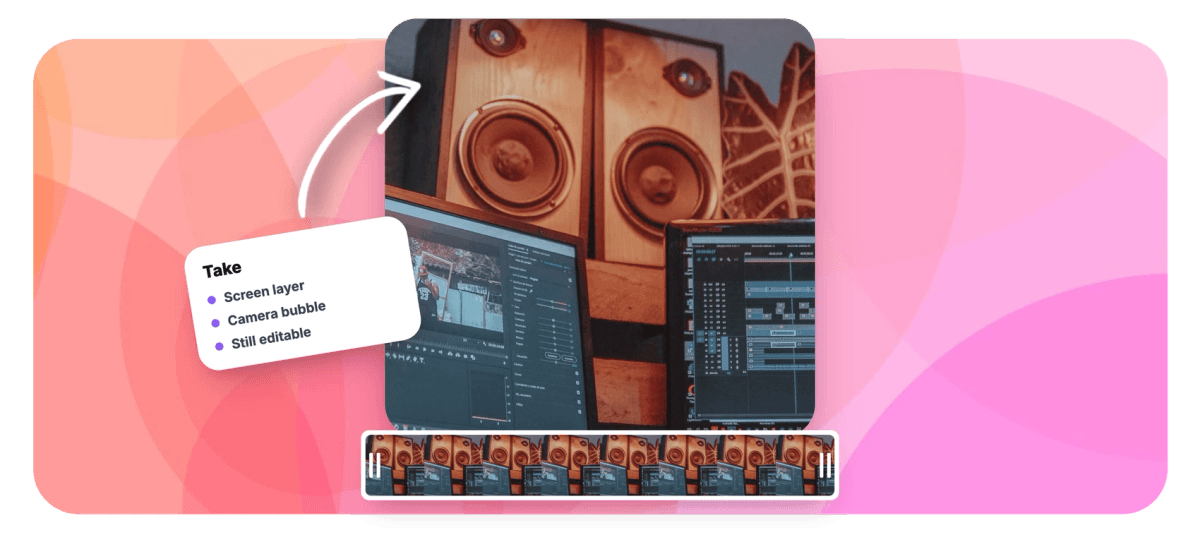
Baked-in recorders flatten screen and camera into one file. EchoWave imports them as separate layers, so you can reposition, resize or hide the bubble after recording, scene by scene.
-
Real Editing, Not Just Trimming
Split, trim, speed up the slow parts, ripple-delete dead air and cut filler words from the transcript. The take stays a project, not a locked file.
-
Captions Viewers Actually Read
Auto-transcribe the take and style captions with 170+ presets, word-level timing and translation into 80+ languages, so the recording still works with the sound off.
-
Blur Before You Share
Blur or pixelate faces automatically, or drop a region blur over API keys, customer data and dashboards, handy when a screen recording shows more than it should.
-
Your Brand, Not Ours
Apply brand colors, fonts and your logo from a brand kit, so every walkthrough leaves the building looking like your team made it, not a recording tool.
-
System Audio When You Need It
A toggle captures the sound your tab or screen makes, supported in the Chrome and Edge share dialogs and strongest when sharing a tab. Narrate over it with any microphone.
-
Free Downloads, No Watermark
Every raw recording downloads free with no watermark and no per-video cap. Export from the editor when you want captions, cuts and branding burned in.
How it works
How to switch to a free Loom alternative
From pressing record to a finished, branded video in one browser tab.
-
Pick What to Capture
Open the recorder in your browser, no install or account needed, and choose screen, camera, screen plus camera bubble, or mic only.
-
Record the Take
Start with a countdown, pause and resume freely, and record up to 60 minutes. A toggle adds tab or system audio in Chrome and Edge.
-
Edit It Like a Project
Send the take to the editor, where screen and camera arrive as separate layers. Trim, move the bubble, auto-caption, blur and add music.
-
Download or Export
Download the raw recording free with no watermark, or export the edited version: 720p free with a small watermark, up to 4K on paid plans.
Who uses it
For people who outgrew quick capture
-
Sales and Solutions Engineers
Record personalized demos, cut the loading spinners, drop the logo on and send a link the same afternoon.
-
Customer Onboarding Teams
Walk new accounts through setup with a camera bubble, then blur customer data before the video leaves the building.
-
Course Creators and Coaches
Hour-long lessons fit in one take, then get trims and captions that students can read on mute.
-
Freelancers and Agencies
Client walkthroughs carry your branding instead of a recorder's badge, with no per-video cap while you iterate.
-
Engineers and QA
Repro videos with system audio, a region blur over secrets, and speed-ups through the compile waits.
-
Async Team Leads
Weekly updates recorded once, tightened in the editor and reused across time zones without another meeting.
Stop re-recording. Start editing.
Free browser recording with a full editor on the other side of the stop button.
What people are saying about EchoWave

About the EchoWave team
EchoWave is a browser-based video and audio editor built by Lemon Vault LLC since 2018. The people who build the editor write these guides and test every step in the production app before publishing.
Loom alternative FAQ
How do I replace Loom with a free alternative?
Open EchoWave's recorder in your browser, pick screen, camera or screen plus camera bubble, and press record. There is nothing to install and no account is required to record and download. Takes run up to 60 minutes with pause and resume, and raw downloads are free with no watermark. When a recording needs work, send it into the built-in editor to trim, caption, blur and brand it, the part most lightweight recorders leave to other apps.
Is EchoWave really free, and where is the catch?
Recording is free: every raw take can be downloaded with no watermark and no per-video cap. The honest catch sits in the editor: free-plan editor exports are 720p and carry a small watermark. Paid plans remove the watermark and raise export quality up to 4K. So you can replace a capped recording workflow for nothing, and you only pay when you want polished, watermark-free edited exports.
How long can a single recording be?
Up to 60 minutes per take, and time spent paused does not count against the limit. That covers full lectures, webinars and long demos in one go. If a session runs longer, stop and start a second take: both land in the same project, and the editor joins them on one timeline so viewers never see the seam.
Where are my recordings stored?
On your device while you record. The recorder saves the take in chunks locally as it goes, which is also why a crashed tab can usually be recovered instead of lost. Nothing uploads until you choose to save the recording into a project or export it. If you only download the file, it never needs to leave your machine.
Can I move the camera bubble after I finish recording?
Yes, and this is the biggest difference from recorders that bake everything into one file. A screen plus camera take imports into the editor as separate layers, so you can reposition or resize the bubble, restyle the background behind it, hide the camera for sensitive sections, or cut to camera-only moments, all after the recording is done.
Does it capture computer or tab audio?
Yes, with a system-audio toggle when you start the capture. Support depends on the browser: Chrome and Edge offer an audio option in the share dialog, and it works best when you share a tab. Safari and Firefox do not expose system audio to web recorders, so recordings there capture your microphone only. Mic narration works everywhere.
Do I need an account to use it?
No. Recording and downloading the raw file work without signing up, so you can test the whole capture flow anonymously. Saving a take into the editor spins up a lightweight guest session automatically, and you can keep editing before ever creating an account. An account matters once you want projects synced in the cloud or a paid plan for watermark-free exports.
When is it worth switching from Loom?
When you keep bumping into recording caps, or when trimming the start and end is not enough editing. If a take needs captions, a movable camera bubble, blurred regions, brand colors or music, a quick-capture tool hands you a file and an errand list. EchoWave keeps the recording editable as layers in a real editor, so the fix is a click, not a re-record.
Ready to leave the caps behind?
Free browser recording, 60-minute takes, and a full editor waiting after stop.
Get Started →























































