
TikTok to Reels: Repost Your Clips Without the Watermark Drag
Cross-post your own TikToks to Instagram Reels the clean way: start from your original file, keep the 9:16 frame, rebuild captions in your style and export watermark-free. Free to start.


TikTok to Reels: Repost Your Clips Without the Watermark Drag Features
EchoWave's cross-posting tools are used by creators, social media managers, and small brands worldwide





Repost the clean way
Repost your TikToks as Reels, minus the watermark
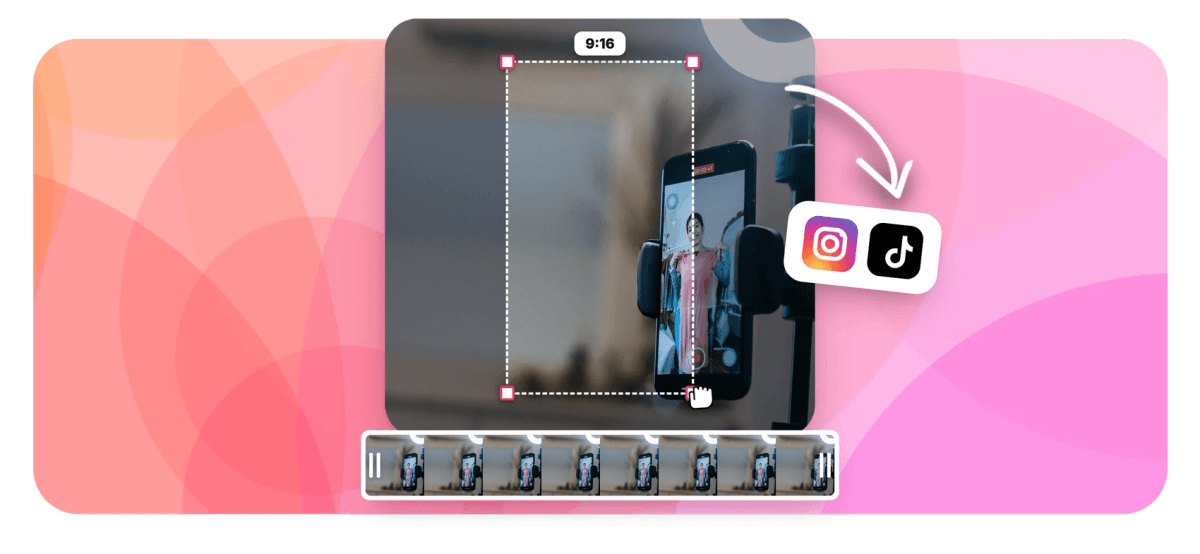
Going from TikTok to Reels sounds like a repost, but the download button bakes the TikTok logo and your username into the pixels, and Instagram tends to bury clips that visibly came from another app. EchoWave cannot erase a watermark that is already burned into a finished video, so the honest fix is better anyway: re-export from your clean source. Upload the original clip or your saved TikTok draft, keep the 9:16 frame you already have, and rebuild the captions in your own look with EchoWave's caption styles. Add a fresh hook, drop your handle in the safe zone, and export a clean Reel in the reels maker. This is not a TikTok downloader: you bring your own file.
-
9:16 to 9:16
TikTok and Reels share the vertical frame, so your footage moves over with no cropping or reframing
-
176 caption presets
Rebuild captions in your own look from 176 presets and 45 per-word animations, not the generic TikTok style
-
Not a downloader
You upload your own original file; EchoWave edits footage you made, it does not rip clips from TikTok
-
720p free, 4K paid
Free exports carry a small watermark at 720p; Basic unlocks 1080p and Pro reaches 4K at up to 60fps
What you get
Everything to turn a TikTok into a native-looking Reel
Start from clean footage, keep the vertical frame, and rebuild the captions and hook as yours.
-
Start From Your Clean Source
Bring the original clip or the draft TikTok saved to your camera roll, not the watermarked download. A file with no baked-in logo or username exports genuinely clean, which is the only honest route to a watermark-free Reel.
-
9:16 Stays 9:16
TikTok and Reels share the vertical frame, so your footage moves over with no cropping. Confirm the 9:16 canvas, nudge anything the old TikTok UI covered back into view, and you are already reframed for Instagram.
-
Rebuild Captions in Your Style
Auto-transcribe the clip for fresh word-level timing, then pick from 176 caption presets and 45 per-word animations. Swap the instantly recognizable TikTok caption look for animated captions that read as your own.
-
Cover a Baked-In Corner
Only have the watermarked version? Drop a blur, pixelate or blackout box over the corner, or park your logo there. It is a patch, not a true removal, so the clean source is always better. See the region blur tool.
-
Open With Your Hook
A reposted clip with no setup gets swiped past. Add a styled text hook in the first second and your handle or logo as an overlay, so the Reel earns the view and points viewers back to you.
-
Keep Content in the Safe Zone
Instagram lays its action buttons and caption over the right side and bottom edge. Keep your captions and the key action in the central band, so nothing you just re-captioned hides behind the Reels interface.
How it works
How to convert TikTok to Reels
Four steps from your original clip to a Reel that does not look reposted.
-
Upload Your Original Clip
Drag in the clean original or the draft TikTok saved to your device, not the watermarked file you downloaded from the app. EchoWave edits your own footage from your drive; it is not a TikTok downloader.
-
Keep 9:16 and Re-Caption
Confirm the 9:16 canvas, since TikTok and Reels share it, then auto-transcribe and rebuild the captions in an EchoWave style so they read as yours instead of a recycled TikTok.
-
Add Your Hook and Branding
Drop a styled hook line in the first second and add your handle or logo as an overlay. Keep both inside the central safe zone so the Reels UI never covers them.
-
Export for Reels
Export a 9:16 MP4 and upload it to Instagram Reels. With no baked-in watermark and captions in your own style, it posts like native content rather than an obvious repost.
Who uses it
Who cross-posts TikToks to Reels
-
Solo Creators Cross-Posting
You film once and post everywhere, so re-export the clean original to Reels and Instagram sees native video, not a TikTok rerun.
-
Small Brands and Shops
Your TikTok product clip belongs on Reels too, so rebuild the captions on-brand and drop your logo in the corner.
-
Coaches and Educators
That tip that popped on TikTok deserves a second audience, so re-caption it in your Reels style and keep the hook.
-
Social Media Managers
Handling several accounts, you repost each client's own source file with captions matched to each brand's Instagram look.
-
Dancers and Musicians
Your performance clip is already 9:16, so move it to Reels clean and the choreography is not hidden behind old caption text.
-
Meme and Clip Accounts
Post your own edits to both feeds, covering a stray corner mark or re-exporting clean so the Reel never looks recycled.
Repost it the clean way
Start from your own source, keep the 9:16 frame, and rebuild it as a Reel in one browser tab.
What creators say after trying EchoWave

About the EchoWave team
EchoWave is a browser-based video and audio editor built by Lemon Vault LLC since 2018. The people who build the editor write these guides and test every step in the production app before publishing.
TikTok to Reels FAQ
How do I post a TikTok to Reels?
Start from your own source file, not the version you downloaded from TikTok, since the download has the TikTok logo and your username baked into the frame. Upload the clean original or your saved draft to EchoWave, confirm the 9:16 canvas (TikTok and Reels share it), then auto-transcribe and rebuild the captions in an EchoWave style so they read as yours. Add a hook in the first second, keep captions and your handle inside the central safe zone, and export a 9:16 MP4 to upload to Instagram Reels.
Can EchoWave remove the TikTok watermark from my video?
Not from a file that already has it baked in. Once the TikTok logo and username are burned into the exported pixels, no tool can cleanly erase them, and anyone claiming otherwise is guessing at what is behind them. The honest fix is to avoid the watermark in the first place: re-export from your clean original or your saved TikTok draft, which never had the overlay. If the clean source is truly gone, you can cover the corner with a blur, pixelate or blackout box, or park your logo there, but the TikTok mark drifts around the frame, so a static patch is imperfect. Clean source always wins.
Why should I rebuild the captions instead of keeping the TikTok ones?
Two reasons. First, if you re-export from your clean source, the old burned-in captions are not there anyway, so you need fresh ones. Second, TikTok's default caption look is instantly recognizable, and captions that obviously belong to another app are part of what makes a Reel read as recycled. EchoWave auto-transcribes the clip for new word-level timing, then lets you pick from 176 caption presets and 45 per-word animations, including karaoke wipes and highlight pills. Choose a style that matches your Instagram look, fix any mis-heard words, and the clip stops looking like a straight TikTok rip. See animated captions for the motion options.
Why do reposted TikToks get less reach on Instagram?
Instagram has openly said it favors original content and gives less distribution to videos that are visibly recycled from other apps. A TikTok watermark and username in the corner are the clearest possible signal that a clip came from somewhere else, and a caption style that screams TikTok reinforces it. That is why the two-part fix matters: start from a clean source so there is no watermark, and rebuild the captions in your own Instagram style so nothing flags the clip as a repost. The content is the same; you are just removing the tells that get it downranked.
Can I post the same clip to YouTube Shorts as well?
Yes. The export is a standard vertical MP4, and because TikTok, Reels and Shorts all use the 9:16 frame, one clean file works on all three. The same logic applies everywhere: start from your watermark-free source rather than a download from any app, since Shorts also favors content that does not look lifted from a competitor. Keep captions and key action in the central safe zone, because each platform stacks its own buttons and labels over slightly different edges. If you want per-platform hooks, tweak the text in the same project and export again. See the YouTube Shorts maker for the Shorts-specific details.
Can EchoWave download my TikTok video for me?
No. EchoWave is an editor, not a downloader: you cannot paste a TikTok link and pull the video, and that is deliberate, both for your own clips and for anyone else's. You bring the file yourself, uploaded from your device like any other video. For your own posts, the best file is the original export you made before uploading to TikTok, or the draft TikTok saved to your camera roll, both of which are clean and full quality. If all you have is the watermarked copy from the app, you can still edit it, but you will be covering the corner rather than starting clean.
How long can an Instagram Reel be?
Instagram allows Reels up to 3 minutes, though the rollout was gradual and some accounts still see a 90-second cap. Since most TikToks are already short, length is rarely the problem when you cross-post, but if your TikTok runs long you can trim it on the timeline before export. For engagement, many creators keep Reels between 15 and 60 seconds. EchoWave puts no limit on the clip length you can edit, so the constraint is Instagram's, not the editor's. Trim to the strongest section and let the hook carry the open.
Is EchoWave free for turning TikToks into Reels?
Free to start. Uploading your clip, confirming the 9:16 canvas, auto-transcribing, and styling captions from the preset library are all on the free plan, which exports 720p at 30fps with a small EchoWave watermark, enough to test the whole workflow on a real clip. Paid plans remove that watermark: Basic exports 1080p, Pro reaches 4K at up to 60fps, and Business goes higher still. Since Reels play on phone screens, 1080p is plenty. Note this is separate from the TikTok watermark, which comes from your source file, not from EchoWave. Nothing installs; it all runs in the browser.
Same clip, clean Reel
Free to start in your browser. Free exports include a small EchoWave watermark.
Get Started →























































