
Free Online Audio Editor
EchoWave is a free audio editor that runs in your browser on a real multi-track timeline. Stack voice, music and sound effects, trim and split clips on the waveform, keyframe volume, and cut mistakes by deleting words in the transcript. Record a voiceover or generate one with 63 AI voices, then export your mix as an HD MP4 free with a small watermark badge, or as audio-only MP3, WAV or M4A on a paid plan. Nothing to install, and cloud rendering means an old laptop exports as fast as a new one.


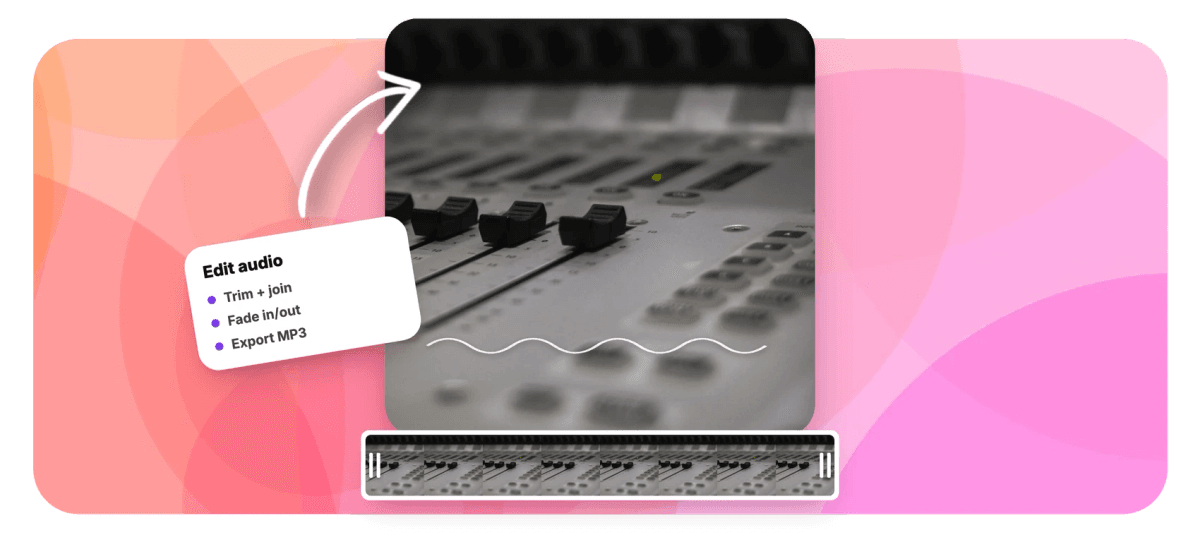
Free Online Audio Editor Features
EchoWave's audio editor is used by podcasters, musicians, narrators and video creators around the world.





The audio suite
An audio editor with a full timeline, not a single waveform strip
Most online tools give you one clip and two drag handles. If that is all you need, the audio trimmer cuts a file in seconds and the MP3 cutter handles quick clips. This page is the full editor: layered tracks, transcript cutting, fades, speed control and recording in one project. And when you only want to stitch files back to back, the audio joiner does that in one screen.
-
63
AI voices for voiceover
-
93
music visualizer styles
-
30
sound effect packs
-
4x
top speed, down to 0.25x
Toolkit
What the editor can do with your audio
Every tool below works on the same timeline, so you never bounce files between apps.
-
A multi-track audio editor with waveforms
Stack a voiceover, a music bed and sound effects on separate tracks and see the waveform on every clip. The magnetic timeline closes gaps as you cut, so edits stay tight without manual nudging. Zoom in when a cut needs to land between two syllables.
-
Trim, cut, split and merge
Split a clip at the playhead, cut a section out of the middle, or line up takes into one continuous file. For single jobs there are simpler pages: the audio trimmer shortens one file, the MP3 editor handles MP3-only edits, and the audio merger joins several files, no timeline required.
-
Cut audio by deleting words
EchoWave transcribes your recording with word-level timestamps, so deleting a sentence in the transcript deletes it from the audio. Filler words like um and uh, repeated takes and long silences can all be removed automatically. It is the fastest way to tighten a rambling recording.
-
Volume keyframes and fades
Set keyframes to ride the level over time: dip the music while someone speaks, then bring it back up after. Fade ins and fade outs take one drag, and every track keeps its own volume so a loud SFX never buries the narration.
-
Record straight into the timeline
The built-in recorder studio captures your voice, screen, webcam or a full presentation, with a teleprompter so you can read a script while you record. New takes land on the timeline immediately, ready to cut.
-
AI voiceover with 63 voices
Type a script and generate natural text-to-speech in any of 63 voices, streamed straight onto a track. Handy for pickups when re-recording a single line is not worth setting up the mic. Voice cloning is also available as a paid feature.
-
Music, sound effects and beat snap
Add your own music, then pull stingers and whooshes from a categorized panel of 30 sound effect packs. Beat detection lays a grid on the timeline so cuts snap to the rhythm. There is no stock music library, so bring your own tracks.
-
Export MP3, WAV, M4A or a video
Export a free HD MP4 with a small watermark badge, pairing your track with one of 93 music visualizer styles and word-level captions so it posts as a video. Audio-only MP3, WAV and M4A files come with paid plans. Started from footage instead of a sound file? Extract audio from video covers that in one step.
How it works
How to edit audio online
From upload to export in four steps, all in the browser.
-
Upload your audio
Drag in MP3, WAV or M4A files, or drop a video like MP4 or MOV and work with its soundtrack. Each file appears on the timeline as a clip with a visible waveform.
-
Cut on the timeline or in the transcript
Split clips at the playhead and delete what you do not need, or open the transcript and delete words to cut the audio itself. Run automatic filler and silence removal to clean up the rest.
-
Balance and polish
Keyframe volume so music sits under speech, add fades at every join, and fix pacing with speed changes from 0.25x to 4x. Record or generate any missing lines without leaving the project.
-
Export your finished mix
Export an HD MP4 free with a small watermark badge, or go audio-only on a paid plan: MP3 and M4A on Basic, WAV and FLAC on Pro. Rendering runs on a cloud render farm, so your device speed does not matter.
Made for
What people cut, mix and publish with it
-
Podcast episodes
Cut tangents from the transcript, strip filler words automatically and duck the intro music with volume keyframes. Long episodes stay manageable because the magnetic timeline closes every gap you cut.
-
Voiceovers for video
Record narration with the teleprompter or generate it with 63 AI voices, then line it up against your footage. Export the finished audio on its own or the whole video from the same project.
-
Audiograms for social
Pair a quote from your episode with a waveform visualizer and word-by-word captions. Post the clip as a vertical video without opening a second app.
-
Demos, edits and mixtapes
Merge takes, trim intros, add fades between songs and snap every cut to the beat grid. Speed changes from 0.25x to 4x cover tempo experiments.
-
Interviews and lectures
Trim hour-long recordings down to the useful parts and remove the silences in one automatic pass. The transcript doubles as your notes while you cut.
-
Ringtones and short clips
Cut a 20-second section, fade both ends and export it as M4A or MP3. It is the same job the single-file cutters do, with room to layer a sound effect on top.
Compare
How EchoWave compares
| Feature | EchoWave | Audacity | Adobe Podcast | Descript |
|---|---|---|---|---|
| Runs in the browser, nothing to install | Yes | No | Yes | Yes |
| Multi-track timeline | Yes | Yes | limited | Yes |
| Edit audio by editing the transcript | Yes | No | Yes | Yes |
| Automatic filler word and silence removal | Yes | No | No | Yes |
| Noise reduction and speech enhancement | No | Yes | Yes | yes (paid) |
| DAW effects like EQ and reverb | No | Yes | No | limited |
| Voice, screen and webcam recording | Yes | audio only | audio only | Yes |
| AI voices (text to speech) | yes (63 voices) | No | No | yes (paid) |
| Word-level captions and audiograms | yes (176 presets) | No | No | Yes |
| Music visualizers | yes (93 styles) | No | No | No |
| WAV and FLAC export | yes (Pro) | Yes | yes (WAV) | yes (WAV) |
| Free plan exports | MP4 only (720p, watermark badge) | Yes | yes (limited) | yes (limited) |
Based on each tool's public pages as of July 2026. Free tiers and feature lists change often, so check current pricing before you commit.
Edit your audio in the browser
Open a project, drop your files on the timeline and start cutting. Editing and preview are free with no time limit, and you can export an HD MP4 free with a small watermark badge. Paid plans remove the badge, add MP3, WAV and M4A audio downloads and raise video quality to 1080p and up to 4K.
What creators say after trying EchoWave

About the EchoWave team
EchoWave is a browser-based video and audio editor built by Lemon Vault LLC since 2018. The people who build the editor write these guides and test every step in the production app before publishing.
Free Online Audio Editor FAQ
Is EchoWave's audio editor free to use?
Yes. Editing, preview and export are all free: upload files, cut, mix and preview complete projects with no time limit, then export the result as a 720p MP4 with a small EchoWave watermark badge and a short branded end card. Audio-only downloads need a paid plan, with MP3 and M4A on Basic and WAV and FLAC on Pro. Paid plans also remove the badge and end card.
What is the best free audio editor?
It depends on the job. Audacity is the standard free desktop pick if you need DAW effects like EQ, compression and noise reduction. If you want a browser editor with a multi-track timeline, transcript cutting, built-in recording and AI voiceover, EchoWave covers that with no install and a free HD MP4 export with a small watermark badge.
Can I edit audio online without downloading software?
Yes. EchoWave runs in Chrome, Edge, Firefox and Safari on Mac, Windows, Linux and Chromebooks. Rendering happens on a cloud render farm, so a slow laptop does not slow your export. Desktop apps for Mac and Windows exist too if you prefer one.
Can I edit a WAV file online?
Yes. Drop WAV files straight onto the timeline alongside MP3, M4A and common video formats, then cut, fade and mix them like any other clip. Export back to WAV or FLAC on the Pro plan, or to MP3 and M4A on Basic. That makes it a working WAV editor in the browser, no desktop install needed.
How do I cut a section out of the middle of an audio file?
Split the clip at the start and end of the unwanted section, select the middle piece and delete it. The magnetic timeline closes the gap automatically. Faster still, open the transcript and delete the words; the audio follows the text.
Can it remove background noise from my recording?
No. EchoWave removes filler words, repeated takes and silences by cutting them out, which is editing rather than noise reduction. For hiss or hum you would need a denoising tool such as Audacity's noise reduction or Adobe Podcast's speech enhancement, then bring the cleaned file back in to edit.
Can I merge multiple audio files into one?
Yes. Drop the files on one track, arrange the order, add a fade at each join and export a single MP3, WAV or M4A. If merging is the entire job, the dedicated audio joiner page does it in one screen without a timeline.
Can I record my voice directly in the audio editor?
Yes. The recorder studio captures voice, screen, webcam and presentations, with a teleprompter for scripted reads. Recordings land on the timeline the moment you stop, so you can cut a flubbed line seconds after it happens.
What audio formats can I import and export?
Import MP3, WAV and M4A audio, plus MP4, MOV, WebM and AVI video when you want the sound from a clip. The free plan exports your project as a 720p MP4 with a small watermark badge. Audio-only exports come with paid plans, MP3 and M4A on Basic and WAV and FLAC on Pro. Paid plans also remove the badge and raise video resolution to 1080p and up to 4K.
Ready to edit your next track?
Edit and preview free, then export an HD MP4 with a small watermark badge; paid plans remove the badge and add MP3, WAV and M4A downloads.
Get Started →























































