
Remove Filler Words and Silences from Video, Automatically
EchoWave transcribes your video, finds every um, uh and dead-air pause, and cuts them in one click, with a review list so you approve every edit. Free to start, no download.


Remove Filler Words and Silences from Video, Automatically Features
EchoWave's editing tools are used by podcasters, educators and creators worldwide





Automatic cleanup
The edit everyone needs and nobody enjoys doing
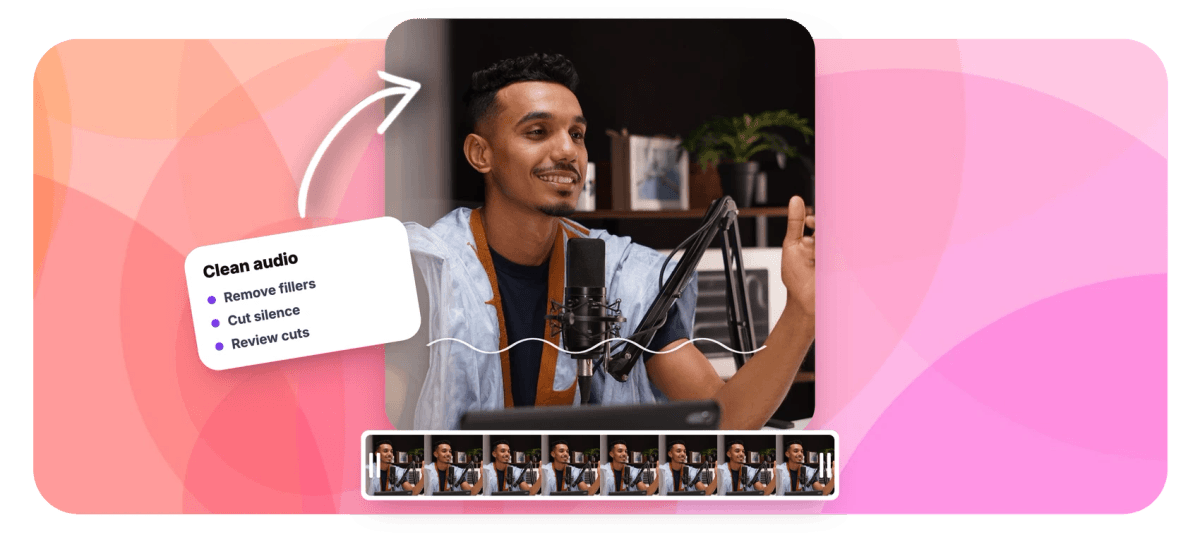
Cutting filler words by hand means scrubbing the waveform for every um, uh and three-second pause, then razor-cutting around each one. EchoWave's Clean Audio tool does the finding for you: it reads the clip's transcript, flags fillers and silences as a list of proposed cuts, and shows exactly how much tighter the video becomes. You approve or reject each cut, hit Apply, and the timeline ripple-deletes them all as one undoable edit. It works hand in hand with the caption generator, since the same transcript powers both.
-
Fillers + silence
Finds um, uh and dead-air pauses in one pass
-
0.3 to 2.0s
Adjustable silence threshold, from strict to relaxed
-
Review every cut
Accept or reject each proposed edit before it happens
-
1 undo
All accepted cuts apply as a single reversible edit
What you get
An assistant editor for talking content
It proposes, you decide, the timeline stays clean.
-
Transcript-Driven Detection
Detection runs over the clip's speech-recognition transcript, so it knows the difference between an um and a word, and between a dramatic pause and dead air. No transcript yet? The tool generates captions first with one click.
-
Filler Words, Found
Ums, uhs and similar verbal stumbles are flagged automatically, each with its position in the clip, ready to review rather than hunt for.
-
Silence and Dead Air
Pauses longer than your threshold, tunable from 0.3 to 2.0 seconds, are proposed as cuts. Podcasts can keep a natural rhythm while tutorials get tight jump cuts.
-
Accept-or-Reject Review
Every proposed cut appears in a list you can audition and toggle. Keep the thoughtful pause before the big reveal, cut the fumbling before it.
-
Time-Saved Summary
Before you commit, EchoWave shows the before and after: how many cuts, how much time removed and the new runtime, so you know the edit was worth it.
-
One-Tap Ripple Apply
Accepted cuts are removed with a ripple delete that closes every gap, applied as a single edit and reversible with a single undo. Your captions stay glued to the speech through the cuts.
How it works
How to remove filler words from a video
Four steps to a tighter cut.
-
Upload Your Video
Add your clip to the EchoWave editor. Talking-head videos, tutorials, podcasts and lectures benefit most.
-
Generate the Transcript
Open the Clean Audio tool. If the clip has no captions yet, one click transcribes it; the transcript powers the detection.
-
Review the Proposed Cuts
Toggle fillers and silences, set the silence threshold, and accept or reject each detected cut in the review list.
-
Apply and Export
Hit Apply to ripple-delete the accepted cuts in one edit, check the tightened runtime, and export your video.
Who uses it
For everyone who talks for a living
-
Podcasters
Tighten episodes without flattening personality: cut the stumbles, keep the laughs and the pauses that mean something.
-
Course Creators
Students notice every um at 1.5x playback speed. Clean lessons hold attention and read as better prepared.
-
YouTubers
Get the tight jump-cut pacing of a hand-edited vlog in minutes instead of an afternoon of razor cuts.
-
Sales and Demo Teams
Ship polished walkthroughs where the product, not the presenter's nerves, is what prospects remember.
-
Webinar Hosts
Turn a 60-minute live session into a crisp replay by stripping the dead air that live formats accumulate.
-
Interviewers
Respect your guest: remove their stumbles and yours before the episode goes public.
Cut the ums out now
Automatic detection, human-approved cuts, one-click apply. Free to start.
What creators say after trying EchoWave

About the EchoWave team
EchoWave is a browser-based video and audio editor built by Lemon Vault LLC since 2018. The people who build the editor write these guides and test every step in the production app before publishing.
Remove filler words FAQ
How do I remove filler words from a video automatically?
Upload the video to EchoWave, open the Clean Audio tool and generate the transcript if the clip does not have captions yet. The tool scans the transcript, lists every detected filler word and long silence as a proposed cut, and removes the ones you accept with a single ripple-delete. The whole pass typically takes a few minutes for a long recording.
Which filler words does it detect?
Classic verbal fillers like um and uh and similar hesitation sounds that appear in the speech-recognition transcript. Because detection is transcript-driven, it distinguishes fillers from real words that merely sound similar, and every detection is shown for review rather than cut blindly.
Can it also remove silences and dead air?
Yes. Silence detection is a separate toggle with an adjustable threshold from 0.3 to 2.0 seconds. A strict threshold produces tight, jump-cut pacing; a relaxed one only removes genuinely awkward gaps while preserving natural rhythm.
Will it cut a pause I actually wanted?
Not without your approval. Every proposed cut appears in a review list where you can accept or reject it individually before anything is applied. Dramatic pauses, breathing room before a punchline and deliberate beats are yours to keep.
Does removing the cuts break my captions?
No. Captions in EchoWave stay glued to the speech through ripple edits, so when the fillers and silences disappear, the remaining cues stay synced to the words that survive.
Is this the same as background noise removal?
No, and it is worth being precise: Clean Audio removes unwanted moments in time, filler words and silent stretches, by cutting the timeline. It does not alter the audio signal itself or reduce hums and hisses. Well-recorded audio with a tight edit generally beats noisy audio with heavy processing anyway.
Can I undo the cleanup?
Yes. All accepted cuts are applied as one edit, so a single undo restores the original timeline. You can also re-run the tool with different thresholds at any time.
Is the filler word remover free?
You can transcribe, review and apply the cleanup for free in the editor. Free exports carry a small watermark and are capped at 720p; paid plans remove the watermark and unlock resolutions up to 4K and beyond.
Ready to sound sharper?
Find and cut every um, uh and dead-air pause in one pass. Free to start.
Get Started →























































