
Image Background Remover
Upload a photo and AI removes the background in seconds. Download a clean transparent PNG or drop the cutout straight into a video. Free, no green screen needed.


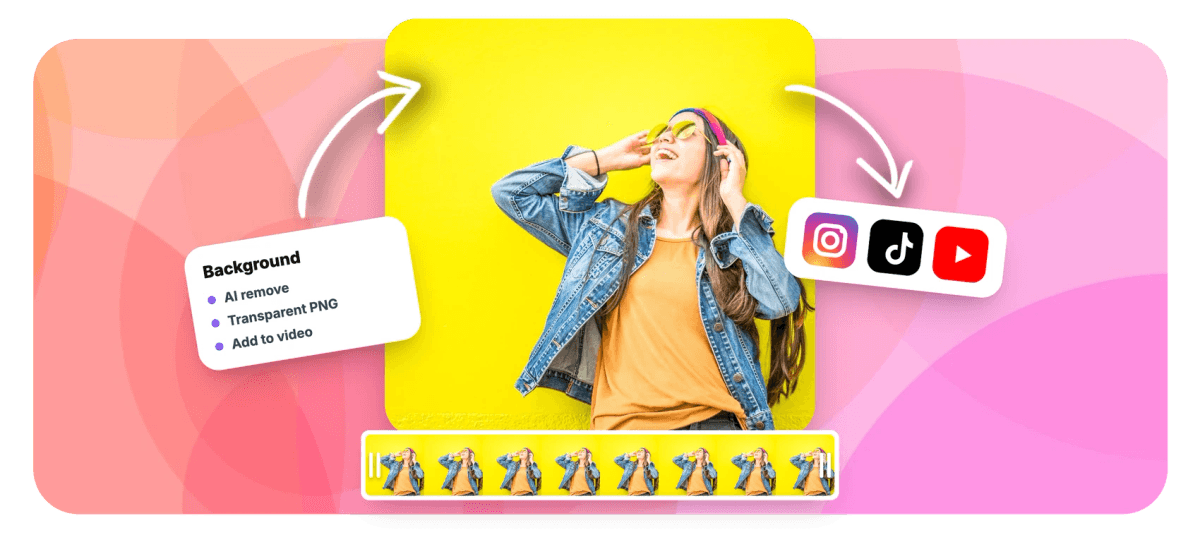
Image Background Remover Features
EchoWave's image tools are used by online sellers, designers, and video creators worldwide.





AI photo cutout
Lift the subject, lose the background
An image background remover lifts the subject out of a photo and hands you a clean cutout on a transparent background. Upload a JPG, PNG, or WebP up to 20MB and EchoWave's AI does the tracing for you: no green screen, no manual masking, and it works on people, products, logos, and animals. A before-and-after slider over a checkerboard shows exactly what was removed, then you download a transparent PNG or add the cutout to a project in the online video editor with one click. Working with footage instead of a still? The video background remover does the same job on every frame of a clip.
-
20MB
max upload: JPG, PNG, or WebP
-
Seconds
from photo to transparent PNG
-
1 click
sends the cutout into a video project
-
Free
with a fair-use per-minute limit
What you get
Everything the cutout workflow needs
Upload, let the AI work, check the edges, and ship the PNG.
-
AI Does The Tracing
The AI finds the subject and separates it from the background on its own, so you never trace outlines or paint masks by hand. Upload the photo and the cutout comes back finished.
-
Clean Transparent PNG
The result is a PNG with true alpha transparency that drops straight into thumbnails, listings, decks, and design tools without a white box around the subject.
-
Before And After Slider
Drag the compare slider across the image to check the cutout against the original, over a checkerboard that makes every transparent pixel obvious.
-
JPG, PNG, And WebP
Upload any of the three formats up to 20MB. Your photo travels over a secure connection for AI processing, and the finished PNG comes back to your browser in seconds.
-
People, Products, And More
Built for the photos creators actually use: portraits and selfies, product shots, logos on flat backgrounds, and pets, with no studio setup required.
-
Straight Into A Video
One click adds the cutout to an EchoWave video project, where you can layer it over footage, resize it, and animate it like any other image layer.
-
No Green Screen Needed
The AI separates subject from background in ordinary photos, busy rooms included, so you skip the chroma setup entirely. A fair-use per-minute limit keeps the tool free for everyone.
How it works
How to remove the background from an image
From photo to transparent PNG in four steps.
-
Upload Your Photo
Drop in a JPG, PNG, or WebP up to 20MB. The image uploads over a secure connection and AI processing starts immediately.
-
Let The AI Cut It Out
The model detects the subject and removes the background on its own. A clean transparent PNG comes back in seconds.
-
Check The Edges
Drag the before-and-after slider over the checkerboard to inspect the cutout against the original photo.
-
Download Or Add To Video
Save the transparent PNG, or click add to video to drop the cutout into an EchoWave editor project as an image layer.
Who uses it
Who removes image backgrounds
-
Ecommerce sellers
Turn phone snapshots into clean product cutouts for listings, ads, and marketplace thumbnails.
-
YouTubers and streamers
Cut yourself out of a webcam frame for thumbnails and channel art that pop.
-
Marketers and designers
Drop subjects into banners, decks, and social graphics without a clipping-path request.
-
Video editors
Add a cutout over footage as a sticker, reaction, or product insert, straight from the tool.
-
Teams and freelancers
Lift logos off flat backgrounds for watermarks, lower thirds, and brand kits.
-
Pet owners and families
Make stickers and collages from everyday photos, no studio background required.
Remove a photo background in seconds
Upload a JPG, PNG, or WebP, let the AI cut out the subject, and download a transparent PNG, or send it straight into a video. Free, no sign-up.
What people are saying about EchoWave

About the EchoWave team
EchoWave is a browser-based video and audio editor built by Lemon Vault LLC since 2018. The people who build the editor write these guides and test every step in the production app before publishing.
Image Background Remover FAQ
How do I remove the background from an image?
Upload a JPG, PNG, or WebP up to 20MB to EchoWave's image background remover. The AI detects the subject and removes the background automatically, usually within seconds, and shows the result over a checkerboard so the transparency is easy to judge. Drag the before-and-after slider to compare against the original, then download the transparent PNG or add the cutout to a video project with one click. The tool is free to use, with a fair-use limit on how many images you can process per minute.
Do I need a green screen or a plain background?
No. The AI separates the subject from whatever is behind it, so ordinary photos work: a person in a room, a product on a desk, a dog in the yard. A plain backdrop can make edges easier for any cutout tool, but it is not required here. Sharp focus and decent lighting on the subject help more than the background does, so when you have the choice, favor a well-lit photo over a staged one.
What is the difference between this and the video background remover?
This tool works on still images: you upload a photo and get back a transparent PNG. The video background remover removes the background from moving footage, processing every frame of a clip so a talking-head or product video plays without its original backdrop. If you have a photo for a thumbnail, a listing, or an overlay, use this page. If you have a video clip, use the video tool. Both feed the same EchoWave editor, so either result can land in your project.
What image formats and sizes are supported?
You can upload JPG, PNG, and WebP files up to 20MB each, which covers phone photos, screenshots, and exports from design tools. The result always comes back as a PNG, because PNG carries the alpha channel that makes the background genuinely transparent rather than filled with white. If your source is in another format, convert it to JPG or PNG first, and if a file is over 20MB, re-export it at a slightly smaller size before uploading.
Is my photo uploaded, and is it private?
Yes, the photo is uploaded: unlike our QR and barcode generators, which run entirely in your browser, background removal uses an AI model that runs on our servers. The file travels over a secure encrypted connection, is used to produce your cutout, and the finished transparent PNG is returned to your browser. There is no account or sign-up required to process an image, and nothing beyond that upload is needed to get your result.
Why is there a rate limit?
AI background removal runs on real servers, so the free tool has a fair-use limit on how many images you can process per minute. For a normal session, cutting out a photo, checking the edges, downloading the PNG, you will likely never notice it. If you hit the cap while working through a folder of product shots, wait a moment and continue. The limit is what keeps the tool free and fast for everyone instead of gated behind an account.
What kinds of photos does it handle best?
It is built for people, products, logos, and animals, which covers most creator work: portraits and selfies for thumbnails, product shots for listings and ads, logos for brand kits and watermarks, and pets for stickers and collages. Clear subjects with reasonable lighting produce the cleanest edges. Very cluttered scenes where the subject blends into the background, or photos where the subject is tiny in the frame, are harder for any AI cutout, so crop closer to the subject when you can.
How do I use the cutout in a video?
Click add to video and the transparent PNG lands in an EchoWave editor project as an image layer. From there you can position and resize it over footage, animate it, and time when it appears, which is how creators build reaction-style overlays, product inserts, and logo stamps. The editor is free to use, video exports carry a small watermark and a 720p cap on the free plan, and paid plans remove the watermark and export at higher resolutions.
Ready to cut it out?
Upload a photo, get a transparent PNG in seconds, and drop it into any video, free in your browser.
Get Started →























































