
Speed Up or Slow Down Video Online, Free
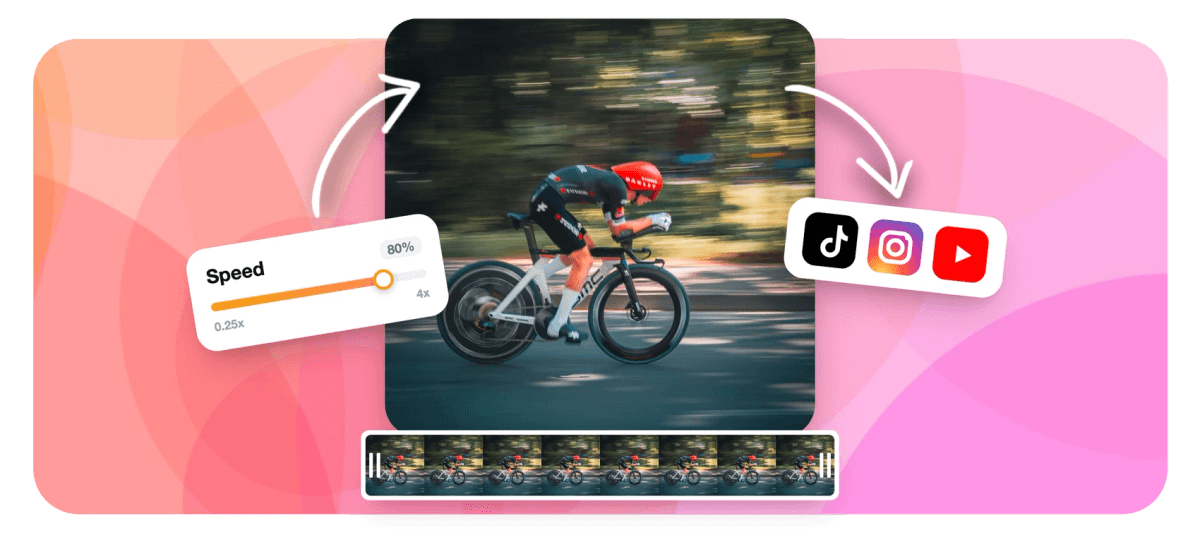
Speed up any video to 4x or slow it to 0.25x for slow motion, right in your browser. Set the exact playback rate and export. No download.


Speed Up or Slow Down Video Online, Free Features
EchoWave's speed changer is used by creators, coaches, and educators worldwide





Speed control in your browser
The speed changer built into a full video editor
Most speed tools hand you back a file and nothing else. EchoWave keeps you in the editor after you change speed, so you can add auto-synced captions, drop in a music track, or crop to vertical 9:16 without opening a second app. One session, one export, done.
-
0.25x to 4x
Full speed range from quarter-speed slow-mo to 4x timelapse
-
4K
Maximum export resolution on paid plan (H.264 MP4)
-
Free
No credit card needed to start; free plan includes speed control
-
MP4, MOV, AVI, MKV
Common formats accepted for upload
What it does
Speed control with a full editing suite behind it
Every feature that matters when you need to change playback speed, and the tools to finish the video in the same session.
-
Precise Speed Control 0.25x to 4x
Drag the speed slider or type an exact multiplier. Go from quarter-speed cinematic slow-mo all the way to 4x hyperspeed timelapse on any clip or the whole video.
-
Per-Clip Speed on the Timeline
Split your video into segments and set a different speed for each one. Slow down the key moment, speed through the intro, all in a single export.
-
Audio Pitch Stays Natural
Speed changes preserve intelligible audio by default. Mute the clip or swap in your own music track when you want a clean soundtrack at any playback rate.
-
AI Captions That Sync to Speed
Generate auto-subtitles after you lock in your speed. EchoWave's ASR engine syncs caption timing to the adjusted clip so text always matches the audio.
-
Add Text, Stickers and Overlays
Layer on titles, emoji, progress bars and watermark-free branding in the same editor session. No need to open a second app after changing speed. Try adding text to video in one click.
-
Add a Music or Voiceover Track
Drop a music file or record a voiceover directly in EchoWave after adjusting speed. The multi-track timeline keeps audio and video perfectly in sync. See add audio to video for more.
-
Export Up to 4K MP4
Free plan exports full quality with a small watermark. Upgrade to remove it and export at up to 4K resolution. Output is standard H.264 MP4 compatible with every platform.
-
Crop, Resize and Rotate While You Are Here
Adjust aspect ratio, crop to vertical 9:16, rotate or flip, all inside the same project. No round-tripping between tools.
How it works
How to change video speed online
Four steps from upload to download, in minutes.
-
Upload Your Video
Click Upload or drag your video file into EchoWave. MP4, MOV, AVI, MKV and most common formats are accepted. Your file processes entirely in your browser session.
-
Set Your Speed Multiplier
Select the clip on the timeline and open the Speed panel. Drag the slider or type a value: below 1x for slow motion (try 0.5x or 0.25x), above 1x for fast forward (1.5x, 2x, or 4x for timelapse). Apply to the whole video or to individual split segments.
-
Add Captions, Music, or Trim
Still in the editor, add captions, music, text overlays, or trim the clip. All changes render together in one export.
-
Export and Download
Hit Export, choose your resolution (up to 4K on paid), and download your MP4. The whole process takes seconds for short clips, minutes for longer videos.
Who uses it
Every creator who needs a different speed
-
Social Media Creators
Speed up repetitive B-roll to keep reels and TikToks punchy, or slow down a money shot to add drama. Export in vertical 9:16 without leaving the editor.
-
Sports and Fitness Coaches
Slow footage to 0.25x to analyze technique frame by frame. Add text annotations and export a coaching clip your athletes can rewatch anytime.
-
Tutorial and Course Makers
Remove dead time from screen recordings or talking-head videos by speeding up at 1.5x to 2x. Pair with auto-captions so learners can follow along.
-
Travel and Timelapse Videographers
Turn a 20-minute sunset clip into a 30-second timelapse at 4x speed. Add a music track and export ready for YouTube.
-
Podcast and Interview Editors
Speed up long interview recordings for a preview cut. EchoWave's multi-track timeline keeps your guest audio and any music bed in sync through the speed change.
-
Meme and Reaction Creators
Hit a comedic beat by slowing a clip at exactly the right moment. Combine with emoji stickers and captions for instant shareability.
Change your video speed now
Upload a clip and set your speed in seconds. Free to start.
How creators use EchoWave in real projects

About the EchoWave team
EchoWave is a browser-based video and audio editor built by Lemon Vault LLC since 2018. The people who build the editor write these guides and test every step in the production app before publishing.
Video speed changer FAQ
How do I speed up a video online for free?
Upload your video to EchoWave, select the clip on the timeline, and drag the Speed slider above 1x. Choose 1.5x, 2x, or up to 4x, then export your MP4. No software installation is needed and the basic speed tool is free.
Can I slow down a video to create a slow-motion effect?
Yes. Set the speed below 1x. Use 0.5x for half-speed slow motion or 0.25x for dramatic quarter-speed slow-mo. EchoWave renders the adjusted clip at your chosen resolution on export.
Will the audio sound distorted when I change the speed?
At normal speeds the audio adjusts proportionally. For fast-forward use cases many creators mute the clip and add a separate music track, which EchoWave supports on the same timeline. For slow motion the audio pitch lowers, so adding a music track instead is a common workflow.
Can I change the speed of just one part of a video?
Yes. Use the Split tool to cut your video into segments on the timeline, then set a different speed for each segment. This lets you slow down a key moment while keeping the rest of the clip at normal or faster speed.
Does speeding up a video reduce its quality?
No. Changing playback speed does not degrade image quality. EchoWave re-encodes your video at the same resolution. On the paid plan you can export up to 4K.
What video formats can I upload?
EchoWave accepts MP4, MOV, AVI, MKV and most common video container formats. The output is standard H.264 MP4, which plays on every device and platform.
How do I make a timelapse video online?
Upload your long clip and set the speed to 4x or higher. A 20-minute clip at 4x becomes roughly 5 minutes. You can also trim the clip first, add a music track, and export as a polished timelapse ready for YouTube or Instagram.
Can I add subtitles after changing video speed?
Yes. After you set the speed, click Auto Captions to generate synchronized subtitles using EchoWave's AI transcription. The caption timing is calculated against the final adjusted duration so text always matches the audio.
Is EchoWave free to use for changing video speed?
Yes. The speed control tool is free. Free plan exports include a small watermark. A paid plan removes the watermark and enables 4K export. No credit card is required to try it. EchoWave is made by Lemon Vault LLC.
Ready to change your video speed?
No credit card required. The free plan includes a small EchoWave watermark.
Get Started →























































