
Video Editor for Small Business
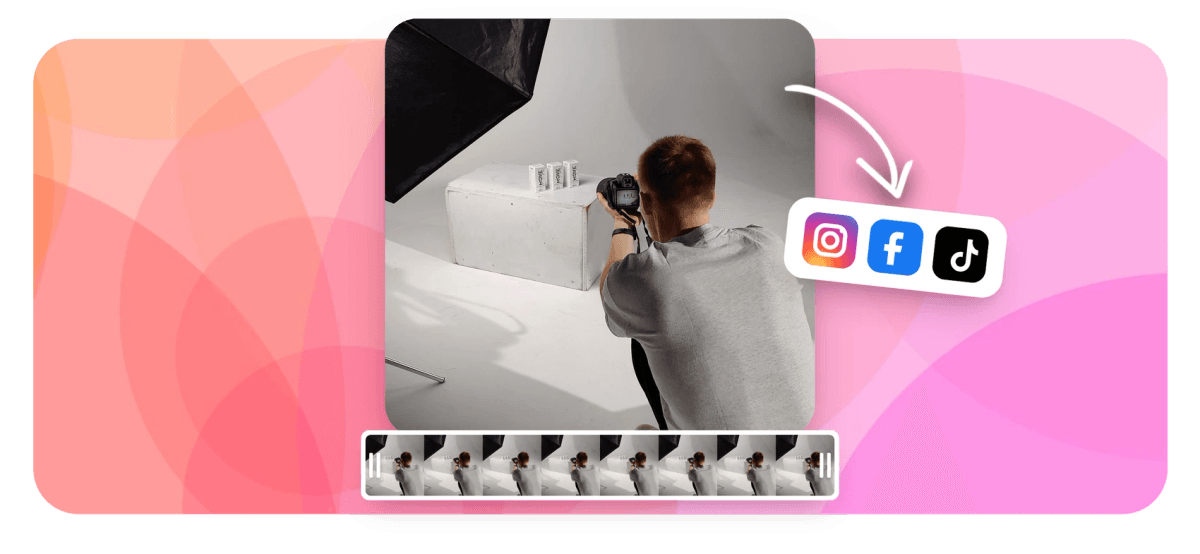
EchoWave is a free video editor for small business owners who have never edited a clip in their life. It runs in your browser, so there is nothing to install and no expensive laptop required. Trim phone footage, add captions with one click, drop your logo and brand colors on everything, then resize the same video for Instagram, TikTok, Facebook and YouTube. Free exports are HD (up to 720p) with a small removable EchoWave watermark badge; paid plans remove the badge and go up to 4K.


Video Editor for Small Business Features
EchoWave's small business video editor is used by cafes, salons, gyms, shops and local service businesses around the world.





For busy owners
A video editor for small business owners, not video editors
You do not need an agency to keep a feed full. Film on your phone, upload, and cut a clean clip in minutes. Build a promo video for a weekend offer, turn a happy customer into a testimonial video, or batch a month of posts from one template. Captions, music levels and brand colors are all handled inside the editor, with no plugins and no training course.
-
176
caption presets
-
56
clip transitions
-
63
AI voice over voices
-
4K
downloads on Pro plans
What you get
Everything a business post needs, nothing you have to study
These are the tools owners actually use week to week, laid out so the first project makes sense on its own.
-
Captions your customers can read with the sound off
Most feed video plays muted, so captions decide who keeps watching. EchoWave transcribes your speech automatically and gives you 176 caption presets, including word-by-word karaoke styles, with per-word color and emphasis edits. You can also translate subtitles into 86 languages if your customers speak more than one.
-
A brand kit that keeps every post on brand
Save your colors and logos once, and upload your own fonts so they show up in the text style picker. The next promo, offer or testimonial picks up the same look without anyone hunting for hex codes.
-
Templates that turn one edit into a month of posts
Build a marketing video template with text, image and video placeholders, then swap in this week's offer in a couple of clicks. Need volume, like a clip per product listing? Upload a CSV and render up to 100 videos in one batch, which is how ecommerce video catalogs get done.
-
Resize once, post everywhere
Edit a single project, then resize the canvas to 9:16 for Reels and TikTok, 1:1 or 4:5 for feeds, and 16:9 for YouTube and your website. If Instagram is your main channel, the Instagram video editor page covers the platform specifics.
-
Clean up phone footage without learning a timeline first
Trim, split and rearrange clips on a magnetic timeline that snaps everything into place. If scrubbing feels slow, edit the transcript instead: delete a sentence and that part of the video is cut, and ums and silences can be removed automatically in one pass.
-
Voice overs without recording ten takes
Type a script and pick from 63 AI voices, or record yourself with the built-in voice recorder and teleprompter. The screen and webcam recorder also covers walkthroughs, like showing customers how to book online.
-
Echo, an assistant for the fiddly parts
Echo is a chat panel inside the editor with 39 editing tools. Ask it to caption the video in a specific style, split out a clip, add a zoom pop or blur a customer's face, and it makes a checkpoint first so one click reverts everything.
-
A video editor for small business owners on any computer
EchoWave runs in Chrome, Edge, Firefox and Safari on Mac, Windows, Linux and Chromebooks, with desktop apps for Mac and Windows if you prefer them. Rendering happens on a cloud render farm, so the five-year-old laptop by the till exports at the same speed as a new machine.
How it works
How to edit a business video in your browser
Here is the whole first project, from phone footage to a post ready for every platform.
-
Upload your footage
Drag in phone clips, photos and your own music. The canvas sizes itself to your first file, and your project autosaves as you work.
-
Cut it down to the good part
Split and trim on the timeline, or open the transcript and delete sentences to cut the video. Run filler removal to drop the ums and long pauses in one pass.
-
Add captions, text and your branding
Click auto-captions and pick one of 176 presets, then add offer text with one of the 81 text animations (30 of them entrances). Your brand kit colors, logo and fonts are one click away.
-
Resize and download for each platform
Set the canvas to 9:16, 1:1 or 16:9 and export an MP4 for each channel. Free exports are HD (up to 720p) with a small removable EchoWave watermark badge; paid plans remove the badge and add 1080p, with up to 4K on Pro.
Sized to post
The right shape for every platform
-
9:16 Vertical
- TikTok
- Reels
- Shorts
-
1:1 Square
- Instagram feed
-
16:9 Landscape
- YouTube
- Website
- Google Business
By business type
Real workflows for real shops
-
Cafes and restaurants
Film the pour or the plating on your phone, speed it up to 2x, and put the week's specials on top as animated text. Resize the same project to 1:1 for the feed, adjust the framing, and post both cuts from one edit.
-
Salons and barbers
Cut a before-and-after with one of 56 transitions, and let Ken Burns pan-zoom bring the finished-look photos to life. Close with your booking handle as an end card so people know exactly where to go.
-
Gyms and studios
Trim a class clip, snap the cuts to your music with automatic beat detection, and caption the coaching cues in a karaoke style that fills each word as it is spoken. A 30-second cut works for Reels, ads and the lobby screen.
-
Shops and ecommerce
Remove the messy stockroom behind a product with the one-click AI background remover, then add price text and a keyframed zoom on the detail that sells it. Templates make the next twenty product clips a fill-in job.
-
Customer testimonials
Trim a phone interview down to the strongest 40 seconds, run filler removal so the ums disappear, and caption it for silent viewing. One honest customer clip does more convincing than most scripted ads.
-
Local offers and ads
Cut a 15 to 30 second version of your promo for Facebook and Instagram ad placements, with the offer as large animated text inside the first two seconds. Resize per placement and export each as MP4.
Compare
How EchoWave compares
| Feature | EchoWave | Canva | Clipchamp | CapCut |
|---|---|---|---|---|
| Free browser editor, nothing to install | Yes | Yes | Yes | yes (web version) |
| Free video downloads | yes (720p, watermark badge) | Yes | yes (1080p) | Yes |
| AI auto-captions | yes (176 presets) | yes (paid) | Yes | Yes |
| Word-by-word karaoke caption styles | Yes | No | No | Yes |
| Subtitle translation | yes (86 languages) | No | No | yes (paid) |
| Brand kit with custom fonts | Yes | yes (paid) | yes (paid) | yes (paid) |
| Templates with bulk CSV rendering | yes (100 per batch) | yes (paid) | No | No |
| Keyframe animation on any layer | Yes | No | No | Yes |
| AI voice over | yes (63 voices) | Yes | Yes | Yes |
| Stock music library | no (SFX packs only) | Yes | Yes | Yes |
| Direct social publishing | No | Yes | Yes | Yes |
| Cloud rendering, exports fast on old laptops | Yes | Yes | No | No |
Based on each tool's public pages as of July 2026. Plans and features change often, so check current pricing pages before you commit.
Make this week's posts yourself
Upload a phone clip, caption it, brand it and resize it for every channel in one browser tab. No installs, no training course, no editor on retainer.
How creators use EchoWave in real projects

About the EchoWave team
EchoWave is a browser-based video and audio editor built by Lemon Vault LLC since 2018. The people who build the editor write these guides and test every step in the production app before publishing.
Video Editor for Small Business FAQ
What is the best video editor for small business owners with no experience?
Pick a browser-based editor with auto-captions and templates, because those two features save the most time. EchoWave, Canva and Clipchamp all fit that description. EchoWave's edge is caption depth (176 presets with word-level editing), a brand kit with your own fonts, and templates you can bulk-render from a CSV. You can test it free in the browser before deciding anything.
How much does video editing software cost for a small business?
DIY editors range from free to roughly the price of a lunch per month, while outsourcing a single produced promo commonly runs into four figures. EchoWave is free to use, and free exports are HD (up to 720p) MP4 with a small removable EchoWave watermark badge; paid plans remove the badge and add 1080p up to 4K. If you post even once a week, doing it yourself is the cheaper route by a wide margin.
Can I edit business videos myself instead of hiring a videographer?
For social posts, offers, testimonials and simple ads, yes, and phone footage is fine as long as the audio is clear. Editors like EchoWave handle the parts that used to need training: captions are automatic, filler words are cut in one pass, and templates keep the look consistent. A brand film or a TV spot is still a job for a professional.
How long should a small business promo video be?
Ads do best at 6 to 30 seconds, social promos at 30 to 60 seconds, and an about-us or brand video at 60 to 120 seconds. Put the hook or the offer in the first two seconds, since feeds punish slow starts. In EchoWave you can duplicate a project and trim it down to make short versions from one longer edit.
Do I need an expensive computer to edit videos for my business?
No. EchoWave runs in the browser and renders exports on a cloud render farm, so output quality does not depend on your hardware. A Chromebook or an aging office laptop produces the same 4K file as a new workstation.
Is EchoWave free for small businesses?
Yes. The free plan covers the whole job: upload, edit, caption and export an HD (up to 720p) MP4 with a small removable EchoWave watermark badge and a short branded end card. Paid plans remove the badge and end card and add 1080p, with 4K on Pro and 8K on Business. That means you can make and post your first promo before spending anything.
What video format should I export for Instagram, TikTok, Facebook and YouTube?
MP4 works on every major platform and is included on all EchoWave plans. Use 9:16 for Reels, TikTok and Stories, 1:1 or 4:5 for feed posts, and 16:9 for YouTube and your website. WebM comes with the Basic plan, and MOV and GIF with Pro, if a specific ad platform asks for something else.
Can my staff use EchoWave, or is it just for one person?
There is no real-time collaboration, so two people cannot edit the same project at the same time. In practice small teams work around this with templates: one person builds the branded template, and anyone can fill the placeholders for that week's post. The brand kit keeps fonts, colors and logos consistent no matter who does the editing.
Does EchoWave include music for my videos?
No, there is no stock music library, so bring music you own or have licensed. There is a categorized sound-effects panel with 30 SFX packs for whooshes, pops and ambience. Once your track is in, beat detection puts a grid on the timeline so your cuts can snap to the rhythm.
Ready to make your next post?
Export free in HD with a small removable EchoWave watermark badge, and paid plans remove the badge and go up to 4K.
Get Started →























































