
Webcam Recorder: Camera Takes That Go Straight Into the Edit
Record yourself in the browser with a mirrored preview, countdown and built-in teleprompter, then caption, retouch and trim the take in the same tab. Free to start, no install.


Webcam Recorder: Camera Takes That Go Straight Into the Edit Features
EchoWave's recorder is used by creators, job seekers and remote teams worldwide





Camera recording
Talking to a camera is hard enough. The tooling should not be.
EchoWave's webcam recorder runs entirely in the browser: pick your camera and microphone, set the aspect ratio for where the video will live, count yourself in and record up to an hour with pause and resume. A floating teleprompter scrolls your script near the lens, and when you stop, the take lands in a full editor where captions, face retouch and filler-word cleanup are one click each. Need your screen in the shot too? That is the screen recorder.
-
Up to 1080p
Camera quality settings of 480p, 720p or 1080p
-
4 aspect ratios
16:9, 1:1, 4:5 and 9:16 framing presets
-
60 minutes
Per take, with pause and resume that do not count
-
No install
Browser capture APIs, nothing to download
What you get
Everything between camera-shy and camera-ready
The small comforts that make take two the last take.
-
Mirror Preview and Device Pickers
See yourself the way a mirror shows you while framing, and switch cameras or microphones live without restarting the setup.
-
Frame for the Destination
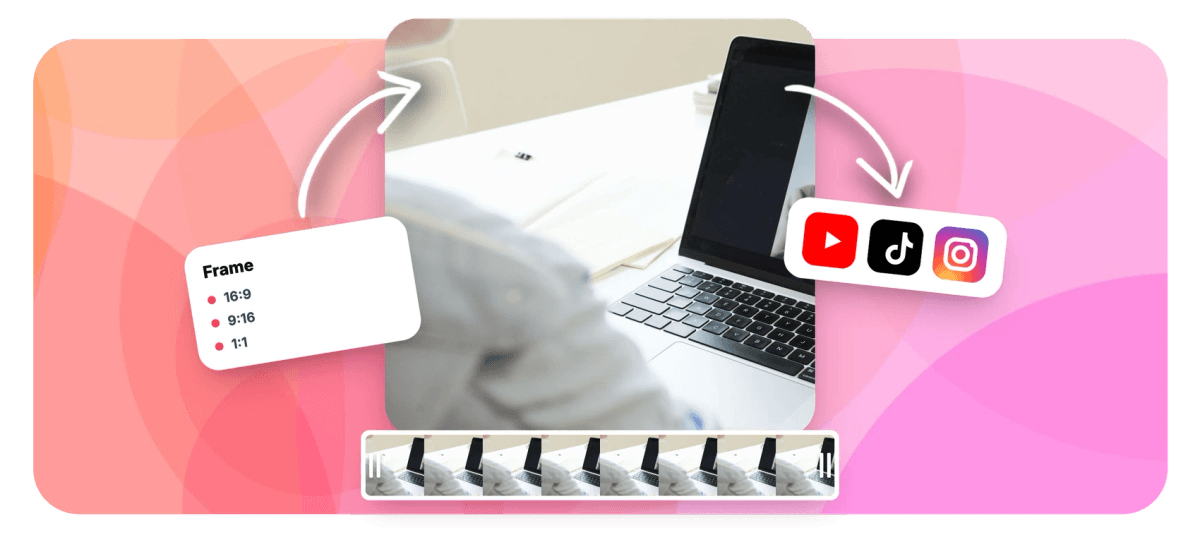
Record in 16:9 for YouTube, 9:16 for Reels and Shorts, 1:1 or 4:5 for the feed, so the framing is right at capture time instead of cropped later.
-
Teleprompter Built In
Paste the script and it scrolls in a floating overlay near the lens, speed and text size adjustable, so scripted videos keep eye contact.
-
Countdown, Pause, Resume
A 3, 5 or 10 second count-in, pauses that do not eat your time limit, and local chunked saving that survives a crashed tab.
-
Fix the Take in the Edit
The recording lands in the editor where you can retouch your face, blur the background, tighten pauses and add captions before anyone sees it.
-
Download or Save to a Project
Every take downloads as a file instantly, no account needed, or saves into a project that opens ready to edit.
How it works
How to record yourself with a webcam online
Four steps from nervous to published.
-
Set Up the Shot
Choose camera mode, pick your devices, set the aspect ratio and check the mirrored preview.
-
Load the Script
Optional but wonderful: paste your script into the teleprompter and set a comfortable scroll speed.
-
Record
Count in, speak, pause when you need to, resume when ready. Up to 60 minutes per take.
-
Edit and Export
Send the take to the editor for captions, cleanup and branding, then export, up to 4K on paid plans.
Who uses it
Every to-camera video, covered
-
Creators and Vloggers
Record talking-head segments framed for the platform, with the edit one click away.
-
Job Seekers
Video introductions and interview answers, re-recorded until they are right, with no software to explain to yourself.
-
Sales and Outreach
Personal video messages at 1080p with a teleprompter keeping the pitch tight.
-
Educators
Lesson intros and feedback videos recorded between classes, captioned before lunch.
-
Remote Teams
Async updates that feel human, without a meeting slot or an install ticket.
-
Testimonial Collectors
Send customers a link; the browser is the studio.
Record your camera now
Mirror preview, teleprompter, and an editor on the other side. Free to start.
What people are saying about EchoWave

About the EchoWave team
EchoWave is a browser-based video and audio editor built by Lemon Vault LLC since 2018. The people who build the editor write these guides and test every step in the production app before publishing.
Webcam recorder FAQ
How do I record a video with my webcam online?
Open EchoWave's recorder, choose camera mode, allow camera and microphone access, frame yourself in the mirrored preview and press record. A countdown counts you in, and when you stop you can download the file immediately or continue into the editor. Nothing installs; it runs on the browser's own media APIs.
What quality does the webcam recorder capture?
You choose 480p, 720p or 1080p before recording, subject to what your camera supports. Recording happens locally in your browser, so quality is not throttled by an upload during the take.
Can I record vertical video for Reels, TikTok and Shorts?
Yes. Aspect presets for 9:16, 1:1, 4:5 and 16:9 frame the recording at capture time, so vertical takes are actually vertical rather than cropped afterwards.
Is there a time limit?
Sixty minutes per take, and time spent paused does not count. Longer sessions work fine as multiple takes joined on the editor timeline.
Can I read a script while recording?
Yes, the teleprompter is built in: paste the script and it auto-scrolls in a floating overlay positioned near the lens, with adjustable speed and font size. It works in camera and screen modes alike.
Can I fix how I look after recording?
Within reason and taste: the editor's face retouch smooths skin, brightens eyes and whitens teeth, and the AI background blur tidies the room behind you. Both are sliders, so the result stays natural.
Do I need an account to record?
No. Recording and downloading work without signing up. Saving into the editor creates a guest session automatically so the edit can start immediately.
Where do my recordings go?
Nowhere until you decide: takes are held locally in your browser during recording. Downloading keeps everything on your device; saving to a project uploads the take to your EchoWave library so the editor can use it.
Ready to face the camera?
Record, retouch, caption and publish from one browser tab. Free to start.
Get Started →























































