
AI Video Agent
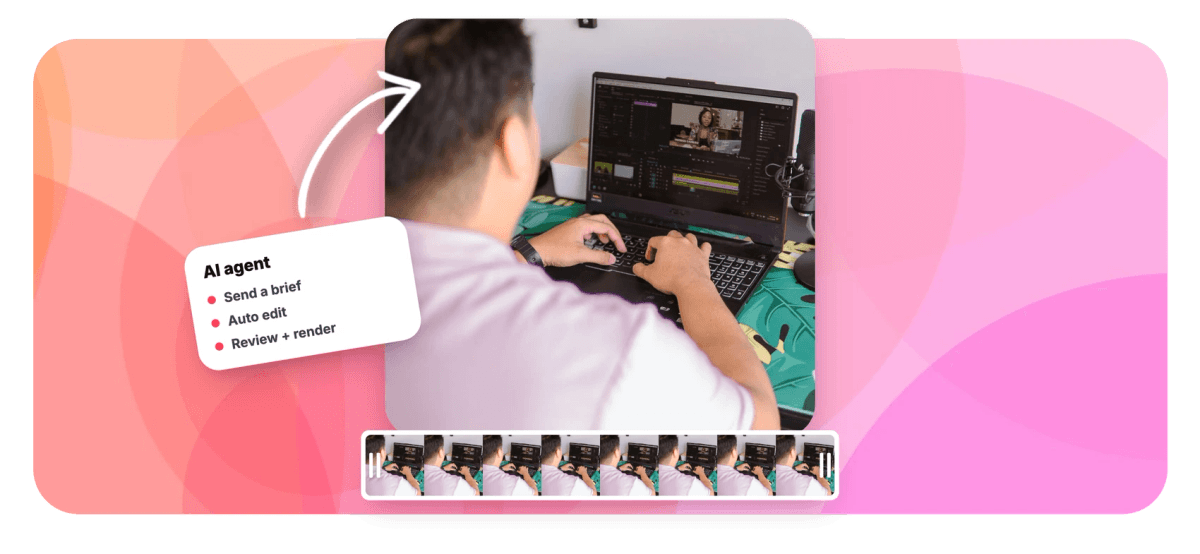
EchoWave gives you an AI video agent in two places. Inside the free browser editor, Echo takes plain instructions and does the edit itself: it cuts by transcript, removes silence, styles captions from 176 presets, keyframes animations, adds blur and zoom pops, and records AI voice over in 63 voices. Then it previews rendered frames to check its own work. Outside the editor, agents like Claude connect over MCP or the REST API to fill templates and render videos, up to 100 per batch.


AI Video Agent Features
EchoWave's AI video agent is used by podcasters, social teams, and automation builders around the world.





Agent-era editing
One AI video agent inside the editor, full agent access outside it
Most tools wearing this label generate clips from prompts. EchoWave's agent edits real footage instead. If you want AI features you drive yourself, start with the AI video editor. If you want hands-off pipelines, see automated video editing. Below is exactly what Echo can do inside the editor, and what external agents can do through the MCP server and REST API.
-
39
editing tools Echo can call
-
176
caption presets it can apply
-
63
AI voices for voice over
-
100
videos per batch render
What the agent does
Two ways to put an AI agent on your videos
Echo handles hands-on editing inside your project, while the MCP server and REST API let outside agents produce videos from your templates.
-
Echo, the agent inside your editor
Echo is a chat panel in the EchoWave editor with 39 editing tools it can call on your project. Ask it to split a clip at 0:42, speed a section to 2x, move a layer, or resize the canvas to 9:16, and it performs the edits on your actual timeline while you watch every change land.
-
Edit by transcript, cut the dead air
Tell Echo to tighten a rambling take and it edits through the transcript, deleting words to delete footage. It also strips filler words like ums and uhs and cuts silent gaps automatically, the same engine behind our silence remover.
-
Captions styled by prompt
Ask for MrBeast-style captions and Echo applies the Beast Mode preset, one of 176 named looks with word-by-word karaoke fill. It can restyle, recolor, and reposition captions on request, and the full caption generator stays available for manual tweaks.
-
Keyframes, motion paths, and zoom pops
Echo sets keyframes on position, scale, rotation, and opacity, and can animate a layer along a drawn motion path. Ask for a zoom pop on a punchline or a blur over a license plate and it places the effect at the right timestamp.
-
AI voice over on command
Echo generates voice over in 63 natural voices, straight onto the timeline. Ask it to read a script over your intro and the narration lands as a new audio track you can trim or move like any other clip.
-
An AI video agent that checks its own work
After an edit, Echo can preview rendered frames from your project and look at the result, catching a caption that overlaps a face or a layer that drifted off canvas. Before big changes it saves a checkpoint, so one click reverts everything if you disagree with a decision.
-
An MCP server external agents can use
EchoWave publishes echowave-mcp on npm, so Claude Desktop, Claude Code, and other MCP clients can list your templates, fill text, image, video, and audio placeholders, start renders, and poll status. External access is template fill plus render by design; free-form timeline editing stays inside the editor with Echo.
-
Templates, API keys, and 100-row batches
The same automation runs over a plain video editing API with API keys. Build a template once, then render a single video or a batch of up to 100 rows per request, the engine behind our bulk video generator.
How it works
How to edit a video with an AI agent
Four steps from raw footage to a finished render, with the agent doing most of the clicking.
-
Open the editor and add media
Start a project at echowave.io in any modern browser, nothing to install. Drop in your video or audio and the canvas sizes itself to the first file you add.
-
Tell Echo what you want done
Open the Echo panel and type instructions the way you would brief an editor: cut the silences, caption this in the hormozi preset, add a zoom pop at 1:24. Echo maps your request to its 39 tools and edits the timeline in front of you.
-
Review, refine, or revert
Echo previews rendered frames to verify its own edits, and you can scrub the timeline to judge the result yourself. If a change misses, restore the checkpoint in one click or reword the instruction and let it try again.
-
Render in the cloud and download
Rendering runs on EchoWave's cloud farm, so an old laptop finishes as fast as a new one. Free exports are HD (up to 720p) MP4 with a small removable EchoWave watermark badge and a short branded end card. Paid plans remove the badge and add 1080p up to 4K, with 8K and 120fps on Business.
Who hands work off
What people delegate to a video agent
-
Podcast clip production
Brief Echo on a highlight and it cuts the segment by transcript, strips the ums, resizes the canvas to 9:16, and captions it word by word. A one-hour episode becomes a stack of clips without touching a razor tool.
-
Caption restyles at speed
Social teams ask Echo for a preset by name, hormozi, kendrick, Beast Mode, and get styled word-level captions applied across the clip. Per-word color and emphasis edits stay one click away.
-
Agent-to-agent pipelines
A Claude agent researching your niche can fill an EchoWave template with its findings and start a render over MCP, no human in the loop. You get a finished MP4 to review instead of another item on your list.
-
Recurring weekly formats
Quote videos, stat cards, episode promos: build the template once, then feed a CSV of up to 100 rows and render the whole week in one batch. Replace-media re-versioning keeps older editions editable.
-
Audiograms at scale
EchoWave is audio-first, with 93 visualizer styles and automatic beat detection. Set up an audiogram template and let a script render one per episode through the REST API.
-
Course and tutorial cleanup
Long screen recordings shrink fast when an agent removes silence and filler words for you. Ask Echo for zoom pops on the key clicks and an AI voice over for the intro.
Compare
How EchoWave compares
| Feature | EchoWave | Descript (Underlord) | OpusClip | HeyGen |
|---|---|---|---|---|
| In-editor AI agent that edits your timeline | yes (Echo, 39 tools) | Yes | No | No |
| Edit video by editing the transcript | Yes | Yes | Yes | No |
| Agent previews rendered frames to check its edits | Yes | No | No | No |
| One-click checkpoint revert for agent changes | Yes | No | No | No |
| Published MCP server for external agents | yes (echowave-mcp) | No | No | Yes |
| REST API for template fill and rendering | Yes | No | Yes | Yes |
| Batch render up to 100 videos from a CSV | Yes | No | No | yes (paid) |
| Word-level animated captions | yes (176 presets) | Yes | Yes | Yes |
| AI voice over | yes (63 voices) | Yes | No | Yes |
| Silence and filler-word removal | Yes | Yes | Yes | No |
| AI avatars and talking heads | No | No | No | Yes |
| Auto-posting to social accounts | No | yes (beta) | Yes | No |
Based on each tool's public pages as of July 2026. Descript, OpusClip, and HeyGen are trademarks of their respective owners, and features change often, so verify current plans before you choose.
Hand your next edit to an agent
Open the editor, tell Echo what you want, and watch the timeline change. Export free in HD with a small removable watermark badge; paid plans remove it and add 1080p up to 4K, with 8K on Business.
What people are saying about EchoWave

About the EchoWave team
EchoWave is a browser-based video and audio editor built by Lemon Vault LLC since 2018. The people who build the editor write these guides and test every step in the production app before publishing.
AI Video Agent FAQ
What is an AI video agent?
An AI video agent is software that takes a goal in plain language and carries out the video work itself: planning steps, calling editing tools, and checking results. EchoWave ships two kinds. Echo is an agent inside the editor with 39 tools that edits your actual timeline, and the MCP server plus REST API let outside agents fill templates and render finished videos.
How is an AI video agent different from an AI video editor?
An AI video editor gives you assistive features you operate yourself, like auto captions or one-click silence removal. An agent accepts an instruction, performs a chain of edits on its own, and then shows you the result. EchoWave includes both, so you can hand work to Echo or drive every tool by hand.
What can Echo do inside the EchoWave editor?
Echo can edit by transcript, split, trim, move, and speed-change clips, style captions from 176 presets, add text, media, blur regions, and zoom pops, set keyframes, animate layers along motion paths, apply transitions, generate AI voice over in 63 voices, and resize the canvas. It previews rendered frames to check its own output and saves a checkpoint before big changes.
Can Claude or other AI assistants make videos with EchoWave?
Yes, through templates. EchoWave publishes an MCP server, the echowave-mcp package on npm, that works with Claude Desktop, Claude Code, and other MCP clients, plus a REST API with API keys. External agents can list templates, fill placeholders, and render single videos or batches of up to 100 rows. They cannot do free-form timeline editing; that stays inside the editor with Echo.
Does the agent generate video from a text prompt?
No. EchoWave does not do Sora-style text-to-video generation, and this page will not pretend otherwise. The agent edits real footage you upload, and it can generate supporting assets: AI images for b-roll stills, backgrounds, and covers, plus AI voice over in 63 voices.
What happens if the agent makes a mistake?
Echo saves a checkpoint before large changes, so one click restores the project to its previous state. It also previews rendered frames after editing to catch problems on its own, like a caption covering a subject. You can reword the instruction and let it try again at any point.
Is EchoWave's AI video agent free to use?
Echo lives in the free browser editor, and the free plan exports HD (up to 720p) MP4 with a small removable EchoWave watermark badge and a short branded end card. Paid plans remove the badge and add 1080p up to 4K, more formats, and 8K and 120fps on the Business tier. API keys for external rendering come from your EchoWave account.
Can I batch-create videos with an AI agent?
Yes. Build a template with text, image, video, and audio placeholders, then render up to 100 rows per batch from a CSV upload, the REST API, or an MCP client. Each row becomes its own finished video, and you can poll render status while the batch runs.
Do I need to code to connect an agent to EchoWave?
No. Adding the echowave-mcp server to Claude Desktop is a single config entry, and from there you work in plain chat: ask Claude to list your templates, fill one in, and render. The REST API is there when you do want scripts, using API keys from your account.
Ready to brief your video agent?
Export free in HD with a small removable watermark badge; paid plans remove it and go up to 4K.
Get Started →























































