
Promo Video Maker
Promo video maker for product launches, sales and events. Combine clips, photos and text into a polished promo, then export in HD. Free, in your browser, no watermark.


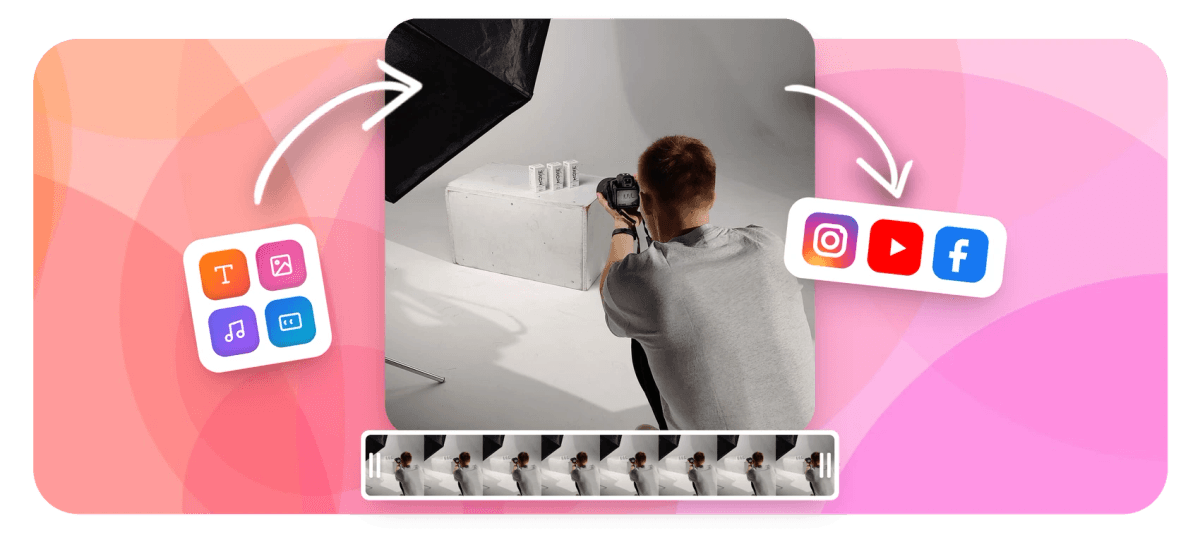
Promo Video Maker Features
Built for small businesses, social media managers, and independent creators.





Ad videos made fast
One tool for every promo format
A promo video has a tighter job than general marketing video content: grab attention in the first two seconds, show the product or offer, and close with a call to action. EchoWave's template system, multi-ratio export, and caption presets are built around that workflow. For longer brand films or full campaigns, see the video maker.
-
160+
caption presets including word-level karaoke styles
-
63
AI text-to-speech voices for narration
-
4K
maximum export resolution on paid plan
-
4
export ratios including 9:16, 1:1, 4:5, and 16:9
What you get
Features built for short promotional videos
Every feature below works in the browser with no plugin or desktop install.
-
Promo video templates with media placeholders
Templates v2 use drop-in placeholders: click a placeholder, choose a clip or photo from your files, and the cut points and timing stay intact. Need to cut 50 product variants at once? Upload a CSV and the bulk-render API swaps assets per row automatically. Render every variant from one CSV instead of duplicating the project.
-
Multi-aspect export for every ad slot
One project can export 9:16 for TikTok and Reels, 1:1 for feed ads, and 16:9 for YouTube pre-rolls without rebuilding the edit. The canvas resizes and EchoWave auto-sizes to the first piece of media you drop in. One edit covers your whole ad set with no re-cutting per placement.
-
Text overlays, logo placement, and brand colors
Add product names, sale prices, or event dates as animated text layers with keyframe control on position, scale, and opacity. Drop your logo PNG as a watermark overlay that sticks to a corner across the full clip. Style the text with the 160+ caption and text presets and keyframe its position, scale, and opacity. For dedicated text overlay features, see that page.
-
Auto-captions for social ads
AI auto-captions transcribe speech and generate timed subtitle cues in seconds. Pick from 160+ presets including bold word-level pop styles that match current TikTok and Reels aesthetics. Translate captions into dozens of languages for international ad variants without re-recording the voiceover.
-
AI voiceover for product narration
Pick from 63 natural text-to-speech voices to record a product description or sale announcement directly in the browser. Voice cloning (recording your own voice as a template) is a paid feature. The generated audio drops onto the timeline as a standard track you can trim and volume-fade.
-
Background audio with volume mixing
Import your own background track in any common audio format and set it to loop or fade. EchoWave does not include a built-in royalty-free music library, so you supply the track. The multi-track timeline lets you duck the music under voiceover using keyframe volume automation.
-
Green screen, overlays, and blend modes
Remove a solid-color background from product footage using chroma key, then layer it over a branded color fill or another video. Add image overlays, stickers, and emoji for promotional graphics. EchoWave does not have AI background removal for non-green-screen footage; for that you would need a separate tool.
-
Speed ramp, trim, and clip polish
Tighten a promo clip with the magnetic timeline: trim handles, split at any frame, and apply speed ramp to punch in on a product reveal. Crop, flip, rotate, and set a loop point for animated GIF outputs. All processing runs on EchoWave's cloud render farm, so a slow laptop does not limit export quality.
How it works
How to make a promo video with EchoWave's promo video maker
From blank project to exported ad in four steps.
-
Upload your footage or pick a template
Drag product clips, photos, or a screen recording into EchoWave. If you prefer a head start, open a promo template and click each placeholder to swap in your own media. Accepted formats include MP4, MOV, WebM, and AVI.
-
Add text, logo, and captions
Type your headline, price, or CTA into a text layer and position it with keyframe animation if you want it to fly in. Drop your logo PNG as an overlay. Run AI auto-captions on any spoken audio and choose a caption style from the preset gallery.
-
Set the aspect ratio and background music
Switch the canvas to 9:16, 1:1, or 16:9 to match your ad placement. Import a background track from your files and use the timeline volume keyframes to fade it in or duck it under narration. You can export each ratio as a separate render from the same project.
-
Export and download
Hit Export and choose your format: MP4, MOV, WebM, or GIF. Free plan renders in HD with a small EchoWave badge in the corner. Paid plan exports up to 4K H.264 and removes the badge. The render runs in the cloud and a download link appears when it finishes.
Sized to post
The right shape for every platform
-
9:16 Vertical
- TikTok
- Reels
- Shorts
-
1:1 Square
- Instagram Feed
- Facebook Feed
-
16:9 Landscape
- YouTube Pre-roll
Who uses it
Common promo video use cases
-
Product launch ads
Cut a 15-30 second clip showing the product in use, add a launch-day title card, and export to every social ad format in one session. The placeholder template system means you can iterate quickly when the product photos change.
-
Flash sale announcements
Swap a countdown text layer and a discount code into an existing template in under five minutes. Export square for feed and vertical for Stories so the sale message reaches both placements.
-
International ad variants
Record the voiceover once and use AI caption translation to generate subtitle tracks in multiple languages. Each language version exports as its own file from the same timeline without duplicating the project.
-
Event and webinar promos
Build a teaser clip with the event date, speaker name, and a registration link as text overlays. Export 16:9 for email embed and 9:16 for Reels to cover both promo channels.
-
Bulk product catalog videos
Use the CSV bulk-render API to generate one promo clip per product row automatically. Each row can specify a different clip, headline, and price, with the same branded template applied across all outputs.
-
Narrated product demos
Record a screen capture using the built-in screen recorder, then add a text-to-speech voiceover that walks through the key features. AI auto-captions make the demo accessible without re-editing.
Make your promo video free
Open EchoWave in your browser, drop in your product footage, and export the ratios your ad placements need. No software to install, no account required to start.
What creators say after trying EchoWave

About the EchoWave team
EchoWave is a browser-based video and audio editor built by Lemon Vault LLC since 2018. The people who build the editor write these guides and test every step in the production app before publishing.
Promo Video Maker FAQ
Is EchoWave a free promo video maker?
Yes. EchoWave's free plan lets you edit, add captions, overlay text and logos, and export in HD. Free exports include a small EchoWave badge in the corner of the video. Upgrading to a paid plan removes the badge and enables 4K export resolution.
What is the best aspect ratio for a promo video?
It depends on the placement. Use 9:16 for TikTok, Instagram Reels, and YouTube Shorts. Use 1:1 for Instagram and Facebook feed ads. Use 16:9 for YouTube pre-rolls and LinkedIn. EchoWave lets you export the same project in all three ratios so you cover every placement without rebuilding the edit.
How long should a promo video be?
Most social ad placements perform best between 15 and 30 seconds. Product demos and event teasers can run 60 seconds if the content justifies the length. Keep the core offer visible in the first three seconds since most viewers do not watch to the end on auto-play.
Do I need to provide my own music for a promo video?
Yes. EchoWave does not include a built-in royalty-free music library. You upload your own background track in MP3, WAV, or another common audio format. You can also use the AI text-to-speech voices for narration and keep the music track separate, mixing both on the multi-track timeline.
Can I add my logo to a promo video?
Yes. Upload your logo as a PNG with a transparent background and place it as an image overlay layer. You can pin it to a corner, set its opacity, and animate it with keyframes if you want a fade-in entrance. The logo layer renders on all exported ratios.
How do I make multiple versions of the same promo for different products?
Use EchoWave's bulk CSV feature. Build the promo once as a template with media placeholders and text placeholders. Then upload a CSV where each row specifies a different product clip, headline, and price. EchoWave renders one video per row using the same branded layout, which is useful for product catalogs or weekly sale announcements.
What formats can I export a promo video in?
EchoWave exports MP4, MOV, WebM, and GIF. MP4 H.264 works for all major ad platforms including Meta, Google, TikTok, and LinkedIn. GIF is useful for short animated product loops in email campaigns.
Does EchoWave have AI voiceover for promo videos?
Yes. The AI text-to-speech tool has 63 voices in multiple languages. Type your product description or sale announcement and pick a voice. The generated audio drops directly onto the timeline. Voice cloning, which records your own voice as a reusable template, is a paid feature.
How is a promo video different from a marketing video?
A promo video has a specific commercial job: announce a product, sale, or event and prompt an immediate action like clicking a link or using a discount code. A marketing video is broader and may include brand storytelling, tutorials, or long-form content. EchoWave has a dedicated marketing video maker for those longer formats.
Ready to make your promo video?
EchoWave runs free in any browser with HD export on the free plan (a small watermark badge is added; paid removes it) and 4K export on paid plans.
Get Started →























































