
Free TikTok Video Maker Online
TikTok video maker for scroll stopping vertical videos. Combine clips, add trending music and captions, resize to 9:16 and export. Free, in your browser, no watermark.


Free TikTok Video Maker Online Features
EchoWave's TikTok video maker is used by creators, marketers, and small businesses around the world





Create in your browser
From photos and clips to a finished TikTok in minutes
Most TikTok tools are apps you have to install. EchoWave is a full video editor that runs in your browser, so you can assemble clips, photos, and audio on a multi-track timeline and export a 9:16 MP4 without touching the App Store. Already have a clip you just want to trim or tweak? Head to the TikTok Video Editor for post-production. Come back here when you are building something from scratch. The canvas starts at 1080x1920 px, captions generate automatically from your audio, and bulk template export is built in for teams who produce TikToks at volume.
-
9:16 Native
TikTok-optimized vertical canvas, 1080x1920 px
-
4K Export
Up to 3840x2160 H.264 MP4 on paid plan
-
160+ Caption Presets
Word-level animated subtitles including TikTok and MrBeast styles
-
Free to Start
No credit card required; upgrade removes watermark and unlocks 4K
The toolkit
Every tool you need to make a TikTok
One editor, everything from format setup to caption translation to waveform animation.
-
9:16 TikTok Format Built In
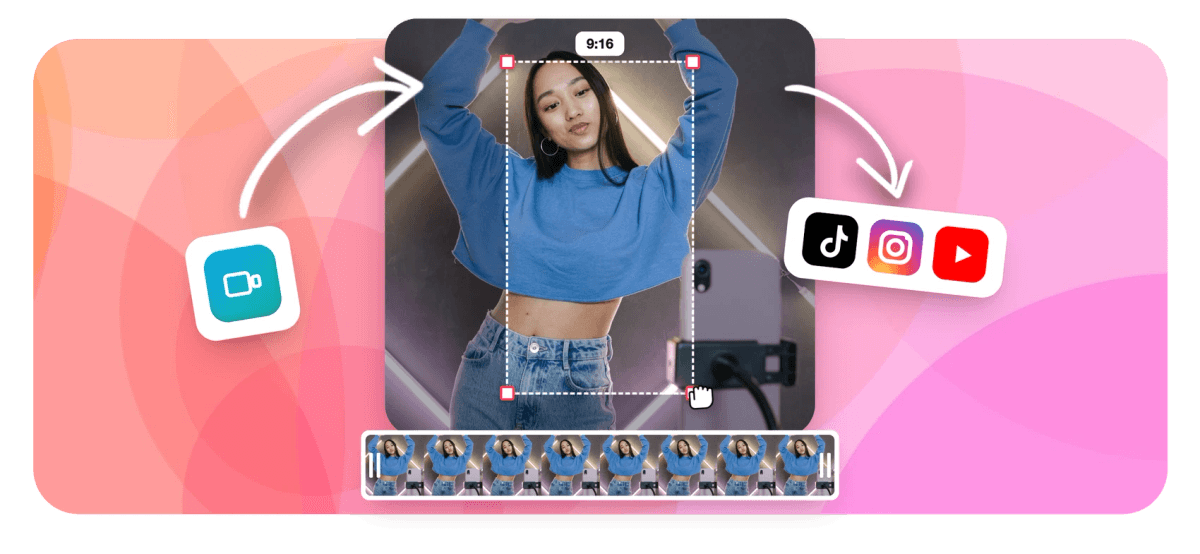
Start in the correct vertical aspect ratio from the first frame. Switch to 1:1 or 16:9 in one click if you need to repurpose the same video for Instagram or YouTube. Crop and reframe any clip without re-uploading.
-
AI Auto-Captions with 160+ Presets
Generate word-level karaoke-style captions automatically using built-in speech recognition. Choose from 160+ caption presets including TikTok-style and MrBeast word-pop animations, then translate into 20+ languages. Or open the auto subtitle generator for a standalone workflow.
-
Photos, Clips and Stickers
Turn a photo slideshow into a TikTok video in minutes. Combine images, video clips, stickers and emoji on the multi-track timeline with smooth transitions between each scene. See also the dedicated photo to video maker.
-
Animated Text and Titles
Add bold, moving text overlays that match TikTok trends. Pick a font, color, size and entrance animation, then place it anywhere on the frame using the visual editor. More options in the add text to video tool.
-
AI Voiceover (63 Voices)
Type a script and convert it to speech with 63 AI voice options including natural human-sounding voices. Stream the audio directly onto your timeline without leaving EchoWave. Full controls in the voiceover tool.
-
Add Your Own Music
Upload any audio track and sync it to your video on the timeline. Trim, fade, and adjust volume independently from your voiceover track for clean, layered audio. Use the add audio to video tool for a standalone flow.
-
Trim, Cut and Split
Cut the dead air from the start and end of every clip, split a clip at any point, and rearrange segments on the magnetic timeline. No render required between edits. Dedicated controls in the video trimmer.
-
Templates and Bulk Export
Start from a ready-made TikTok template with placeholder slots for your footage and text. Brands and agencies can fill hundreds of templates at once using bulk CSV import, producing dozens of TikTok variations without repeating manual edits.
How it works
How to make a TikTok video online
Four steps from blank canvas to a TikTok ready to post.
-
Upload Your Photos or Clips
Click Upload or drag and drop your video files, images, or audio directly into EchoWave. MP4, MOV, WebM, JPG, PNG and many other formats are accepted. The editor automatically sets the canvas to 9:16 for TikTok.
-
Build Your TikTok on the Timeline
Arrange clips and photos on the multi-track timeline. Add animated text, AI captions, stickers, music, and a voiceover. Trim clips, adjust speed, and apply transitions between scenes.
-
Generate Captions Automatically
Click the Captions tool, select a preset style, and let EchoWave transcribe your audio and place word-level animated subtitles on the video. Edit any line directly in the transcript view.
-
Export and Share
Hit Export and download your finished TikTok video as an MP4 at up to 4K resolution. Free accounts include a small watermark; upgrading removes it and unlocks higher quality exports.
Sized to post
The right shape for every platform
Start in 9:16 for TikTok and reframe in one click for any other feed.
-
9:16 Vertical
- TikTok
- Reels
- Shorts
-
1:1 Square
- X
-
16:9 Widescreen
- YouTube
- X
Who uses it
What people make with EchoWave
-
Creators Making Daily TikToks
Speed up your posting cadence. Go from raw footage to a captioned, music-backed TikTok in under 10 minutes using the browser editor with no app installs.
-
Photo Slideshow to TikTok
Have a collection of photos but no video footage? Drop them into EchoWave, set a duration per image, add music and animated text, and export a polished vertical slideshow ready to post.
-
Small Businesses and Marketers
Produce product demos, sale announcements, and behind-the-scenes TikToks using branded templates. Bulk CSV export lets teams generate dozens of variations at once.
-
Educators and Coaches
Record a talking-head clip or screencast, add AI-generated captions for accessibility, and export a clean 9:16 lesson or tip video optimized for TikTok feeds.
-
Musicians and Podcasters
Turn an audio clip or song snippet into a visualized TikTok with waveform animations, lyric overlays, and animated captions that sync word by word to the audio.
-
Repurposing Existing Content
Have a long YouTube video or podcast episode? Drop the clip into EchoWave, trim the best 30 seconds, reframe to 9:16, and add captions to make it work on TikTok.
Make your TikTok now
Start free. Upload photos or clips and your 9:16 canvas is ready.
What creators say after trying EchoWave

About the EchoWave team
EchoWave is a browser-based video and audio editor built by Lemon Vault LLC since 2018. The people who build the editor write these guides and test every step in the production app before publishing.
TikTok video maker FAQ
Is EchoWave's TikTok video maker really free?
Yes. You can create, edit, and export TikTok videos for free with no account required to start. Free exports include a small EchoWave watermark. Upgrading to a paid plan removes the watermark and unlocks 4K export and longer render times.
What is the correct video size and aspect ratio for TikTok?
TikTok recommends a 9:16 aspect ratio at 1080x1920 pixels. EchoWave sets this as the default canvas when you open the TikTok video maker, so you do not need to change any settings before you start editing.
Can I make a TikTok video from photos?
Yes. Upload your JPG or PNG images directly into EchoWave, arrange them on the timeline, set how long each photo stays on screen, add music, animated text, and captions, then export as an MP4 video ready to post on TikTok.
How do I add captions to a TikTok video?
Open the Captions panel in EchoWave and click Generate. The built-in AI transcribes your audio and places word-level animated subtitles on the video automatically. You can choose from 160+ caption presets including popular TikTok karaoke and pop-word styles, then edit any line in the transcript view.
Can I add music to my TikTok video in EchoWave?
Yes. Upload any MP3 or audio file from your device and place it on a dedicated music track in the timeline. You can trim the audio, set fade-in and fade-out points, and adjust the volume independently from your voiceover or original video audio.
Does EchoWave have TikTok video templates?
Yes. EchoWave provides templates with placeholder slots for your footage, photos, and text. Pick a template, swap in your media, adjust the text, and export. Businesses can fill templates in bulk using CSV data, which is useful for product catalogs and ad campaigns.
How long can my TikTok video be?
TikTok allows videos up to 10 minutes for most accounts. Research consistently shows that shorter videos of 15 to 60 seconds tend to get the highest completion rates and are recommended for new creators. EchoWave's timeline supports the full range of lengths.
What file formats can I upload to make a TikTok video?
EchoWave accepts MP4, MOV, WebM, AVI, MKV, and many other video formats, plus JPG, PNG, GIF images and MP3, WAV, AAC audio. The finished TikTok video exports as an MP4.
What is the difference between the TikTok Video Maker and the TikTok Video Editor?
The TikTok Video Maker is focused on creation: starting from photos, raw footage, or a template and assembling a complete TikTok from scratch. The TikTok Video Editor covers post-production tasks such as trimming, cutting, adding effects, and refining a video that already exists. Both share the same editor but serve different starting points and intentions.
Ready to make your next TikTok?
No credit card required. The free plan includes a small EchoWave watermark.
Get Started →























































