
Reaction Video Maker: Watch the Source While You Record
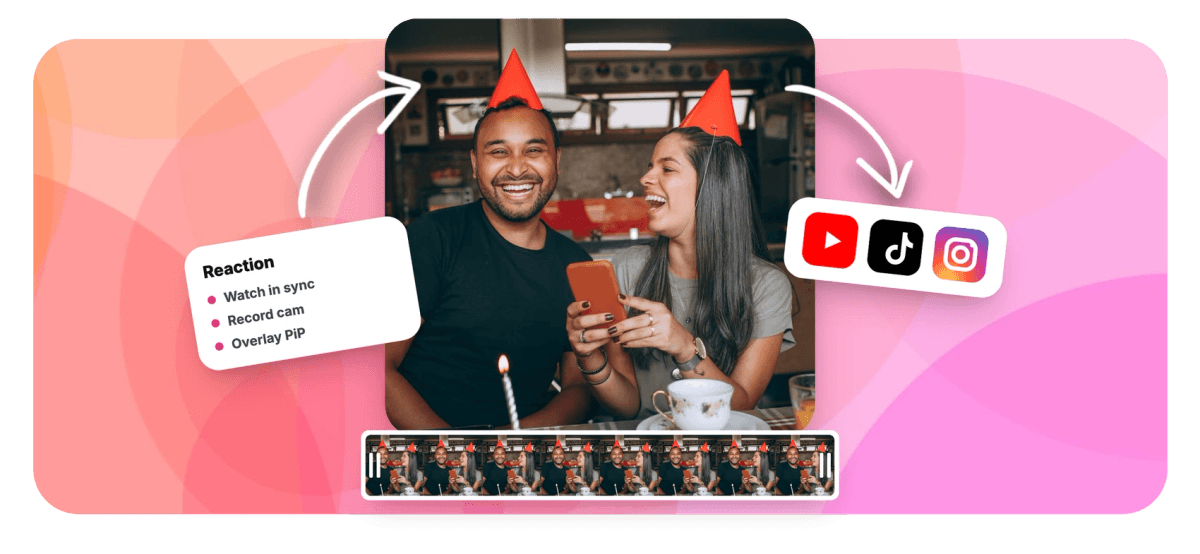
Drop the clip into a project, open the recorder and watch it play in sync while your webcam rolls, then overlay your take picture-in-picture or side by side and export.


Reaction Video Maker: Watch the Source While You Record Features
EchoWave's reaction video tools are used by commentary channels, streamers and podcasters worldwide





Reaction videos
React to the moment, not to your memory of it
EchoWave is a reaction video maker built around one problem: recording yourself while the source plays somewhere else. Here the source clip lives in your project, and the recorder shows a live project monitor next to your camera preview, so you can watch, scrub, and even play the project in sync while your webcam records. Your raised eyebrow lines up with the beat drop because you actually saw it happen. When the take ends, drop it over the source as a picture-in-picture inset or a split-screen pair, caption the quiet parts, and export. The whole thing runs in the browser on top of a full video editor.
-
60 min
Longest single take, and paused time does not count
-
2 layouts
Picture-in-picture inset or side-by-side split
-
170+
Caption styles for feeds that autoplay muted
-
0 installs
Recorder and editor both run in the browser
What you get
From first watch to finished reaction
The recorder catches the moment, the editor frames it.
-
Watch While You Record
Open the webcam recorder inside your project and it shows the edit next to your camera preview. Watch it, scrub it, or hit sync play so the source rolls while you record, and your reactions line up with what caused them.
-
Picture-in-Picture Facecam
Shrink your take into a corner inset over the source: drag it anywhere, scale it, snap it to the edges and round the corners. The full picture-in-picture tool covers the details.
-
Side-by-Side Layouts
Give the source and your camera equal billing in a split-screen layout, side by side for landscape or stacked for vertical, so both faces stay readable on a phone.
-
Takes Land as Separate Layers
Capture screen and camera in one take and both import as independent layers, so you can resize the facecam, trim a cough, or swap the layout without touching the source underneath.
-
Captions for Muted Feeds
Most reactions get scrolled past on mute. Auto-transcribe your commentary with the caption generator, pick from 170+ styles, and let the punchline read as well as it sounds.
-
Balance Source and Mic
Set volume per clip so the source sits under your voice instead of over it. Trim, split and nudge either track until the pause before your reaction feels right.
How it works
How to make a reaction video
Four steps, one tab, no external player juggling.
-
Add the Source Clip
Create a project and drop in the clip you are reacting to. Set the canvas to 16:9 for YouTube or 9:16 for Shorts before you record.
-
Record While You Watch
Open the recorder in camera mode, hit sync play on the live project monitor, and record your take while the source rolls. Pause and resume as needed.
-
Overlay Your Take
Drag your recording over the source as a corner picture-in-picture inset, or size both clips into a side-by-side split. Snap to edges and round the corners.
-
Caption and Export
Auto-caption your commentary, balance the source under your mic, and export an MP4. Free exports carry a small watermark at 720p; paid tiers reach 1080p, 4K or 8K.
Who uses it
Made for people with opinions
-
Music First-Listen Channels
Play the track in the project monitor and catch the exact bar where your face gives it away.
-
Trailer and TV Reactors
Record the gasp in sync with the twist, then overlay it picture-in-picture before the hype cycle moves on.
-
Gaming Creators
React to patch notes, trailers and your own clips with a facecam inset that never covers the action.
-
Sports Breakdown Fans
Pause on the replay, talk through the play, and let the side-by-side layout show the moment and the take together.
-
Podcasters and Cohosts
Turn a clip review segment into video: source on one side, the host camera on the other.
-
Coaches and Teachers
React to student work and game film on camera, with commentary that lands on the exact moment it refers to.
Ready when the source is
Add the clip, open the recorder, and react to what you are actually watching. Free to start.
How creators use EchoWave in real projects

About the EchoWave team
EchoWave is a browser-based video and audio editor built by Lemon Vault LLC since 2018. The people who build the editor write these guides and test every step in the production app before publishing.
Reaction video maker FAQ
How do I make a reaction video?
Create a project in EchoWave and add the clip you are reacting to. Open the built-in recorder, choose camera mode, and record your take while the project monitor plays the source in sync. When you stop, the recording lands in the same project, so you can lay it over the source as a picture-in-picture inset or a side-by-side split, balance the volumes, add captions, and export an MP4. The whole workflow runs in the browser, so there is nothing to install.
Can I watch the video while I record my reaction?
Yes, that is the whole trick. EchoWave's recorder includes a live project monitor: the project you are reacting to appears inside the recorder, where you can watch it, scrub to any moment, and turn on sync play so the source runs while your webcam records. You see the jump scare when your viewers will, so your reaction lines up with the moment that caused it. No second monitor, no phone propped against a laptop, no guessing at timing in the edit.
Should my facecam go picture-in-picture or side by side?
Picture-in-picture keeps the source full-frame with your camera in a corner inset, which suits gameplay, trailers, and anything where the footage carries the video. Side by side gives your face equal billing, which suits commentary-heavy formats and vertical layouts, where stacking the source above your camera keeps both readable on a phone. In EchoWave they are the same project, so you can drag, scale and snap your take between layouts and even switch mid-video by splitting the clip.
How do I keep the source audio from drowning out my mic?
Set volume per clip. Select the source and pull its level down so it sits under your voice, then leave your recording at full level, or nudge it up if your mic runs quiet. Because the source and your take are separate clips on separate tracks, you can also split the source and lower only the sections where you talk over it, or mute it entirely during a long riff. Preview until the mix feels conversational, then export.
Can I make a reaction video on a Chromebook?
Yes. The recorder uses the browser's own capture APIs and the editor runs as a web app, so a Chromebook, a school laptop or any machine with an up-to-date browser works without installing anything. Recording happens locally in your browser with crash-recovery chunking, takes download directly if you just want the file, and the overlay, captioning and export all happen in the same tab. There is no desktop software tier hiding the good parts.
Can I legally react to someone else's video?
That depends on the rights involved, and EchoWave cannot give legal advice. As a rule, use footage you have permission to react to, or rely on doctrines like fair use where they apply in your country. Platforms and courts tend to weigh how transformative a reaction is: sustained commentary, criticism and editing point one way, while silently replaying someone's full video points the other. Many creators keep excerpts short, pause the source to talk, and credit the original. When real money or a takedown is at stake, ask a qualified professional.
How do I add captions to a reaction video?
Select your recorded take in the editor and run auto-transcribe. EchoWave generates word-timed captions from your commentary, detects the language automatically, and gives you 170+ caption styles plus per-word animations to match your channel's energy. You can edit any cue, nudge timing, and highlight keywords. Captions matter more for reactions than most formats: feeds autoplay muted, and a silent clip of someone laughing sells nothing without the words. Burn them in at export, or download SRT and VTT files for YouTube.
Is the reaction video maker free?
Yes, free to start. The recorder works in the browser without an account, and every take can be downloaded directly. Editing a reaction project is free; free exports carry a small watermark and top out at 720p. Paid plans remove the watermark and raise the ceiling: 1080p on Basic, 4K with 50 or 60 fps on Pro, and 8K with 120 fps on Business. Build the video first and decide at export time whether the free tier fits your channel.
Watch the clip, catch the take.
Sync play the source, record your reaction, overlay it, caption it, ship it.
Make a reaction video























































