
The Video Editor for Musicians, Bands and Labels
EchoWave is a free, browser-based video editor for musicians, built around the things artists post most: lyric videos with word-by-word karaoke timing, 93 music visualizer styles, audiograms, and beat-synced edits. Upload a track, snap your cuts to a detected beat grid, and export MP4s sized for YouTube, Reels, TikTok and Spotify Canvas. It runs in any modern browser on Mac, Windows, Linux or a Chromebook, and rendering happens on a cloud farm, so an old laptop keeps up fine.


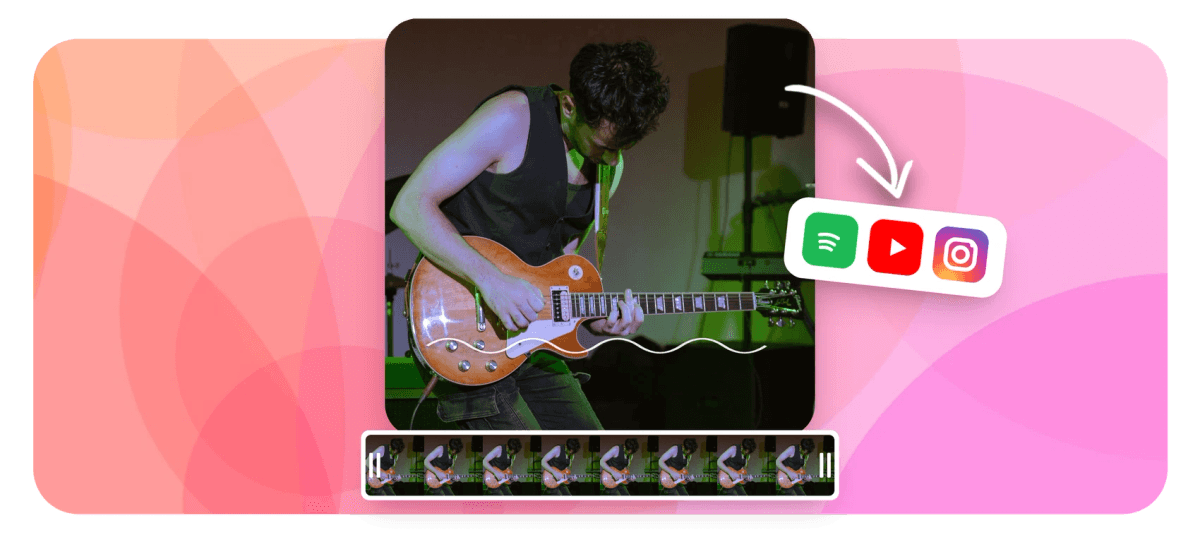
The Video Editor for Musicians, Bands and Labels Features
EchoWave's video editor for musicians is used by independent artists, bands, producers and labels around the world.





Music first
Turn finished tracks into videos worth posting
EchoWave is an audio-first editor, and a video editor for musicians before anything else. Type or auto-transcribe your words in the lyric video maker, pick one of 93 styles in the music visualizer, or turn a whole track into a YouTube upload with audio to video. Then cut everything to the beat on a proper multi-track timeline.
-
93
music visualizer styles
-
176
caption and lyric presets
-
81
text animations
-
8K
top export resolution
Built for release day
Everything a release needs, in one editor
Lyric timing, visualizers, beat detection and templates live in the same timeline, so one upload covers every platform.
-
Lyric videos with karaoke word timing
Auto-transcribe your vocals with word-level timestamps, then apply one of 176 caption presets, including word-by-word karaoke styles where the active word fills with color as it is sung. Every word is editable, so you can fix a misheard lyric, recolor the hook, or add emphasis to a single syllable. Lines sit on the timeline as cues you can nudge until the timing feels right.
-
Beat sync with snap-to-beat editing
The new beat sync feature detects the beat of your uploaded track automatically and lays a beat grid across the timeline. Cuts, keyframes and transitions snap to the grid, so montage edits land on the downbeat instead of a few frames off. It works on any audio you upload, from a demo bounce to a mastered single.
-
93 music visualizer styles
Choose from waveform, FFT spectrum and bar visualizers, 93 styles in total, and recolor any of them to match your cover art. Layer a visualizer over album art, tour photos or footage, then resize it for a vertical, square or widescreen canvas. It reacts to your actual audio, no manual animation needed.
-
Audiograms for track promos
The audiogram creator combines your cover art, an animated waveform and captioned lyrics into a short clip built for feeds. Pick the 15 seconds with your best hook, caption it, and export a 9:16 or 1:1 MP4 for Reels and TikTok. It is the fastest way to give a song a visual before the real video exists.
-
Spotify Canvas loops
Spotify Canvas takes a 3 to 8 second vertical MP4, and EchoWave exports exactly that: set the canvas to 9:16, trim to the most hypnotic bar of your track, preview it looping, and render. One honest note: EchoWave produces the file, and you upload it yourself through Spotify for Artists, since Spotify does not allow third-party uploads.
-
Built as a video editor for musicians
EchoWave treats your track as the star: the canvas auto-sizes to your first upload, audio sits on its own tracks, and there is deliberately no stock music library, because the entire point is your music. A categorized panel of 30 sound-effect packs covers risers and impacts for edits.
-
A real timeline underneath
Under the music tools sits a multi-track magnetic timeline with keyframes on position, scale, rotation and opacity, plus motion paths you can draw by hand. There are 56 transitions and 81 text animations to time against the grid. If you outgrow the presets, nothing stops you building a full music video shot by shot.
-
Templates for tour dates and release days
Save a promo layout as a template with text, image and audio placeholders, and your brand kit keeps fonts, colors and logos consistent across every post. Need 20 city announcements for a tour? Upload a CSV and batch render up to 100 versions in one go, each with its own date and venue.
How it works
How to make a video for your track
A first project goes from upload to render in four steps, all in the browser.
-
Upload your track and artwork
Drop in your MP3 or WAV, plus cover art, press photos or footage. The canvas auto-sizes to the first thing you add, and the editor is free to use without an install or a download.
-
Add lyrics or a visualizer
Run auto-captions to transcribe your vocals with word timestamps and pick a karaoke preset, or skip lyrics and choose one of the 93 visualizer styles. Recolor either to match your cover art with the brand kit.
-
Cut everything to the beat
Turn on beat detection to get a beat grid on the timeline, then snap cuts, keyframes and transitions to it. Add zoom pops or motion-path moves on the downbeats where the track hits hardest.
-
Resize and export per platform
Duplicate the project across 16:9 for YouTube, 9:16 for Reels and Canvas, and 1:1 for feed posts. Free exports are HD MP4s up to 720p with a small removable EchoWave badge, and paid plans remove it and render 1080p up to 4K, with 8K and 120fps on Business.
Sized to post
The right shape for every platform
-
9:16 Vertical
- Spotify Canvas
- Reels
- TikTok
-
1:1 Square
- Instagram feed
- Audiograms
-
16:9 Widescreen
- YouTube
Real workflows
What musicians make with EchoWave
-
A lyric video for the new single
Transcribe the vocal, fix the lines the AI misheard, and apply a karaoke preset so each word fills as it is sung, with the hook in a second color. Post the full 16:9 version on YouTube and cut a 9:16 chorus clip for Shorts from the same project.
-
Spotify Canvas for every track
Trim each song's most looping-friendly 8 seconds, set the canvas to 9:16, and export an MP4 that fits Spotify's 3 to 8 second spec. Upload the files yourself in Spotify for Artists, one per track on the record.
-
Audiogram teasers before release
Stack cover art, an animated waveform and a captioned hook line into a 15 second vertical clip. Schedule nothing inside EchoWave, just download the MP4 and post it to Reels and TikTok in the run-up to release day.
-
Full-track YouTube uploads
Lay a spectrum visualizer over the album art so the track can stream on YouTube the day it drops. Add scrolling end credits for writers, producers and the mastering engineer with the built-in credits maker.
-
Tour date announcements at scale
Build one on-brand template with placeholders for city, venue and date, then batch render a version for every stop from a CSV. Twenty posts come out matching, without twenty separate editing sessions.
-
Live clips cut on the beat
Drop in phone footage from last night's show, run beat detection on the audio, and snap your cuts to the grid so the edit moves with the song. Finish with a transition on the final hit and captions for the crowd chant.
Compare
How EchoWave compares
| Feature | EchoWave | Canva | VEED | Specterr |
|---|---|---|---|---|
| Music visualizer styles | yes (93 styles) | No | yes (limited) | Yes |
| Karaoke-style word-timed lyrics | yes (176 presets) | No | Yes | Yes |
| Beat grid with snap-to-beat editing | Yes | Yes | No | No |
| Multi-track timeline with keyframes | Yes | Yes | Yes | No |
| Audiogram maker | Yes | No | Yes | Yes |
| Aspect presets (9:16, 1:1, 4:5, 16:9) | Yes | Yes | Yes | limited |
| AI captions with word timestamps | Yes | Yes | Yes | No |
| Batch rendering from CSV or API | yes (100 rows) | yes (Pro) | No | No |
| AI voice over | yes (63 voices) | yes (apps) | Yes | No |
| Stock music library | no (bring your own) | Yes | Yes | No |
| Free exports | yes (720p, watermark badge) | Yes | yes (watermarked) | yes (watermarked) |
| Mobile app | no (web + desktop) | Yes | Yes | No |
Based on each tool's public pages as of July 2026. Plans and features change, so check each vendor for current details.
Make something for your next release
Upload a track and have a lyric video, visualizer or Canvas loop on the timeline in minutes. Export free in HD with a small removable watermark badge, and paid plans remove it and render 1080p up to 4K.
What people are saying about EchoWave

About the EchoWave team
EchoWave is a browser-based video and audio editor built by Lemon Vault LLC since 2018. The people who build the editor write these guides and test every step in the production app before publishing.
The Video Editor for Musicians, Bands and Labels FAQ
What is the best video editor for musicians?
It depends on what you make. For narrative music videos shot on camera, editors like DaVinci Resolve or Premiere Pro are the standard. For the videos musicians post every week, lyric videos, visualizers, audiograms, Canvas loops and beat-synced clips, EchoWave is built for exactly that workload and is free to try in the browser with no install.
How do I make a lyric video from my song?
Upload the track, run auto-captions to transcribe the vocal with word-level timestamps, and correct any lines the AI misheard. Then apply one of the 176 caption presets, including karaoke styles with active-word fill, adjust per-word color and timing, and export an MP4. If you already have timed lyrics, you can import an SRT instead of transcribing.
Can I make a Spotify Canvas in EchoWave?
Yes. Set the canvas to 9:16, trim a 3 to 8 second loop, and export an MP4, which matches Spotify's Canvas spec: a 9:16 vertical video, 3 to 8 seconds, at least 720px tall. EchoWave produces the file but does not connect to Spotify, so you upload it yourself through Spotify for Artists.
Does EchoWave detect the beat of my track?
Yes, beat sync shipped recently. The editor analyzes your uploaded audio, detects the beat automatically, and draws a beat grid across the timeline. Cuts, keyframes and transitions then snap to that grid, which is what keeps montage edits feeling locked to the music.
Is EchoWave free for musicians?
Yes. The free plan lets you upload tracks, build lyric videos and visualizers, and export HD MP4s up to 720p with a small removable EchoWave watermark badge and a short branded end card. Paid plans remove the badge and end card and raise quality to 1080p and 4K, with 8K and 120fps on Business, plus more formats. You can finish and post a real video on your own music before spending anything.
What video formats do music platforms need?
YouTube wants a 16:9 MP4, Reels, TikTok and Shorts want 9:16, and Spotify Canvas takes a 3 to 8 second 9:16 MP4. The free plan exports MP4 up to 720p with a watermark badge, Basic removes the badge and adds 1080p, WebM and audio-only MP3 and M4A, and Pro adds 4K, MOV, GIF, WAV and FLAC. Aspect presets let you re-render one project at each size.
Can my band or label use EchoWave as a team?
There is no real-time multi-user collaboration, so two people cannot edit the same project at once. Labels and managers instead lean on templates with placeholders: build one branded layout, then batch render up to 100 variations from a CSV, or drive template fills and renders through the REST API and MCP server.
Can EchoWave separate vocals from the instrumental?
No, there is no stem separation, so it cannot split a mixed track into vocals and instrumentals. You upload the mix or the stems you already have from your DAW. Lyric timing still works on a full mix, since the transcription reads the vocal directly and every word stays editable by hand.
Do I have to bring my own music?
Yes. EchoWave has no stock music library, which suits musicians fine since the whole point is your own track. There is a categorized sound-effects panel with 30 SFX packs for risers, impacts and transitions, and 63 AI voices if a promo needs a spoken line.
Ready to edit your next release?
Export free in HD with a small removable watermark badge. Paid plans remove it and render up to 4K.
Get Started →























































