
Audio Visualizer
Audio visualizer that turns songs and podcasts into eye catching waveform videos. Pick a style, drop in your track and export for socials. Free, in your browser.


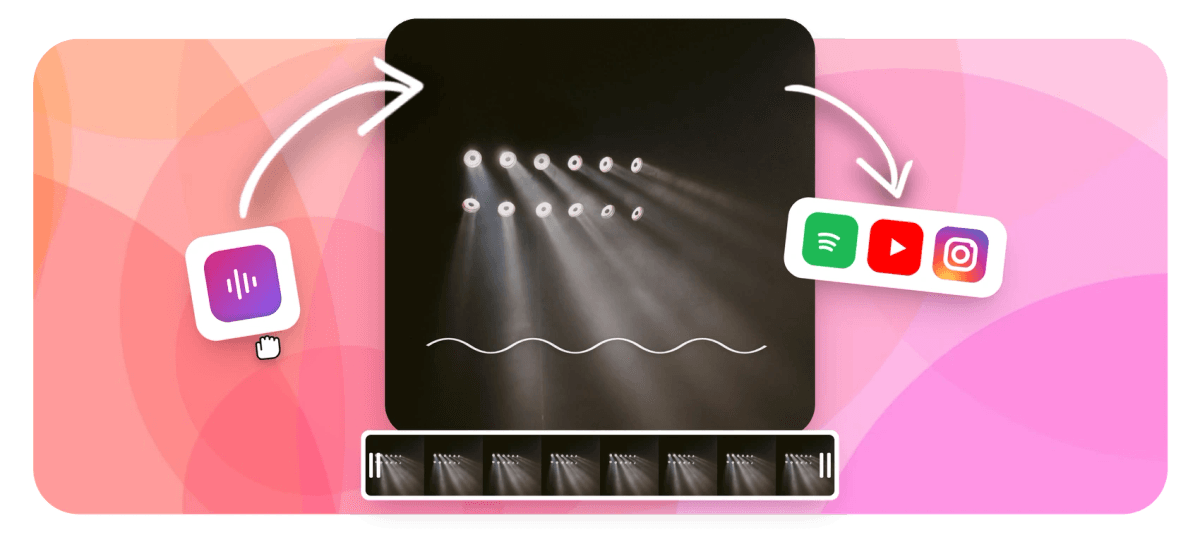
Audio Visualizer Features
Podcasters and musicians use EchoWave's audio visualizer for share-ready clips.





How it works
One upload, multiple visualizer styles
Upload your audio, choose a visualizer style (waveform, FFT bars, spectrum, or siri-style), then place and animate it on any canvas size. Pair it with cover art, text, or video footage. For music-specific visual styles and beat-synced lyric videos, see Music Visualizer and Lyric Video Maker. For a spoken-word clip with a waveform thumbnail, try Audiogram Creator.
-
4
visualizer styles: waveform, FFT bars, spectrum, siri-style
-
5
export formats: MP4, WebM, MOV, GIF, and more
-
4K
max render resolution on paid plan
-
0
software to install, runs fully in browser
Features
Build the visualizer, sync it to the beat, and export
EchoWave analyzes your audio frame-by-frame using FFT, then drives each visual element from the frequency and amplitude data.
-
Four audio visualizer styles
Pick from a classic waveform line, FFT frequency bars, a spectrum analyzer display, or a siri-style radial pulse. Each style reads from the same FFT analysis, so swapping styles keeps your audio sync. Layer multiple styles on one canvas for a combined look.
-
Keyframe-synced animation
EchoWave's multi-track timeline lets you keyframe color, scale, opacity, and position on any visualizer element. Fade the bars in on the drop, shift the palette mid-song, or scale up the waveform at a specific timestamp. No script needed, just drag keyframe handles on the timeline.
-
Multi-aspect canvas for any platform
Switch between 9:16 for TikTok and Reels, 1:1 for Instagram feed posts, and 16:9 for YouTube, all from one project. The canvas auto-sizes to your first uploaded media, and you can resize at any point without re-exporting your audio. See Sound Wave Maker for a dedicated waveform-thumbnail tool.
-
Layer text, images, and video behind the visualizer
Place album art, a background video, a logo overlay, or animated text on any track. The timeline stacks layers just like a video editor, so the visualizer sits on top of your background without any extra steps. Supports MP4, MOV, WebM, and common image formats as background layers.
-
Color and style controls
Set bar color, gradient direction, glow intensity, and line thickness using the properties panel. Every property is keyframeable, so you can shift from a cool blue to pink on the chorus. Presets give you a starting point you can customize in seconds.
-
Auto-captions and text overlays
Add AI-generated captions to your visualizer video automatically. EchoWave transcribes speech and places word-level captions with 160-plus preset styles including MrBeast and TikTok styles. Useful for podcast clips where you want both the waveform and readable text on screen.
-
Cloud render, HD export
Renders process on EchoWave's cloud farm, so your laptop CPU is never the bottleneck. Free accounts export HD MP4 with a small removable badge. Paid plans export at 4K H.264 and remove the badge. For an audio-only waveform video, check the dedicated tool.
-
Direct share to YouTube, TikTok, Instagram
After rendering, copy the download link or share directly to social platforms from the render page. The 9:16 preset outputs the correct pixel dimensions for TikTok and Reels without manual cropping. You can also download GIF previews for thumbnails or story stickers.
How it works
How to make an audio visualizer video
From upload to exported MP4 takes about three minutes for a typical track.
-
Upload your audio file
Drag an MP3, WAV, or AAC file onto the timeline. EchoWave accepts most common audio formats. If you are working from a video file and want to pull the audio out first, use the Extract Audio tool.
-
Choose a visualizer style
Open the Audio Visualizer tool from the sidebar and pick waveform, FFT bars, spectrum, or siri-style. Drag the element onto the canvas and position it. Resize handles let you stretch the visualizer across the full width or keep it as a small inset.
-
Customize colors and add layers
Set your bar color, gradient, and glow in the properties panel. Add a background image or video on a lower track, drop in a text overlay with your track title, and set the canvas aspect ratio to match your target platform.
-
Export and share
Click Export, choose your resolution and format, and EchoWave renders in the cloud. HD MP4 is available on the free plan with a small badge. Paid plans remove the badge and enable 4K. Download the file or copy the share link directly from the render page.
Sized to post
The right shape for every platform
-
9:16 Vertical
- TikTok
- Reels
- Shorts
-
1:1 Square
- Threads
-
16:9 Landscape
- YouTube
Use cases
What creators use EchoWave's audio visualizer for
-
Music singles and EP previews
Artists upload a track excerpt, place album art as the background, and overlay an FFT bar visualizer in their brand colors. The result is a shareable 60-second preview clip ready for Instagram and YouTube.
-
Podcast highlight clips
Podcasters cut a 90-second quote, add a waveform line so viewers know audio is playing, and drop in auto-generated captions. The clip performs well on TikTok and Reels where sound-off viewing is common.
-
DJ sets and live session recordings
DJs render a spectrum analyzer over a dark background to give live recordings a visual identity. Keyframe color shifts let the palette change across set sections without manual editing.
-
YouTube music videos on a budget
Indie musicians loop a short background clip under an animated waveform as the main visual. EchoWave lets you loop a short clip and render at 4K on the paid plan.
-
Localized audio content
Language learners and educators add a waveform to pronunciation audio clips so the stress pattern is visible. Auto-captions in the target language sit below the waveform for reinforcement.
-
Social media audio announcements
Brands announce a product or event using a voice memo over a branded background, with a siri-style radial pulse showing the audio is playing. The 9:16 canvas fits Instagram Stories and TikTok without cropping.
Build your audio visualizer video now
Upload an audio file and have an animated visualizer video ready to share in minutes. Free plan exports HD MP4. Paid plan removes the watermark badge and enables 4K.
What people are saying about EchoWave

About the EchoWave team
EchoWave is a browser-based video and audio editor built by Lemon Vault LLC since 2018. The people who build the editor write these guides and test every step in the production app before publishing.
Audio Visualizer FAQ
What is an audio visualizer?
An audio visualizer is an animated graphic that reacts to the frequency and amplitude of an audio signal in real time. Common styles include bar charts driven by FFT frequency data, a smooth waveform line tracing the signal, a circular siri-style pulse, or a full spectrum analyzer display. You can export the result as an MP4 video to share on YouTube, TikTok, or Instagram.
How does EchoWave's audio visualizer work?
EchoWave runs a Fast Fourier Transform (FFT) on your audio track frame by frame, measuring the energy at each frequency band. Those values drive the height of bars, the thickness of a waveform line, or the radius of a radial ring on every frame of the video. The entire process runs in the browser for preview and on EchoWave's cloud render farm for the final export.
Can I make a free audio visualizer video without a watermark?
The free plan exports HD video with a small EchoWave badge in the corner. The badge is removable by upgrading to a paid plan, which also enables 4K export. There is no time limit on the free plan and no cap on the number of visualizer videos you can create.
What audio formats can I upload?
EchoWave accepts MP3, WAV, AAC, and other common audio formats. You can also upload a video file and the audio track will be detected automatically. If you need to extract the audio from a video first, the Extract Audio tool handles that in one step.
What is the difference between this tool and the Music Visualizer page?
The Music Visualizer page focuses on music-specific presets and styles tuned for beat-heavy tracks. This audio visualizer tool covers the broader category: any audio signal including voice, podcast recordings, ambient sound, and music. Both use the same FFT engine under the hood, but this tool gives you more layout flexibility and access to all four visualizer styles.
Can I add captions or text to my audio visualizer video?
Yes. EchoWave's AI auto-caption feature transcribes speech in your audio and places animated captions on screen. You can choose from 160-plus caption presets including word-level karaoke styles. Text overlays, titles, and logos can also be added as separate layers on the timeline and positioned anywhere on the canvas.
What aspect ratios are supported for audio visualizer videos?
EchoWave supports 9:16 for TikTok, Reels, and Shorts; 1:1 for Instagram feed posts; 4:5 for Instagram portrait; 16:9 for YouTube; and custom dimensions up to a 4K cap. You can switch ratios within the same project, and the canvas auto-sizes to match your first uploaded media.
Can I add a background image or video behind the visualizer?
Yes. Add any image or video file as a background layer on the timeline. The visualizer sits on a layer above it, so you can use album art, a looping video clip, a gradient, or a plain color as the backdrop. You can also add a logo watermark or branding overlay on a separate track.
Does EchoWave have an audiogram or sound wave maker tool as well?
Yes. The Audiogram Creator is a faster workflow for producing a static waveform thumbnail with a playback bar, which is common for podcast quote cards. The Sound Wave Maker generates standalone waveform graphics. This audio visualizer tool is the full editor when you want animated, reactive visuals over a full-length video.
Ready to visualize your audio in minutes?
Upload an MP3 or WAV, pick your visualizer style, and export HD video free. The free plan adds a small watermark badge; upgrade to paid to remove it and export at 4K.
Get Started →























































