
Faceless Video Maker
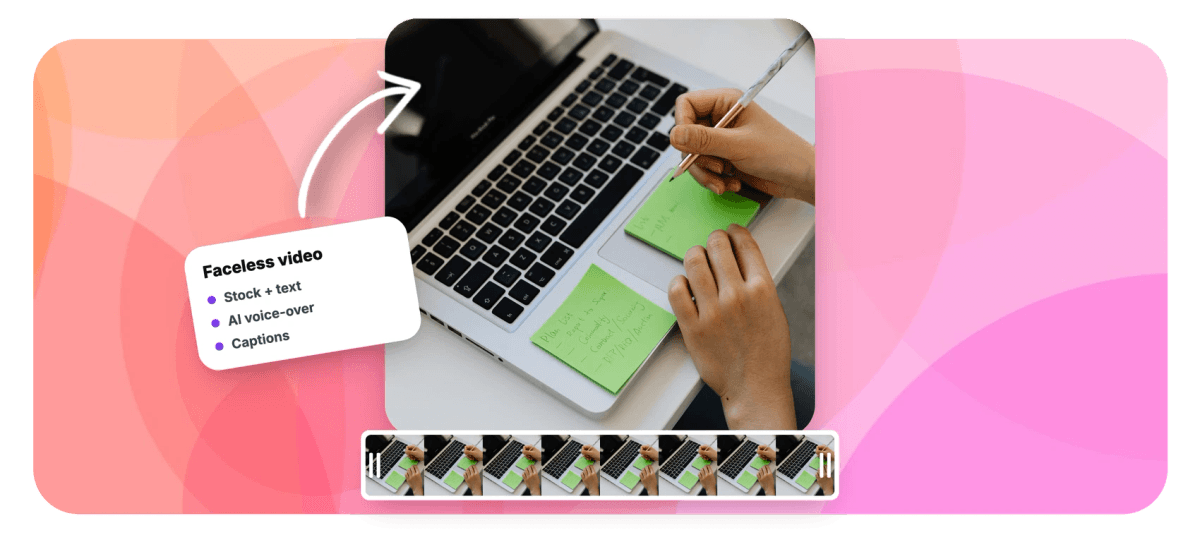
EchoWave is a faceless video maker that runs in your browser. Write a script, pick one of 63 AI voices, then build the visuals from your own footage, stock photos, AI-generated images and animated text. Auto-captions with word-by-word karaoke styles keep viewers reading, and 93 music visualizer styles fill the screen when there is nothing to film. Free exports are HD with a small removable EchoWave watermark badge; paid plans remove the badge and render up to 4K.


Faceless Video Maker Features
EchoWave's faceless video maker is used by YouTube narrators, TikTok storytellers and niche channel builders around the world.





No camera needed
A faceless video maker built around your script
Every faceless channel runs on the same recipe: a tight script, clear narration and visuals that keep people watching. EchoWave handles each piece in one editor. Turn your script into narration with text to speech, add b-roll from stock photos or AI-generated images, then let the caption generator time every word. Nothing is generated behind your back; you decide exactly what appears on screen.
-
63
AI narration voices
-
176
caption presets
-
93
music visualizer styles
-
81
text and element animations
The faceless toolkit
Everything a faceless channel needs, nothing you have to film
Each feature below replaces something a camera would normally do.
-
Built as a faceless video maker, not a clip generator
EchoWave does not invent video clips from a prompt, and we would rather say that up front. It assembles your video from parts you control: narration, images, recordings, captions and motion design. YouTube's inauthentic content policy now demonetizes mass-produced AI uploads, so that editorial control protects your channel as much as it improves it.
-
63 AI voices for narration
Paste your script into the AI voiceover generator and pick from 63 natural voices with streaming generation, so long scripts start playing back within seconds. Voice cloning is available as a paid feature when you want one consistent narrator across every upload.
-
Karaoke captions that hold attention
Auto-captions transcribe your narration with word-level timestamps, then style it with one of 176 presets, including hormozi and MrBeast-style Beast Mode looks with active-word fill. Edit per-word color and emphasis, and translate subtitles into 86 languages to reach viewers outside your home market.
-
AI images and stock photos for b-roll
Generate AI images in create or edit mode for backgrounds, covers and b-roll stills, or pull from the stock photo library. Add Ken Burns pan-zoom so stills move, or string them into a narrated slideshow when you have more script than footage.
-
93 visualizer styles for audio-led videos
When there is nothing to show, show the sound. The music visualizer covers 93 styles across waveforms, FFT spectrums and bars, plus audiograms and lyric videos, with automatic beat detection and snap-to-beat on the timeline.
-
Animated text and motion design
Put animated text to work with 81 animations, 30 entrance, 25 exit and 26 loop, plus 56 transitions between scenes. Keyframe position, scale, rotation and opacity on any layer, or draw a motion path and send a layer along it.
-
Text-based editing for tight pacing
Faceless viewers click away during dead air. Edit the transcript to cut the video, and remove filler words and silences automatically, so an eight-minute draft tightens into six without scrubbing the timeline.
-
Echo, the AI assistant inside the editor
Echo is a chat panel with 39 editing tools. Ask it to caption the whole video in a preset, split and speed up clips, add zoom pops, or generate the voice over itself, and it saves a checkpoint before big changes so one click reverts everything.
How it works
How to make a faceless video
From blank script to uploaded video in four steps.
-
Write and voice your script
Open echowave.io in any modern browser, start a free project and paste your script into the text to speech panel. Audition a few of the 63 voices, rewrite lines that sound stiff and generate the final narration.
-
Lay in the visuals
Drop in your own clips, screen recordings, stock photos or AI-generated images. The canvas auto-sizes to your first media, and the magnetic timeline keeps everything snapped in order while you arrange scenes against the narration.
-
Caption and animate
Run auto-captions, pick a preset and check the word timing. Add animated titles, transitions between scenes and a visualizer under any audio-only stretch so the screen never sits still.
-
Export free in HD
Preview the full video in your browser, then export it on the free plan as an HD (up to 720p) MP4 with a small removable EchoWave watermark badge and a short branded end card. Rendering happens on a cloud render farm, so an old laptop finishes as fast as a new one. Paid plans remove the badge and end card and raise resolution to 1080p, 4K on Pro and 8K on Business.
Sized to post
The right shape for every platform
-
16:9 YouTube
- YouTube
- Explainers
- Documentaries
-
9:16 Vertical
- Shorts
- TikTok
- Reels
-
1:1 Square
- X
Faceless formats
Six faceless channel formats you can build today
-
Story narration channels
Paste a story, generate a narrator voice and run karaoke captions over your own looping b-roll. Word-by-word active fill is the retention trick every big story channel uses on Shorts and TikTok.
-
Explainers and mini documentaries
Build 16:9 essays from stock photos, AI-generated images and Ken Burns moves, with animated lower thirds for names and dates. Subtitle translation into 86 languages opens the same video to new markets.
-
Screen-recorded tutorials
Record your screen with audio in the built-in recorder studio, then add zoom pops on the parts that matter and blur regions over anything private. The teleprompter keeps your narration on script.
-
Music and ambient channels
Upload your own tracks, pick one of 93 visualizer styles and let beat sync snap cuts to the rhythm. Note that EchoWave has no stock music library, so bring music you hold rights to.
-
Facts, quotes and list videos
Build one template with text and image placeholders, then bulk-render from a CSV at up to 100 rows per batch. That is a month of daily uploads from one spreadsheet.
-
Meditation and sleep content
Pair a calm AI voice with slow pan-zoom over stills and a soft waveform visualizer. Long-form 16:9 exports with gentle transitions and burned-in subtitles suit this format.
Compare
How EchoWave compares
| Feature | EchoWave | Fliki | Pictory | InVideo AI |
|---|---|---|---|---|
| Free browser editor | Yes | limited | trial | limited |
| AI script-to-video generation | No | Yes | Yes | Yes |
| Stock music library | no (SFX packs only) | Yes | Yes | Yes |
| AI voiceover | yes (63 voices) | Yes | Yes | Yes |
| Word-by-word karaoke captions | yes (176 presets) | basic | basic | basic |
| Subtitle translation | yes (86 languages) | Yes | Yes | Yes |
| Multi-track timeline with keyframes | Yes | No | No | limited |
| Music visualizers and audiograms | yes (93 styles) | No | No | No |
| Edit video by editing the transcript | Yes | No | Yes | limited |
| Screen, webcam and voice recorder | Yes | No | No | No |
| Template API for batch rendering | yes (REST + MCP) | yes (API) | yes (API) | No |
| Free video downloads | yes (720p, watermark badge) | yes (watermark) | trial (watermark) | yes (watermark) |
Based on each tool's public pages as of July 2026. Features and plans change quickly in this category, so check each vendor's site for current details.
Make your first faceless video today
Open the editor in your browser, paste a script and have a narrated, captioned draft ready this afternoon. Export it free in HD with a small EchoWave watermark badge; paid plans remove the badge and render up to 4K, with 8K on Business.
How creators use EchoWave in real projects

About the EchoWave team
EchoWave is a browser-based video and audio editor built by Lemon Vault LLC since 2018. The people who build the editor write these guides and test every step in the production app before publishing.
Faceless Video Maker FAQ
What is a faceless video maker?
It is a tool for making videos where nobody appears on camera. The video carries itself with narration, captions, images, screen recordings and motion design instead of a presenter. EchoWave supplies each of those pieces in one browser editor: 63 AI voices, auto-captions with 176 presets, AI image generation, 93 music visualizer styles and a multi-track timeline.
Is EchoWave a good faceless video maker for beginners?
Yes. It runs in your browser with nothing to install, and the free plan covers the whole workflow: upload, edit, caption, preview and export in HD with a small EchoWave watermark badge. Echo, the built-in AI assistant, handles fiddly jobs like captioning, splitting clips and setting keyframes on request, which flattens the learning curve considerably.
Does EchoWave generate video clips from a text prompt?
No, and we think you should be wary of that pitch anyway. EchoWave generates AI images and AI voice over, but the video itself is assembled from media you choose: your footage, screen recordings, stock photos, generated stills, captions and animation. You keep editorial control over every frame, which matters now that platforms penalize low-effort AI output.
Can faceless YouTube channels still be monetized in 2026?
Yes. YouTube treats faceless creators like any other: hit the Partner Program thresholds of 1,000 subscribers plus 4,000 watch hours, or 10 million Shorts views, and you can earn ad revenue. The catch is YouTube's inauthentic content policy, which demonetizes mass-produced, repetitive uploads, so original scripts and real editing matter more than ever. Also disclose synthetic voices or AI visuals with the altered or synthetic content checkbox in YouTube Studio.
Which AI voice works best for faceless videos?
Match the voice to the niche: story channels usually run deeper, slower voices, while list and fact formats suit brighter, quicker ones. EchoWave has 63 voices to audition, and generation streams so you hear results within seconds. If you want a narrator nobody else has, voice cloning is available on paid plans.
How do I add captions to a faceless video?
Auto-captions transcribe the narration with word-level timestamps, then you pick from 176 presets, including karaoke styles where the active word fills with color as it is spoken. You can edit per-word color and emphasis, translate subtitles into 86 languages, burn the captions into the export, and export SRT, VTT, TXT or JSON files alongside the video.
What do I put on screen if I never film myself?
More than most people expect: screen recordings, stock photos, AI-generated images with Ken Burns movement, animated text, music visualizers, charts you paste in as images, gameplay or drone footage you own, and picture-in-picture layouts. Rotating between two or three of these every few seconds is what keeps faceless videos watchable.
Is EchoWave free to use?
Yes, and that includes exporting. The free plan lets you upload, edit, caption, preview and export a finished video as an HD (up to 720p) MP4 with a small removable EchoWave watermark badge and a short branded end card. Paid plans remove the badge and end card and add higher quality and more formats: 1080p plus WebM and MP3 or M4A audio from Basic, MOV, GIF, WAV, FLAC, 1440p and 4K from Pro, and 8K and 120fps on Business.
Can I batch-produce faceless videos?
Yes, through templates. Build one video with text, image, video and audio placeholders, then bulk-render from a CSV upload at up to 100 rows per batch. There is also a REST API and an MCP server (the npm package echowave-mcp) so scripts and AI agents can fill templates and trigger renders; external access covers template filling and rendering only, not free-form timeline editing.
Ready to build your faceless channel?
Edit, preview and export free in your browser, with no camera, no install and no filming.
Get Started →























































