
Video Joiner Online
Video joiner that merges multiple clips into one seamless video. Reorder, trim the joins and add transitions, then export. Free, in your browser, no watermark.


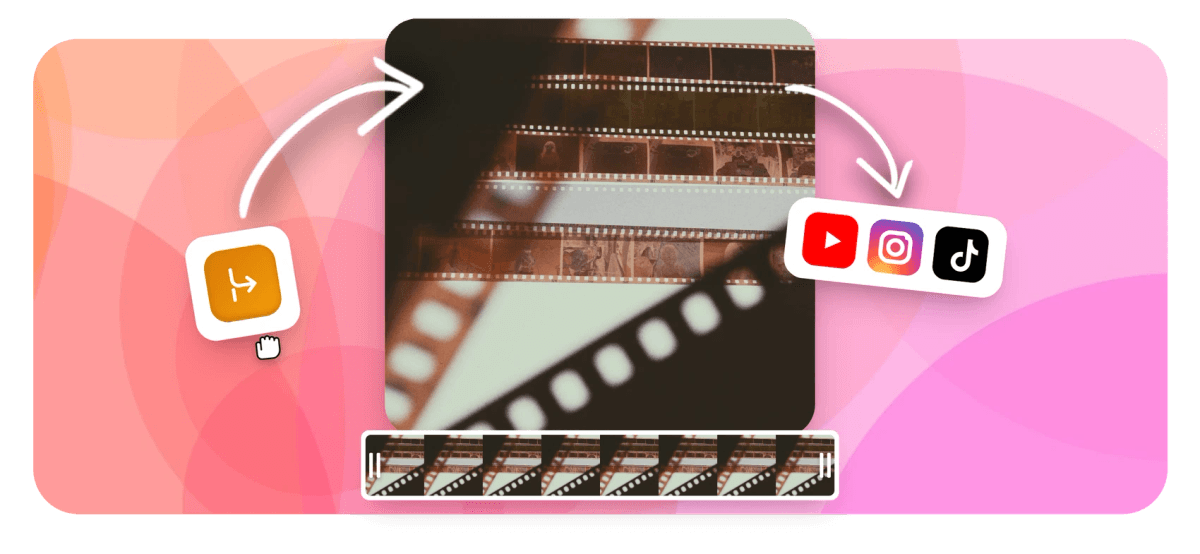
Video Joiner Online Features
EchoWave's browser-based video tools are used by creators, educators, and small teams around the world.





Combine clips fast
Drag clips into order and export one clean video
EchoWave's video joiner puts all your clips on a magnetic timeline. Arrange them, trim the edges, then hit export. The underlying engine is the same one powering the Video Merger tool. If you need to go the other direction and cut one file into pieces, the Split Video tool handles that. For broader editing after joining, the Online Video Editor has the full timeline.
-
4+
input formats accepted (MP4, MOV, WebM, AVI)
-
HD
free export quality
-
4K
maximum export resolution on paid plan
-
0
software downloads required
What you get
A video joiner online with a full editing timeline
Join clips, then trim and polish each one on the timeline before the final stitch.
-
Join videos online with drag-and-drop ordering
Upload multiple clips and drag them into the sequence you want on the timeline. Reordering is instant; nothing re-encodes until you hit export. Supports MP4, MOV, WebM, and AVI inputs in the same project.
-
Trim each clip before joining
Clip handles on the timeline let you shave frames off the start or end of any individual segment before the join. No need to pre-edit in a separate tool. Pair with the Video Cutter if you need frame-accurate cuts on a single clip first.
-
Multi-track timeline for music and voiceover
Audio tracks sit on their own lane below the video. Add background music, a voiceover, or any audio file and adjust its volume independently. The Audio Merger tool is available if you need to combine audio tracks separately.
-
AI auto-captions across the joined video
After joining, run AI speech-to-text on the full combined clip in one pass. EchoWave generates captions with 160+ style presets, including word-level karaoke styles. Captions burn into the final export so you ship one self-contained file.
-
Export as MP4, MOV, or WebM
Choose the output format that fits where the video is going. MP4 plays on every platform. WebM is compact for web delivery. MOV works well if the file heads into another desktop editor. Cloud rendering means export speed does not depend on your laptop hardware.
-
Speed remap individual clips
Slow down or speed up any single clip in the joined sequence before export. Useful for highlight reels where you want one section in slow motion and the rest at normal speed. Speed keyframes let you ramp between rates within a single clip.
-
Secure cloud processing
Files upload to EchoWave's secure cloud render farm operated by Lemon Vault LLC. Processing runs in the cloud so older devices handle large files just as well as new ones.
-
Works in any modern browser, no install
Chrome, Edge, Firefox, and Safari on Mac, Windows, and Linux all work. Open the editor, upload your clips, and start joining. No plugin, no app store download, no account required to get started.
How it works
How to join videos online with EchoWave
Four steps from separate clips to one finished video.
-
Upload your video clips
Click the upload area or drag files straight into the browser. You can bring in MP4, MOV, WebM, and AVI files in one go. There is no limit on the number of clips you add to a single project.
-
Arrange clips in the order you want
Each clip lands on the timeline as a separate block. Drag the blocks left or right to set the sequence. Trim the in and out points of any clip by dragging its edges on the timeline.
-
Add audio, captions, or other finishing touches
Drop in a music track, run AI captions on the full joined video, or adjust individual clip speed. All edits are live on the timeline before anything encodes. Skip this step if you just need a straight join.
-
Export and download your joined video
Pick your output format (MP4, MOV, or WebM) and resolution (up to HD free, up to 4K on paid). The cloud render farm encodes the file and gives you a download link.
Who uses this
When you need a video joiner online
-
Highlight reels
Pull the best moments from several recordings and stitch them into one continuous reel. Trim dead air from each clip on the timeline before the join, so the final cut stays tight.
-
Multi-part recordings
Screen recordings, webcam sessions, and interview segments often split across files when storage runs out mid-session. Join them back into one continuous file for sharing or archiving.
-
YouTube and podcast intros plus main content
Pre-record a branded intro clip once, then join it to each new episode or video. One export delivers the intro and main content as a single file ready to upload.
-
Wedding and event videos
Combine footage from multiple cameras or phones into one edited video. Reorder clips chronologically on the timeline without re-encoding until the final export.
-
Online courses and tutorials
Record each lesson section separately, then join them into one module file. Add auto-captions after joining so the whole video is captioned in a single pass.
-
Social media compilations
Combine short clips into a longer compilation for Instagram, TikTok, or YouTube. Use the multi-aspect resize after joining to export the same compilation in 9:16 for Reels and 16:9 for YouTube from one project.
Combine your clips in minutes
Upload your footage, drag it into order, and export one clean joined video. Free to start, no download, works in any browser.
What people are saying about EchoWave

About the EchoWave team
EchoWave is a browser-based video and audio editor built by Lemon Vault LLC since 2018. The people who build the editor write these guides and test every step in the production app before publishing.
Video Joiner Online FAQ
Can I use the video joiner online for free?
Yes. EchoWave's video joiner online is free to use. You can upload clips, arrange them on the timeline, and export an HD video at no cost. The free plan adds a small EchoWave badge to the exported file. Upgrading to a paid plan removes the badge and enables 4K export.
How many video clips can I join at once?
There is no fixed limit on the number of clips you can add to a single project. Add as many files as your project needs. All clips land on the same timeline where you can drag them into sequence and trim each one before exporting.
Can I join videos of different formats, like an MP4 and a MOV together?
Yes. EchoWave accepts MP4, MOV, WebM, and AVI in the same project. The cloud render farm re-encodes everything to a single output format on export, so mixed-format clips merge cleanly without you needing to pre-convert anything.
Will joining videos reduce the quality?
EchoWave re-encodes clips on export using H.264 at your chosen resolution. Choose HD or 4K (paid) and the output quality reflects that setting. Avoid compressing the file size heavily at export if you want to preserve visual detail. The cloud renderer is not capped by your device hardware, so quality depends on your export settings, not your laptop specs.
What is the difference between the video joiner and the video merger?
They use the same underlying engine in EchoWave. The Video Merger page targets people searching for 'video merger' while this page targets 'video joiner online.' Both let you combine clips on a timeline and export one file. Use whichever you landed on; the tool is the same.
Can I trim each clip before joining them?
Yes. Each clip appears as a separate block on the timeline. Drag the left or right edge of any block to trim its start or end point before the join. You can also use the Video Cutter tool to make precise cuts on a single clip before bringing it into the joiner project.
Can I add music to my joined video?
Yes. EchoWave has a multi-track timeline. After joining your video clips, add an audio file on a separate track, adjust the volume envelope, and it exports together with the joined video. EchoWave does not include a built-in royalty-free music library, so bring your own audio file.
How do I split a video rather than join one?
Use the Split Video tool, which does the reverse: it cuts a single file into separate clips at the points you mark. You can split first and then bring the pieces back into a joiner project if you need to rearrange segments from a single source file.
Does EchoWave work on iPhone and Android?
EchoWave runs in Safari on iOS and Chrome on Android. The browser-based editor loads without any app install. Some timeline interactions are optimised for desktop; desktop is easier for projects with many clips and fine trimming.
Ready to join your video clips?
Combine as many clips as you need in your browser for free. HD export is included on the free plan with a small removable badge; paid removes it and enables 4K.
Get Started →























































