
Video Transitions: 56 Ways to Get From One Clip to the Next
Drop dissolves, wipes, whip pans and spin zooms between your clips, tune the duration and easing, and watch a preview that matches the export exactly. Free to start, in your browser.


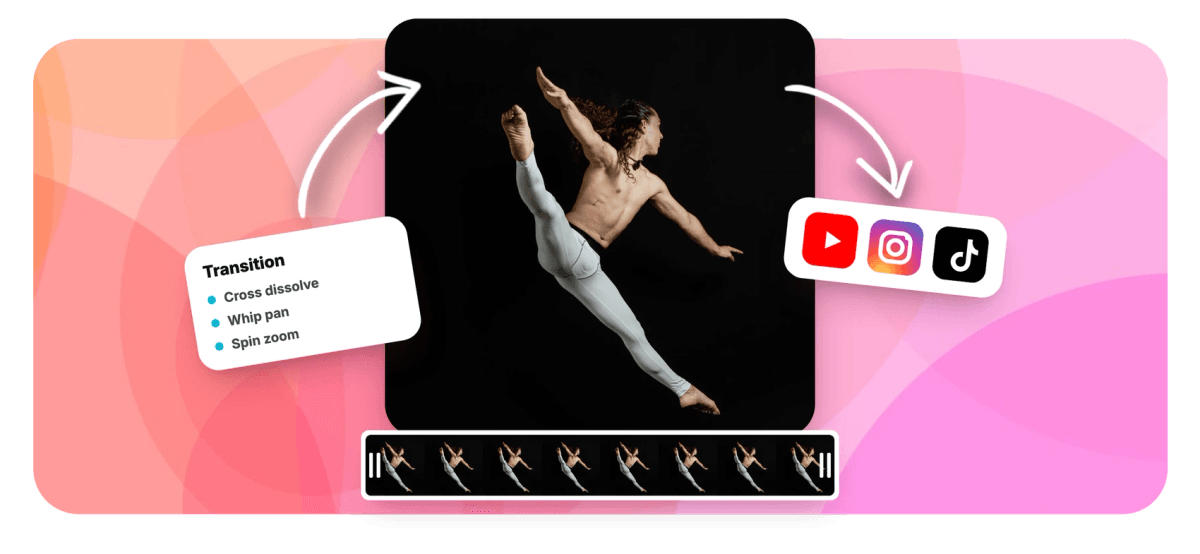
Video Transitions: 56 Ways to Get From One Clip to the Next Features
EchoWave's editor is used by creators, marketers and filmmakers worldwide





Clip-to-clip motion
Cuts tell the story. Transitions set the tone.
A hard cut is right most of the time, and when it is not, you want a real transition, not a canned swoosh stamped over two frames. EchoWave ships 56 transitions across five families, dissolves, wipes, slides, zooms and stylized moves, each with adjustable duration, easing, direction and intensity. You place them between adjacent clips on the timeline, audition them with live animated previews, and what you see is what renders: the preview engine and the export engine share the same math. Building a montage first? Start with the video merger or the slideshow maker.
-
56 transitions
Across dissolve, wipe, slide, zoom and stylized families
-
6 easings
From linear to smooth to snappy, per transition
-
Direction + intensity
Tune the motion per boundary, plus dip color where relevant
-
Preview = export
The preview engine is identical to the render engine
What you get
Five families, every classic move
Organized the way editors think, so the right transition is three seconds away.
-
Dissolves and Fades
Eight blends including cross dissolve, film dissolve, additive dissolve, luma fade, soft blur fade, flash, and dip to black or white with a custom dip color. The workhorses of invisible editing.
-
Fourteen Wipes
Directional wipes, diagonals, barn doors, round and diamond irises, clock and radial sweeps, venetian blinds, checkerboards and random blocks, the retro and the broadcast-clean, all parameterized.
-
Slides, Pushes and Whips
Fourteen motion moves where one clip pushes, slides, splits or whip-pans into the next, the language of fast-paced social edits.
-
Zooms and Spins
Cross zoom, pop zoom, spin zoom, rotate and flip: fourteen kinetic transitions that add energy without a plugin pack.
-
Real Controls, Not Presets
Every transition exposes duration, one of six easing curves, direction where it applies, and intensity. The same wipe can be subtle or theatrical depending on how you set it.
-
Previews You Can Trust
Animated thumbnails audition each move, and the timeline preview uses the exact engine the video editor renders with, so there are no surprises in the export.
How it works
How to add transitions to a video
Four steps to smoother cuts.
-
Add Your Clips
Upload two or more clips into the EchoWave editor and arrange them on the timeline in story order.
-
Select a Clip Boundary
Click between two adjacent clips to open the transition picker with its animated previews.
-
Choose and Tune
Pick from the 56 transitions, then set duration, easing, direction and intensity until the move fits the moment.
-
Preview and Export
Play through the boundary to confirm it, then export. The rendered file matches the preview exactly.
Who uses it
The right move for every genre
-
Travel and Vlog Edits
Whip pans and cross zooms carry the energy between locations; luma fades close the day.
-
Slideshows and Montages
Cross dissolves and gentle slides keep photo sequences moving without stealing attention from the pictures.
-
Short-Form Creators
Pop zooms and spin transitions match the pace TikTok and Reels audiences expect between beats.
-
Corporate and Course Video
Clean directional wipes and dip-to-white section breaks signal structure without gimmicks.
-
Event Recaps
Film dissolves and soft blur fades give weddings and celebrations their cinematic glue.
-
Retro and Creative Cuts
Venetian blinds, checkerboards and clock wipes, ironically or sincerely, they are all in the picker.
Add transitions to your video now
56 moves, real controls, previews that match the export. Free to start.
What people are saying about EchoWave

About the EchoWave team
EchoWave is a browser-based video and audio editor built by Lemon Vault LLC since 2018. The people who build the editor write these guides and test every step in the production app before publishing.
Video transitions FAQ
How do I add a transition between two clips?
In the EchoWave editor, place your clips next to each other on the timeline, click the boundary between them and choose a transition from the picker. Set its duration and easing, preview the boundary and export. The transition is attached to that specific cut, so every boundary in your video can have its own move or none at all.
What transitions are included?
Fifty-six transitions in five families: eight dissolves and fades including cross dissolve, film dissolve, luma fade and dip to black or white; fourteen wipes from simple directional sweeps to irises, clock wipes, blinds and checkerboards; fourteen slides, pushes, splits and whip pans; fourteen zooms, spins and flips; and six stylized moves. All of them ship free with the editor.
Can I control how fast and how strong a transition is?
Yes. Every transition has an adjustable duration and a choice of six easing curves from linear to snappy, and most expose direction and intensity as well. Dip transitions add a color picker for the dip frame. The same effect can read as subtle or dramatic purely through these settings.
Will the export look exactly like the preview?
Yes, by construction: the preview in the editor and the server-side render run the same transition engine, so timing, motion and easing match frame for frame. What you audition is what you publish.
Which transition should I actually use?
The boring answer that professionals give: a hard cut for most edits, a cross dissolve for time passing, a dip to black for chapter breaks, and one signature move, a whip pan or pop zoom, used sparingly for energy. A video where every cut has a different transition reads as a template; one deliberate move repeated reads as a style.
Can I add transitions to a slideshow of photos?
Yes. Photos on the timeline behave like clips, so any transition works between them. Cross dissolves and gentle slides are the classic choices, and the slideshow maker pairs naturally with the transition picker.
Do transitions change my video's length?
A transition overlaps the tail of one clip with the head of the next for its duration, which is standard editing behavior. Keep a little slack at the ends of clips you plan to join, and the timeline preview will show exactly how the overlap plays.
Are the transitions free to use?
Yes, all 56 are included in the free editor. Free exports carry a small watermark and are capped at 720p; paid plans remove the watermark and unlock resolutions up to 4K and beyond.
Ready to smooth your cuts?
56 transitions with real controls, free in the EchoWave editor.
Get Started →























































