
How to Write a Video Hook That Survives the Scroll
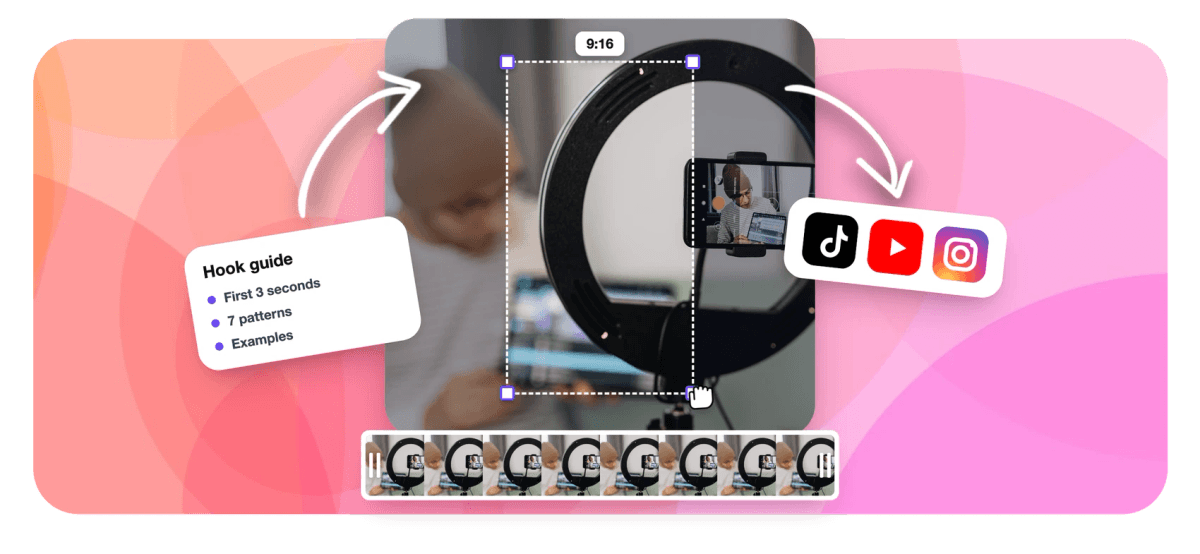
A hook is the first two or three seconds of a clip: the line, the text on screen and the first frame. This guide covers seven patterns that work, with examples, and how to find them in footage you already have.


How to Write a Video Hook That Survives the Scroll Features
Why the first three seconds carry the clip
In a short-form feed, nobody chose to watch your video. It arrived, and the viewer decides almost instantly whether it earns another second. Vidyard's business video benchmarks, drawing on research with Animoto, put about 47% of a video's perceived value in the first 3 seconds. That number is worth sitting with: nearly half of what a viewer thinks your video is worth is settled before your main point arrives.
A hook is not a gimmick bolted on top. It is the opening of the clip doing its job: telling the right viewer, fast, that what follows is for them. Good hooks are specific, honest about what comes next, and short enough to land before a thumb moves.
The three layers of a hook
Most advice treats the hook as one line. In practice a short clip opens on three layers at once, and they work best when they agree.
- The spoken line. The first words the viewer hears, if their sound is on.
- The on-screen text. A title overlay at the top of the frame, which is the only hook a muted viewer gets.
- The first frame. A face mid-sentence, a reaction, a chart, a screen with something happening. A still, empty frame reads as a slow start.
When all three point at the same idea, the hook lands for every viewer. When the title promises one thing and the speaker opens with another, the clip feels like bait, even if both lines are good.
What people are saying about EchoWave
Seven hook patterns that work, with examples
These patterns show up again and again in clips that hold attention. Each example shows how the same idea might open a podcast clip, a webinar clip or a gaming clip.
1. Lead with the number. Specific figures signal that something concrete is coming. "We cut our onboarding from 14 days to 3." "This one setting doubled my frame rate." Round numbers and vague claims ("a lot faster") do the opposite.
2. Say the contradiction. Open with the belief you are about to overturn. "Posting every day is why your channel stalled." "The cheapest plan is usually the most expensive one." The viewer stays to see whether you can back it up, so make sure the clip does.
3. Show the result first. Start on the outcome, then explain how you got there. In gaming, that is the clutch kill before the setup. In a webinar, it is the finished dashboard before the walkthrough. The payoff earns the patience for the explanation.
4. Ask the question they already have. Not a generic "Have you ever wondered...", but the exact question your audience types into search. "How long should a podcast clip be?" works because the viewer was already asking it.
5. Name the mistake. "Most people frame two-person interviews wrong." A named mistake creates a small worry: am I doing that? Keep it fair, and show the fix inside the clip.
6. Drop into the story. Skip the preamble and start mid-scene. "So the client calls me at 2 a.m. and says the launch video is gone." Stories hold attention because the viewer wants the ending.
7. Raise the stakes. Tell the viewer what they lose by scrolling past. "If you are about to renew your annual plan, check this first." Stakes work best when they are real and specific to the audience the clip is for.
Find the hook inside your recording, not on top of it
When you cut clips from a podcast, webinar or stream, you rarely need to invent a hook. The strongest line is usually already in the recording, buried a few seconds after the natural start of the moment. The fix is editorial: start the clip on that line.
A useful habit is the cold-open test. Read the first sentence of a candidate clip with no context. If it only makes sense after the previous minute of conversation ("Yeah, and that's exactly why..."), move the start forward until the first words stand alone. Trimming the warm-up often turns an average clip into a strong one without changing a single word.
This is also where tooling helps. EchoWave's AI hook generator finds candidate clips in a long recording and drafts a hook line for each one from what was actually said in that moment, along with a title under 60 characters and hashtags. Every clip carries a Viral Score with a dedicated Hook sub-score and a plain-English reason, so you can compare openers on evidence. If a drafted title reads flat, ask Echo, EchoWave's AI editor, for "new title for #1" and compare the options, or rewrite it yourself in the editor.
Match the overlay to the spoken words
The on-screen title is your hook for muted viewers, and in many feeds that is most of them. Write it as a compressed version of the spoken hook, not a separate idea. If the speaker opens with "We cut onboarding from 14 days to 3", the overlay can read "14 days to 3: our onboarding fix". Keep it short enough to read in about a second, set it at the top of the frame where it will not collide with captions, and pair it with word-timed captions so the spoken line is visible as it is said. The clip title generator covers titles, descriptions and hashtags in more depth.
Hooks to avoid
Some openers reliably cost you viewers.
- The greeting. "Hey everyone, welcome back" spends your most valuable seconds on nothing. Save greetings for long-form videos where the audience already chose to watch.
- The overpromise. A hook that the clip cannot pay off may win the first second, then lose the viewer and their trust. If the clip is a modest tip, hook it as a modest tip.
- The inside reference. "Like we talked about last week" tells a new viewer this clip is not for them.
- The slow visual. A wide, static shot with nobody speaking. In vertical clips, a face framed close at eye level does better work than a distant room.
- Too many ideas. One clip, one hook, one point. If a moment needs two hooks, it is probably two clips.
Test hooks like an editor
No pattern wins every time, so treat hooks as something to test. Post two versions of the same moment with different openings, a few days apart on the same platform, and compare how many viewers are still watching a few seconds in. Retention curves tell you far more than view counts, because they show exactly where people leave.
Keep length in mind as well. Vidyard's benchmarks found 65% of viewers finish a video under 60 seconds, so a strong hook on a tight clip compounds: more people stay past the opening, and more of them reach the end. The guide to the best clip length for Shorts, Reels and TikTok covers the length side of that equation.
Over a few weeks, write down which patterns work for your audience. A podcast audience may respond to contradictions, a software audience to numbers, a gaming audience to results shown first. That list becomes your house style, and it makes the next hundred hooks faster to write.
Sources & further reading
Figures in this guide come from the following source, checked September 3, 2026. Benchmarks change, so check the primary page before quoting them in your own materials.
- Vidyard, Business Video Benchmarks: about 47% of a video's perceived value lands in the first 3 seconds, and 65% of viewers finish a video under 60 seconds, drawing on research with Animoto.

About the EchoWave team
EchoWave is a browser-based video and audio editor built by Lemon Vault LLC since 2018. The people who build the editor write these guides and test every step in the production app before publishing.
Video hook FAQ
What is a hook in a video?
A hook is the opening of a video, usually the first one to three seconds, that convinces a viewer to keep watching. In short-form clips it has three parts working together: the first spoken line, the text shown on screen, and the first frame. A good hook is specific, tells the right viewer that the clip is for them, and promises something the rest of the clip actually delivers. It is the most important part of any clip that has to earn attention in a scrolling feed.
How many seconds should a hook last in a short video?
Aim for the hook to land within about three seconds. That usually means a spoken line of roughly 6 to 12 words and an on-screen title a viewer can read in about one second. Vidyard's benchmarks put about 47% of a video's perceived value in the first 3 seconds, which is why the hook needs to state its idea immediately rather than build up to it. Longer setups can work for stories, but only if the first line already makes the viewer curious.
What are good hook examples for short videos?
Strong hooks tend to follow a few patterns. Lead with a specific number ("We cut onboarding from 14 days to 3"). State a contradiction ("Posting every day is why your channel stalled"). Show the result first, such as the finished design before the tutorial. Ask the exact question your audience searches for. Name a common mistake. Drop straight into a story mid-scene. Or raise real stakes ("Check this before you renew"). The best choice depends on the moment and on what your audience responds to.
Is a hook the same thing as a video title?
The hook is how the clip opens: the first words, frame and on-screen text, all aimed at stopping the scroll. The title is the label attached to the clip, shown as an overlay and often used as the post's text, and it also helps the clip get found in search. They should agree. A common approach is to make the title a compressed version of the spoken hook, so viewers with sound off get the same promise as viewers with sound on, and nobody feels baited.
How do I write a hook for a podcast clip?
Look inside the conversation first. The strongest hook in a podcast clip is usually a line someone already said, a bold claim, a number, or the start of a story, sitting a few seconds after where the moment naturally begins. Start the clip on that line so the first words make sense with no context, then add a short title overlay that restates it for muted viewers. With two hosts, open on the person delivering the line, and keep the reaction visible if it adds to the moment.
Can AI write video hooks?
AI can draft useful hooks when it works from the actual content of the clip rather than a generic formula. EchoWave's AI hook generator writes a hook line, a title and hashtags for each clip it finds in a long recording, based on the word-timed transcript of that exact moment, and scores each clip's opening with a Hook sub-score and a written reason. Treat the drafts as a starting point: keep the ones that sound like you, ask Echo for a new title on the ones that do not, and test what performs.
What should I avoid in a video hook?
Avoid greetings like "Hey everyone, welcome back", which waste the opening seconds. Avoid promises the clip cannot keep, because viewers who feel baited leave and remember. Skip references to earlier episodes or conversations that new viewers did not see. Do not open on a slow, empty visual. And avoid stacking several ideas into one opening; if a moment needs two hooks, split it into two clips. Clear, specific and honest beats clever almost every time.
How do I know if my hook is working?
Check the retention curve rather than the view count. Platform analytics show how many viewers are still watching a few seconds in; a steep drop at the start means the hook is not landing. The cleanest test is to post the same moment twice with different openings, a few days apart on the same platform, and compare early retention. Repeat this across several clips and note which hook patterns win for your audience, then make those patterns your default.
Find the hook already in your video
Get ranked clips with drafted hooks, titles and a Hook sub-score from one long recording.
Get Started →























































