
Video to Shorts, Picked and Framed by AI
Upload one long recording. EchoWave finds the strongest moments, reframes each to vertical 9:16 with a speaker-aware camera, and adds portrait-sized captions, ready for YouTube Shorts.


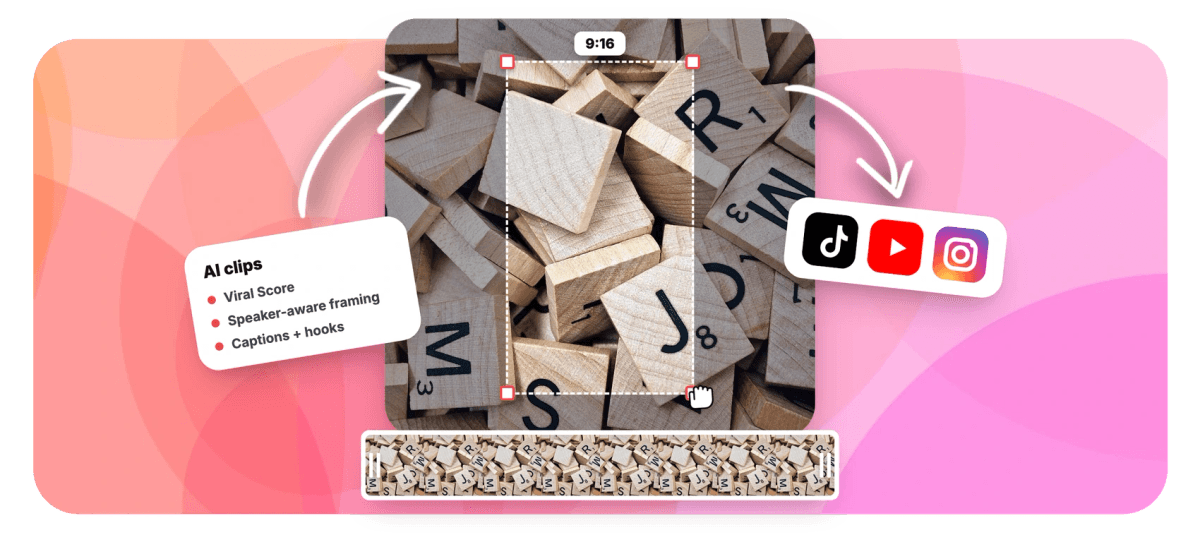
Video to Shorts, Picked and Framed by AI Features
EchoWave's video to Shorts tools are used by YouTubers, podcasters, and marketing teams worldwide





Upload, not paste
One long video in, a batch of Shorts out
Converting video to Shorts by hand means scrubbing a long recording for the one segment worth posting, then cropping it vertical and captioning it from scratch. EchoWave collapses that into a single pass. Upload any long video, a webinar, tutorial, podcast recording, or stream VOD, and the AI highlight generator transcribes it, scores every candidate moment from 0 to 100, and returns a ranked grid of clips. Each one is reframed to vertical 9:16 by a speaker-aware camera, so it behaves like a vertical video converter that actually keeps the subject in frame, then captioned in a portrait-sized preset. Open any clip in the editor to finish it like any Shorts maker project.
-
0-100
Viral Score on every clip, with Hook, Clarity, Emotion, Value, and Trend sub-scores
-
~99 languages
Transcription auto-detects the spoken language; captions and AI titles follow it
-
1-30 clips
Set exactly how many Shorts to cut from one source video, or let auto decide
-
60+ presets
Word-timed caption styles sized for portrait, from word punch to karaoke
What you get
Shorts-ready output, not just a crop
Length, vertical framing, and captions, the three things a Short needs, handled in one job.
-
Vertical 9:16 Output
Every clip comes out at the 9:16 aspect ratio Shorts expect, with 1:1, 4:5, and 16:9 available when the same moment needs to live somewhere else. No second cropping pass afterward.
-
Highlight Moments, Ranked
A language model reads the word-timed transcript alongside audio energy, reaction peaks, and speaker turns, then ranks every candidate clip with plain-English reasons like strong hook or big reactions. You pick from a scored grid, not a timeline.
-
Speaker-Aware Auto Reframe
On-screen speaker detection (lip movement matched to the voice) keeps the person centered as they move, and cuts between people on their turns. A static center crop loses half a face; this camera does not.
-
Auto Captions Built for Portrait
Word-timed auto captions arrive sized for a vertical screen in any of 60+ styles, including Hormozi-style word punch, karaoke, and boxed. Nothing hangs off the edge of the safe area.
-
Titles, Hooks, and Hashtags
Each clip ships with an AI title under 60 characters, a hook line, a description, and 3 to 6 hashtags, all written in the language spoken in your video. Paste them in when you post.
-
Prompt Search and Custom Clips
Type a Find moments about prompt to search the transcript, boost keywords that matter, or drag a custom clip from any range on the source strip. Works well when you already know the segment, see long video to short clips.
-
Shorts From One Section Only
Only one segment of a long upload matters? Limit analysis to a time range, say minutes 40 to 55 of a livestream replay, and every Short comes from that stretch alone.
-
A Real Project, Not a Locked Export
Every Short becomes an ordinary EchoWave project. Camera moves are plain keyframes you can edit shot by shot, captions and titles are normal layers, and bulk export handles the whole batch at once.
How it works
How to convert video to Shorts
From one long file to a set of posted-size verticals in four steps.
-
Upload Your Long Video
Add the file from your device, pick it from your library, paste a direct media link, or start from an existing project. Choose a genre preset like podcast, webinar, gaming, or education to tune the analysis.
-
Set Length and Clip Count
Pick Short 15-30 s for classic Shorts pacing, or Medium, Long, or a custom range. Ask for a specific number of clips, 1 to 30, or restrict analysis to a time range you care about.
-
Review Scores and Framing
Scan the ranked grid, read each clip's Viral Score reasons, and check the 9:16 frame. Switch layouts like Follow speaker, Split, or Presenter + slides, or focus the camera on one person.
-
Export the Batch
Bulk select the winners and render them through the normal pipeline. Free exports carry a small watermark at up to 720p; Basic renders 1080p and Pro goes to 4K for a watermark-free export.
Who uses it
Built for people sitting on long footage
-
YouTubers
Cut Shorts from a long-form upload to feed the same channel, without re-editing the source video by hand.
-
Podcasters
Turn the video recording of an episode into captioned vertical clips, with the camera cutting between hosts on their turns.
-
Marketers
Pull the strongest 20 seconds out of a webinar or product video and ship it as a tightly cropped Short.
-
Streamers
Feed in a multi-hour VOD, restrict analysis to a time range, and let reaction peaks surface the clips.
-
Educators
Convert lectures and tutorials into short vertical explainers, with slides on top and the speaker below.
-
Speakers and Coaches
Slice a recorded talk into quotable moments with hooks and hashtags already written for each one.
Your next Short is already filmed
Upload a long video and get ranked, reframed, captioned clips back. 30 minutes of analysis free every month.
What people are saying about EchoWave

About the EchoWave team
EchoWave is a browser-based video and audio editor built by Lemon Vault LLC since 2018. The people who build the editor write these guides and test every step in the production app before publishing.
Video to Shorts FAQ
How do I convert video to Shorts?
Open EchoWave's Clips tool and upload your long video, or pick one from your library, a direct media link, or an existing project. Choose a genre preset and a clip length, Short 15-30 s fits typical Shorts pacing, then run the analysis. EchoWave transcribes the audio, finds highlight moments, and returns a ranked grid of clips, each reframed to 9:16 with word-timed captions, an AI title, and hashtags. Review the frames, open any clip in the editor if you want changes, then bulk export. The whole flow takes a few minutes for most recordings.
What is the maximum length for a YouTube Short?
YouTube's Shorts creation tools support videos up to 3 minutes long, with a maximum upload resolution of 1080p, per YouTube Help. In practice, most Shorts land well under that. EchoWave's length presets map cleanly onto this: Short is 15-30 seconds, Medium is 30-60, Long is 60-90, and a custom range covers anything else under the cap. Since YouTube accepts up to 1080p for Shorts, a Basic plan's 1080p export already matches the platform's ceiling.
Can I convert a landscape video to vertical for Shorts automatically?
Yes, and without losing the subject. EchoWave's smart camera detects faces and who is talking using on-screen speaker detection (lip movement matched to the voice), then keeps that person framed at eye level inside the 9:16 crop. It moves like a camera operator, with a dead zone, capped pan speed, and smoothing, and it never pans across a scene cut. A vertical crop always trims the sides of a widescreen frame, but the trimming follows the speaker rather than staying fixed at center, so heads and gestures stay in shot.
Do I need to download my video from YouTube to make Shorts from it?
No link pasting is involved either way. EchoWave starts from a file you already have: upload it from your device, pick it from your EchoWave library, point to a direct media link, or reuse an existing project. It does not import videos from YouTube or social URLs, and for most creators the original export sitting on their drive is the better source anyway, since it is higher quality than any re-encoded copy hosted online. Start from that original file and you skip the whole question.
How do I add captions to a YouTube Short?
You do not add them separately, they come with every clip. EchoWave transcribes the source with word-level timing, auto-detecting roughly 99 languages, and burns captions into each Short using any of 60+ caption presets. All of them are sized for portrait viewing, so text sits inside the vertical safe area instead of spilling off the edges the way a generic caption export often does. Styles include Hormozi-style word punch, karaoke, and boxed looks. If you want a different font, color, or position, open the clip in the editor and adjust the caption layer directly.
Can AI pick the best part of my video for a Short automatically?
That is the core of the tool. A language model reads the word-timed transcript while signal analysis tracks audio energy, reaction peaks, silences, speaker turns, and scene cuts. Each candidate clip gets a Viral Score from 0 to 100 with five sub-scores, Hook, Clarity, Emotion, Value, and Trend, plus plain-English reasons like strong hook or back-and-forth. You choose from a ranked grid instead of scrubbing a 20-minute timeline yourself. If you already know the topic you want, type a Find moments about prompt and it searches the transcript for matching segments.
Is there a free way to convert video to Shorts?
Yes. The free plan includes 30 minutes of source video analysis each month, enough for a long episode or a couple of tutorials. Free exports carry a small watermark and are capped at 720p. Upgrading raises both limits: Basic analyzes 180 minutes a month and exports watermark-free at 1080p, which matches YouTube's 1080p ceiling for Shorts uploads, Pro covers 600 minutes with 4K exports, and Business covers 3,000 minutes for teams with workspace-shared jobs.
How many Shorts can I make from one long video?
As many as the footage supports. Leave the clip count on auto and EchoWave surfaces every moment it scores as worth posting, or set an exact number between 1 and 30. A 25-minute tutorial commonly yields four or five strong Shorts; a two-hour podcast can produce far more. You can also add custom clips from any range on the source strip if the AI missed a segment you like. Bulk select the keepers and EchoWave creates projects and exports for all of them at once, so a batch of ten takes one action, not ten.
Video to Shorts in one pass
Upload a long video and get captioned, vertical, ranked clips back.
Get Started →























































