
Ken Burns Effect: Give Still Photos a Camera Move
Apply one of six pan and zoom presets to any photo, or keyframe your own move. Slideshows animate automatically. Runs free in your browser, no download, no experience needed.


Ken Burns Effect: Give Still Photos a Camera Move Features
EchoWave's photo animation tools are used by documentary makers, family archivists and social creators worldwide





Photos in motion
Every photo is one camera move away from footage
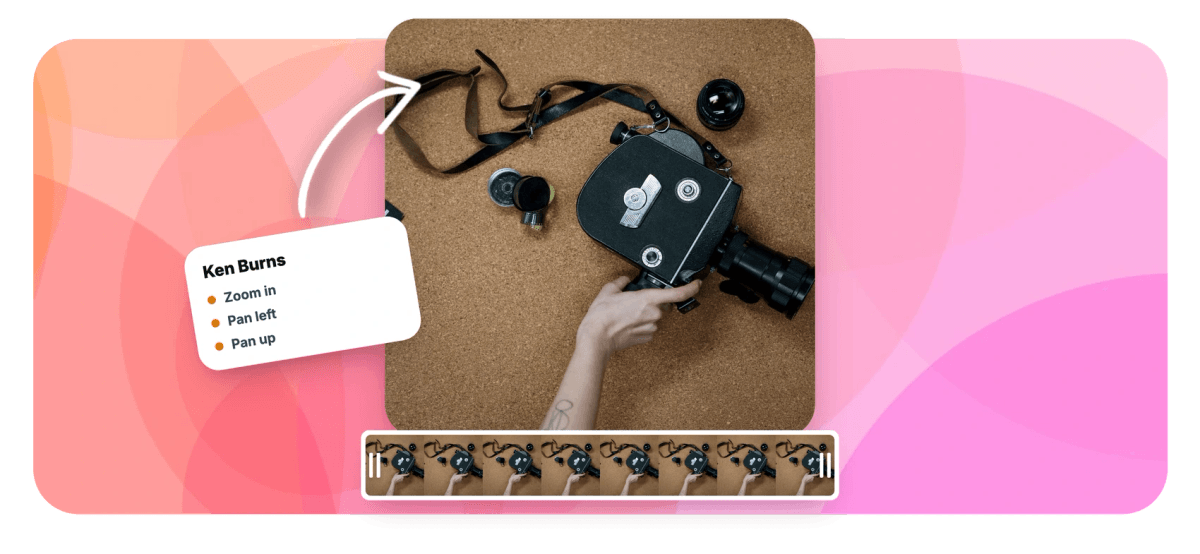
The Ken Burns effect gives a still photo the one thing it is missing, a camera move, and EchoWave builds it in as six one-click presets: zoom in, zoom out, pan left, pan right, pan up and pan down. Apply a preset per photo and every image on your timeline becomes motion. Building a montage? Slideshows apply Ken Burns movement across your photos automatically. When one image deserves a signature move, switch to manual keyframes for position and scale with around 30 easing curves, start on the eyes, drift to the horizon. Add crossfades between photos and music underneath, and you have the documentary montage, assembled in a browser.
-
6 presets
Zoom in, zoom out, pan left, pan right, pan up, pan down
-
1 click
Apply a move per photo, no keyframes required
-
~30 easings
Curves for custom keyframed pan and zoom moves
-
Photos + video
The same motion applies to video clips too
What you get
Six presets, or total control
Preset speed when you have eighty photos, keyframe precision when one photo matters.
-
Six One-Click Presets
Zoom in, zoom out, pan left, pan right, pan up, pan down. Select a photo on the timeline, click a preset, and the move is applied to that image instantly.
-
Automatic Slideshow Motion
Feeding in a whole album? Slideshows apply Ken Burns motion across your photos automatically, so every still arrives already moving. Start in the slideshow maker and refine any single photo afterward.
-
Keyframes for Custom Moves
Manual mode exposes position and scale keyframes with around 30 easing curves. Start tight on the eyes, drift out to the horizon, or plot any move between two framings you choose.
-
Video Clips Welcome
The same presets and keyframes work on video clips, so you can add a slow push-in to an interview shot or a gentle pan across static B-roll without reshooting anything.
-
Crossfades Between Photos
A dissolve between two moving stills is the oldest documentary trick in the book. Add a crossfade at each photo boundary and the montage flows instead of stuttering between images.
-
Built for the Montage
Lay a soundtrack under the sequence, trim each photo to the musical phrase, and six subtle moves plus one song read like a film rather than a screensaver.
How it works
How to add the Ken Burns effect to photos
Four steps from a folder of stills to a moving montage.
-
Add Your Photos
Upload your photos to the EchoWave editor and arrange them on the timeline in the order the story should unfold.
-
Apply a Ken Burns Preset
Select each photo and click one of the six presets: zoom in, zoom out, or a pan in any direction. For a signature image, keyframe a custom move with position and scale instead.
-
Add Crossfades and Music
Place dissolves between photos and lay a music track underneath so the sequence plays as one piece instead of a series of slides.
-
Preview and Export
Play the montage, slow down any move that feels rushed, then export your finished video as an MP4.
Who uses it
Where a slow zoom does the storytelling
-
Documentary Makers
Archival photos carry half the film; a slow push into a face holds attention where a static scan loses it.
-
Family Historians
Scanned prints from the attic become a moving tribute, with each face given its own slow reveal.
-
Wedding and Memorial Tributes
Gentle zooms and drifts add feeling to photo tributes, no editing experience required from whoever assembles them.
-
Real Estate Marketers
Listing photos pan across kitchens and drift toward the view, turning a static gallery into something closer to a walkthrough.
-
YouTubers and Narrators
History explainers, photo essays and true crime recaps stay visual while the narration runs over moving stills.
-
Social Media Managers
Product shots and event photos get subtle motion that stops the scroll better than a static post.
Give your photos a camera move
Six presets, keyframes when you want them, free to start in your browser.
How creators use EchoWave in real projects

About the EchoWave team
EchoWave is a browser-based video and audio editor built by Lemon Vault LLC since 2018. The people who build the editor write these guides and test every step in the production app before publishing.
Ken Burns effect FAQ
How do I add the Ken Burns effect to a photo?
Open the EchoWave editor, add your photo to the timeline and select it. Choose one of the six Ken Burns presets: zoom in, zoom out, pan left, pan right, pan up or pan down. The move is applied to that image with a single click, and every photo in your project can carry its own preset. Press play to preview, stretch the photo's duration if the move feels rushed, then export. No download and no editing experience needed.
What is the Ken Burns effect?
The Ken Burns effect is the technique of slowly panning and zooming across still photographs to create the feeling of camera movement, named after the American documentary filmmaker who popularized it in films like The Civil War. It keeps photo-driven storytelling visually alive, which is why it became a standard technique in documentaries, slideshows and video montages.
Can I add Ken Burns motion to a whole slideshow automatically?
Yes. When you build a slideshow, Ken Burns motion is applied across your photos automatically, so you never have to set a move on every image by hand. Start with the slideshow maker, drop in your photo set, and each still arrives with pan and zoom already in place. You can then override any individual photo with a different preset, or keyframe a custom move where one image deserves special framing.
Can I control exactly where the move starts and ends?
Yes. Switch from presets to manual keyframes and you set both framings yourself using position and scale. Place the first keyframe tight on the detail you want to open on, the eyes in a portrait, a doorway, a signature, then place the second where the move should settle. Around 30 easing curves control how the motion accelerates and slows, so the same path can feel mechanical, gentle or cinematic depending on the curve. Keyframes also survive trimming, so adjusting a photo's duration will not break the move.
What photo resolution works best for the Ken Burns effect?
The larger the photo, the cleaner the zoom. Because the effect crops into your image as it moves, a photo with plenty of pixels stays sharp even at the tight end of a zoom, while a small image turns soft. As a rule of thumb, use photos at least as large as your export resolution, and ideally two to three times larger if you plan a deep zoom. Old prints are worth scanning at a high DPI for the same reason.
How fast should a Ken Burns move be?
Slower than you think. The effect works because it is subtle, a drift the viewer feels more than notices. Give each photo roughly four to eight seconds on screen and let the move span the full duration rather than sliding quickly and sitting still. Save faster or deeper moves for the one or two photos that deserve emphasis, and keep the rest gentle. If a move starts to feel like a screensaver, shorten the distance it travels, not the time it takes.
Can I mix photos and video clips in the same project?
Yes. Photos and video sit on the same timeline, and the pan and zoom presets work on both, so you can push into an interview clip, cut to three moving stills, and return to footage without switching tools. That is the classic documentary rhythm, and it is just as useful for social edits where you have a few seconds of video and a folder of pictures to cover the rest.
Is the Ken Burns effect free to use?
Yes. All six presets, automatic slideshow motion and manual keyframing are included in the free EchoWave editor, which runs in your browser with nothing to install. Free exports carry a small watermark and are capped at 720p; paid plans remove the watermark and unlock resolutions up to 4K and beyond.
Set your photos in motion
Six Ken Burns presets and full keyframe control, free in the EchoWave editor.
Get Started →























































