
Meme Maker
Meme maker for video and image memes with bold captions. Add top and bottom text, drop in a reaction clip and export. Free, in your browser, no watermark.


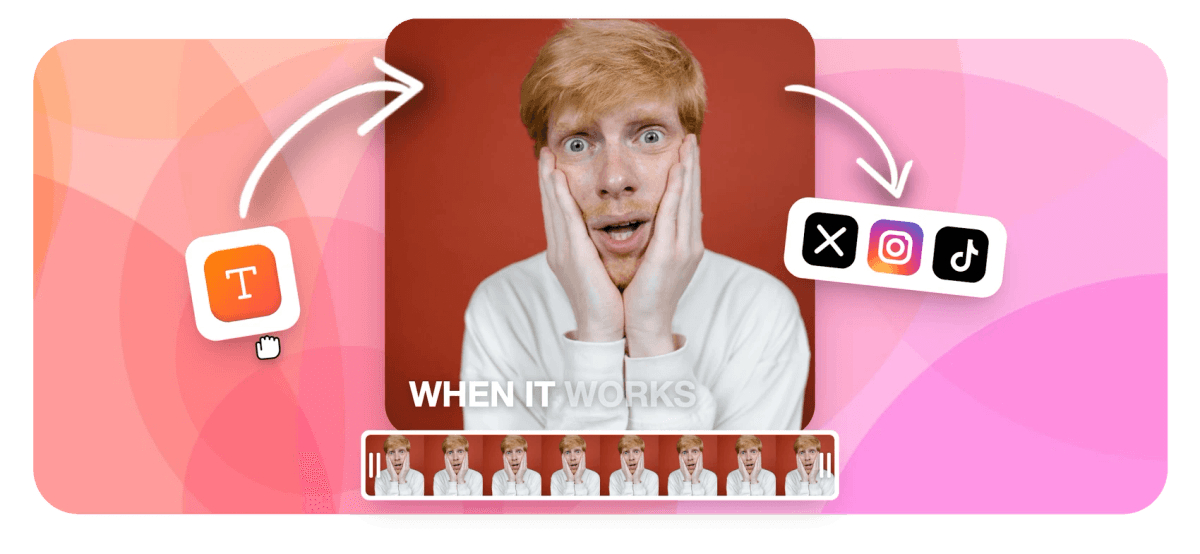
Meme Maker Features
EchoWave's meme maker is used by creators, community managers, and brands around the world





Memes in your browser
A meme maker for photos, videos, and GIFs
Most meme tools stop at static images. EchoWave is a full video editor, so you can caption a photo, drop classic top and bottom text on a clip, add a green screen, and export the result as an MP4 or a looping GIF. Everything happens on one canvas, with nothing to download.
-
Photo, video & GIF
any source file
-
MP4 & GIF export
share anywhere
-
9:16, 1:1, 16:9
every platform
-
Free to start
no signup to try
The toolkit
The full meme toolkit
Everything you need to make a meme that lands, in one place.
-
Top and bottom text
Add the classic Impact-style meme caption with a bold outline, or pick any font, color, and size. Drag it anywhere on the frame.
-
Auto captions for video memes
Turn speech into styled subtitles automatically, with word-by-word highlight presets that pop on mobile.
-
Stickers and emoji
Drop emoji and stickers on top of the action for reaction memes and laugh tracks.
-
Green screen memes
Swap or remove a background with chroma key to put yourself, or anything, into the scene.
-
Any photo, clip, or GIF
Start from a screenshot, a phone video, or an existing GIF. Mix images and clips on the same timeline.
-
Export as GIF or MP4
Save a looping GIF for chat and forums, or an MP4 for TikTok, Reels, and Shorts.
-
Resize for any platform
One click reframes your meme for vertical, square, or widescreen without cropping out the joke.
-
Add sound and voiceover
Drop a sound effect, a song, or an AI voiceover to land the punchline.
How it works
How to make a meme online
Three steps from blank canvas to posted.
-
Upload your image or video
Drag in a photo, a video clip, or a GIF. You can also start from a blank canvas and paste a screenshot.
-
Add text, captions, and effects
Type your top and bottom text, auto-generate captions for talking clips, then add stickers, emoji, or a green-screen background.
-
Export and share
Download a GIF or an MP4, or post straight to your feed. Pick a platform preset so it fits the first time.
Sized to post
The right shape for every feed
Pick a preset and EchoWave reframes your meme to fit.
-
9:16 Vertical
- TikTok
- Reels
- Shorts
-
1:1 Square
- X
-
16:9 Widescreen
- YouTube
- X
- Discord
Ideas
What people make
-
Reaction memes
Caption a clip of your face or a movie moment for the perfect reply.
-
Caption memes
Add top and bottom text to a still image, the classic format that never dies.
-
Green screen memes
Put yourself in front of any scene with chroma key, the TikTok stitch staple.
-
GIF reactions
Trim a moment and export a clean looping GIF for chats and forums.
-
Brand and community memes
Keep your audience laughing with on-brand memes from your own footage.
-
Subtitled clips
Add punchy captions so the joke lands even when the sound is off.
Make your meme now
Start free. Upload a photo or video and add your caption.
What creators say after trying EchoWave

About the EchoWave team
EchoWave is a browser-based video and audio editor built by Lemon Vault LLC since 2018. The people who build the editor write these guides and test every step in the production app before publishing.
Meme maker FAQ
Is the meme maker free?
Yes. You can upload, caption, and export memes for free. Free exports carry a small EchoWave watermark, and paid plans remove it and unlock 4K.
Can I make video memes as well as image memes?
Yes. EchoWave is a full video editor, so you can caption clips, add green screen, drop in sound, and export a video meme as an MP4 or a looping GIF.
How do I add top and bottom text to a meme?
Upload your image, click Text, and type your caption. You get the classic bold outlined meme style by default, and you can change the font, color, size, and position. For captions that are not meme-styled, the same editor lets you put text on a video anywhere in the frame.
Can I make a meme on my phone?
Yes. EchoWave runs in your mobile browser, so you can make and export a meme on iPhone or Android without installing an app.
Does the meme have a watermark?
Free exports include a small EchoWave watermark. Upgrading to a paid plan removes the watermark and adds 4K export.
Can I use my own images and videos?
Yes. Upload your own photos, screenshots, video clips, and GIFs, or mix several together on one canvas.
What file formats can I export?
You can export a meme as an MP4 video or as a looping GIF, ready to post to social feeds, chats, and forums.
Can I make a green screen meme?
Yes. Use chroma key to remove or swap a green-screen background, so you can place yourself or an object into any scene.
Ready to make your next meme?
No credit card required. The free plan includes a small EchoWave watermark.
Get Started →























































