
Name Art Maker
Fill a name with the photos that tell their story. Pick a font, add pictures, and get name art you can animate over video for birthdays, weddings, and tributes.


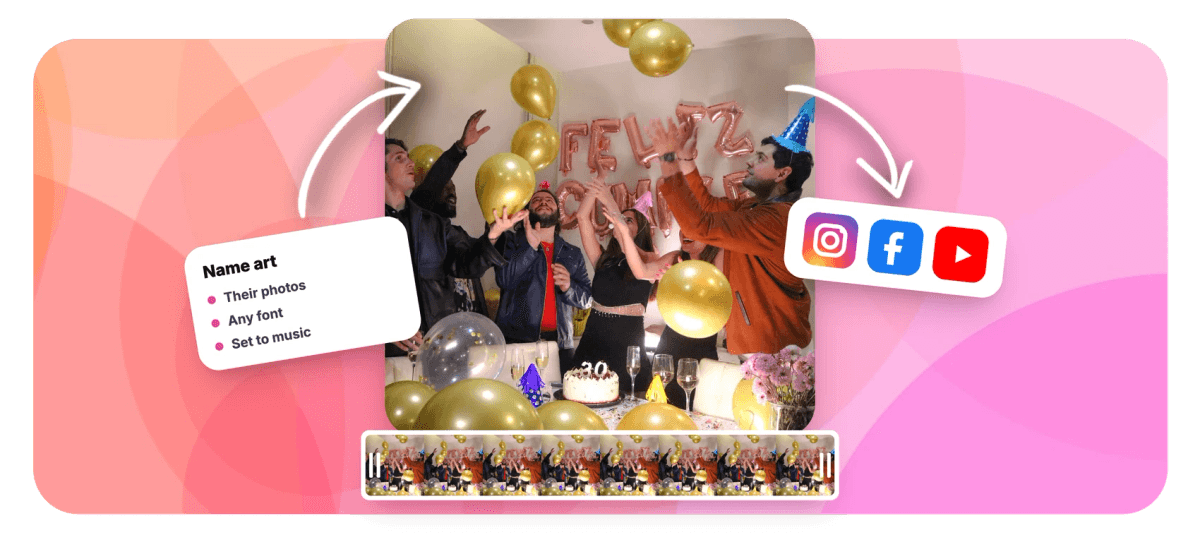
Name Art Maker Features
EchoWave's design tools are used for birthdays, weddings, and celebrations worldwide.





Personal typography
The most personal gift is their own name
Name art turns the letters of a name into a keepsake. EchoWave fills a name, or initials, or a monogram, with dozens of small copies of the photos you choose: the birthday kid through the years, a couple's story from first date to proposal, a friend's greatest moments. Set it in a soft serif for a wedding or a chunky black font for a hype reel, choose whether photos trim cleanly at the letter edge or overflow like real prints, and shuffle until the arrangement feels right. Because it is built in a free online video editor, the name drops straight into a slideshow or tribute film, animates in, and stays editable to the last minute. For words other than names, use the word art maker.
-
8
photos woven through the letters of a name
-
5
stacked lines, first name over last, or a date below
-
1,000+
fonts, from elegant scripts to bold display faces
-
60s
from typing a name to art on the canvas
What you get
Name art that feels made by hand
Type the name, choose the photos, and the collage does the delicate arranging for you.
-
Their Photos, Their Name
The letters are filled with the pictures you pick: through-the-years portraits, shared memories, team shots, so the name reads as their story at a glance.
-
Fonts That Fit The Person
A romantic serif for an anniversary, a rounded face for a kid's birthday, a heavy black for a champion: search 1,000+ fonts and switch weights with one tap.
-
Initials And Monograms
A single letter packed with photos makes a striking monogram; stack up to five lines for first and last names, dates, or a short message underneath.
-
Three Edge Styles
Clean cuts every photo at the letter outline, Soft fades them out, and Overflow leaves photos whole so they spill past the letters like prints on a pinboard.
-
Shuffle Until It Is Right
One tap rearranges the whole collage while keeping your photos and settings: audition layouts until the special picture lands exactly where you want it.
-
Editable Until The Party
Names get misspelled and photo picks change. Click the art any time to fix the spelling, swap a photo, or restyle it: nothing is flattened, everything is undoable.
-
Set It To Music
The art lives in a full video editor: lay the name over a slideshow, fade it in as the song swells, and export a tribute that plays on any screen.
-
Free, No Design Skills
Runs in your browser with nothing to install. Export free with a small watermark at up to 720p, or upgrade for clean, higher-resolution exports.
How it works
How to make name art with photos
A gift-worthy name in four short steps.
-
Pick A Style
Choose a Text art tile in the editor's Elements panel. Balanced flatters portraits; Bold makes a statement with fewer, larger photos.
-
Type The Name
Write the name, initials, or monogram: stack a last name or a date on a second line, and pick a font that fits the person.
-
Choose Their Photos
Add up to eight pictures that tell the story. The letters fill instantly; shuffle until the arrangement feels like them.
-
Animate And Share
Place the name over a video or slideshow, fade it in with the music, and export an MP4 ready for the party, the feed, or the family chat.
Who uses it
Names people turn into art
-
Birthdays
The birthday name filled with a year of photos, opening the party slideshow.
-
Weddings and anniversaries
Two names or a monogram built from the couple's story, from first photo to latest.
-
New babies
Announce the name filled with the first weeks of photos the family already loves.
-
Graduations
The graduate's name packed with school-years photos for the ceremony reel.
-
Memorials and tributes
A gentle serif name filled with a lifetime of moments, set quietly to music.
-
Fans and teams
A player's name built from season highlights, or an artist's from concert shots.
Make a name they will keep
Type the name, add the photos that matter, and export a moving keepsake. Free in your browser, no sign-up.
How creators use EchoWave in real projects

About the EchoWave team
EchoWave is a browser-based video and audio editor built by Lemon Vault LLC since 2018. The people who build the editor write these guides and test every step in the production app before publishing.
Name Art Maker FAQ
How do I make name art with photos?
Open EchoWave's editor and pick a Text art style from the Elements panel. Type the name, then add up to eight photos of the person, the maker fills the letterforms with small copies of your pictures automatically. Choose a font that fits them, pick an edge style, shuffle the arrangement if you like, and add the finished name to your canvas. From there you can animate it over a slideshow or video and export. It is free in your browser; exports carry a small watermark at up to 720p on the free plan.
Can I make a monogram or initials instead of a full name?
Yes, and single letters look spectacular because each letterform gets more room, every photo inside a big initial stays clearly recognizable. Type just the initials, pick a heavy weight so the strokes are wide, and consider the Bold style preset, which uses fewer, larger photos. For a classic monogram feel, try a serif font; for something modern, a geometric black. You can stack a full name or a date on a line beneath the initial, up to five lines in total.
What kind of photos work best for name art?
Photos with one clear subject read best at small sizes: portraits, close-ups, and moments where faces are large in the frame. Mix a few wider shots for texture, but let close-ups carry the design. Bright, varied backgrounds help the collage feel lively; several near-identical photos make it repetitive. If you want subjects to pop like stickers, remove their backgrounds first with EchoWave's image background remover and use the transparent cutouts as some of your eight photos.
Which fonts are good for names?
Heavier fonts are better canvases: wide strokes give photos room, so bold and black weights of almost any family work. For weddings and anniversaries, try a high-contrast serif; for kids' birthdays, rounded and playful faces; for sports and hype edits, condensed heavy fonts fill dramatically. EchoWave includes quick Bold, Modern, Impact, and Serif styles, the full Google Fonts library beyond that, and Brand Kit fonts on paid plans, with one-tap Regular, Bold, and Black weights.
Can I fix a spelling mistake after the art is placed?
Yes, this is exactly why EchoWave keeps name art editable. Click the art on the canvas and the Text art panel reopens: correct the spelling and the collage re-renders in place with the same photos, style, position, timing, and animations. No rebuilding, no re-doing the animation, and the fix is one undo step if you change your mind. The same goes for swapping a photo Grandma vetoed an hour before the party.
Can I put the name art over a photo slideshow with music?
Yes, that is the classic use. Build a quick slideshow from your photos in the same project, lay the name art on top with its transparent background, and fade it in as the music starts. The editor handles the rest: timing on the timeline, entrance and exit animations, and an MP4 export that plays anywhere, the TV at the venue, a phone in the family chat, or a social feed. Free exports are up to 720p with a small watermark; paid plans export clean and sharper.
How long can the name be?
Up to 120 characters across up to five stacked lines, which covers full names, double-barreled surnames, and a date or short message underneath. Long names simply render slightly smaller so everything fits the frame. For very long names, consider stacking first and last names on separate lines, the block stays bigger and the photos stay more visible. Initials plus a full name on a second line is another layout that always works.
Ready to make their name art?
A name filled with their photos, animated over video, editable until the moment you export. Free in your browser.
Get Started →























































