
Subtitle Translator: One Video, 80+ Languages
Transcribe your video, translate the subtitles into 80+ languages and export burned-in captions or clean SRT/VTT files. AI translation that keeps the timing. Free to start.


Subtitle Translator: One Video, 80+ Languages Features
EchoWave's subtitle tools are used by creators, educators and global teams worldwide





Subtitles without borders
Your content already travels. Your subtitles should too.
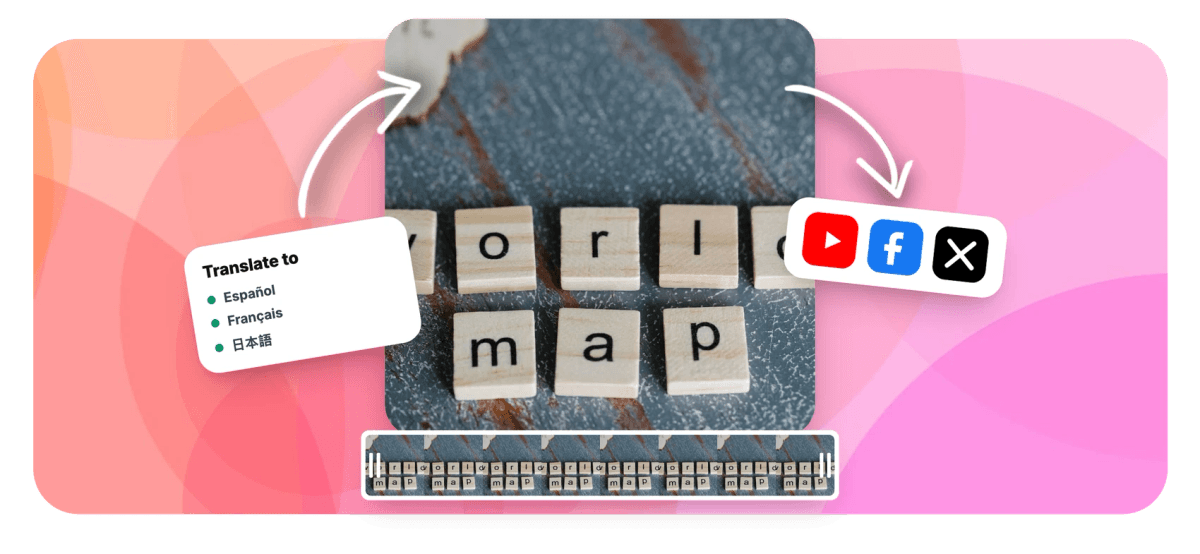
Most views for most creators come from outside their home country, and subtitles are the cheapest translation a video can get. EchoWave transcribes your clip with word-level timing, then translates the caption track with AI that understands context, not word-for-word substitution. Keep the original language alongside the translation as a bilingual track, restyle everything with animated caption presets, and export burned-in video or SRT/VTT files per language. It builds on the same engine as the caption generator.
-
80+ languages
Searchable catalog with flags and native names
-
Auto-detect
Source language is detected and manually overridable
-
Bilingual tracks
Show the original and the translation together
-
SRT / VTT
Export subtitle files per language, or burn captions in
What you get
A full translation workflow, not a text box
Transcription, translation, styling and export live in one place, so nothing is copy-pasted between tools.
-
Transcribe First, Translate Second
The ASR engine produces a word-timed transcript of your video, which becomes the source for translation. Fix any word before translating and every language benefits from the correction.
-
AI Translation With Context
Translation runs through a large language model rather than a phrase table, so idioms, technical terms and tone survive the trip. The catalog covers more than 80 languages, from Spanish and Hindi to Thai, Korean and Arabic.
-
Bilingual Dual-Language Captions
Add the translated track alongside the original instead of replacing it, the format language learners and international events prefer.
-
Timing That Survives Translation
Translated cues stay locked to the speech timing of the original, so captions land when the words are spoken even when the target language runs longer.
-
Script-Aware Rendering
Captions render correctly across writing systems, including Thai, Japanese, Chinese and other scripts where naive tools break words in the wrong places.
-
Style the Translated Track
Translated captions are normal caption tracks: apply any of the 170+ animated presets, adjust fonts and colors, and position them per platform.
-
Export Per Language
Burn the translated captions into the video, or download SRT/VTT files for each language and upload them as closed captions on YouTube and LinkedIn.
-
Bring Your Own SRT
Already have a subtitle file? Upload the SRT into the editor and translate that track directly, no re-transcription needed.
How it works
How to translate subtitles
One video to many languages in four steps.
-
Upload Your Video
Drag your clip into the EchoWave editor, or upload an existing SRT file alongside it if you already have subtitles.
-
Generate or Import Subtitles
Auto-transcribe the audio into a word-timed caption track, and correct any words in the transcript editor.
-
Pick the Target Language
Choose from the flag grid of popular languages or search the full 80+ catalog. Optionally keep the original as a second track for bilingual captions.
-
Export
Render the video with translated captions burned in, or download the translated SRT/VTT file for platform captioning.
Who uses it
For every audience you have not met yet
-
Global Creators
Publish the same Short with Spanish, Portuguese and Hindi captions and let the algorithm find each audience.
-
Course and Training Teams
Localize lesson libraries with per-language SRT files that plug into any LMS, without re-recording a single lesson.
-
Marketing Localization
Ship one hero video across regions with translated burned-in captions that match brand styling everywhere.
-
Language Learners and Teachers
Bilingual dual-track captions show the original and the translation together, the classic immersion format.
-
Events and Conferences
Publish session recordings with subtitles in attendees' languages days, not weeks, after the event.
-
Support and Product Teams
Translate walkthroughs and release videos so documentation speaks every market's language.
Translate your subtitles now
Transcribe once, translate into 80+ languages, export anywhere. Free to start.
How creators use EchoWave in real projects

About the EchoWave team
EchoWave is a browser-based video and audio editor built by Lemon Vault LLC since 2018. The people who build the editor write these guides and test every step in the production app before publishing.
Subtitle translator FAQ
How do I translate subtitles in a video?
Upload the video to EchoWave, auto-generate the subtitles, then choose Translate and pick a target language. The caption track is rewritten in the new language while keeping the original speech timing. Export the result as a video with burned-in captions or as an SRT/VTT file.
How many languages can I translate subtitles into?
The language catalog covers more than 80 languages, each listed with its flag and native name, with popular choices surfaced as a grid and the rest searchable. Major world languages, European languages and Asian scripts including Thai, Japanese, Korean and Chinese are all included.
How accurate is the AI subtitle translation?
Translation runs through a large language model that works at sentence level with context, which handles idioms and technical phrasing far better than word-by-word machine translation. As with any automated translation, you can review and edit every translated cue in the editor before exporting, and corrections are quick because the timing is already locked.
Can I show two languages at the same time?
Yes. EchoWave supports bilingual captions: the translated track is added alongside the original rather than replacing it, so viewers see both languages together. This is popular for language learning content and international events.
Can I translate an existing SRT file?
Yes. Upload your SRT into the editor and it becomes a normal caption track, which you can then translate to any language in the catalog and re-export as SRT, VTT or burned-in captions. Malformed SRT files are tolerated and cleaned up on import.
Does the translation mess up the subtitle timing?
No. Each translated cue inherits the timing of the original speech, so captions stay synced even when the target language is wordier. If a specific cue needs adjusting, you can edit its bounds on the timeline like any other clip.
What is the source language detection?
When you transcribe, the spoken language is detected automatically, and you can override it manually if the detection picks wrong, useful for mixed-language audio or heavy accents. Transcription itself supports the full language range of the underlying speech recognition engine.
Is the subtitle translator free?
You can transcribe, translate and preview for free. Free video exports include a small watermark and are capped at 720p, while paid plans remove the watermark and unlock higher resolutions. SRT and VTT downloads of your caption tracks are part of the same workflow.
Should I burn in translated captions or upload an SRT?
Burn them in when you want guaranteed styling everywhere, one video file per language with captions that cannot be turned off. Upload SRT/VTT closed captions when a platform supports multiple caption tracks on one video, like YouTube, so a single upload serves every language. EchoWave exports both from the same project.
Ready to go multilingual?
Translate your captions into 80+ languages from one project. Free to start.
Get Started →























































