
Edit Video by Editing Text
Text-based video editing: transcribe, delete words like a doc, and the cuts happen for you. Filler words and pauses go in one click.


Edit Video by Editing Text Features
EchoWave's editing tools are used by podcasters, course creators and video teams worldwide





Text-based editing
The fastest edit is the one you can read
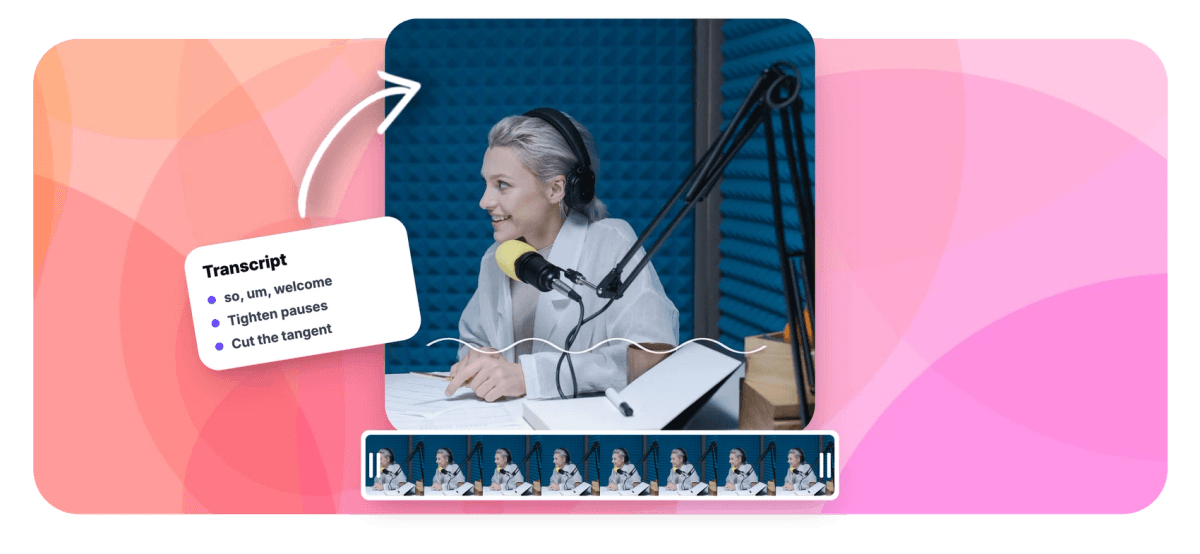
Scrubbing a timeline to find one bad take is slow. Text-based video editing flips it: EchoWave transcribes your footage with every word timed to the millisecond, then lets you edit the video the way you'd edit a document. Delete a sentence and the video closes up around it. Strike a rambling tangent, tighten the pauses, remove every "um", all as text. Struck-through words stay visible, so nothing is lost until you say so, and one click hands the same project to the full video editor for captions, music and b-roll. Want the transcript itself? Use video to text.
-
Word-level cuts
Every word carries its exact timing, so cuts land cleanly between syllables
-
1-click cleanup
Filler words and long pauses are detected and removed together
-
Non-destructive
Deleted text stays visible as strikethrough. Select it again to restore
-
Auto language
Transcription detects the spoken language automatically
What you get
Everything a transcript editor should do
It reads like a doc, but underneath every edit is a real timeline edit, the same engine as the full editor.
-
Word-Timed Transcript
AI transcription times every single word to the moment it's spoken. Click any word to jump the video there; the transcript follows along karaoke-style as it plays.
-
Delete Text, Cut Video
Select any words, half a sentence or three paragraphs, and press delete. The video ripples closed around the cut with padding tuned so speech re-joins naturally, never mid-syllable.
-
Filler Words, Gone
"Um", "uh", "you know", "sort of", detected automatically with language-aware dictionaries and underlined in the transcript. Remove every one in a single click, as one undoable action.
-
Tighten Long Pauses
Silences longer than a beat show up as small chips between words with their duration. Remove one, or tighten them all at once. A natural breath is always kept so the edit never sounds robotic.
-
Restore Anything
Deleted words don't disappear: they stay struck-through in the document. Select them and hit restore and the footage grafts right back in, healed into a seamless timeline. Full undo/redo too.
-
Live Preview That Skips Your Cuts
The built-in player plays your edit, not your raw file. Cut sections are skipped in real time, so what you hear is exactly what exports.
-
Podcasts and Audio Too
Upload audio files as easily as video: trim an interview or a podcast episode by transcript, then export it through the same pipeline.
-
One Click to the Full Editor
It's the same project underneath. Open it in the video editor any time for animated captions, music, overlays and b-roll, and jump back to text editing whenever you like.
How it works
How to edit a video by editing the transcript
From upload to a tight, watchable cut in four steps.
-
Upload Your Video or Audio
Drag in a talking-head video, screen recording, interview, lecture or podcast episode. Transcription starts automatically.
-
Read the Transcript
In moments your footage becomes a document with every word timed. Click any word to hear that exact moment.
-
Edit Like a Doc
Select and delete the rambles, retakes and tangents. Hit the one-click chips to strip filler words and tighten pauses.
-
Export or Keep Polishing
Export straight to MP4 through EchoWave's render pipeline, or open the same project in the full editor to add captions and music first.
Who it's for
Anyone who talks to a camera or a mic
-
Podcasters
Cut a 60-minute conversation down to the good parts by reading it, and strip every "um" on the way out.
-
Course Creators and Educators
Tighten lectures and tutorials without touching a timeline. Fix a fumbled take by deleting the fumble.
-
Marketers and Founders
Turn a rough talking-head take into a crisp product update in minutes, then add animated captions for the feed.
-
Interviewers and Journalists
Find the quote by searching the text, cut everything around it, and export the soundbite.
-
YouTubers and Streamers
First-pass your VODs and long takes as text, then hand the project to the full editor for the finish.
-
Teams and Agencies
Anyone who can edit a doc can now tighten a video, no timeline skills required, and the full editor is one click away for the pros.
Edit your next video by reading it
Auto transcription, word-level cuts, one-click filler and pause removal. Free to start.
How creators use EchoWave in real projects

About the EchoWave team
EchoWave is a browser-based video and audio editor built by Lemon Vault LLC since 2018. The people who build the editor write these guides and test every step in the production app before publishing.
Text-based video editing FAQ
How do I edit a video by editing the transcript?
Upload your video to EchoWave's text-based editor and it transcribes the speech with word-level timing. The transcript appears as an editable document: select any words and delete them, and the matching footage is cut from the video with the gap closed up automatically. Click a word to jump the playback there, preview the edit, then export.
How do I remove filler words like "um" and "uh" from a video?
Automatically. The editor detects filler words, "um", "uh", "you know", "sort of", "I mean" and more, using language-aware dictionaries, and underlines each one in the transcript. A single click removes every detected filler at once as one undoable action, or you can delete them individually like any other word.
Can it remove pauses and silences too?
Yes. Gaps in speech longer than about three-quarters of a second appear as small duration chips between words. Remove a single pause with its ✕, or use "tighten pauses" to trim them all at once. A short natural breath is always kept on each side so the edit never sounds clipped.
What if I delete the wrong thing?
Nothing is destroyed. Deleted words stay visible as strikethrough text. Select them again and hit restore, and the footage grafts back into the timeline exactly where it was, healed into a seamless clip. There's also full undo/redo, and a "restore everything" option that brings the whole take back.
Is there a free text-based video editor online?
Yes: this one. EchoWave's text-based editor runs in the browser and is free to use: upload, transcribe, edit by text and export. Free exports include the EchoWave watermark and standard free-plan limits, the same as the studio editor; paid plans remove the watermark and unlock higher resolutions and frame rates.
What languages does it support?
Transcription detects the spoken language automatically, with no setting to pick. Editing by text works in any transcribed language, including languages written without spaces. The one-click filler-word dictionaries currently cover English, Spanish, French, German and Portuguese, with English the most complete.
Does it work for podcasts and audio files?
Yes. You can upload audio files (like a podcast episode or interview recording) as well as video. The transcript editing works identically, cut questions, tighten answers, strip fillers, and the result exports through the same render pipeline.
Can I add captions and music after editing by text?
Yes, it's the same project underneath. One click opens it in the full EchoWave editor with your text edits intact, where you can add animated captions, music, b-roll and overlays. You can hop back to the transcript view at any time; both views edit the same timeline.
Ready to edit video at the speed of reading?
Transcribe, delete the bad parts, export. Free to start.
Get Started →























































