
Text to Speech Online, 63 Natural AI Voices, Free MP3 Download
Text to speech that reads any text aloud in natural voices. Paste your script, choose a voice and language, then download the audio. Free, in your browser, no signup.


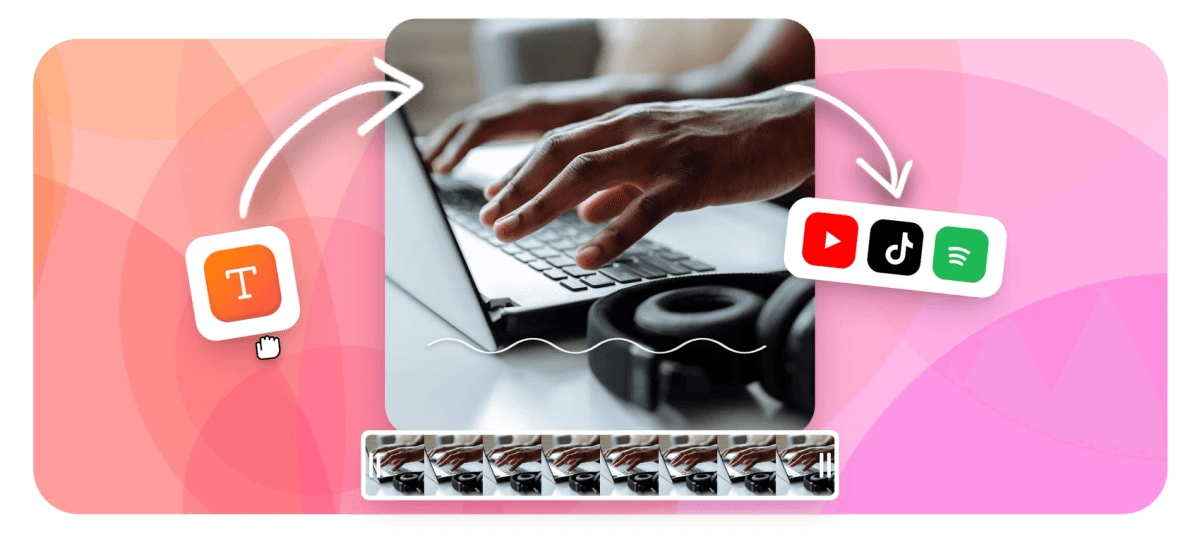
Text to Speech Online, 63 Natural AI Voices, Free MP3 Download Features
EchoWave's text to speech tool is used by creators, educators, marketers, and podcasters around the world





Script to audio, instantly
Text to speech that fits into your whole workflow
Most text to speech tools hand you a file and nothing else. EchoWave connects the whole chain: generate speech from 63 natural AI voices, download it as an MP3, or place it straight onto the multi-track timeline to sync with video, auto-captions, and music. For voice creation and cloning, the AI voice generator covers that too.
-
63 AI Voices
Natural-sounding voices across multiple accents and languages
-
Free to Start
No credit card required; paid plan removes watermark and unlocks 4K export
-
MP3 Download
High-quality audio file ready to use in any app or platform
-
Browser-Only
Nothing to install, works on any device with a modern browser
What's included
A voice tool built for the full production stack
63 voices, voice cloning, audiograms, and a full video editor, all in one tab.
-
63 Natural AI Voices
Choose from 63 AI voices covering multiple accents, genders, and styles. Every voice is tuned to sound natural rather than robotic, making them well suited for voiceovers, e-learning, and social content.
-
AI Voice Cloning
Record a short sample and EchoWave clones your voice so you can generate unlimited narration in your own sound. Perfect for creators who want a consistent personal brand across every video.
-
Instant MP3 Download
Generate speech and download a high-quality MP3 file in one click. Use it anywhere: in your video editor, podcast, presentation, or as a standalone audio clip.
-
Drop Audio Straight into Your Video
Skip the export-and-reimport loop. Any speech you generate lands directly on EchoWave's multi-track video editor so you can trim, layer, and sync it with video in the same session.
-
Auto-Captions from Your Voiceover
After you generate speech, EchoWave can transcribe it back into animated captions with 160+ presets, including TikTok karaoke word-highlight style. Use the auto-subtitle generator so viewers can follow along without headphones.
-
Audiogram and Waveform Video
Turn your TTS audio into a shareable audiogram or animated waveform video with an FFT spectrum that bounces to the speech. Great for podcast clips and audio quotes on social.
-
Multiple Languages
EchoWave's AI voices span a range of languages and accents, so you can narrate content for global audiences without hiring separate voice talent for each market.
-
AI Studio for Multi-Segment Scripts
Write a full script with multiple TTS segments in AI Studio, assign different voices to each section, and generate everything at once. Refine individual lines with a single click after previewing the result.
How it works
How to convert text to speech online
Four steps from blank script to finished audio.
-
Type or Paste Your Script
Open the Text to Speech tool in EchoWave, then type your script or paste existing copy into the text box. You can enter a single line or a full paragraph. Paid plans have no strict character limit.
-
Choose a Voice and Language
Browse the voice library and pick from 63 AI voices. Filter by gender, accent, or style. Preview any voice before committing so you know exactly how your audio will sound.
-
Generate and Preview
Hit Generate and EchoWave streams the audio back in seconds. Listen in the browser and tweak your script or switch voices until the result is exactly right.
-
Download MP3 or Continue Editing
Download your speech as an MP3 to use anywhere, or place it straight onto the EchoWave timeline to combine it with video, captions, music, and animations, all without leaving your browser.
Use cases
What creators make with EchoWave TTS
-
YouTube and TikTok Voiceovers
Content creators use EchoWave TTS to narrate faceless YouTube videos and TikTok clips without recording a voiceover. Generate the audio, drop it on the timeline, add auto-captions, and export, all in one tool.
-
E-Learning and Training Narration
Course builders and L&D teams convert slide scripts and lesson text into natural voiceovers. Consistent AI voices across every module keep production quality high and re-recording time near zero.
-
Podcast Clips and Audiograms
Turn written quotes, episode highlights, or show notes into spoken audio, then wrap it in an animated audiogram to share on Instagram, LinkedIn, or X with a waveform that moves to the voice.
-
Social Media Ads and Product Videos
Marketing teams generate polished voiceovers for product demo clips and ad creatives in minutes. No studio booking, no voice talent fees. Type the script and pick the brand-right voice.
-
Accessibility and Audio Articles
Publishers and bloggers add a listen button to articles by converting the text to speech and embedding the MP3. Readers with visual impairments or those on the move get the content without strain.
-
Lyric Videos and Music Visualizers
Musicians and audio creators generate spoken intros, outros, or transitions and pair them with EchoWave's waveform visualizers and lyric-video templates for a polished final product.
Generate your first voiceover
Start free. Paste your script, pick a voice, and download your MP3.
How creators use EchoWave in real projects

About the EchoWave team
EchoWave is a browser-based video and audio editor built by Lemon Vault LLC since 2018. The people who build the editor write these guides and test every step in the production app before publishing.
Text to speech FAQ
Is EchoWave text to speech really free?
Yes. You can convert text to speech in EchoWave on the free plan with no credit card required. Free exports include a small watermark on video outputs. Upgrading to a paid plan removes the watermark and unlocks 4K export quality.
How many AI voices does EchoWave have?
EchoWave currently offers 63 AI voices. These cover a range of genders, accents, and styles so you can match the voice to your content: a calm explainer, an energetic ad, or a formal corporate narration.
Can I download the audio as an MP3?
Yes. After generating your speech you can download it as an MP3 file in one click. You can also place it directly onto the EchoWave timeline to use it inside a video project without any extra steps.
What is text to speech used for?
Text to speech converts written text into spoken audio automatically. Common uses include voiceovers for YouTube or TikTok videos, narration for e-learning courses, podcast audiograms, accessibility audio for articles, and social media ads. Any situation where you want a voice without recording one manually.
Does EchoWave support voice cloning?
Yes. EchoWave includes AI voice cloning so you can record a short sample of your own voice and then generate new speech in that same voice. This is useful for creators who want a consistent personal sound across all their content.
How is text to speech different from an AI voice generator?
Text to speech focuses on converting a typed script into natural speech audio. The output is an MP3 or an audio track for a video. An AI voice generator is a broader term that can include voice cloning, character voices, and longer-form audio production. EchoWave offers both: the text to speech tool for quick script-to-audio conversion, and an AI voice generator page for more advanced voice work.
Do I need to create an account to use EchoWave TTS?
You need a free EchoWave account to generate and download speech. Creating an account takes under a minute and no payment details are required on the free plan.
Can I use the generated audio commercially?
Paid plan users can use EchoWave-generated audio in commercial projects. Check the current EchoWave terms of service for the exact scope, especially if you are using voice cloning of a third-party voice.
What languages does EchoWave TTS support?
EchoWave's AI voices cover multiple languages and accents. The full language list is shown in the voice picker inside the tool. If you need caption translation on top of speech generation, EchoWave's subtitle translation feature supports a broad set of languages as well.
Ready to turn your script into a natural AI voice?
No credit card required. The free plan includes a small EchoWave watermark.
Get Started →























































