
Online Voice Recorder: Just You, a Mic and a Waveform
Pick a microphone, watch the live waveform respond as you speak, and record up to 60 minutes with pause and resume. Download instantly or keep going in the editor. No install.


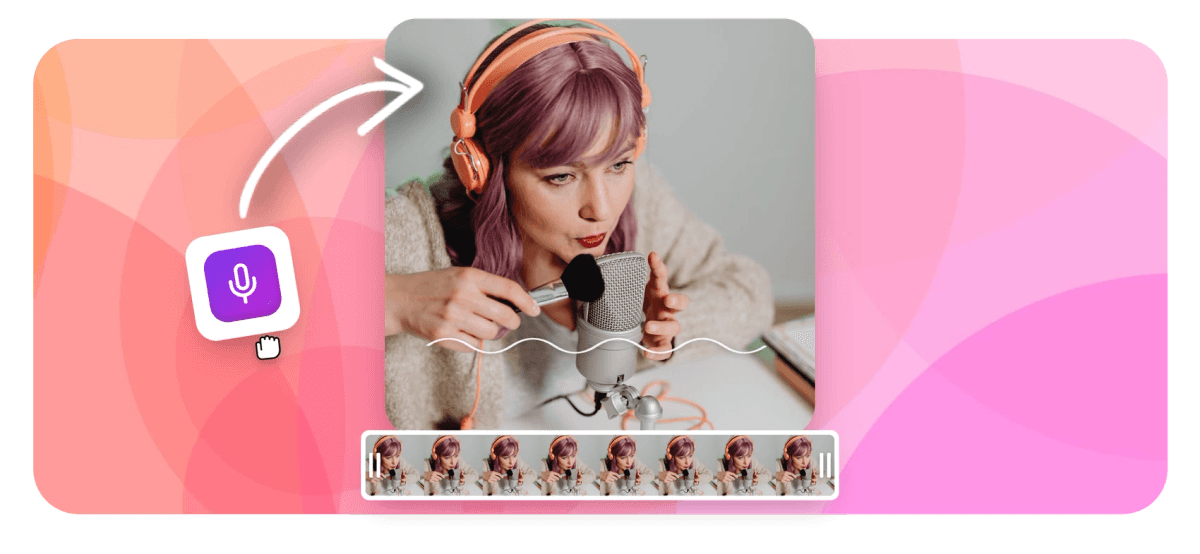
Online Voice Recorder: Just You, a Mic and a Waveform Features
EchoWave's audio tools are used by podcasters, narrators and note takers worldwide





Mic-only recording
The best takes happen with the camera off
EchoWave's online voice recorder is the microphone-only mode of the same recorder that handles screen and camera: no lens, no screen share, just your voice and a live waveform stage that proves the mic is picking you up. Choose any connected microphone and switch devices live, count yourself in with 3, 5 or 10 seconds, and record up to 60 minutes per take with pause and resume. Audio saves locally in chunks as you go, so a crashed tab does not eat the recording. When you stop, download the file instantly, or save it to the editor where one click turns speech into text, removes ums and dead air or lays the take under footage as a voice over.
-
60 minutes
Of recorded audio per take; the clock stops while you pause
-
3 / 5 / 10s
Countdown options to settle in, or start instantly with none
-
0 installs
Browser recording APIs only, and it works anonymously
-
Crash-safe
Chunked local saving recovers the take if the tab dies
What you get
Built for voice, not pointed at your face
The mic-side details that make take one usable.
-
Pick Your Microphone, Switch Live
Choose your headset, USB mic or audio interface from a device picker, and switch microphones live; the recorder follows the new input without making you rebuild the session.
-
A Waveform You Can Trust
The live waveform stage moves the moment you speak, so a muted input, a dead channel or a too-quiet gain setting is obvious before the take instead of after it.
-
Count In, Pause, Keep Going
Start on a 3, 5 or 10 second countdown, pause for the doorbell, resume when the room settles. Up to 60 minutes per take, and paused time costs nothing.
-
Crash Recovery Built In
Audio is written to your browser in chunks while you record, so a crashed tab or an accidental close does not erase forty minutes of careful narration.
-
Teleprompter for Scripted Reads
Voice work is usually scripted work. Load your lines into the floating teleprompter, set the scroll speed and font size, and read naturally while the recorder rolls.
-
Download Now or Edit Next
Stop recording and the download is right there, no account needed. Or save the take into the editor to trim it, caption it or turn it into a waveform audiogram.
How it works
How to record your voice online
Four steps, none of them involve a camera.
-
Open the Recorder, Choose Mic Only
Head to the recorder and choose the microphone-only mode. Only mic permission is requested: no camera, no screen share.
-
Pick Your Mic and Count In
Select the microphone you want to use, watch the waveform respond to your voice, and set a 3, 5 or 10 second count-in.
-
Record, Pause, Resume
Speak your piece. Pause whenever life interrupts and resume when it stops; each take holds up to 60 minutes.
-
Download or Keep Editing
Download the audio file straight to your device, or save it into the editor for transcription, cleanup and captions.
Who uses it
The audio-first jobs, handled
-
Podcasters
Record intros, ad reads and solo segments between full episodes, then strip the ums before listeners ever hear them.
-
Narrators and Voice Artists
Run audition reads and narration takes without booking a booth, with the waveform confirming levels while you perform.
-
Course Creators
Narrate lessons and slide decks in one sitting, then lay the audio under visuals as a voice over.
-
Journalists and Researchers
Dictate field notes and pull quotes while details are fresh, with a transcript one click away afterwards.
-
Busy Professionals
Talk through meeting notes, briefs and ideas faster than typing them, then download or transcribe the memo.
-
Musicians and Songwriters
Sketch melodies, lyric ideas and practice takes the moment inspiration lands, before it wanders off.
Press record, start talking
Mic-only mode, a live waveform and 60 minutes of room per take. Free, no install.
What people are saying about EchoWave

About the EchoWave team
EchoWave is a browser-based video and audio editor built by Lemon Vault LLC since 2018. The people who build the editor write these guides and test every step in the production app before publishing.
Voice recorder FAQ
How do I record my voice online for free?
Open EchoWave's recorder in any modern browser, choose the microphone-only mode and allow mic access when prompted. Pick the microphone you want, confirm the waveform moves when you talk, set an optional countdown and press record. Pause and resume as often as you need, for up to 60 minutes of recorded audio per take. When you stop, download the file straight to your device: free, no account, nothing to install.
How long can a single voice recording be?
Each take holds up to 60 minutes of recorded audio, and pauses are free: the clock only runs while the recorder is actually rolling, so a long session with breaks still fits comfortably. If you need more than an hour of material, record it in parts and line the takes up on the editor timeline; joining them is a drag, not a project.
Where does my audio go while I record? Is it private?
During recording, audio stays on your machine: it is written to your browser in small chunks as you speak, which is also what makes crash recovery possible. Press download and the file goes directly to your device, and that is the end of the trip. The take is only uploaded if you choose to save it into the EchoWave editor, where it joins your project library for transcription and editing.
What format is the voice recording?
The recorder captures with your browser's own media encoder, so the file is usually WebM in Chrome, Edge and Firefox, or MP4 in Safari. If another tool in your chain wants a different format, save the take into the EchoWave editor and export from there, or convert it after import; the audio is not re-encoded until you choose to export.
Can I turn my voice recording into text?
Yes. Save the recording into the editor and run auto-transcription on the audio clip: you get word-level timing, automatic language detection with 50+ languages supported, and an editable transcript with per-cue playback. Download it as SRT, VTT, TXT or JSON, or style the words as captions if the audio becomes a video or an audiogram.
Can I read from a script while I record audio?
Yes. The recorder has a built-in teleprompter: paste your script, set the scroll speed and a font size from 18 to 72px, and it auto-scrolls in an overlay while you record. It works in mic-only mode exactly as it does on camera, and since nobody watches your eyes on an audio take, you can read as closely as you like. The prompter is never captured into the recording.
Can I clean up ums, uhs and long silences afterwards?
Yes, once the take is saved into the editor. Transcribe it first, then the clean audio tool reads the transcript, flags filler words like um and uh, and finds silences longer than a threshold you set between 0.3 and 2 seconds. You review the suggested cuts, accept or reject each one, and apply them all as a single ripple edit with a time-saved summary. One undo brings the original back.
Do I need an account to use the voice recorder?
No account is needed to record and download: the recorder works anonymously with nothing to install. Open the page, allow microphone access, record, download, done. Saving the take into the editor creates a project for it, and that is where transcription, filler-word cleanup and voice over work happen. Until you choose that path, everything stays in your browser.
Your voice, on the record
Record it now, polish it later: the editor, transcription and captions are one save away.
Get Started →























































