
Add Sound Effects to Video: Whoosh, Ding, Applause, Done
Search a built-in sound effects library, preview any effect and drop it exactly where it lands on your timeline. Layer it with music and voiceover, then export. Free to start.


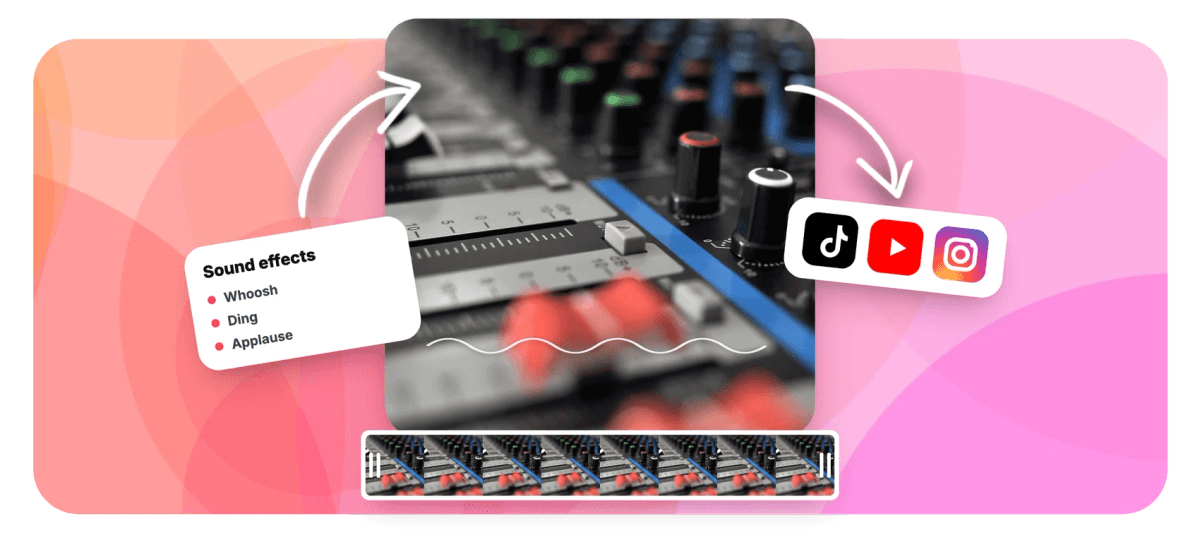
Add Sound Effects to Video: Whoosh, Ding, Applause, Done Features
EchoWave's audio tools are used by short-form creators, streamers and marketers worldwide





Built-in SFX library
Sound effects are the cheapest production value there is
A whoosh on the transition, a pop on the text reveal, a ding on the key point: sound effects are how short-form video signals effort. EchoWave builds the library into the editor, searchable by keyword and category, with instant in-panel preview, so you never leave the timeline to trawl a stock site, download a file and re-upload it. One click places the effect at the playhead, where you can trim it, nudge it and set its volume like any other clip alongside your music track and voiceover.
-
Searchable
Keyword search with category chips and relevance ranking
-
Instant preview
Audition any effect in the panel before adding it
-
Playhead placement
Effects land exactly where you are on the timeline
-
Fully mixable
Per-clip volume, trims and fades like any audio track
What you get
From search to synced sound in seconds
The library, the preview and the timeline are one workflow, not three tabs.
-
A Library Inside the Editor
Browse stock sound effects without leaving your project: whooshes, impacts, clicks, risers, ambiences, comedy stingers and more, organized by category with tags and durations shown up front.
-
Keyword Search That Ranks
Type what you hear in your head, whoosh, ding, applause, and relevance-ranked results appear instantly, filtered further by category chips when you want to browse a mood.
-
One-Tap Preview
Every result plays in the panel with a tap, and stops with another, so auditioning ten candidate effects takes seconds, not downloads.
-
Placed at the Playhead
Adding an effect inserts it exactly at the current playhead position on its own audio clip. Scrub to the moment, add, done: the effect is synced from the start.
-
Mix Like a Real Track
Each effect is a normal timeline clip: trim it, move it, duplicate it, set its volume independently and balance it against the video's own audio for a clean mix.
-
Everything Else in Reach
Because the SFX library lives in the video editor, the same session covers captions, text pops, transitions and export, the full short-form toolkit.
How it works
How to add sound effects to a video
Four steps from silent to punchy.
-
Upload Your Video
Drag your clip into the EchoWave editor. The timeline appears with your footage ready to score.
-
Open the Sound Effects Library
In the media panel, switch to sound effects. Search by keyword or browse categories until you find the right sound.
-
Preview and Place
Audition candidates in the panel, scrub the playhead to the exact moment, and add the effect. It lands on its own audio clip, synced to that frame.
-
Mix and Export
Set the effect's volume against your music and dialogue, add fades if needed, and export the finished video.
Who uses it
Where a well-timed sound earns its keep
-
Short-Form Creators
Whooshes on cuts, pops on captions and risers before reveals are the grammar of TikTok and Reels editing.
-
Meme and Comedy Editors
The right stinger at the right frame is the joke. Search, preview, place, laugh.
-
Tutorial Makers
Subtle clicks and confirmation dings guide attention through UI walkthroughs without a word of narration.
-
Marketers
Product reveals hit harder with an impact and a shimmer; ads feel finished when the sound design matches the motion.
-
Streamers and Gamers
Score highlight reels with impacts and crowd reactions that the raw gameplay audio never delivered.
-
Podcasters
Intro swooshes, section dividers and applause beds turn an audio feed into a produced show.
Add sound effects to your video now
Search, preview and place effects without leaving the editor. Free to start.
What people are saying about EchoWave

About the EchoWave team
EchoWave is a browser-based video and audio editor built by Lemon Vault LLC since 2018. The people who build the editor write these guides and test every step in the production app before publishing.
Sound effects FAQ
How do I add sound effects to a video?
Upload your video to the EchoWave editor, open the sound effects section of the media panel, search or browse for the effect you want, preview it, then add it. The effect is inserted at the playhead as its own audio clip, so it is synced to the exact frame you chose and can be trimmed, moved and mixed afterwards.
Do I need to download sound effects from another site?
No, that is the point of the built-in library. Searching, previewing and placing all happen inside the editor, which removes the download-and-reupload loop entirely. Each effect streams instantly for preview and is added to your project on demand.
What kinds of sound effects are available?
The library spans the staples of modern editing: whooshes and swipes for motion, pops and clicks for UI and captions, impacts and risers for emphasis, applause and crowd reactions, ambiences, and comedy stingers. Every item shows its category, duration and tags, and keyword search ranks results by relevance.
Can I control how loud the sound effect is?
Yes. Each placed effect is a normal audio clip with its own volume control, independent of your music and the video's original audio. You can also trim the effect, fade it and duplicate it across multiple moments.
Can I layer sound effects with music and a voiceover?
Yes. The timeline supports multiple audio layers, so a typical short-form project runs original audio, a music bed, a voiceover and several one-shot effects simultaneously, each individually mixable.
Are the sound effects licensed for my videos?
The library is stock audio provided for use in videos you export from EchoWave, and each item carries its license type in the library metadata. As with any stock asset, platform-level copyright systems occasionally flag common sounds; using effects as part of an edited video rather than as standalone audio keeps that rare.
Can I add my own sound effect files too?
Yes. Upload MP3, WAV or other audio files to the same project and place them on the timeline exactly like library effects. The built-in library covers speed; your own uploads cover anything custom.
Is adding sound effects free?
Yes, searching the library and building your edit are free. Free exports include a small watermark and are capped at 720p; paid plans remove the watermark and unlock resolutions up to 4K and beyond.
Ready to make some noise?
A searchable SFX library built into a full video editor. Free to start.
Get Started →























































