
MOV to MP3 Converter
Pull clean MP3 audio out of any MOV video. Free, in your browser, with no signup, no file limits, and no watermark.


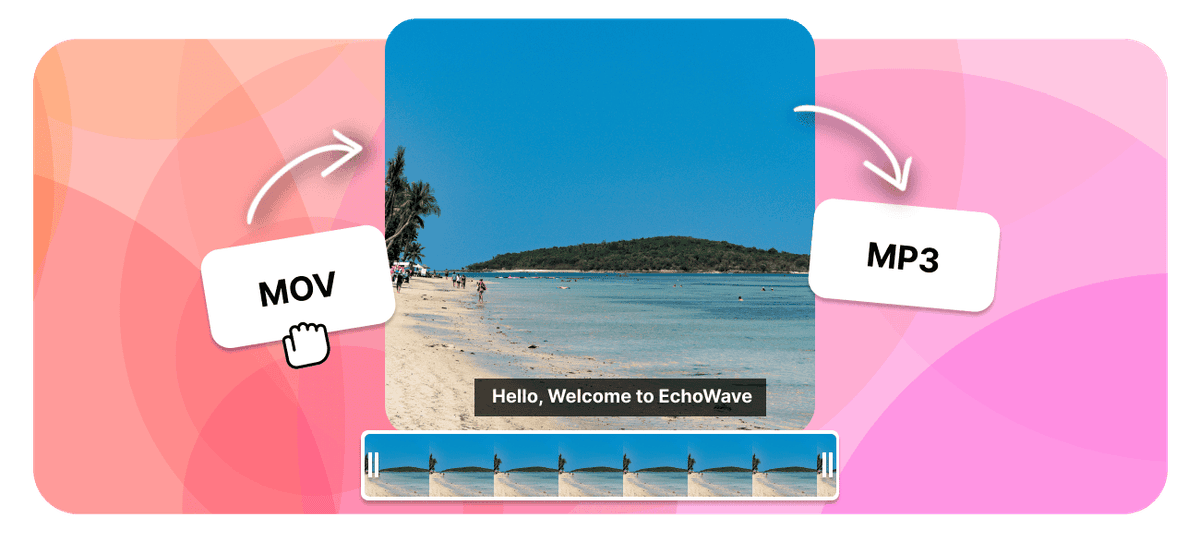
MOV to MP3 Converter Features
EchoWave is used by creators, marketers, educators, and businesses to convert and edit media online.





When you only need the sound from a MOV, EchoWave pulls the audio track out and saves it as an MP3 right in your browser. The video is dropped, so a heavy QuickTime clip from your iPhone or Mac becomes a small audio file you can play in any music app, car stereo, or podcast player. Free, no signup, no watermark.
How it works
How to convert MOV to MP3
- 1
Upload your MOV
Drag your MOV onto the converter or pick it from your device. Nothing to install.
- 2
Choose MP3 and convert
Select MP3 as the output, set the bitrate if you want, then start. Free, with no sign-up.
- 3
Download your MP3
Save the finished MP3 to your device, or open it in the editor to trim or reuse it.
Try it
Estimate your MP3
Pick a bitrate and a length to see the MP3 file size before you convert.
Drag to set the clip length in minutes, from 1 to 60.
An estimate. Real size varies a little with the encoder and the audio itself.
The formats
MOV vs MP3
QuickTime File Format
Apple QuickTime video, common on iPhone and Mac
- Type
- Video container (QuickTime)
- Holds
- H.264 or HEVC video with AAC audio
- Typical size
- Large, often bigger than MP4
- Plays on
- iPhone, Mac, QuickTime, most modern players
Best for:Recording and editing on Apple devices
MPEG-1 Audio Layer III
The most universal audio format ever made
- Type
- Lossy audio format
- Holds
- Audio only
- Typical size
- Small, about 1 MB per minute at 128 kbps
- Plays on
- Effectively everything
Best for:Music, podcasts, and audio you listen to
Will it lose quality?
- The MP3 can only be as good as the audio already inside your MOV.
- A bitrate higher than the source does not add quality, it only makes a bigger file.
- 192 to 320 kbps keeps music clear. 128 kbps is fine for speech.
Converting to MP3 re-encodes the audio. To keep it exactly as it sits inside the video, convert to M4A instead, or to WAV for an uncompressed copy.
Use cases
What people use it for
Troubleshooting
If something looks off
The MP3 has no sound
The file is too large to email
Which apps open MP3 files?
FAQ
MOV to MP3 questions
How do I extract MP3 audio from a MOV file?
Is the MOV to MP3 converter free?
Will the MP3 sound as good as the MOV?
Why convert MOV to MP3 instead of keeping the video?
What MP3 bitrate should I choose when converting from MOV?
Does it work on iPhone, iPad, and Android?
Can I convert MOV to MP3 on Mac and Windows?
Does the MP3 keep the full track and song details?
Can I convert a long recording or several MOV files?
What is a MOV file?
Does the video get discarded when I convert MOV to MP3?
Do I need to install software to convert MOV to MP3?
Why is my MP3 silent after converting the MOV?
Is there a file size limit for MOV to MP3 conversion?
Does the converted MP3 have a watermark?
Why convert MOV to MP3
A MOV file is a QuickTime container, the format an iPhone, iPad, or Mac reaches for when it records video or captures the screen. Usually the picture is the point. Sometimes it is not. You recorded an interview on your phone, filmed a lecture from the back of a room, pointed a camera at a band practice, or captured a call you now have to write up. In all of those cases the video is dead weight and the audio is the thing you actually came for.
Converting MOV to MP3 keeps the sound and drops the picture, and the size difference is dramatic because video is what makes a MOV heavy. A few minutes of 4K footage from an iPhone can run to a gigabyte or more, while the same few minutes as an MP3 lands in the low single-digit megabytes. That is the difference between a file you cannot email and one you can, between an upload that stalls and one that finishes, and between a recording that fills your phone and a library of them that does not.
The other half of the argument is playback. MP3 is the most widely supported audio format ever made and it opens on effectively everything: the stock Music app on an iPhone, any Android player, a car stereo reading a USB stick, a podcast app, a smart speaker, an old MP3 player in a drawer. A MOV asks the other end to handle QuickTime video. An MP3 asks almost nothing of it.
How to extract MP3 audio from a MOV
- Add your MOV file. Drag it onto the converter or pick it from your device. On an iPhone or iPad, a clip sitting in Photos usually needs to be saved or shared into Files first so the browser's file picker can reach it. On a Mac, Windows PC, Chromebook, or Linux machine the picker sees it straight away. There is nothing to install and no account to create.
- Choose MP3 as the output format. This is what tells the converter to keep the audio track and discard the video rather than re-wrapping the whole clip.
- Set a bitrate if you want one. The default is fine for most recordings, but you can pick anywhere from 96 kbps for small voice files up to 320 kbps for music you intend to keep. The size estimator higher up this page shows what each choice costs before you commit to it.
- Convert and download. Save the finished MP3 to your device when it is ready, or open it in the editor first if you want to trim the silence off the front, cut it into sections, or drop the volume of a loud passage.
The work happens on our servers rather than on your machine, so a large MOV does not depend on how powerful your laptop or phone is. A long recording simply takes a little more time to upload and process than a short one.
What happens to the video, and how good the MP3 will sound
The picture is discarded. Only the audio track survives, which is the entire point of the conversion and the reason the output is so much smaller. Nothing else in the file comes along except the track details, which travel as ID3 tags when your MOV happens to carry them.
Worth being straight about the quality question, because it is the one people ask most. The audio inside a MOV is normally AAC. MP3 is a different lossy format, so the sound is re-encoded rather than copied across untouched, and a re-encode always sheds a little detail. In practice this is very hard to hear at a sensible bitrate, but two things follow from it that are worth knowing:
- The MP3 can only be as good as the audio already inside the MOV. If the source was a phone microphone in a noisy room, a high bitrate will faithfully preserve a phone microphone in a noisy room. Nothing can add detail that was never recorded.
- A bitrate higher than the source does not add quality, it only adds megabytes. Exporting a 128 kbps source at 320 kbps produces a file two and a half times the size that sounds identical.
As a rough guide: 320 kbps for music you want to keep, 192 to 256 kbps for general listening, and 128 kbps for speech, lectures, interviews, and anything headed for transcription. If you need the audio at full quality for editing rather than listening, skip MP3 altogether and use MOV to WAV instead, which gives you an uncompressed copy that an audio editor will handle without another round of compression.
Voice memos, screen recordings, and the awkward MOV cases
Cameras and phones often write the extension in capitals, so a file called IMG_4471.MOV is the same thing as one called clip.mov and converts identically. Nothing needs renaming.
If the MP3 comes back silent, the usual explanation is that the MOV never had an audio track to begin with. Screen recordings are the common culprit: on both macOS and iOS you can capture the screen with system audio and microphone switched off, which produces a perfectly valid video file containing no sound at all. Play the MOV with the volume up before converting to confirm there is something there to extract.
Long recordings are fine. A two-hour lecture or an afternoon of interviews converts the same way a thirty-second clip does; it just takes longer to upload. And because there is no file-count limit on these pages, you can work through a folder of clips one after another rather than picking a favourite and giving up on the rest.
Related conversions and tools
Going the other direction, MP3 to MOV wraps an audio file back into a QuickTime video, which is what you need when a platform will only accept a video upload. MOV to WAV is the choice when the audio is headed into an editor rather than a music app.
For other video sources, MP4 to MP3 covers the format most cameras and phones now default to, and the general video to MP3 converter handles whatever else you have lying around. Once you have the audio out, the audio merger joins several extracted clips into one continuous file, and the audio cutter trims the parts you do not want.
What people are saying about EchoWave

About the EchoWave team
EchoWave is a browser-based video and audio editor built by Lemon Vault LLC since 2018. The people who build the editor write these guides and test every step in the production app before publishing.
Convert MOV to MP3 for free Free online converter
Upload a MOV and get a clean MP3 back, ready for any player. No signup, no watermark.
Convert Files →
Keep converting























































