
MP4 to Text Converter
Convert MP4 to text in your browser: upload the video and EchoWave's speech recognition writes a full transcript with word-level timestamps, in dozens of languages. Proofread it, export it as TXT, JSON, SRT, or VTT, or keep going and edit the video itself by deleting sentences from the text. It is free to upload, transcribe, edit, and export in HD (up to 720p) with a small removable EchoWave watermark badge, and there is nothing to install.


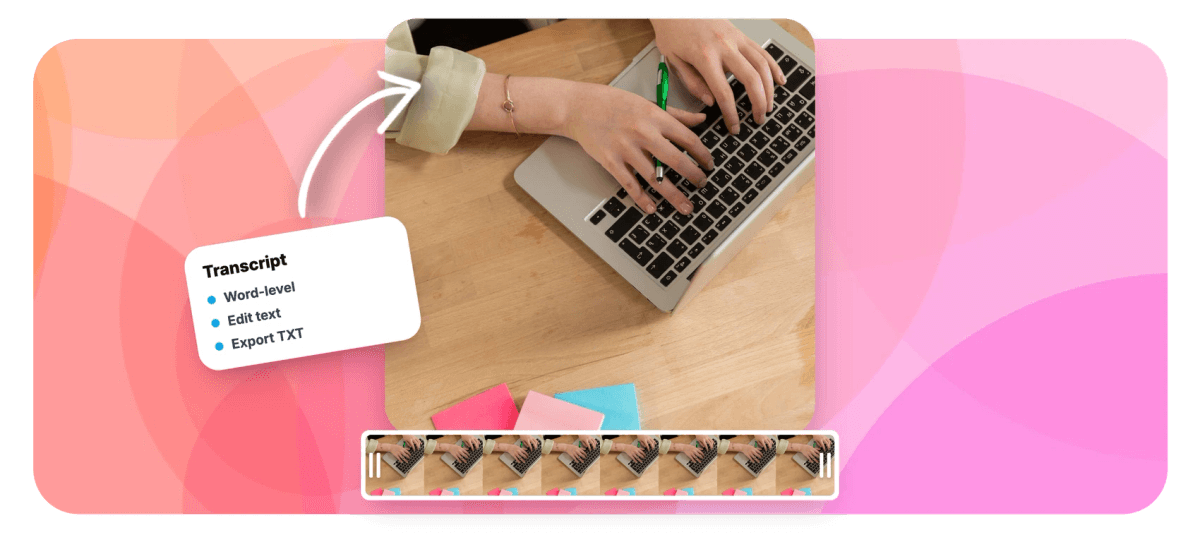
MP4 to Text Converter Features
EchoWave's MP4 to text converter is used by students, podcasters, course creators, and video teams around the world.





Transcription built in
A transcript that stays connected to the video
Most MP4 to text converters hand you a wall of words and stop. EchoWave generates the text inside a full video editor, so the same transcript becomes show notes, an SRT file, or the cutting tool for the video itself. Working with other formats or sources? The broader video to text page covers them, and MP3 to text handles audio-only files.
-
176
caption presets for burned-in subtitles
-
86
subtitle translation languages
-
4
transcript formats: TXT, JSON, SRT, VTT
-
63
AI voices for added narration
Beyond the transcript
What you can do once your MP4 is text
Transcription is step one; everything below happens in the same browser tab without re-uploading the file.
-
Accurate MP4 to text conversion
Speech recognition transcribes the audio track of your MP4 in dozens of languages and stamps every word with its exact start time. Nothing to install: it runs in any modern browser on Mac, Windows, Linux, or a Chromebook, and the heavy lifting happens on EchoWave's cloud servers.
-
A transcript you can actually edit
Click any word to jump the playhead to that exact moment, then fix names, jargon, or misheard phrases in place. Because timing is stored per word, corrected text stays in sync with the video instead of drifting.
-
Export TXT, JSON, SRT, or VTT
Grab a plain text file for notes and articles, JSON with word timestamps for scripts and apps, or subtitle files that work in any player. If caption files are the end goal, the SRT generator walks through that workflow in detail.
-
Cut the video by deleting sentences
The transcript doubles as an editing surface. Delete a rambling paragraph and the matching clip disappears from the timeline, and automatic filler word and silence removal clears out the ums, uhs, and dead air. The text-based video editor page covers this in depth.
-
Burn styled captions into the video
Apply one of 176 caption presets, including word-by-word karaoke styles with active-word fill, then render the MP4 with subtitles hardcoded into the picture. Burned-in captions show up everywhere, even on platforms that ignore SRT files.
-
Translate subtitles into 86 languages
Once the transcript is proofread, translate the cues into any of 86 languages, or display two languages at once with bilingual subtitles. Useful for courses, tutorials, and channels with international viewers.
-
Audio files work too
The same engine transcribes MP3, WAV, and M4A uploads, so podcast audio and voice memos do not need to be wrapped in a video first. See MP3 to text for audio files and voice to text for recordings of your own voice.
-
Ask Echo to handle it
Echo, the AI assistant built into the editor, has 39 editing tools and works from the transcript on command: ask it to remove filler words, caption the video in a named preset, or cut everything before a certain sentence. It saves a checkpoint before big changes, so one click reverts everything.
How it works
How to convert MP4 to text
Four steps from video file to finished transcript, all in the browser.
-
Upload your MP4
Drag the file into the editor at echowave.io. MP4 with H.264 video and AAC audio, the most common combination, previews immediately, and MOV, WebM, and AVI files work the same way.
-
Run automatic transcription
Open the Subtitles panel and start auto captions. Speech recognition reads the audio track in dozens of languages and returns timed cues with word-level timestamps, no separate audio extraction needed.
-
Proofread and edit the transcript
Read through the text, click any word to hear that exact moment, and correct names or technical terms. If you want, deleting text can also cut the matching section out of the video.
-
Export text, subtitles, or the video
Export the transcript as TXT or JSON, save SRT or VTT subtitle files, or burn styled captions into the video and render it. Free video exports are HD (up to 720p) MP4 with a small removable EchoWave watermark badge and a short branded end card; paid plans remove the badge and add 1080p up to 4K, with 8K on Business.
Common jobs
Six things people turn MP4 transcripts into
-
Study notes from lectures
Transcribe recorded lectures and screen captures into searchable notes instead of scrubbing through an hour of video. Word timestamps let you jump straight back to the moment a concept was explained.
-
Podcast show notes and quotes
Pull a full transcript from a video podcast, then lift episode summaries and pull quotes straight from the text. The same project can output captioned vertical clips for promotion.
-
Captions for social clips
Generate the transcript once, then burn word-by-word karaoke captions into clips for TikTok, Reels, and Shorts. The 176 presets include the looks made famous by MrBeast and Hormozi-style creators.
-
Meeting and webinar records
Turn recorded meetings and webinars into text that colleagues can skim, search, and paste into follow-up emails. Timestamped cues point people at the exact minute a decision was made.
-
Repurposing videos into articles
Export TXT and rework the transcript into blog posts, newsletters, and documentation. Publishing the text alongside the video also gives search engines something to index.
-
Accessibility and compliance
Provide captions and transcripts so deaf and hard-of-hearing viewers can follow your content. SRT and VTT exports fit players and platforms that require standalone caption files.
Compare
How EchoWave compares
| Feature | EchoWave | HappyScribe | Descript | Rev |
|---|---|---|---|---|
| Automatic MP4 transcription | Yes | Yes | Yes | Yes |
| Word-level timestamps | Yes | Yes | Yes | Yes |
| Free to upload and transcribe | yes (free editor) | trial only | limited free plan | limited free plan |
| Edit the video by editing the transcript | Yes | No | Yes | No |
| Filler word and silence removal | Yes | No | Yes | No |
| Styled burned-in captions | yes (176 presets) | yes (basic styles) | Yes | yes (paid add-on) |
| Subtitle translation | yes (86 languages) | yes (paid) | yes (paid) | yes (paid) |
| Human transcription option | No | Yes | No | Yes |
| Speaker labels | No | Yes | Yes | Yes |
| DOCX (Word) export | No | Yes | Yes | Yes |
| Full timeline video editor included | Yes | No | Yes | No |
| AI voice over | yes (63 voices) | No | Yes | No |
Based on each tool's public pages as of July 2026. Plans and feature lists change often, so check each vendor's site for current details.
Get the transcript out of your MP4
Upload a video, let speech recognition do the typing, and walk away with clean text, subtitle files, or a fully captioned video. The free plan exports HD (up to 720p) MP4 with a small removable EchoWave watermark badge; paid plans remove the badge and add 1080p up to 4K, plus more formats.
What creators say after trying EchoWave

About the EchoWave team
EchoWave is a browser-based video and audio editor built by Lemon Vault LLC since 2018. The people who build the editor write these guides and test every step in the production app before publishing.
MP4 to Text Converter FAQ
How do I convert MP4 to text for free?
Upload the MP4 to EchoWave's editor at echowave.io, open the Subtitles panel, and run auto captions. Speech recognition writes the full transcript with word timestamps, and reading, correcting, and previewing it is free with no software to install. If you render the video too, the free plan exports HD (up to 720p) MP4 with a small removable EchoWave watermark badge and a short branded end card; paid plans remove the badge and add 1080p up to 4K.
Can I extract subtitles from an MP4 file?
If the MP4 contains a separate embedded subtitle track, you need a demuxing tool such as FFmpeg to pull that stream out. EchoWave takes a different route: it listens to the audio and generates the text with speech recognition, which works even when the file has no subtitle track at all or when the subtitles are burned into the picture. You can then export the result as SRT or VTT.
How do I get a transcript from an MP4 video?
Upload the MP4, run automatic transcription from the Subtitles panel, and proofread the result in the transcript view. When it reads correctly, export it as a TXT file for documents or JSON if you need the word timings. The whole process happens in the browser, so it works the same on a Mac, a Windows PC, or a Chromebook.
How accurate is MP4 to text conversion?
Accuracy depends mostly on the recording. Clear speech recorded close to the microphone transcribes very well, while heavy background noise, people talking over each other, and strong accents introduce mistakes. Every word in EchoWave's transcript is editable, and clicking a word jumps playback to that exact moment so you can check what was actually said.
Which languages can EchoWave transcribe?
Automatic speech-to-text works in dozens of spoken languages, so most MP4s recorded in a major world language transcribe without extra setup. After transcription you can also translate the subtitle cues into 86 languages, or show two languages at once with bilingual subtitles.
Can I turn the MP4 transcript into subtitles?
Yes. The transcript is already split into timed cues, so you can export it directly as an SRT or VTT file for YouTube, media players, or any platform that accepts caption uploads. You can also style the captions with one of 176 presets and burn them permanently into the video.
Can I edit the video by editing the text?
Yes, this is where transcribing inside an editor pays off. Delete a sentence in the transcript and the matching clip is cut from the timeline, and one command removes filler words like um and uh along with long silences. It turns a rough recording into a tight cut without touching a razor tool.
Do I need to convert the MP4 to MP3 before transcribing?
No. EchoWave reads the audio track straight out of the MP4, so there is no separate extraction or conversion step. If your source is already an audio file such as MP3, WAV, or M4A, upload it directly and the same transcription engine handles it.
Can I open the transcript in Word or Google Docs?
Export the transcript as TXT and it opens in Word, Google Docs, Notion, or any text editor, ready for formatting. EchoWave does not produce DOCX files directly, but plain text pastes cleanly, and the JSON export keeps per-word timestamps for anyone building something programmatic.
Ready to transcribe your next MP4?
Upload a video and get the transcript free in your browser; video exports are free in HD with a small watermark badge, and paid plans remove it and add 1080p up to 4K.
Get Started →























































